
1. Introduction
The llano S850 is an upgraded Type-C Wireless HDMI Transmitter and Receiver designed for seamless wireless display. It supports dual-band (5G + 2.4G) transmission, offering 1080P/60Hz Ultra HD output for various applications including learning, meetings, family gatherings, and gaming. The device provides two primary connection modes: a traditional Transmitter/Receiver mode and a simplified Receiver-Only mode for direct mirroring.
This device eliminates the need for messy cables, Wi-Fi, apps, or Bluetooth for its primary operation, ensuring a true plug-and-play experience with zero latency for high-quality streaming.
2. What's in the Box
- 1 x llano S850 Wireless HDMI Transmitter (TX)
- 1 x llano S850 Wireless HDMI Receiver (RX)
- 1 x HDMI Extension Cable
- 1 x USB-A to USB-C Power Cable
- 1 x USB-C Extension Dongle
- 1 x User Manual
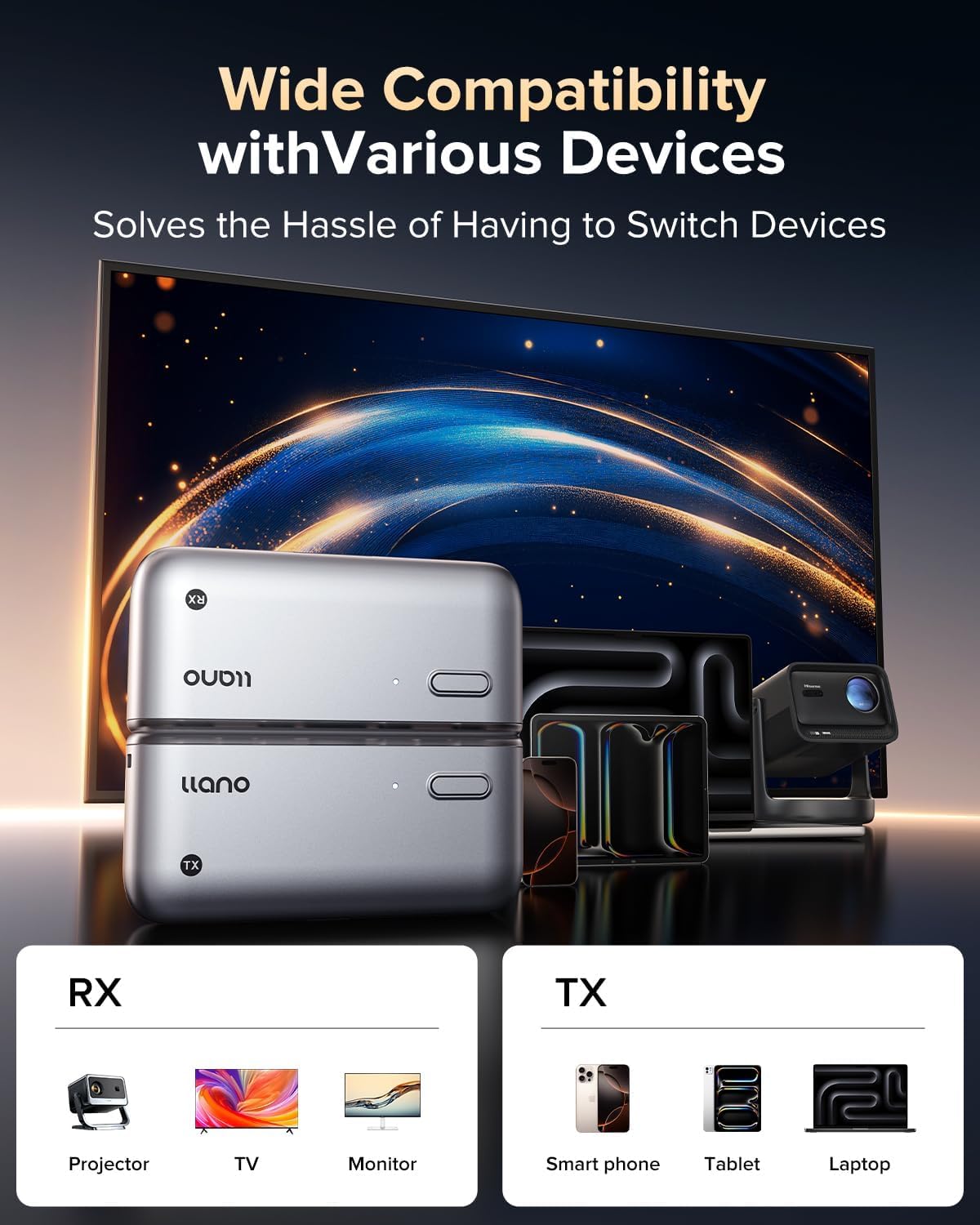
Image: The llano S850 Wireless HDMI Transmitter and Receiver, along with its included cables and accessories.
3. Setup Instructions
3.1. Connection Method 1: Transmitter + Receiver Mode
This method offers a true plug-and-play experience without the need for Wi-Fi, apps, or Bluetooth. The devices connect automatically.
- Connect the Receiver (RX): Plug the Receiver (RX) into an HDMI port on your display device (monitor, TV, or projector).
- Power the Receiver: Connect the USB-A to USB-C Power Cable to the RX unit and plug the USB-A end into a 5V/2A power adapter or a USB port on your display device.
- Connect the Transmitter (TX): Plug the Transmitter (TX) into the USB-C port of your source device (laptop, tablet, or smartphone). If your device has a case that obstructs the connection, use the included USB-C Extension Dongle.
- Automatic Pairing: The Transmitter and Receiver will automatically pair. The indicator light on both units will flash and then become solid when connected.
- Switch Display Input: On your display device, switch the input source to the corresponding HDMI port where the RX unit is connected.
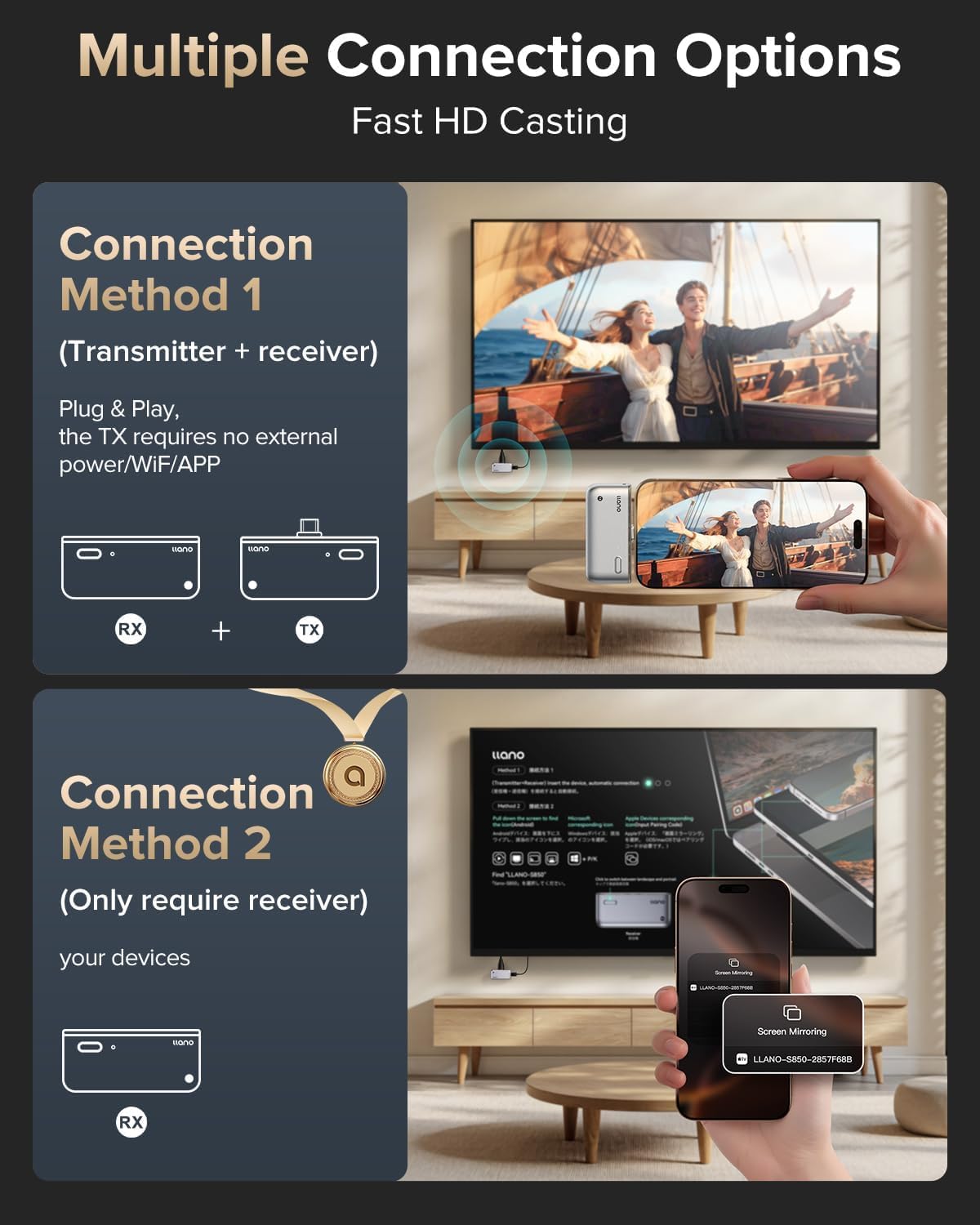
Image: Illustration of Connection Method 1, showing the Transmitter (TX) connected to a phone and the Receiver (RX) connected to a TV.

Image: Detailed steps for connecting the Transmitter and Receiver units to a laptop and TV, including power connection.
3.2. Connection Method 2: Receiver Only Mode (Wireless Mirroring)
This mode allows direct wireless mirroring from your smartphone, tablet, or laptop to the display using the Receiver (RX) unit alone. This is ideal for devices that support native wireless projection protocols like AirPlay or Miracast.
- Connect the Receiver (RX): Plug the Receiver (RX) into an HDMI port on your display device (monitor, TV, or projector).
- Power the Receiver: Connect the USB-A to USB-C Power Cable to the RX unit and plug the USB-A end into a 5V/2A power adapter or a USB port on your display device.
- Switch Display Input: On your display device, switch the input source to the corresponding HDMI port where the RX unit is connected. The llano S850 startup screen will appear.
- Initiate Wireless Projection from your Device:
- Android Phone: Pull down the notification bar, tap the 'Wireless Projection' or 'Smart View' icon, and select "LLANO-S850" from the list of available devices.
- Apple iPhone/iPad: Click the floating circle (or swipe down from the top-right corner for Control Center), tap 'Screen Mirroring', select "LLANO-S850", and enter the PIN code displayed on your TV (e.g., "1538").
- Apple Mac: Click the floating circle (or swipe down from the top-right corner for Control Center), tap 'Screen Mirroring', select "LLANO-S850", and enter the PIN code displayed on your TV (e.g., "1538").
- Windows 10/11 PC: Press the Windows key + K, select "LLANO-S850" from the available displays.

Image: Instructions for connecting an Android phone to the llano S850 Receiver using Wireless Projection.

Image: Instructions for connecting an Apple iPhone to the llano S850 Receiver using Screen Mirroring and AirPlay Code.

Image: Instructions for connecting an Apple Mac to the llano S850 Receiver using Screen Mirroring and AirPlay Code.
4. Operating Instructions
4.1. Display Modes
The llano S850 supports two display modes:
- Copy Mode: Displays the same content on both your source device and the external display.
- Extended Mode: Extends your desktop, allowing you to display different content on your source device and the external display, enhancing productivity.

Image: Two laptops connected to external monitors, demonstrating Copy Mode (mirroring content) and Extended Mode (extending desktop).
4.2. Charging While in Use
The Transmitter (TX) unit features a Type-C charging port, allowing you to charge your smartphone, laptop, or other compatible devices while simultaneously using the wireless HDMI function. This eliminates the need for an external power source for your source device during mirroring.
4.3. One-Click Disconnect/Reconnect
For privacy and security, you can easily disconnect or reconnect the display by pressing the button on the Transmitter (TX) unit.
5. Compatibility
The llano S850 Wireless HDMI Transmitter and Receiver offers wide compatibility with various devices:
- Source Devices (Transmitter TX): Smartphones, Tablets, Laptops, Personal Computers.
- Display Devices (Receiver RX): Monitors, Projectors, HDTVs, TV Boxes.
Specific device compatibility includes:
- iPhone: iPhone 17/16/15 Series (Note: Not for iPhone models with Lightning connector, prior to iPhone 14 series).
- Samsung: Galaxy S Series (S8 or later), Galaxy Note (Note 8 or later), Galaxy Z Series, Galaxy A Series, F Series.
- Google Pixel: Pixel 10, Pixel 10 Pro, Pixel 9, Pixel 9 Pro, Pixel 8, Pixel 8 Pro (Other models may not be supported).
- Motorola: Edge series / Razr series, Moto G, Edge (NeoLite).
- Tablets: iPad Pro / Air 2024 / iPad Mini 6 (USB-C iPads), Galaxy Tab S9 (S6 or later), Surface Pro 9/8/7+, Surface Book.
- Laptops: MacBook Pro 2016-2023, MacBook Air 2018-2024, MacBook 2015-2017, Dell XPS Series, Lenovo ThinkPad X1 / Carbon/Nano/Yoga.
Important Note for USB-C Devices: Please check the specifications or icons on your device to verify if it supports USB-C DisplayPort Alternate Mode and power charging for full compatibility with the Transmitter (TX).

Image: Visual representation of the llano S850's compatibility with various input (smartphones, tablets, laptops) and output (projectors, TVs, monitors) devices.
6. Troubleshooting
- No Display/Device Not Working:
- Ensure both the Transmitter (TX) and Receiver (RX) units are properly connected and powered. The RX unit requires a 5V/2A power supply.
- Verify that your display device is set to the correct HDMI input source.
- For Receiver Only mode, ensure your source device's wireless projection feature is enabled and correctly paired with "LLANO-S850".
- If using an Apple device, ensure the correct PIN code displayed on the TV is entered during screen mirroring.
- If your source device (e.g., laptop) is low on power, ensure the TX unit is connected to a power source (e.g., via its Type-C port) to provide sufficient power for transmission.
- Intermittent Connection/Reduced Transmission Distance:
- The wireless transmission distance is up to 165 ft/50M in optimal conditions. Walls or other obstacles can significantly affect signal strength and speed. Try to minimize obstructions between the TX and RX units.
- Ensure both units are operating on the 5G/2.4G dual-band for a stronger and more stable signal.
- Device Overheating:
- It is normal for the device to generate some heat during operation. However, if the device becomes excessively hot or causes performance issues, disconnect it immediately. Ensure adequate ventilation around the units.
- Verify that the power supply for the RX unit is 5V/2A. Using an underpowered supply might cause instability or overheating.
- Phone Case Interference:
- If your phone case prevents the Transmitter (TX) from fully connecting to your device's USB-C port, use the included USB-C Extension Dongle to ensure a secure connection.
- Re-pairing Devices:
- The Transmitter and Receiver units come pre-paired. If re-pairing is ever needed, hold down the respective buttons on both units simultaneously until the indicator lights flash, then release to allow them to re-pair.
Video: A demonstration of the llano S850 Wireless HDMI Transmitter and Receiver, including setup and usage instructions.
7. Specifications
| Feature | Detail |
|---|---|
| Brand | llano |
| Model Number | S850 |
| Connectivity Technology | HDMI (Wireless) |
| Wireless Technology | 5G, 2.4G |
| Video Output Resolution | 1080P@60Hz Ultra HD Output (Supports 4K Decode Input) |
| Transmission Distance | Up to 165 ft / 50M |
| Video Encoding | H.264, H.265/HEVC, MPEG-4 |
| Audio Output Mode | Surround |
| Compatible Devices | Smartphone, Tablet, Personal Computer, Television, Monitor, Projector |
| Power Supply (Receiver) | 5V/2A (via USB-C) |
8. Warranty and Support
llano is committed to providing high-quality products and customer satisfaction. The llano S850 Wireless HDMI Transmitter and Receiver comes with the following:
- 24-Months Warranty Coverage: Enjoy peace of mind with a comprehensive warranty.
- 7-Days Hassle-Free Returns: Easy returns within 7 days of purchase.
- 15-Days Free Replacement: Free replacement for eligible issues within 15 days.
- 18-Months Quality Issue Replacement: Replacement provided for quality-related issues within 18 months.
- 24/7 Customer Support: Dedicated support available around the clock for any inquiries or assistance.
For further assistance or to contact customer support, please refer to the contact information provided in your product packaging or visit the official llano website.
