
1. Introduction
Thank you for choosing the Aigostar 15W LED Smart Downlight. This manual provides essential information for the safe installation, operation, and maintenance of your new smart lighting product. Please read these instructions carefully before installation and retain them for future reference.
2. Safety Information
- Ensure the power supply is disconnected before installation, maintenance, or cleaning.
- Installation should be performed by a qualified electrician or competent person.
- Do not modify the product in any way.
- This product is designed for indoor use in dry locations, unless otherwise specified (IP44 splash-proof).
- Keep away from children.
- Do not stare directly into the LED light source when it is illuminated.
3. Product Features
- Bluetooth Mesh Technology: Supports communication between multiple devices for stable and fast connections (up to 200 Mesh devices).
- Direct Alexa Compatibility: Control via Amazon Echo (2nd generation or later) or Alexa APP without a separate gateway or AIGOSMART app download.
- 16 Million Colors & Dimmable White: Offers 16 million RGB colors and adjustable white light from 2700K (warm white) to 6500K (cool white). Brightness is adjustable from 1% to 100%.
- Remote Control Included: Provides an alternative control method for convenience.
- Easy Installation: Designed for 220-240V connection, no transformer needed. Spring mechanism for direct ceiling mounting.
- Timing Function & Group Control: Manage on/off times and group multiple lights for synchronized control via the Aigosmart app.
- IP44 Rated: Splash-proof compensation for versatile placement.
4. Installation Guide
4.1 Before Installation
- Verify that the power supply is turned off at the main circuit breaker.
- Ensure the ceiling material is suitable for recessed lighting installation.
- Confirm the ceiling cutout dimensions are within the specified range.
4.2 Installation Steps
- Cut a circular hole in the ceiling with a diameter between 150mm and 160mm.
- Connect the downlight's wires to your household electrical wiring (220-240V). Ensure correct polarity.
- Push the spring clips on the sides of the downlight upwards.
- Insert the downlight into the prepared ceiling hole. The spring clips will secure the light in place.
- Restore power to the circuit.
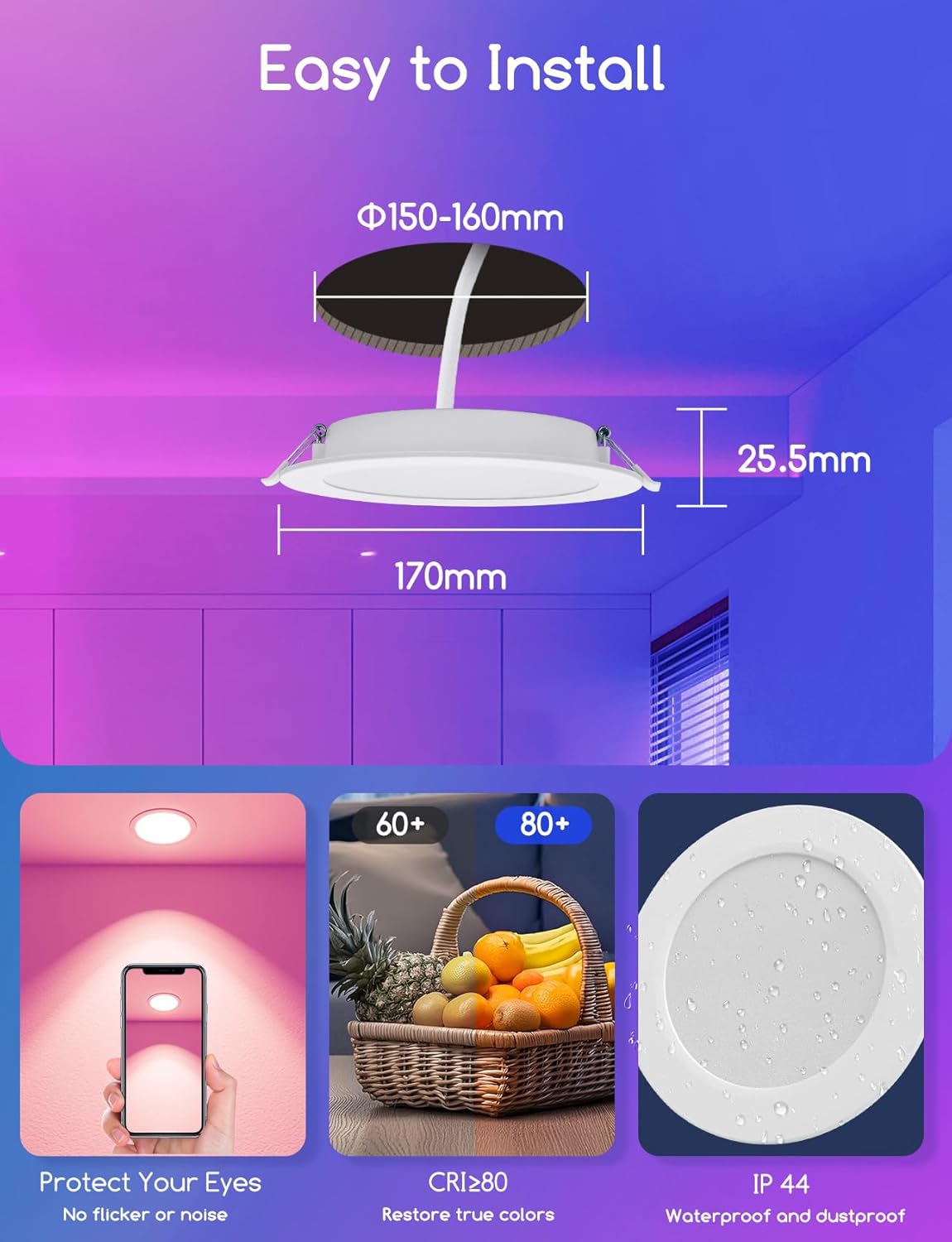
Image: Installation dimensions. Ceiling cutout: Φ150-160mm, Insertion depth: 25.5mm.
5. Operating Your Smart Downlight
5.1 Bluetooth Mesh Network
The downlight utilizes Bluetooth Mesh technology, allowing devices to send signals to each other. This enables quick connection of up to 200 Mesh devices simultaneously using your smartphone.

Image: Bluetooth Mesh Network connectivity.
5.2 Voice Control with Alexa
You can directly connect and control your Aigostar smart downlights with Amazon Echo (2nd generation or later) or the Alexa app. No additional gateway or AIGOSMART app download is required for basic Alexa voice control.
- Ensure your Alexa Echo device is connected to the same network as your downlights.
- Discover new devices through the Alexa app or by saying, "Alexa, discover devices."
- Once discovered, you can use voice commands such as:
- "Alexa, turn on the living room light."
- "Alexa, set the brightness to 50%."
- "Alexa, change the kitchen light to blue."

Image: Voice control functionality with Alexa.
5.3 Remote Control Operation
The included remote control provides convenient access to basic functions without needing a smartphone or voice assistant.
- ON/OFF: Power the lights on or off.
- Color Temperature: Adjust between 2700K, 3200K, 4000K, 6500K.
- RGB Colors: Select specific red, green, blue, yellow, cyan, magenta colors.
- Brightness: Adjust brightness levels.
- Scene Modes (S1-S4): Activate pre-set lighting scenes.

Image: Remote control for the smart downlight.
5.4 Aigosmart App Control (Optional)
For advanced features like timing functions and group control, download and use the Aigosmart app.
- Timing Function: Set schedules for your lights to turn on or off automatically.
- Group Control: Create groups of lights to control multiple downlights simultaneously, managing color and brightness across different rooms.

Image: Group control functionality via the Aigosmart app.
5.5 Adjusting Color and Brightness
The downlight offers extensive customization for your lighting environment.
- 16 Million Colors: Choose from a vast spectrum of colors to suit any mood or occasion.
- Brightness: Adjust the light intensity from 1% (dim) to 100% (full brightness).
- Color Temperature: Select white light from 2700K (warm, cozy light) to 6500K (cool, bright light).
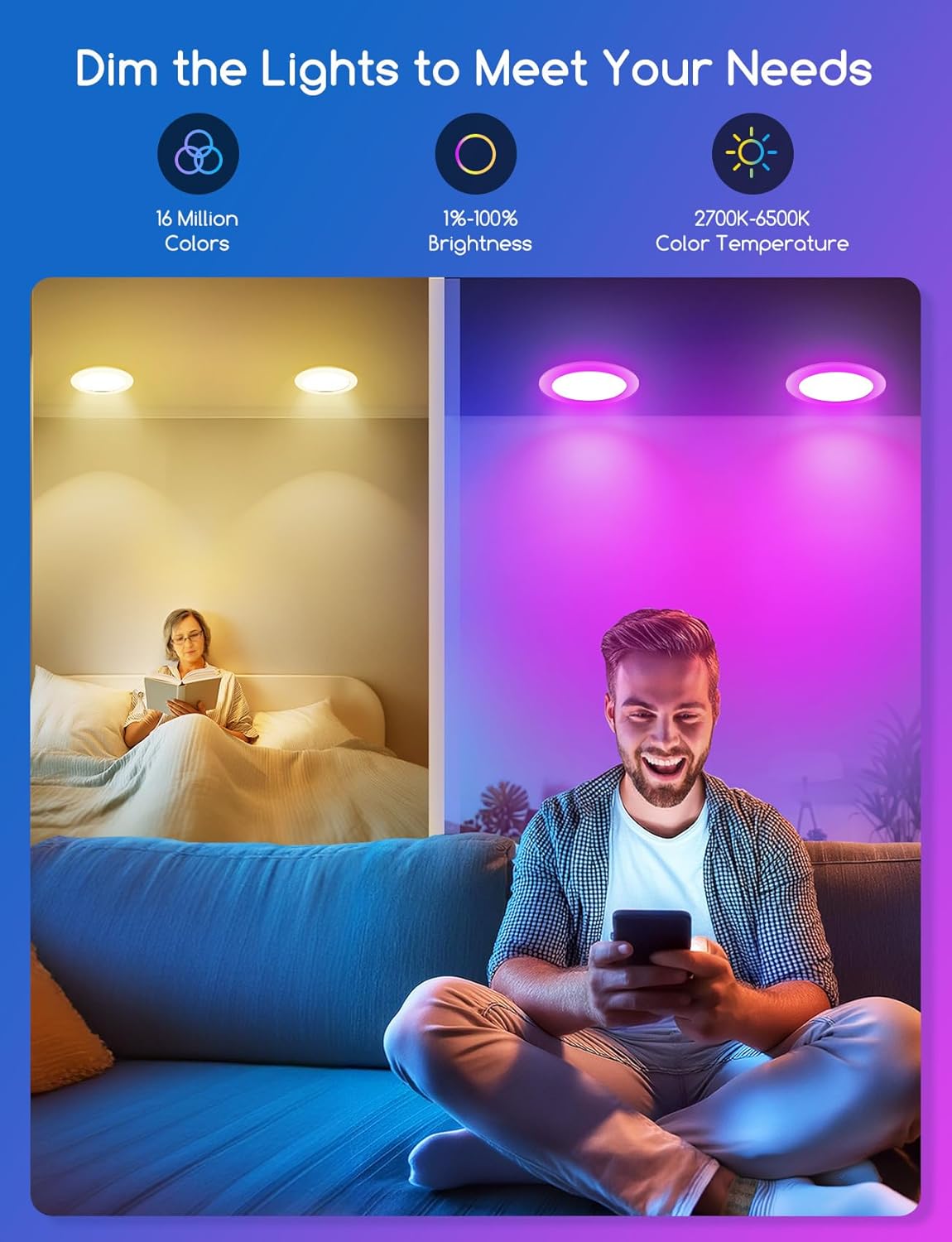
Image: Dimmable and color temperature adjustment options.
6. Maintenance
- Ensure the power is off before cleaning.
- Wipe the downlight with a soft, dry cloth. Do not use abrasive cleaners or solvents.
- Do not immerse the product in water or any other liquid.
- Regularly check for any loose connections or damage.
7. Troubleshooting
| Problem | Possible Cause | Solution |
|---|---|---|
| Light does not turn on. | No power supply; Loose wiring; Faulty light. | Check circuit breaker; Verify wiring connections; Contact customer support if light is faulty. |
| Cannot connect to Alexa/App. | Bluetooth disabled; Out of range; Incorrect pairing process; Alexa Echo generation not supported. | Ensure Bluetooth is enabled on your device; Move closer to the light; Follow pairing instructions carefully; Ensure you have Alexa Echo 2nd generation or later. |
| Lights are unsynced in a group. | Temporary network interference; App synchronization issue. | Restart the Aigosmart app; Power cycle the affected lights; Re-create the group in the app. |
| Remote control not working. | Battery depleted; Out of range; Obstruction. | Replace remote control battery; Move closer to the light; Remove any obstructions between remote and light. |
8. Product Specifications
| Specification | Value |
|---|---|
| Brand | Aigostar |
| Model Number | B0FXHGT9X3 |
| Wattage | 15W |
| Brightness | 1430 Lumen |
| Voltage | 230 Volts (AC) |
| Color Temperature | 2700K-6500K (Dimmable) |
| RGB Colors | 16 Million |
| Product Dimensions | 6.69"L x 6.69"W x 1.02"H (170mm x 170mm x 25.5mm) |
| Ceiling Cutout | Φ150-160mm |
| Insertion Depth | 25.5mm |
| IP Rating | IP44 |
| CRI | ≥ 80 |
| Light Source Type | LED |

Image: Energy Efficiency Label (Class F).
For detailed product information, refer to the official EU EPREL database: https://eprel.ec.europa.eu/qr/1956636
9. Warranty and Customer Support
Aigostar products are designed and manufactured to the highest quality standards. For warranty information, technical support, or any inquiries regarding your product, please visit the official Aigostar website or contact their customer service directly.
You can find more information about Aigostar products and support on their Amazon store page: Aigostar Store


