
1. Introduction
The DeskCycle Ellipse is an under-desk elliptical machine designed to provide a low-impact workout while seated. It features magnetic resistance for smooth and quiet operation, allowing users to stay active and burn calories without disrupting their work or environment. This manual provides essential information for the safe and effective use of your DeskCycle Ellipse.

Image: A person seated at a desk, actively pedaling the DeskCycle Ellipse under their desk.
2. Safety Information
- Read all instructions before using the DeskCycle Ellipse.
- Consult your physician before starting any exercise program.
- Ensure the unit is placed on a stable, level surface.
- Keep children and pets away from the machine during operation.
- Do not stand on the pedals. This device is designed for seated use only.
- Wear appropriate footwear to prevent feet from slipping.
- Check for any loose parts or damage before each use. Do not use if damaged.
- Maintain a clear space around the elliptical to avoid obstructions.
3. Package Contents
Upon unpacking, verify that all components are present:
- DeskCycle Ellipse Main Unit
- Left Pedal
- Right Pedal
- LCD Display Unit
- Display Stand
- Assembly Hardware (screws, wrench)
- User Manual (this document)
4. Setup and Assembly
Assembly of the DeskCycle Ellipse is straightforward and requires minimal tools, which are included.
- Attach Pedals: Position one pedal onto its corresponding arm on the main unit. Ensure it is aligned correctly.
- Secure Pedals: Use the provided screws and wrench to firmly attach the pedal to the arm. Repeat for the other pedal. Ensure both pedals are securely fastened.
- Install LCD Display: Connect the cable from the main unit to the back of the LCD display. The display can be mounted directly onto the unit or placed on your desk using the included display stand for easier viewing.
- Remove Gear Window Sticker: Peel off the protective sticker from the gear window on the main unit.
Your DeskCycle Ellipse is now ready for use.
Video: An official product video demonstrating the features and assembly of the DeskCycle Ellipse.
5. Operating Instructions
5.1 Adjusting Resistance
The DeskCycle Ellipse features 8 levels of magnetic resistance. To adjust the resistance, turn the tension control knob located on the front of the unit. Turn clockwise for higher resistance (more challenging workout) and counter-clockwise for lower resistance (easier workout).

Image: A close-up view of the resistance knob on the DeskCycle Ellipse, indicating levels from 1 to 8.
5.2 Using the LCD Display
The detachable LCD display tracks various workout metrics:
- Revolutions: Total number of pedal rotations.
- RPM (Revolutions Per Minute): Current pedaling speed.
- Time: Duration of your workout.
- Calories Burned: Estimated calories expended during the workout.
Press the button on the display to cycle through different metrics or to reset the values. The display can be placed on your desk using the stand for convenient viewing.

Image: The detachable LCD display unit, showing revolutions, RPM, time, and calories burned.
5.3 Foot Placement
The extra-long and wide pedals allow for dynamic foot positioning to target different muscle groups or adjust the elliptical motion. Place your feet:
- Forward: For a fuller, more circular rotation, engaging a wider range of leg muscles.
- Backward: For a lower, flatter motion, which can be more comfortable for some users or target different lower body muscles.

Image: A visual guide illustrating how different foot positions on the pedals affect the elliptical motion.
6. Features and Benefits
- Magnetic Resistance: Provides ultra-smooth and quiet operation with 8 adjustable resistance levels, ensuring a consistent workout without wear and tear on internal components.
- Ultra-Low Profile: Designed to fit under desks as low as 24 inches, allowing comfortable pedaling without knees hitting the desk.
- Heavy-Duty Steel Frame: A 30lb steel base ensures stability and prevents sliding or wobbling during use on various surfaces.
- Detachable LCD Display: Monitor your progress with revolutions, RPM, time, and calories burned. The display can be placed on your desk for easy viewing.
- Easy-Carry Handle: Integrated handle for convenient portability and storage.

Image: An internal view of the DeskCycle Ellipse, highlighting the magnetic resistance system.
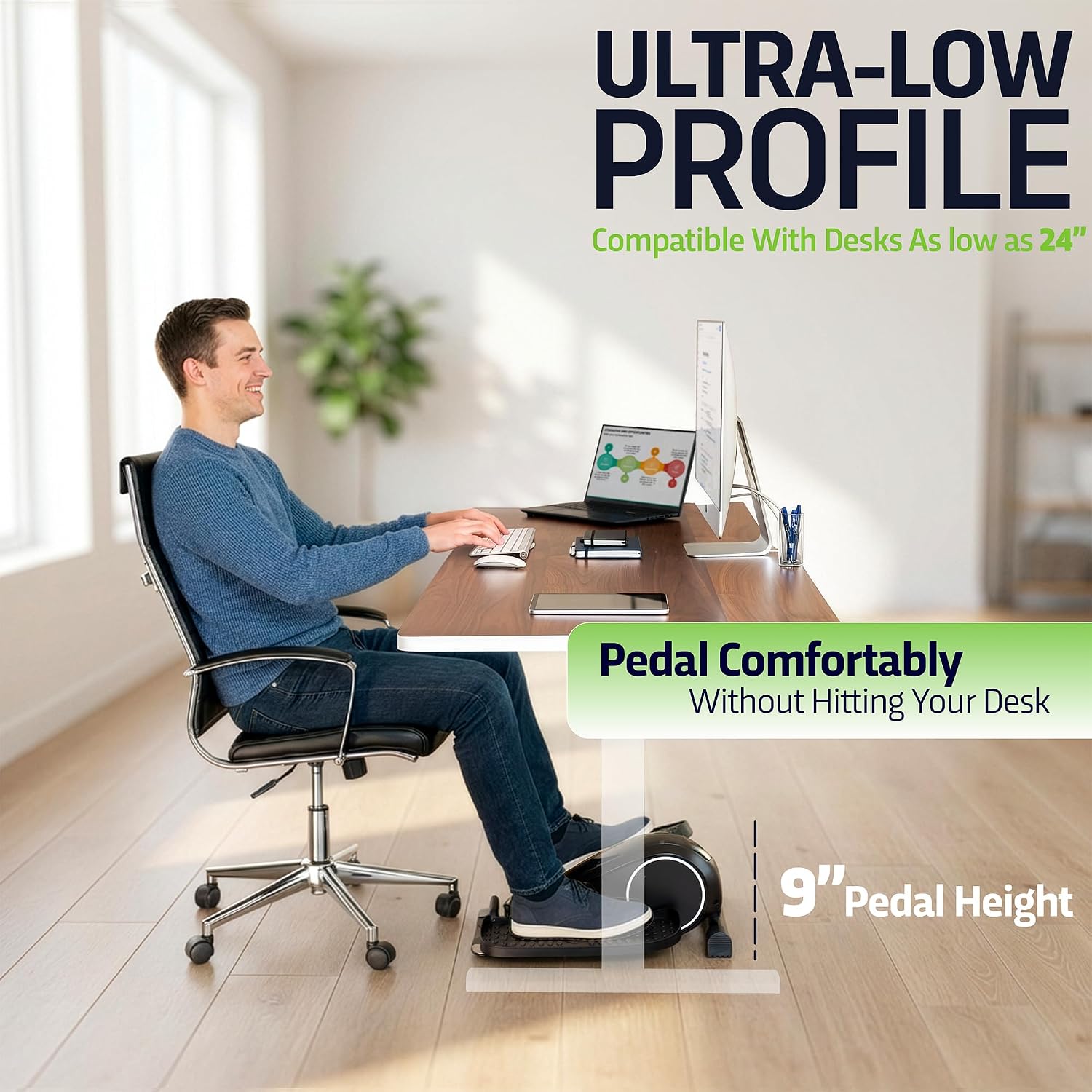
Image: A person comfortably using the DeskCycle Ellipse under a desk, demonstrating its ultra-low profile and 9-inch pedal height.

Image: A hand gripping the integrated easy-carry handle of the DeskCycle Ellipse.
7. Maintenance
- Cleaning: Wipe down the unit with a damp cloth after each use to remove dust and sweat. Avoid abrasive cleaners.
- Lubrication: If you notice any clicking noises, especially from the wheels/base, apply a small amount of lubricant to the wheel tracks. Ensure no debris, such as pet hair, is obstructing the wheels.
- Storage: When not in use, secure the pedals with the integrated bungee cords to prevent them from flopping during transport. Store in a cool, dry place.
- Battery Replacement: The LCD display operates on batteries. Replace them when the display becomes dim or unresponsive. Refer to the display unit for battery type and replacement instructions.
8. Troubleshooting
- Unit is noisy/clicking: Check the wheel tracks for debris (e.g., pet hair) and clean if necessary. Apply a small amount of lubricant to the wheel tracks.
- Chair slides backward during use: This can occur with chairs that have low-friction wheels, especially on smooth floors. Consider using a chair mat or wheel stoppers to prevent unwanted movement.
- Pedals flop when moving the unit: Use the bungee cords located on either side of the resistance wheel to secure the pedals in place during transport.
- LCD display is blank or dim: Replace the batteries in the LCD display unit. Ensure the cable connection to the main unit is secure.
- Difficulty pedaling or resistance feels off: Ensure the tension control knob is set to your desired level. If the issue persists, inspect the magnetic resistance mechanism for any obstructions.
9. Specifications
| Feature | Specification |
|---|---|
| Model Name | Ellipse |
| Brand | DeskCycle |
| Color | Black |
| Product Dimensions (D x W x H) | 23" x 18" x 10" |
| Material | Steel and High-Impact Plastic |
| Item Weight | 13.68 Kilograms (approx. 30 lbs) |
| Resistance Mechanism | Magnetic |
| Number of Resistance Levels | 8 |
| Maximum Stride Length | 18 Inches |
| Display Size | 2.2 Inches |
| UPC | 856879005017 |
| Model Number | DSK-SPO-ELLIPSE-BK |
10. Warranty and Support
The DeskCycle Ellipse is designed for durability and performance. For specific warranty details, please refer to the warranty card included with your product or visit the official DeskCycle website. For technical support, troubleshooting assistance, or to inquire about replacement parts, please contact DeskCycle customer service through their official channels.
Online Resources: Visit the DeskCycle Store on Amazon

