
GoSale I Kall K41 New
GoSale I Kall K41 New True Wireless Bluetooth In-Ear Headphones User Manual
Model: I Kall K41 New
Introduction
This manual provides detailed instructions for the proper use, setup, and maintenance of your GoSale I Kall K41 New True Wireless Bluetooth In-Ear Headphones. Please read this manual thoroughly before using the product to ensure optimal performance and longevity.
Package Contents
Verify that all items are present in the package:
- 1 pair of GoSale I Kall K41 New Earbuds
- 1 Charging Case
- 1 Charging Cable
- User Manual (this document)
Product Overview
Familiarize yourself with the components of your GoSale I Kall K41 New earbuds and charging case.

Image: The GoSale I Kall K41 New earbuds are shown outside their open charging case, highlighting their design and the case's interior.

Image: The GoSale I Kall K41 New earbuds are securely placed inside their charging case, viewed from the top.

Image: An infographic detailing key features of the earbuds, including precision-engineered drivers, high-resolution audio, active noise cancellation, 43-hour battery life, Bluetooth 5.4, and Google Fast Pair compatibility.
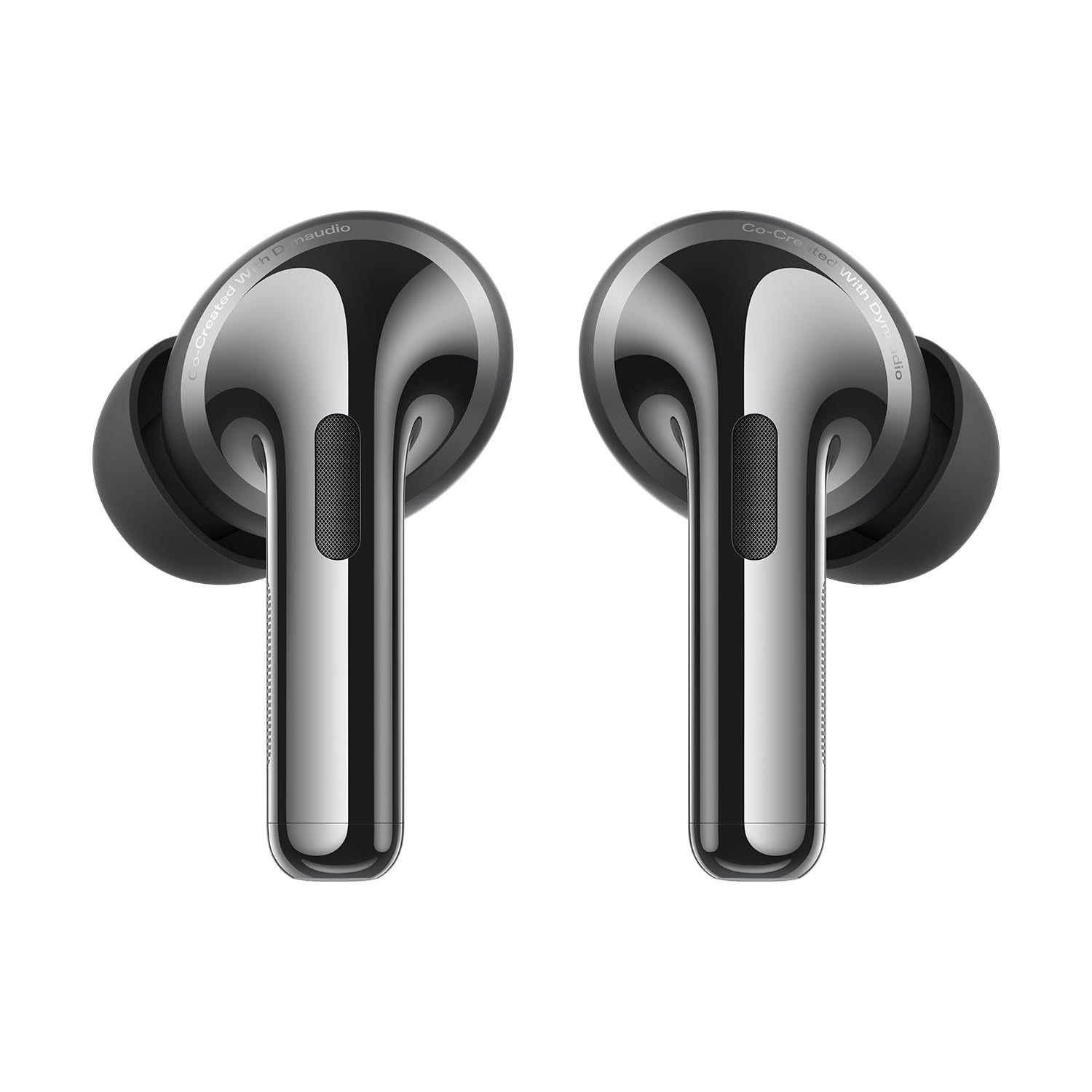
Image: A close-up side view of the GoSale I Kall K41 New earbuds, showcasing their ergonomic design and metallic finish.
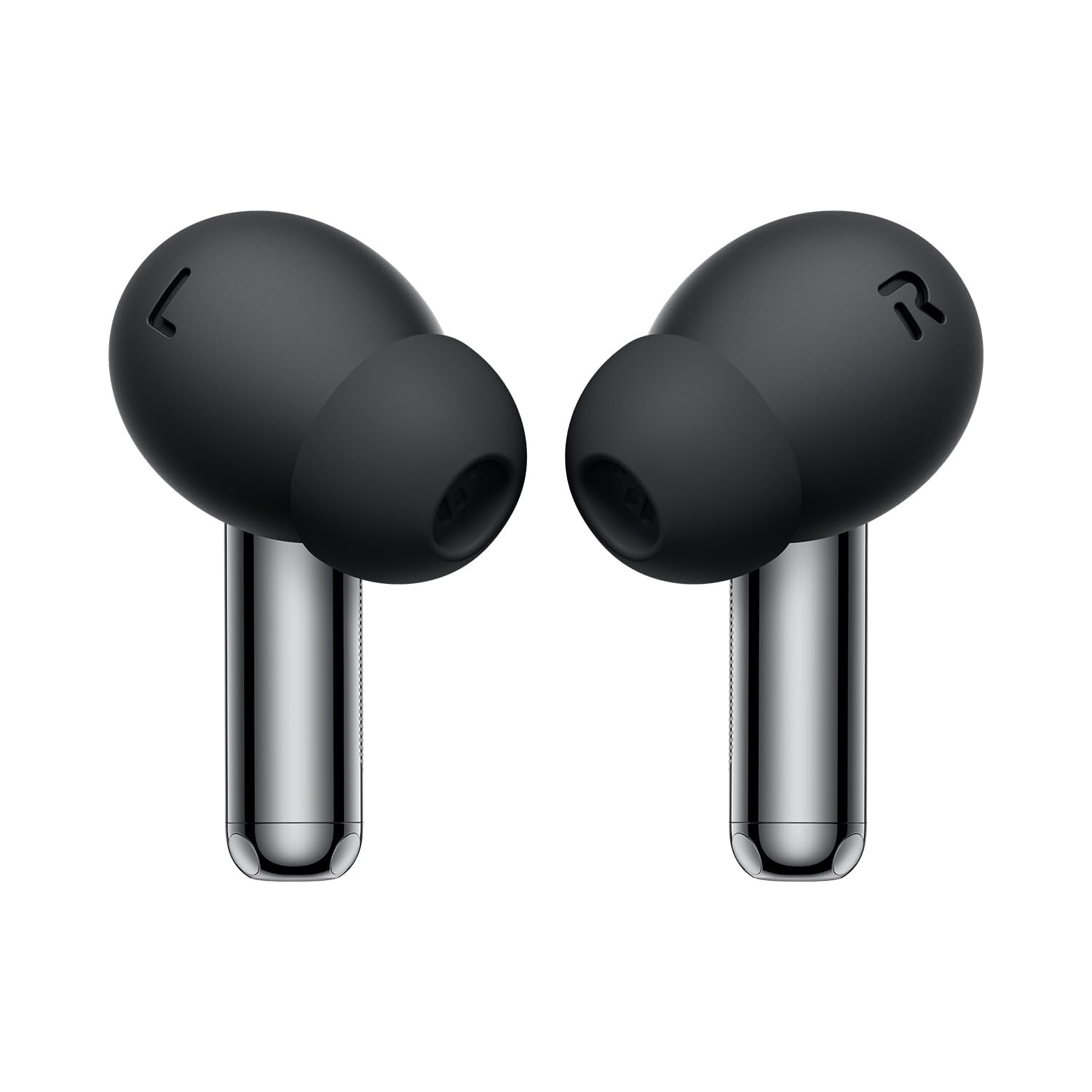
Image: A front view of the GoSale I Kall K41 New earbuds, highlighting the ear tips and the main body of the earbud.

Image: The GoSale I Kall K41 New charging case is shown closed, displaying its compact and textured exterior.
Setup
1. Charging the Earbuds and Case
Before first use, fully charge the earbuds and the charging case.
- Place the earbuds into the charging case. Ensure they are correctly seated.
- Connect the charging case to a power source using the provided charging cable.
- The indicator light on the case will show charging status. A full charge typically takes approximately 1.5-2 hours.
- Once fully charged, disconnect the charging cable. The earbuds offer up to 11 hours of playback, with the case providing an additional 32 hours for a total of 43 hours.
2. Pairing with a Bluetooth Device
Follow these steps to pair your earbuds with your smartphone or other Bluetooth-enabled device:
- Open the charging case. The earbuds will automatically enter pairing mode (indicator lights will flash).
- On your device, navigate to Bluetooth settings and ensure Bluetooth is enabled.
- Search for available devices. Select "I Kall K41 New" from the list.
- Once connected, a confirmation sound will play, and the indicator lights on the earbuds will stop flashing.
- For subsequent use, the earbuds will automatically connect to the last paired device when removed from the case.
Operating Instructions
Touch Controls
The GoSale I Kall K41 New earbuds feature intuitive touch controls. The specific functions may vary slightly based on your device and application.
| Action | Function |
|---|---|
| Single Tap (Left/Right Earbud) | Play/Pause Music, Answer/End Call |
| Double Tap (Right Earbud) | Next Track |
| Double Tap (Left Earbud) | Previous Track |
| Triple Tap (Left/Right Earbud) | Activate Voice Assistant |
| Long Press (Left/Right Earbud) | Toggle ANC/Transparency Mode |
| Long Press (during incoming call) | Reject Call |
Active Noise Cancellation (ANC)
The earbuds feature 45 dB Hybrid Active Noise Cancellation to reduce ambient noise. You can switch between ANC, Transparency, and Normal modes.
- ANC Mode: Reduces external noise for an immersive listening experience.
- Transparency Mode: Allows you to hear your surroundings while listening to audio, enhancing awareness.
- Normal Mode: ANC and Transparency features are off.
To cycle through these modes, perform a Long Press on either earbud's touch sensor.
Making and Receiving Calls
- Answer Call: Single tap on either earbud.
- End Call: Single tap on either earbud during a call.
- Reject Call: Long press on either earbud during an incoming call.
The HD Microphones with Clear Voice Tech ensure clear communication.
Maintenance
Proper maintenance ensures the longevity and performance of your earbuds.
- Cleaning: Regularly clean the earbuds and charging case with a soft, dry, lint-free cloth. Do not use abrasive cleaners or solvents.
- Ear Tips: Remove ear tips and clean them with water and mild soap if necessary. Ensure they are completely dry before reattaching.
- Charging Ports: Keep the charging contacts on the earbuds and inside the case clean and free of debris.
- Storage: When not in use, store the earbuds in their charging case to protect them and keep them charged.
- Water Resistance: The earbuds are IP54 dust and water resistant. This means they are protected from limited dust ingress and water spray from any direction. Do not submerge them in water or expose them to heavy rain.
Troubleshooting
If you encounter issues with your earbuds, refer to the following common solutions:
- Earbuds not pairing:
- Ensure earbuds are charged.
- Turn off and on Bluetooth on your device.
- Forget "I Kall K41 New" from your device's Bluetooth list and attempt to re-pair.
- Place earbuds back in the case, close, wait 5 seconds, then open again to re-enter pairing mode.
- No sound from one earbud:
- Ensure both earbuds are charged.
- Clean the charging contacts on both earbuds and inside the case.
- Try resetting the earbuds (refer to manufacturer's website for specific reset instructions if not in manual).
- Low volume:
- Adjust volume on both your device and using the earbud controls (if available).
- Ensure ear tips are properly sealed in your ear canal.
- Clean any debris from the earbud speaker mesh.
- Charging issues:
- Verify the charging cable and adapter are working correctly.
- Ensure the charging port on the case is clean.
- Confirm earbuds are properly seated in the case.
If problems persist, contact customer support for further assistance.
Specifications
Technical specifications for the GoSale I Kall K41 New True Wireless Bluetooth In-Ear Headphones:
| Feature | Detail |
|---|---|
| Brand | GoSale |
| Model | I Kall K41 New |
| Active Noise Cancellation | 45 dB Hybrid ANC |
| Microphones | HD Microphones with Clear Voice Tech (Six precision microphones) |
| Drivers | 11mm Dynamic Bass Boost Drivers |
| Battery Life (Earbuds) | Up to 11 hours (ANC off) |
| Total Battery Life (with Case) | Up to 43 hours |
| Connectivity | Wireless (Bluetooth) |
| Water Resistance | IP54 Dust and Water Resistant |
| Headphones Form Factor | In Ear |
| Material | Plastic, Rubber |
| Product Dimensions | 5.5 x 5.5 x 2.5 cm |
| Item Weight | 50 g |
| Country of Origin | India |
Warranty and Support
For warranty information and customer support, please refer to the warranty card included with your product or visit the official GoSale website. Keep your purchase receipt as proof of purchase for warranty claims.
Manufacturer: GoSale, GoSale India
Importer: GoSale India
Ask a question about this manual
Ask about setup, troubleshooting, compatibility, parts, safety, or missing instructions. Manuals+ will review the question and use this page’s manual context to help answer it.