
1. Introduction and Overview
This manual provides essential information for the safe and effective use of your FUNMILY TR70 Foldable Treadmill. Please read all instructions carefully before assembly and operation. This treadmill is designed for home use, offering features such as automatic incline adjustment, a powerful motor, smart app control, and a foldable design for convenient storage.
Key features include:
- Flexible suspension shock-absorbing system for joint protection.
- 0-15% automatic incline adjustment.
- 3.25HP low-energy consumption motor with a speed range of 0.6-9 mph.
- 48.4 x 17 inches 7-tier running belt, supporting up to 320 lbs.
- Smart App control via Bluetooth and a multifunctional LCD display.
- Foldable design with a hydraulic system for easy storage.
2. Safety Information
To reduce the risk of serious injury, read all important precautions and instructions in this manual before using the treadmill. The manufacturer assumes no responsibility for personal injury or property damage sustained by or through the use of this product.
- Always attach the safety key clip to your clothing before starting the treadmill.
- Keep children and pets away from the treadmill during operation.
- Ensure the treadmill is placed on a level surface with adequate clearance around it.
- Do not operate the treadmill if it has a damaged cord or plug, or if it is not working properly.
- Wear appropriate exercise clothing and athletic shoes.
- Consult a physician before beginning any exercise program.
3. Setup and Assembly
The FUNMILY TR70 treadmill is designed for relatively easy assembly. An assembly video guide is available to assist you through each step. Please ensure all components listed in the 'What's in the Box' section are present before beginning assembly.
3.1 Included Components
- Foldable Treadmill (main unit)
- User Manual
- Silicone lubricant
- Emergency-Stop Band (Safety Key)
- Allen Wrench
- Power cable
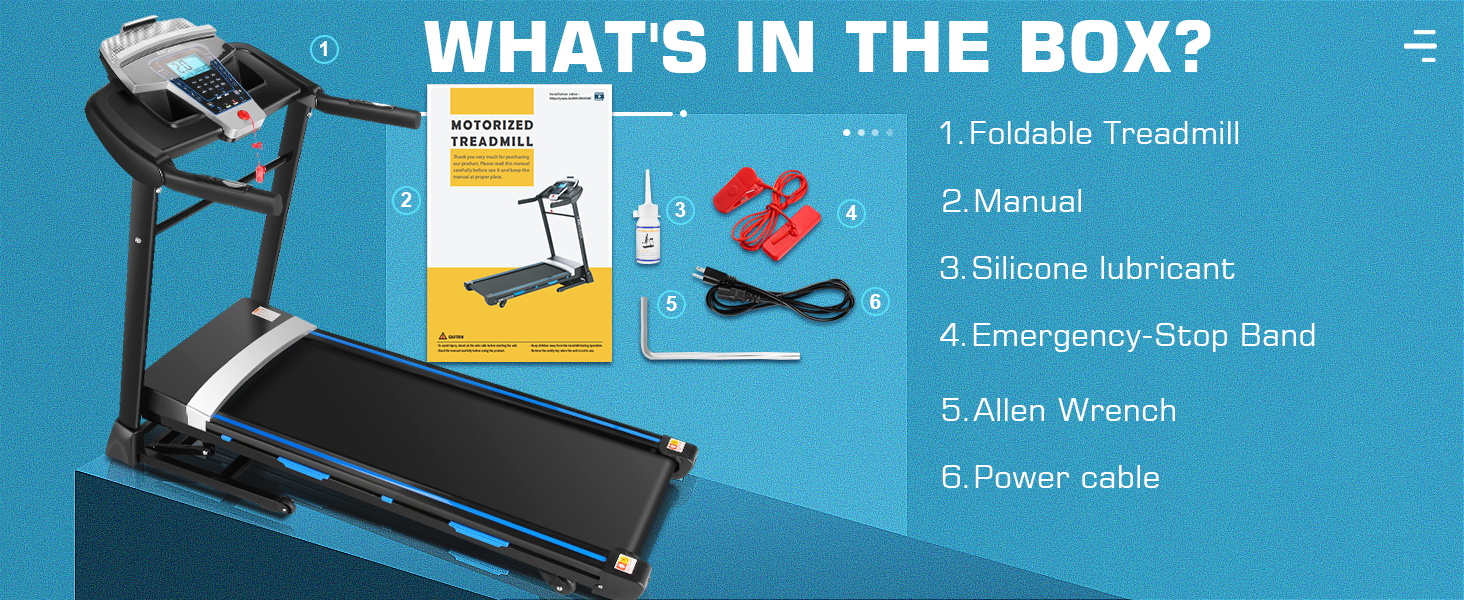
Image: Overview of components included in the FUNMILY TR70 treadmill packaging.
3.2 Assembly Video Guide
For detailed visual instructions on assembling your treadmill, please refer to the following video. While the video may feature a similar model, the assembly steps are generally applicable.
Video: General assembly guide for a heavy-duty treadmill. Follow the steps for unpacking, installing foot pads, fixing upright tubes, attaching the control console, installing handrail auxiliaries, and securing foot rail extensions.
3.3 Initial Setup
After assembly, plug the power cord into a suitable outlet and turn on the power switch. Place the red safety key onto the designated yellow position on the console. Ensure the safety key clip is attached to your clothing before starting any workout.

Image: Diagram illustrating various components of the treadmill, including the console, motor cover, running belt, and safety key.
4. Operating Instructions
Your FUNMILY TR70 treadmill offers various functions to enhance your workout experience.
4.1 Control Panel and Display
The multifunctional LCD display shows essential workout data such as distance, calorie burn, time, speed, and heart rate. Use the buttons on the console to adjust settings.

Image: Detailed view of the treadmill's multi-functional display, showing controls for incline, speed, programs, and safety key placement.
4.2 Speed and Incline Adjustment
- Speed: The treadmill supports a speed range of 0.6-9 mph. Adjust speed using the dedicated buttons on the console or the handrail controls.
- Incline: The treadmill features 0-15% automatic incline adjustment. Use the incline buttons on the console or handrail to modify the gradient.

Image: Illustration of the treadmill's 15-level auto incline and 0.5-9 MPH speed range, highlighting the 3.25HP brushless DC motor and 300 lbs capacity.
4.3 Smart App Control (Fitshow)
This treadmill integrates with the Fitshow app via Bluetooth for convenient operation and customized programs. The app allows you to track your workouts, set goals, and access various exercise plans.
- Download the Fitshow app from your device's app store.
- Connect your treadmill to the app via Bluetooth.
- Utilize the app for sports control, training, and data tracking.
Scan for the Fitshow App: http://ifitshow.com/qr
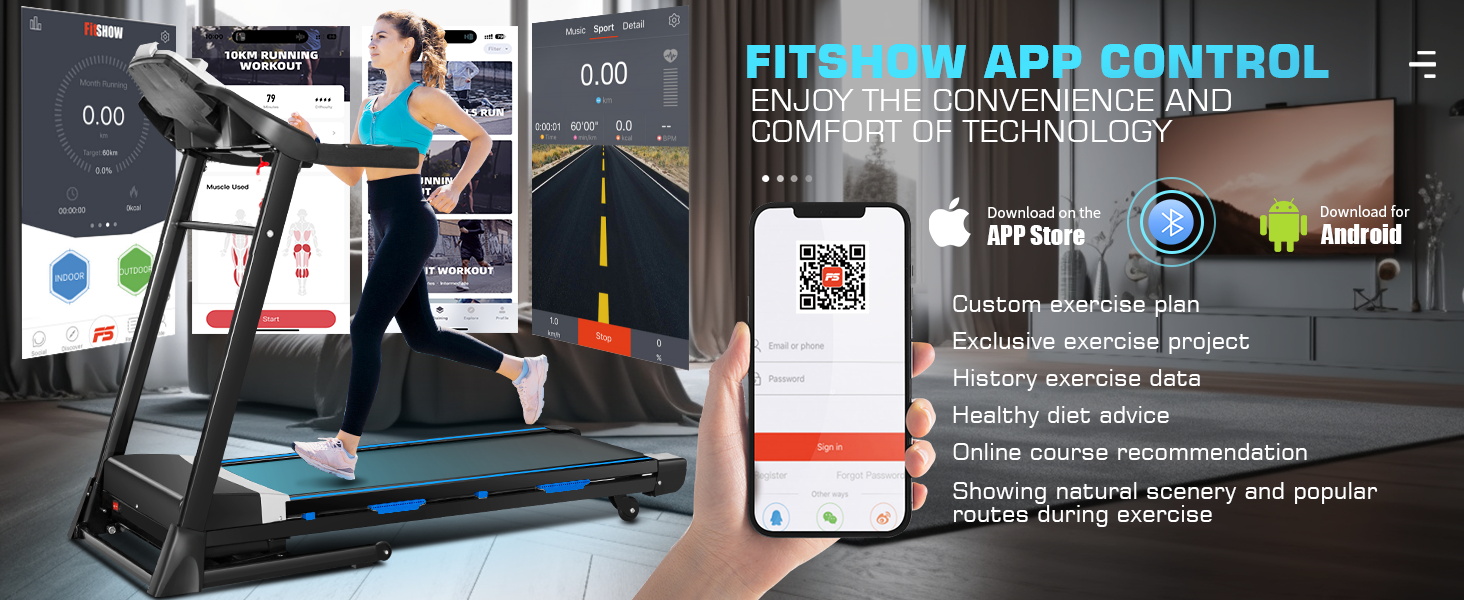
Image: The Fitshow app interface shown with a treadmill, demonstrating features like custom exercise plans, exercise data, and online courses.
4.4 Bluetooth Speaker
The treadmill includes a built-in Bluetooth speaker. Connect your device to the treadmill via Bluetooth to play audio during your workout.
4.5 Pre-set Programs
The treadmill supports 24 preset programs to help you achieve various fitness goals. Select a program from the control panel to begin a guided workout.
Video: Demonstration of the FUNMILY Foldable Treadmill with 15% Auto Incline, showcasing its features and operation.
Video: Overview of the FUNMILY 3.25HP Portable Treadmill for Home, highlighting its compact design and powerful motor.
5. Maintenance
Regular maintenance ensures the longevity and optimal performance of your treadmill.
- Lubrication: Periodically lubricate the running belt with the provided silicone lubricant to reduce friction and wear. Refer to the manual for specific lubrication intervals and instructions.
- Cleaning: Keep the treadmill clean by wiping down the console and other surfaces with a damp cloth after each use. Avoid using abrasive cleaners.
- Belt Adjustment: Ensure the running belt is properly centered and tensioned. Consult the manual for instructions on how to adjust the belt if it starts to slip or drift.

Image: Illustration of the 7-layer anti-skid running belt, detailing its construction for durability and shock absorption.
6. Troubleshooting
If you encounter any issues with your FUNMILY TR70 treadmill, refer to the following common troubleshooting tips:
- Treadmill not starting: Ensure the power cord is securely plugged in and the power switch is on. Verify that the safety key is correctly placed on the console.
- Belt slipping: The running belt may need tensioning or centering. Refer to the maintenance section or contact support for guidance.
- Unusual noises: Check for any loose parts or foreign objects under the belt. Lubricate the belt if necessary. If the noise persists, contact customer support.
- Display not working: Check power connections. If the issue continues, contact support.
7. Specifications
| Feature | Specification |
|---|---|
| Brand | FUNMILY |
| Model | TR70 |
| Product Dimensions (LxWxH) | 60.4"D x 27.6"W x 48.8"H |
| Material | Alloy Steel |
| Maximum Speed | 9 Miles per Hour |
| Maximum Horsepower | 3.25 Horsepower |
| Maximum Incline Percentage | 15% |
| Running Deck Length | 48.4 Inches |
| Running Deck Width | 17 Inches |
| Maximum Weight Recommendation | 320 Pounds |
| Display Type | LED |
| Power Source | Corded Electric |
| Metrics Measured | Calories Burned, Distance, Heart Rate, Speed, Time |

Image: Visual representation of the treadmill's dimensions and key specifications.
8. Warranty and Support
Your FUNMILY TR70 treadmill comes with a 1-year manufacturer's warranty for the motor and frame. Additionally, 12 months of free parts replacement service is included.
For any assistance, questions, or to claim warranty service, please contact our seller support:
Email: support@uswellfit.com
Our support team is available 24 hours online and will reply promptly.