
1. Introduction
Thank you for choosing the ANJIELO SMART 4-Wire Video Intercom System. This manual provides detailed instructions for the installation, operation, and maintenance of your new video doorbell system. Please read this manual thoroughly before installation and use to ensure proper function and safety. Keep this manual for future reference.
2. Product Overview
The ANJIELO SMART 4-Wire Video Intercom System is designed to enhance home security and communication. It features a 7-inch indoor monitor and an outdoor doorbell unit, offering two-way audio, video monitoring, and ID card unlocking capabilities. The system supports flexible configurations for various residential needs.
Key Features:
- Flexible Device Configuration: Supports one outdoor camera connected to two to twelve indoor displays, accommodating buildings with varying numbers of residents. Each household's display operates independently, ensuring privacy.
- Two-Way Video Intercom: When a visitor rings the doorbell, the indoor screen automatically displays the entrance area. Press the answer button to initiate two-way communication. The screen automatically turns off after 60 seconds if the call is unanswered or ended.
- Smart Night Vision: Equipped with ambient light detection technology, it automatically activates night vision mode in low-light conditions. Clear images of visitors are displayed even at night for quick identification.
- All-Weather Waterproof Design: Constructed from aluminum alloy with an IP65 protection rating, designed to withstand rain and snow.
- 7-inch HD Display: Features a slim touch screen supporting hands-free communication. The outdoor unit includes an infrared sensor that triggers monitoring without pressing the doorbell, keeping you informed of activity at the door.
- Convenient Installation Integration: Includes a comprehensive installation kit for quick setup. The system is compatible with electronic door locks; adding a power regulator allows for centralized management of electric locks.
3. Package Contents
Please check the package contents to ensure all items are present and undamaged:
- Outdoor Doorbell Unit
- Indoor Monitor Unit
- Power Adapter
- Power Supply
- Standard 5-meter Connection Cable
- Installation Kit (screws, mounting brackets, etc.)
- User Manual
4. Safety Information
To prevent damage to the product or injury to yourself or others, please observe the following safety precautions:
- Electrical Safety: Ensure power is disconnected before installation or maintenance. All wiring should be performed by a qualified electrician if you are unsure.
- Installation Environment: Install the outdoor unit in a location protected from direct sunlight and heavy rain, even though it is waterproof. Ensure the indoor monitor is installed in a dry, stable environment.
- Cable Management: Route cables carefully to avoid tripping hazards or damage. Do not pinch or cut cables.
- Operating Temperature: Do not operate the device outside its specified temperature range (-30°C to 60°C).
- Cleaning: Use a soft, dry cloth for cleaning. Do not use abrasive cleaners or solvents.
5. Setup and Installation
This section guides you through the physical installation and initial setup of your video intercom system.
5.1. Component Dimensions
Refer to the following diagrams for the dimensions of the indoor monitor and outdoor doorbell unit to plan your installation locations.
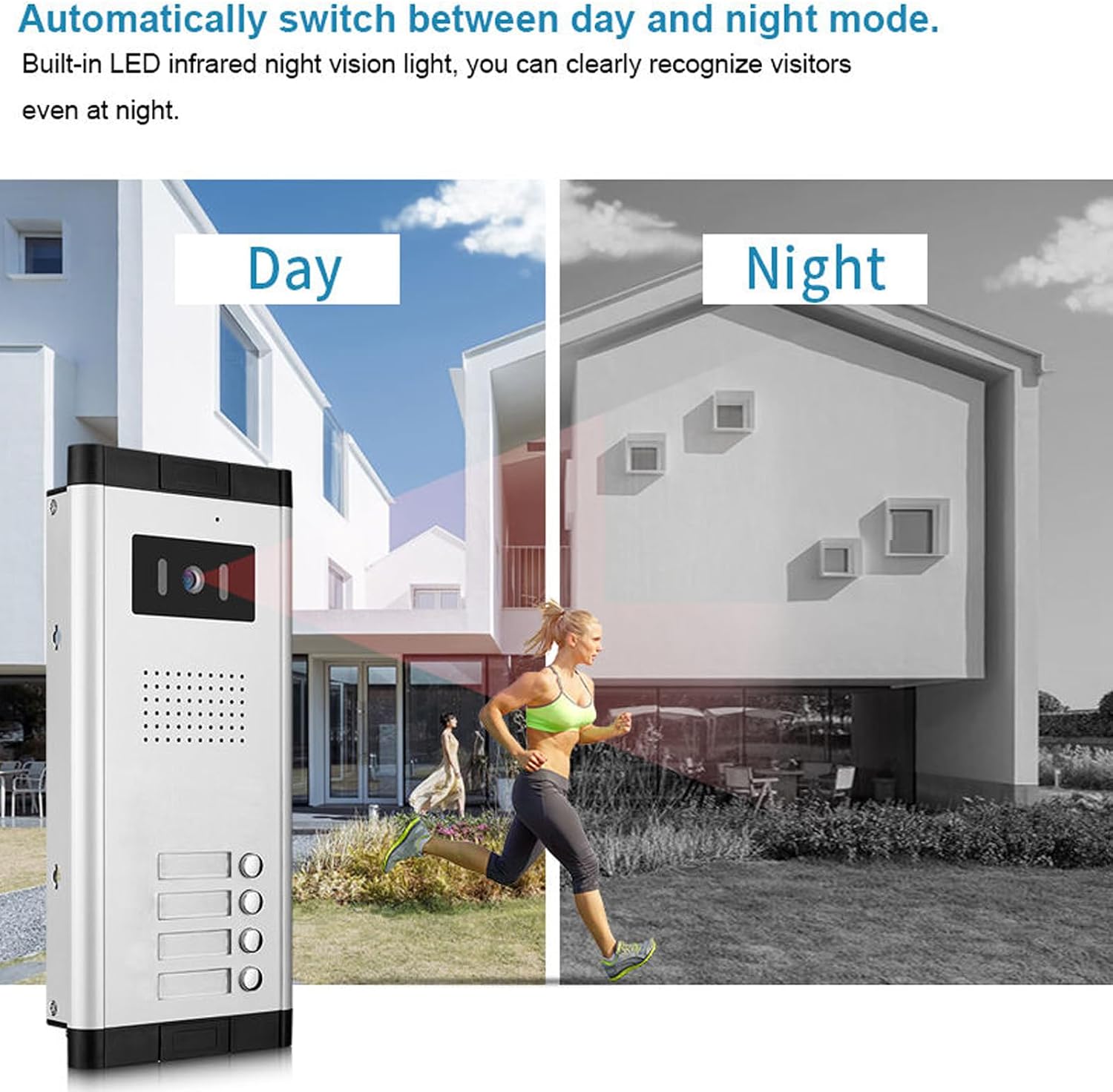
Image: Dimensions of the ANJIELO SMART indoor monitor (205mm x 118mm) and outdoor doorbell unit (275mm x 123mm x 44mm).
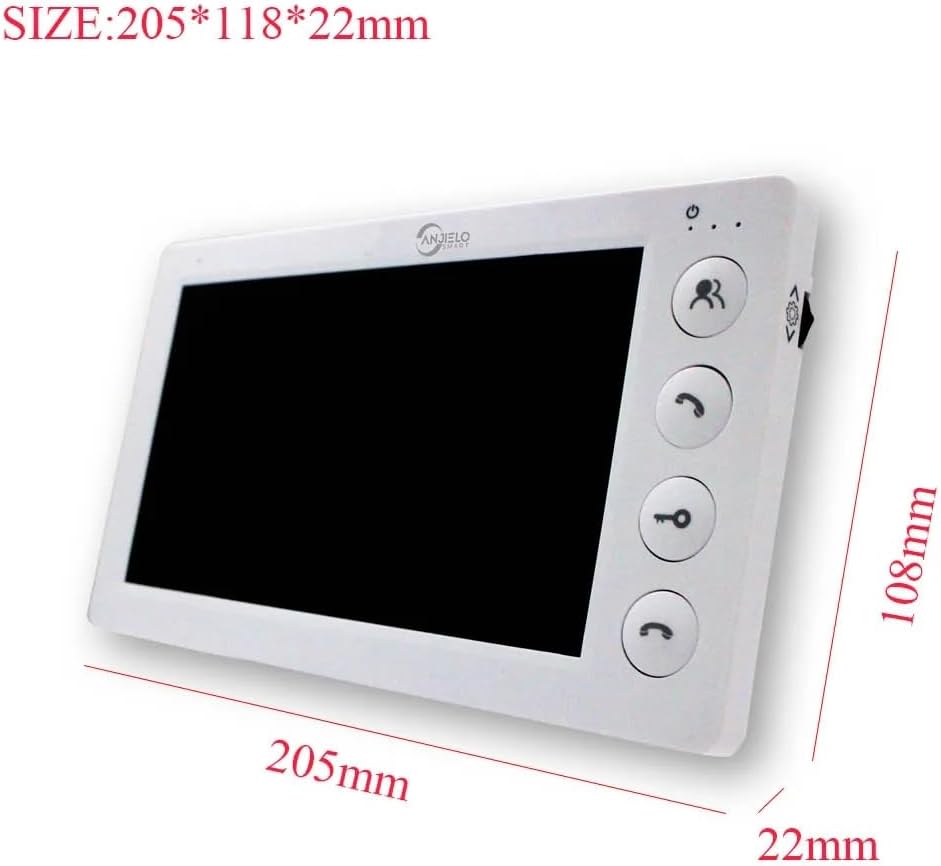
Image: Detailed dimensions of the ANJIELO SMART indoor monitor, showing 205mm length, 118mm width, and 22mm thickness.
5.2. Wiring Diagram
The system uses a 4-wire cable for connection between the outdoor unit and indoor monitor. Ensure correct polarity and secure connections. A standard 5-meter cable is included, but longer cables may be required for some installations.
(Note: A detailed wiring diagram is typically provided in the physical manual. Please refer to the diagram included with your product for specific connection points.)
5.3. Mounting the Outdoor Unit
- Choose a suitable location near your entrance, at a height that allows visitors to easily reach the doorbell button and the camera to capture faces clearly.
- The outdoor unit is designed for flush-mounted installation. Mark the drilling points using the mounting bracket as a template.
- Drill holes and insert wall plugs. Secure the mounting bracket to the wall.
- Connect the 4-wire cable and power supply wires to the outdoor unit as per the wiring diagram.
- Mount the outdoor unit onto the bracket and secure it.
5.4. Mounting the Indoor Monitor
- Select a convenient indoor location, such as a hallway or living room, where the monitor is easily accessible.
- The indoor monitor is designed for surface-mounted installation. Mark the drilling points using its mounting bracket.
- Drill holes, insert wall plugs, and secure the mounting bracket.
- Connect the 4-wire cable from the outdoor unit and the power adapter to the indoor monitor.
- Attach the indoor monitor to its mounting bracket.
5.5. Power Connection
Connect the power adapter to the indoor monitor and then plug it into a standard electrical outlet. The system will power on automatically.
5.6. Electronic Lock Integration
The system is compatible with electronic door locks. For integration, an additional power regulator may be required to manage electric locks centrally. Consult a professional for complex electronic lock setups.
6. Operating Instructions
This section details how to use the various functions of your ANJIELO SMART video intercom system.
6.1. Answering a Call
- When a visitor presses the doorbell button on the outdoor unit, the indoor monitor will ring and automatically display the live video feed from the outdoor camera.
- Press the Answer button (typically a phone icon) on the indoor monitor to begin two-way audio communication with the visitor.
- To end the conversation, press the Answer button again. If no action is taken, the screen will automatically turn off after 60 seconds.
6.2. Unlocking the Door
The system supports one-key unlocking for connected electronic door locks.
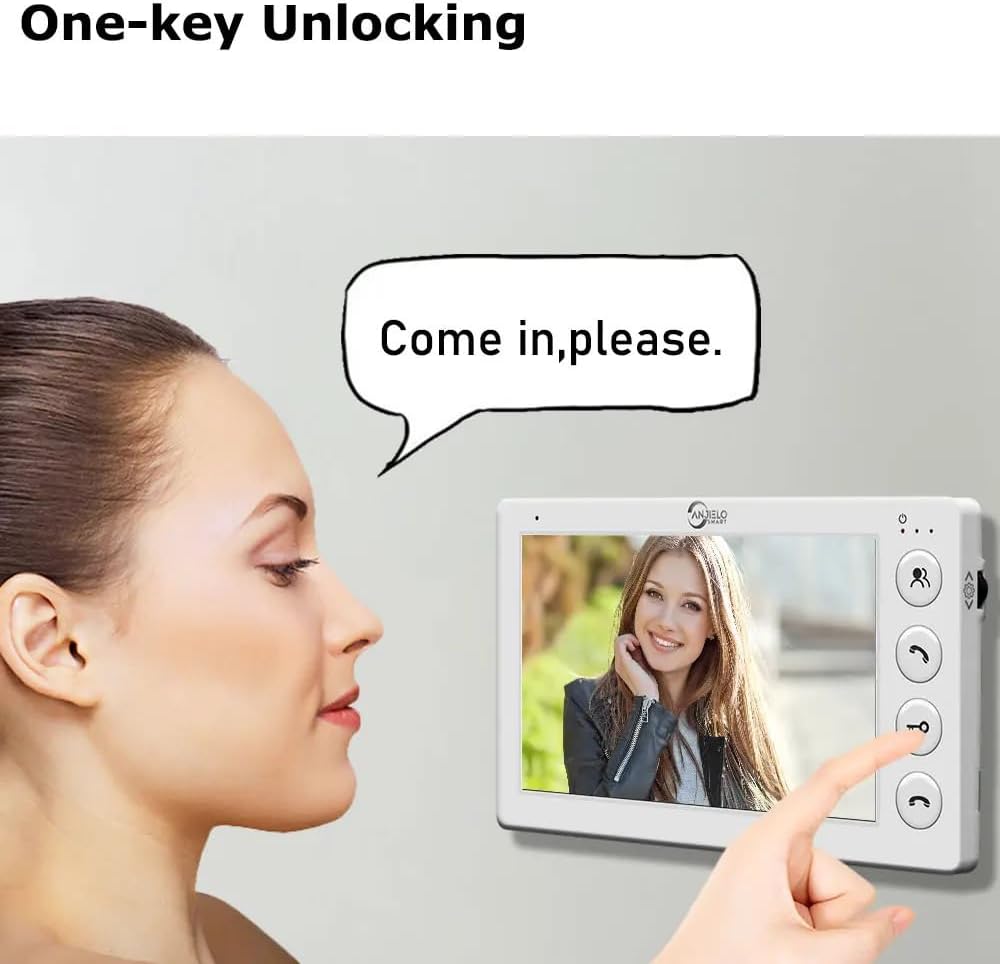
Image: The indoor monitor displaying a visitor and a finger pressing the unlock key icon.
- During a call or while monitoring the outdoor unit, press the Unlock button (typically a key icon) on the indoor monitor.
- The connected electronic door lock will momentarily open.
6.3. Monitoring the Outdoor Area
You can manually view the outdoor area at any time.
- Press the Monitor button (typically an eye icon) on the indoor monitor to view the live feed from the outdoor camera.
- The outdoor unit's infrared sensor can also automatically trigger monitoring if activity is detected, even without the doorbell being pressed.
6.4. Smart Night Vision
The system automatically adapts to lighting conditions, providing clear visibility day and night.
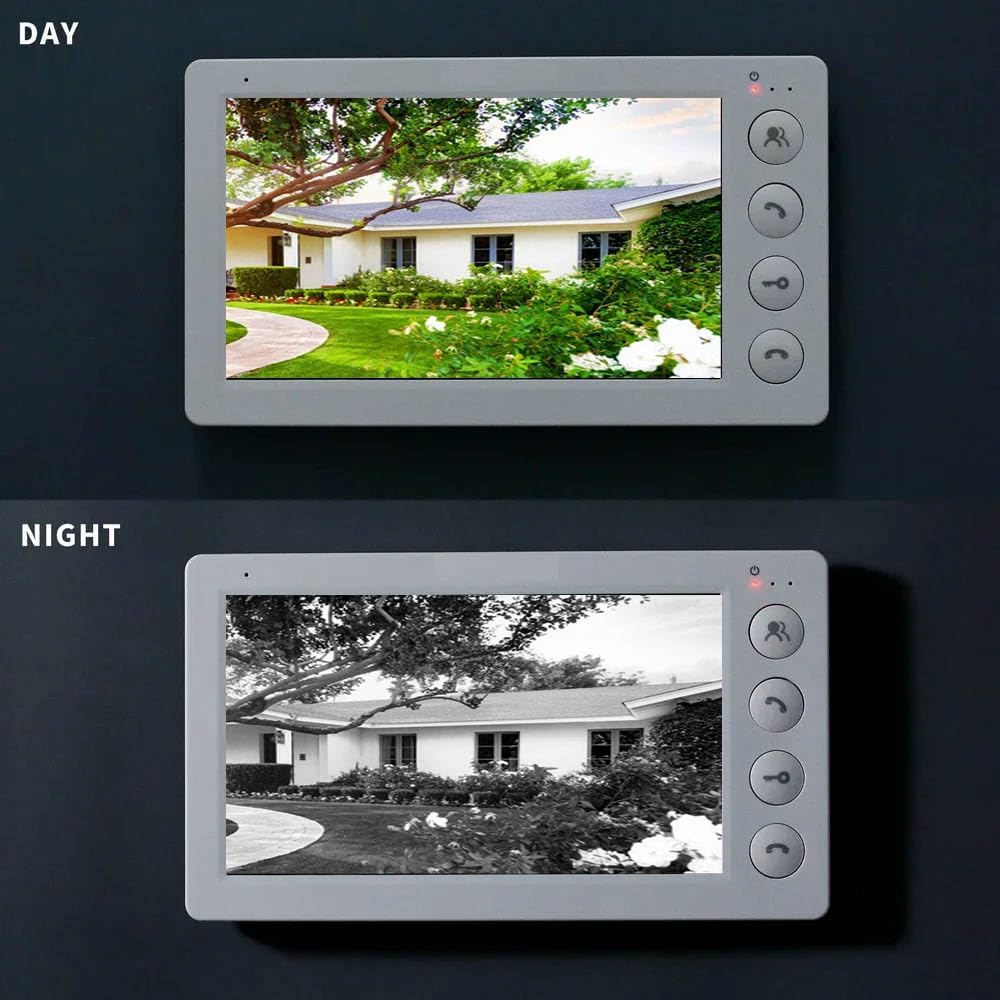
Image: The outdoor unit automatically switching between day and night vision modes based on ambient light.
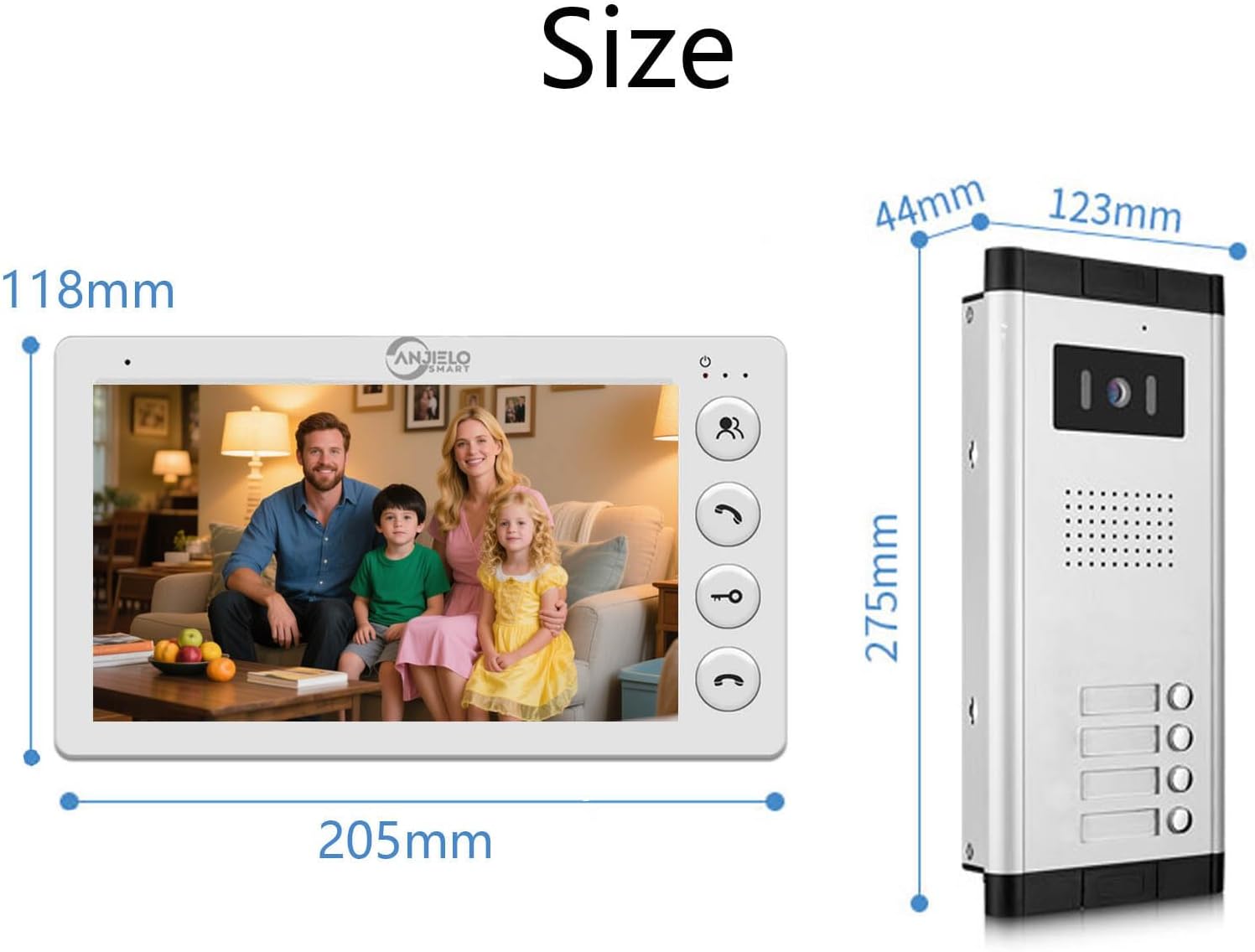
Image: The indoor monitor showing a clear color view during the day and a clear black and white view at night.
The outdoor unit features built-in LED infrared night vision lights. When ambient light is low, the system automatically switches to night vision mode, providing a clear black and white image on the indoor monitor.
6.5. Adjusting System Parameters
The indoor monitor allows for adjustment of various system settings.
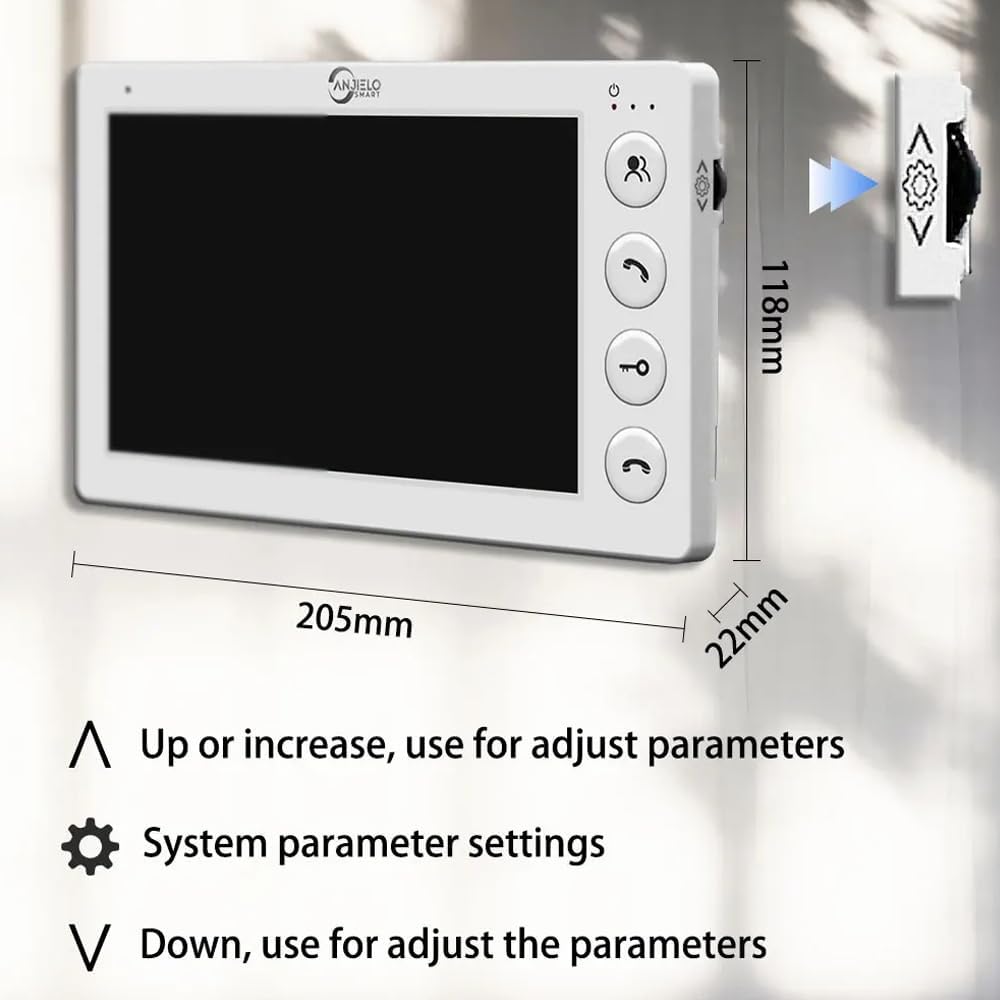
Image: The indoor monitor showing buttons for adjusting parameters: 'Up' or 'Increase' (arrow up), 'System parameter settings' (gear icon), and 'Down' or 'Decrease' (arrow down).
Use the Up and Down arrow buttons to navigate menus and adjust values. Press the System Parameter Settings button (gear icon) to access the settings menu, which may include options for ringtone, volume, display brightness, and other system configurations.
7. Maintenance
Regular maintenance ensures the longevity and optimal performance of your video intercom system.
- Cleaning: Wipe the indoor monitor and outdoor unit with a soft, slightly damp cloth. Do not use harsh chemicals, solvents, or abrasive cleaners.
- Check Connections: Periodically inspect all wiring connections to ensure they are secure and free from corrosion or damage.
- Camera Lens: Keep the outdoor camera lens clean and free from dust, dirt, or smudges to ensure clear video quality.
- Software Updates: Check the manufacturer's website for any available firmware updates for your system.
8. Troubleshooting
If you encounter any issues with your ANJIELO SMART video intercom system, refer to the following troubleshooting guide:
| Problem | Possible Cause | Solution |
|---|---|---|
| No power to indoor monitor | Power adapter unplugged or faulty; power outlet not working. | Check power adapter connection. Test the outlet with another device. Replace adapter if faulty. |
| No video from outdoor unit | Loose or incorrect 4-wire connection; damaged cable; faulty outdoor unit camera. | Verify all 4-wire connections are secure and correct. Inspect cable for damage. Contact support if issue persists. |
| No audio during intercom | Microphone or speaker issues; volume set too low; incorrect wiring. | Check volume settings on the indoor monitor. Ensure 4-wire connections are correct. |
| Door unlock not working | Electronic lock not connected properly; power regulator issue; faulty unlock button. | Verify connection to the electronic lock. Check power regulator if installed. |
| Poor night vision quality | Dirty camera lens; insufficient infrared illumination; ambient light interference. | Clean the camera lens. Ensure no obstructions are blocking the infrared LEDs. |
If you cannot resolve the issue using this guide, please contact ANJIELO SMART customer support for assistance.
9. Specifications
Detailed technical specifications for the ANJIELO SMART 4-Wire Video Intercom System:
- Brand: ANJIELO SMART
- Model Number: 65201+64705-W
- Connectivity Technology: Wired (4-wire cable)
- Power Source: Electric Cable (DC 15V 1.2A from indoor monitor)
- Installation Type: Outdoor Unit: Flush-mounted; Indoor Monitor: Surface-mounted
- Maximum Range: 100 Meters
- Recommended Product Uses: Outdoor Security, Home Security
Outdoor Unit Specifications:
- Camera Sensor: 1.0 MP, 1/10.2 cm CMOS
- Lens: 3.6 mm
- Viewing Angle: 90 degrees
- Rainproof & Night Vision: IP65 rated, 10m night vision
- Dimensions (L x W x H): 275 x 125 x 45 mm
- Material: Aluminum alloy
- Operating Temperature: -30°C to 60°C
Indoor Monitor Specifications:
- Screen Size: 7-inch
- Control Type: Touch Key
- Resolution: 800 x 480
- Functions: 2-way intercom, Monitor, Unlock, Mute mode
- Dimensions (L x W x H): 205 x 108 x 22 mm
- Material: Glass panel
10. Warranty and Support
For warranty information, please refer to the warranty card included with your product or visit the official ANJIELO SMART website. If you require technical support, have questions about installation, or need assistance with troubleshooting, please contact ANJIELO SMART customer service. Contact details can typically be found on the product packaging or the manufacturer's website.


