Introduction
Thank you for choosing the LIWAN TC18 4G LTE Cellular Solar Security Camera. This advanced outdoor security solution offers reliable surveillance in locations without Wi-Fi access, utilizing 4G LTE connectivity and continuous solar power. Designed for ease of use and robust performance, it features 2K HD color night vision, 360° pan and tilt capabilities, smart AI human detection, and two-way audio communication. This manual will guide you through the setup, operation, and maintenance of your new security camera.
Package Contents
Please verify that all items listed below are included in your package:
- Cellular Security Camera
- Solar Panel
- Instruction Manual
- Mounting accessories (screws, anchors)
- USB Charging Cable
Product Overview
Familiarize yourself with the main components of your LIWAN TC18 camera:
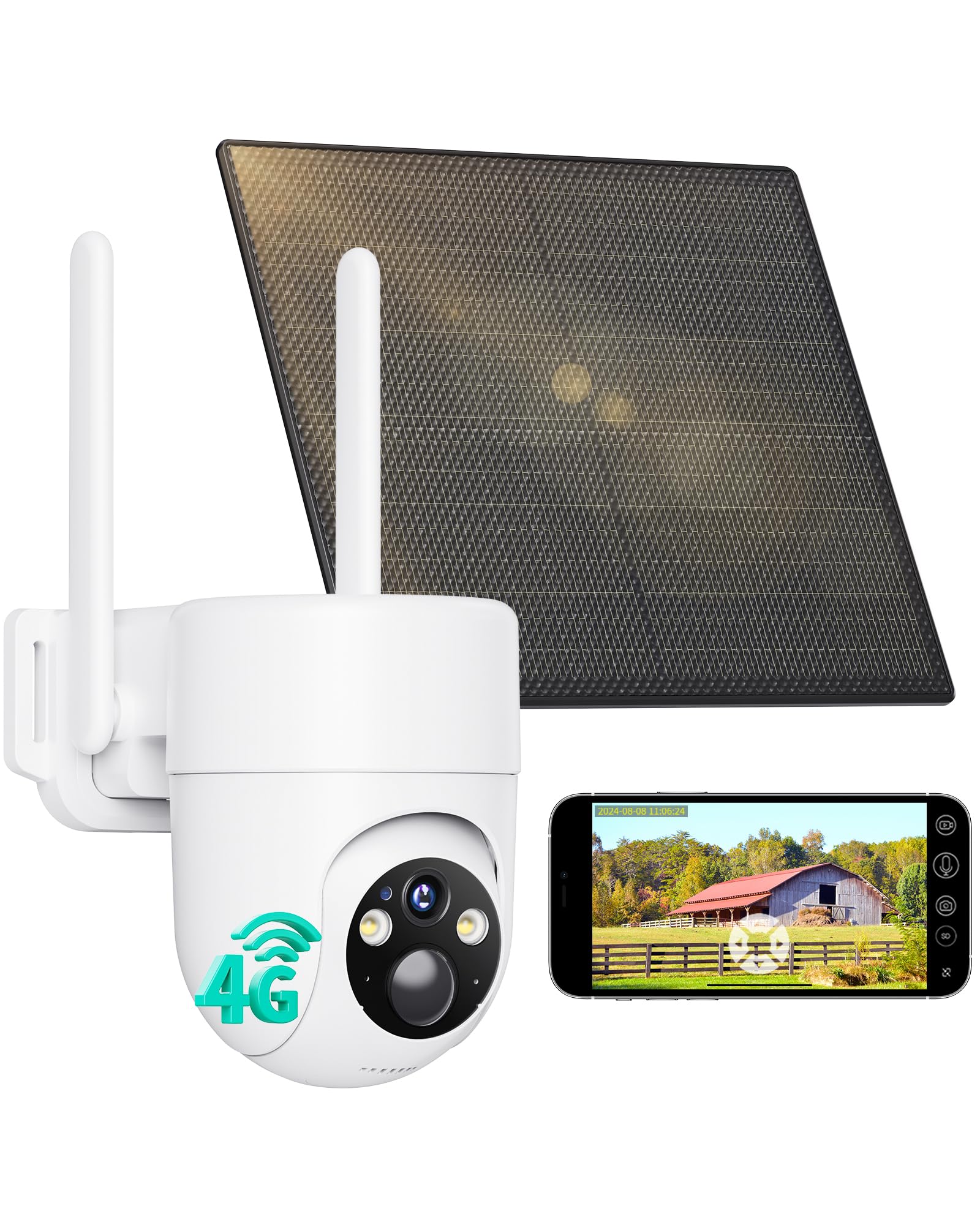
Image: Front view of the LIWAN TC18 Cellular Solar Security Camera, showing the main lens, LED lights, and dual antennas.
Camera Components
- Camera Lens: Captures 2K HD video footage.
- LED Lights: Provide illumination for color night vision and act as a deterrent.
- PIR Motion Sensor: Detects heat signatures for accurate human detection.
- Microphone: Captures audio for two-way talk and recording.
- Speaker: Outputs audio for two-way talk and alarm siren.
- Antennas: Enhance 4G LTE signal reception.
- Built-in SIM Card Slot: Pre-installed SIM card for 4G LTE connectivity (non-replaceable).
- Micro SD Card Slot: Supports local storage up to 128GB (SD card not included).
- Power Button: Turns the camera on/off.
- USB-C Charging Port: Connects to the solar panel or a USB power adapter for charging.
- Reset Button: Used to reset the camera to factory settings.

Image: Side view of the LIWAN TC18 camera, highlighting the SIM card slot, Micro SD card slot, and the power/reset buttons.
Setup
1. Physical Installation
Choose a mounting location that provides optimal sunlight exposure for the solar panel and a clear view of the area you wish to monitor. Ensure the location has adequate 4G LTE signal strength.
- Mount the camera bracket securely to a wall or fence using the provided screws and anchors.
- Attach the solar panel bracket in a position that maximizes direct sunlight exposure throughout the day.
- Connect the solar panel's USB cable to the camera's USB-C charging port. Ensure the rubber stopper is properly sealed to maintain weather resistance.
- Adjust the camera's angle and solar panel's orientation for optimal performance.

Image: LIWAN TC18 camera and solar panel mounted on an outdoor wall, illustrating a typical installation scenario.
2. Initial Power On & SIM Card Activation
The camera comes with a pre-installed SIM card. To activate and power on:
- Press and hold the power button until the indicator light turns red.
- Wait approximately 1 minute for the camera to establish a 4G LTE connection. The indicator light will turn solid blue once connected.
- The included SIM card offers a 7-day free data trial. After the trial, you can subscribe to unlimited data plans via the UBox app.
3. UBox App Setup
The UBox app is required to control and monitor your camera.
- Download the UBox app from your smartphone's app store (iOS or Android).
- Register for an account and log in.
- Tap "Add a Device" or the '+' icon in the app.
- Select "Setup 4G Device".
- Follow the on-screen prompts, ensuring the camera's blue indicator light is solid.
- Scan the QR code located on the camera using the app to pair the device.
- Once successfully paired, you can name your device and begin live viewing.
Video: A seller-provided video demonstrating the unboxing and initial setup process of the cellular security camera, including app pairing.
Operating Instructions
1. Live View and 360° Surveillance
Access the live video feed from your smartphone via the UBox app. Use the on-screen controls to pan 355° horizontally and tilt 100° vertically for comprehensive coverage. The camera also supports 4X digital zoom.

Image: A smartphone screen showing the live 360-degree panoramic view from the LIWAN TC18 camera, with pan and tilt controls.
2. Two-Way Audio
Utilize the built-in microphone and speaker to communicate with visitors or deter intruders directly through the app's two-way talk feature.
3. 2K HD Color Night Vision
The camera provides crisp 2K HD footage day and night. It features a spotlight for full-color night vision, ensuring clear details even in low-light conditions. You can switch between different night vision modes (Color, IR, Smart) within the app.

Image: Illustration of the three night vision modes: Color Night Vision (with spotlight), IR Night Vision (black and white), and Smart Night Vision (activates spotlight upon detection).
4. Smart AI Detection and Alerts
The camera's advanced PIR motion detection combined with AI human recognition reduces false alarms. Receive instant alerts on your phone when motion is detected. You can customize detection zones and schedule working times to limit alerts.

Image: A smartphone displaying a motion detection alert from the LIWAN TC18 camera, showing a person walking in the detection zone.
5. Local and Cloud Storage
The camera supports both local storage via a Micro SD card (up to 128GB, not included) and cloud storage. A 30-day cloud storage trial is available for 10-second clips. View live or recorded footage anytime through the UBox app.
Video: A seller-provided video showcasing the wireless outdoor solar camera in real-life operation, demonstrating its features and video quality.
Maintenance
1. Solar Panel Care
Regularly clean the surface of the solar panel to ensure maximum sunlight absorption. Dust, dirt, or debris can reduce charging efficiency. Use a soft, damp cloth to wipe the panel.
2. Battery Management
The camera features a built-in high-capacity battery continuously charged by the solar panel. No manual charging is typically needed. Monitor battery levels via the UBox app to ensure continuous operation.
3. Weather Resistance
The camera has an IP66 waterproof rating, ensuring reliable performance in various weather conditions. However, avoid submerging the camera in water.
Troubleshooting
- Camera not powering on: Ensure the power button is pressed and held. Check if the battery has sufficient charge (connect to a USB power source if needed).
- No 4G LTE connection: Verify that the indicator light is solid blue. If not, check your location for 4G LTE coverage. Ensure the SIM card data plan is active.
- App cannot find device: Ensure the camera is powered on and the blue indicator light is solid. Try resetting the camera using the reset button.
- Poor video quality: Check your 4G LTE signal strength in the app. Ensure the camera lens is clean.
- Frequent false alarms: Adjust the AI detection sensitivity and customize detection zones within the UBox app.
- Solar panel not charging: Ensure the solar panel is clean and positioned for maximum direct sunlight exposure. Check the connection cable.
Specifications
| Model Name | TC18 |
| Indoor/Outdoor Usage | Outdoor |
| Power Source | Solar Powered |
| Connectivity Protocol | Cellular (4G LTE) |
| Controller Type | Ubox App |
| Video Capture Resolution | 2K |
| Special Feature | 2-Way Audio, Color Night Vision, PIR Sensor, 360° Pan/Tilt |
| Storage Options | Micro SD (up to 128GB), Cloud Storage |
| Waterproof Rating | IP66 |
| Item Weight | 2.07 pounds |
| Product Dimensions | 9.57 x 6.89 x 5.91 inches |
Warranty and Support
Your LIWAN TC18 Cellular Solar Security Camera is covered by the manufacturer's warranty. For detailed warranty information or technical support, please refer to the contact information provided in your product packaging or visit the official LIWAN website.
For additional assistance, you may also visit the LIWAN Store on Amazon.