1. Introduction
Thank you for choosing the BrickBling Light Kit for your LEGO Game Boy 72046 model. This kit is designed to enhance your LEGO creation with vibrant lighting, transforming it into a captivating display piece. This manual provides essential information for safe installation, operation, and maintenance of your light kit. Please read all instructions carefully before beginning the installation process.
Note: This product includes the light kit only. The LEGO Game Boy 72046 model is not included.

Image: Clarification that only the light kit is included, not the LEGO model.
2. Safety Information
Please observe the following safety guidelines to ensure safe use and prevent damage to the product or injury:
- Choking Hazard: This product contains small parts and is not suitable for children under 3 years of age. Keep all components out of reach of small children.
- Handle with Care: The light wires are delicate. Avoid over-pulling, bending, or shaking them during installation to prevent damage.
- Power Source: Use only the provided power supply or a compatible power source as specified in the instructions.
- Installation Environment: Ensure your workspace is clean, well-lit, and free from obstructions.
3. Package Contents
Before beginning installation, please verify that all components listed below are present in your package. If any parts are missing or damaged, please contact customer support.
- Light Kit components
- Power Supply
- Instruction Booklet (contains website for online instructions)
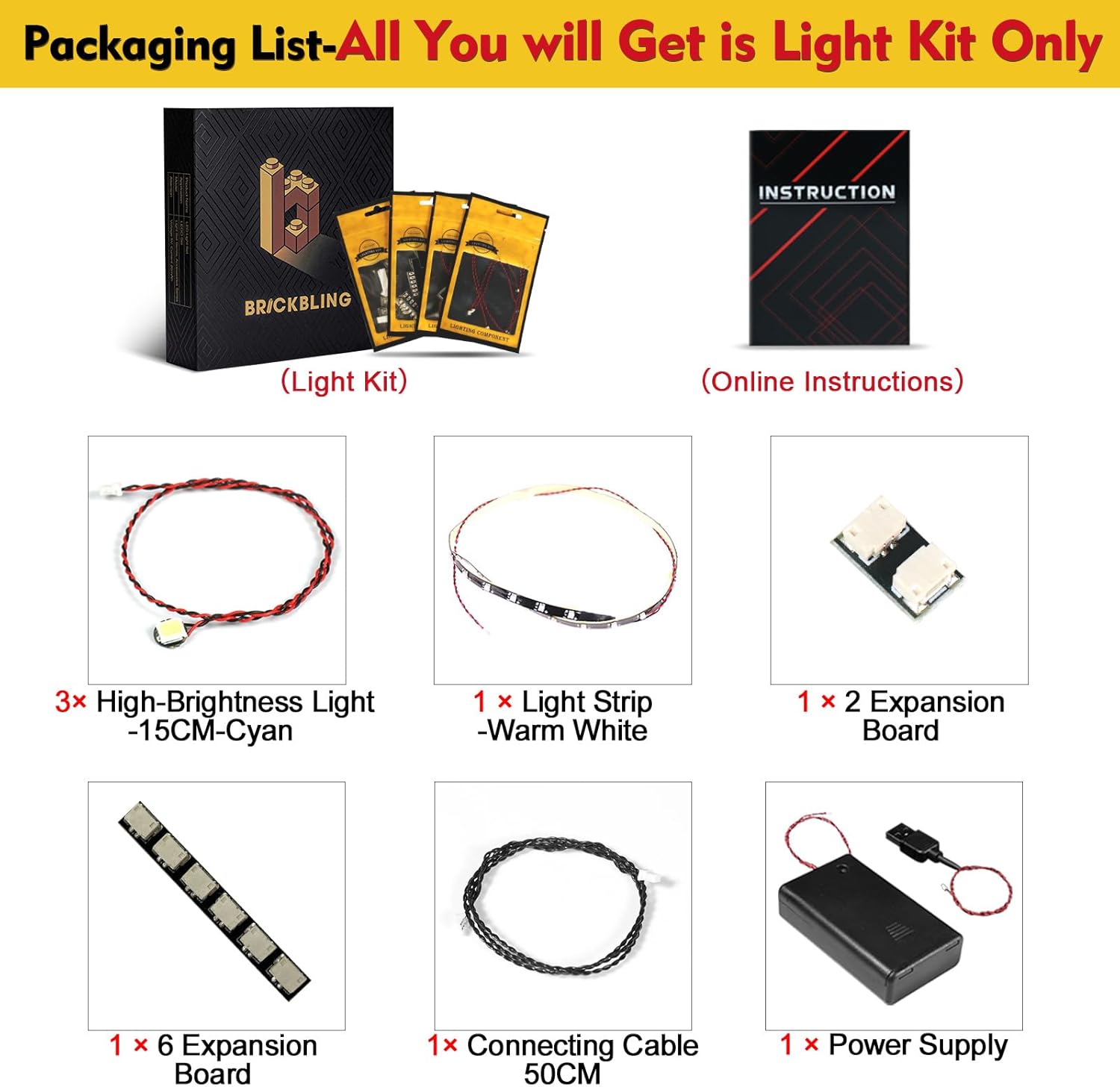
Image: Detailed view of all components included in the BrickBling Light Kit package.
4. Setup & Installation
The BrickBling Light Kit is designed for integration with the LEGO Game Boy 72046 model. Installation requires careful handling of small components and wires. For detailed, step-by-step instructions, please refer to the official online video guide.
4.1 Accessing Online Instructions
A booklet included with your package provides a website address. Visit this website and follow the instructions to access the comprehensive PDF and video installation guides. These guides are created by our professional light-build team to ensure a smooth installation process.
4.2 General Installation Tips
- Disassembly: You will need to carefully disassemble certain sections of your LEGO Game Boy 72046 model to route the light wires and place the LED components.
- Wire Routing: Ensure wires are routed neatly and are not pinched between LEGO bricks. The slim design of the wires allows for a good fit within the brick structure.
- Testing: Periodically test the lights during installation to ensure all lamp pellets are functioning correctly before fully reassembling your model.
- Tools: A pair of needle-nose tweezers can be helpful for routing wires through tight spaces.
4.3 Visual Guide
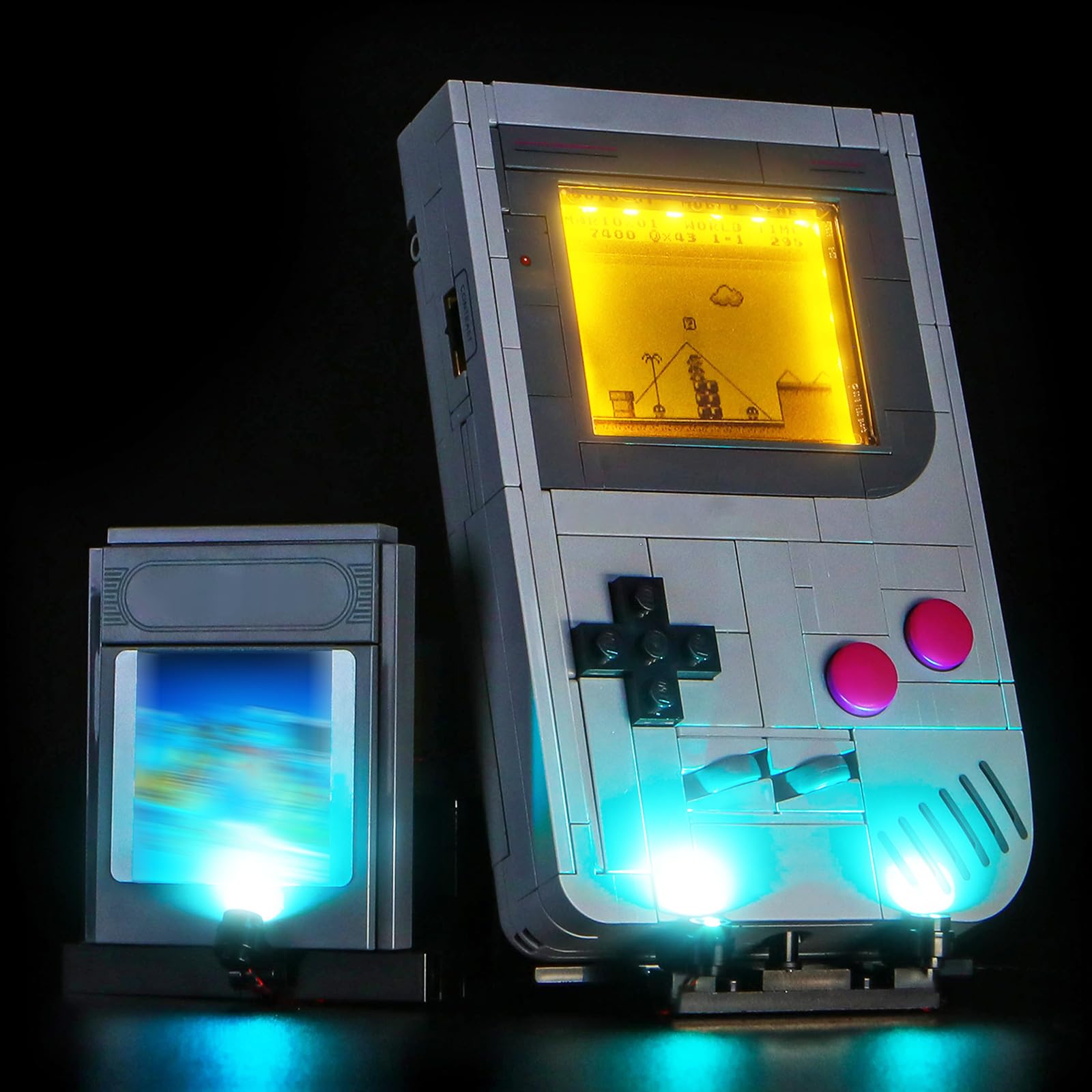
Image: The BrickBling Light Kit installed on a LEGO Game Boy model, showcasing the illuminated display and base lights.
Video: A demonstration of the BrickBling Light Kit installed on the LEGO Game Boy 72046 model, showing the various illuminated sections and effects.
5. Operation
Once the BrickBling Light Kit is fully installed, connect the power supply to a suitable power source. The lights will illuminate, bringing your LEGO Game Boy model to life. There are no additional controls for the light kit itself; it operates as a static display enhancement.
6. Maintenance
To ensure the longevity and optimal performance of your BrickBling Light Kit, follow these maintenance guidelines:
- Cleaning: Gently wipe the light components and wires with a soft, dry cloth to remove dust. Avoid using liquid cleaners or abrasive materials.
- Storage: If you need to store your LEGO model with the light kit, ensure it is in a dry, cool place, away from direct sunlight and extreme temperatures.
- Wire Integrity: Periodically inspect visible wires for any signs of wear or damage. If damage is found, discontinue use and contact support.
7. Troubleshooting
If you encounter any issues with your BrickBling Light Kit, please refer to the following common solutions:
- Lights Not Turning On:
- Ensure the power supply is securely connected to both the light kit and a working power outlet.
- Verify that all light components and expansion boards are correctly connected according to the installation guide.
- Check for any pinched or damaged wires that might be interrupting the circuit.
- Flickering Lights:
- This may indicate a loose connection. Recheck all connections, especially at the expansion boards.
- Ensure the power supply is providing stable power.
- Missing Parts:
- If you find any parts missing upon opening the package, please contact BrickBling customer support immediately with your purchase details.
For further assistance, please visit the BrickBling support website mentioned in your product booklet.
8. Specifications
| Brand | BrickBling |
| Compatible Model | LEGO Game Boy 72046 |
| Material | Acrylonitrile Butadiene Styrene (ABS) |
| Included Components | Light Kit, Power Supply |
| Batteries Included | No |
9. Warranty & Support
9.1 Warranty Information
Specific warranty details for your BrickBling Light Kit are typically provided with your purchase documentation or on the official BrickBling website. Please retain your proof of purchase for any warranty claims.
9.2 Customer Support
For technical assistance, missing parts, or any other inquiries, please visit the official BrickBling website. The website address can be found in the booklet included with your package. Our support team is available to help you with installation and troubleshooting.


