
1. Introduction
The RAIGNV V168 4K UHD Drone is a high-performance, foldable quadcopter designed for aerial photography and videography. Featuring a 4K wide-angle adjustable camera, advanced GPS positioning, and intelligent flight modes, it offers a stable and intuitive flying experience. This manual provides essential information for setting up, operating, and maintaining your V168 drone.
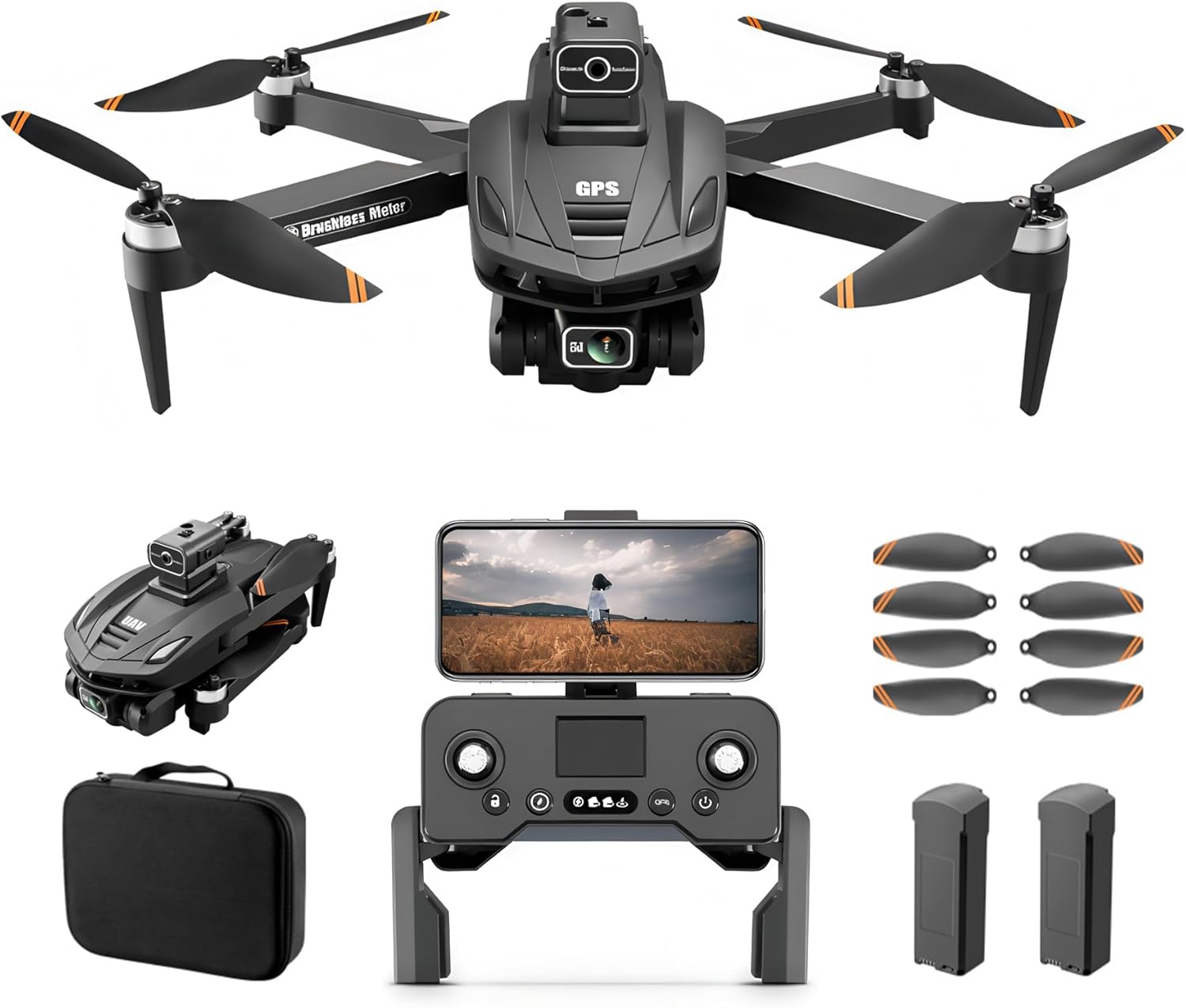
Figure 1: RAIGNV V168 4K UHD Drone (folded)
2. What's in the Box
Verify that all components are present in your package:
- RAIGNV V168 4K Drone x 1
- RAIGNV V168 Remote control transmitter x 1
- RAIGNV V168 Battery x 1
- RAIGNV V168 Cable (USB Cable) × 1
- RAIGNV V168 Spare blade × 8
- Screwdriver x 1
- Operation Manual x 1
- Storage Bag x 1
- Packaging Box x 1

Figure 2: Package Contents
3. Product Overview
3.1 Drone Components
The V168 drone features a foldable design for portability. It is equipped with brushless motors for enhanced performance and durability.

Figure 3: RAIGNV V168 4K UHD Drone (unfolded)
3.2 Camera System
The drone integrates a 4K UHD camera with a 90° adjustable wide-angle lens, allowing for versatile aerial photography and videography. A fixed HD optical flow lens is also located on the bottom for stable positioning.

Figure 4: Drone Camera Details
3.3 Obstacle Avoidance Module
The drone can be equipped with an obstacle avoidance module that helps prevent collisions during flight, enhancing safety and ease of use.
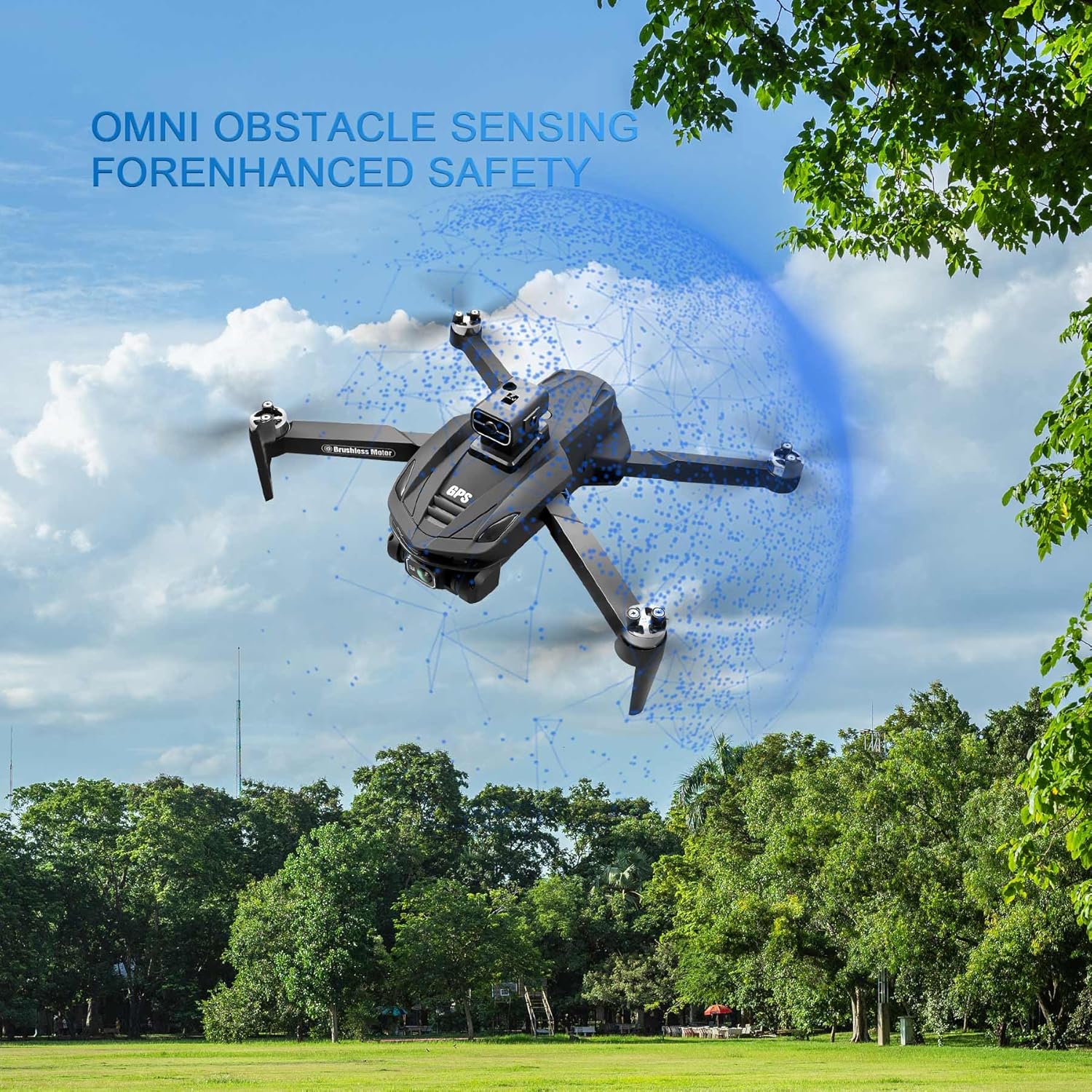
Figure 5: Obstacle Avoidance Module
3.4 Remote Controller
The remote controller features foldable handles and a phone mount to display real-time video feed from the drone. It includes joysticks for flight control and various buttons for functions like GPS calibration, gimbal adjustment, and one-key return.
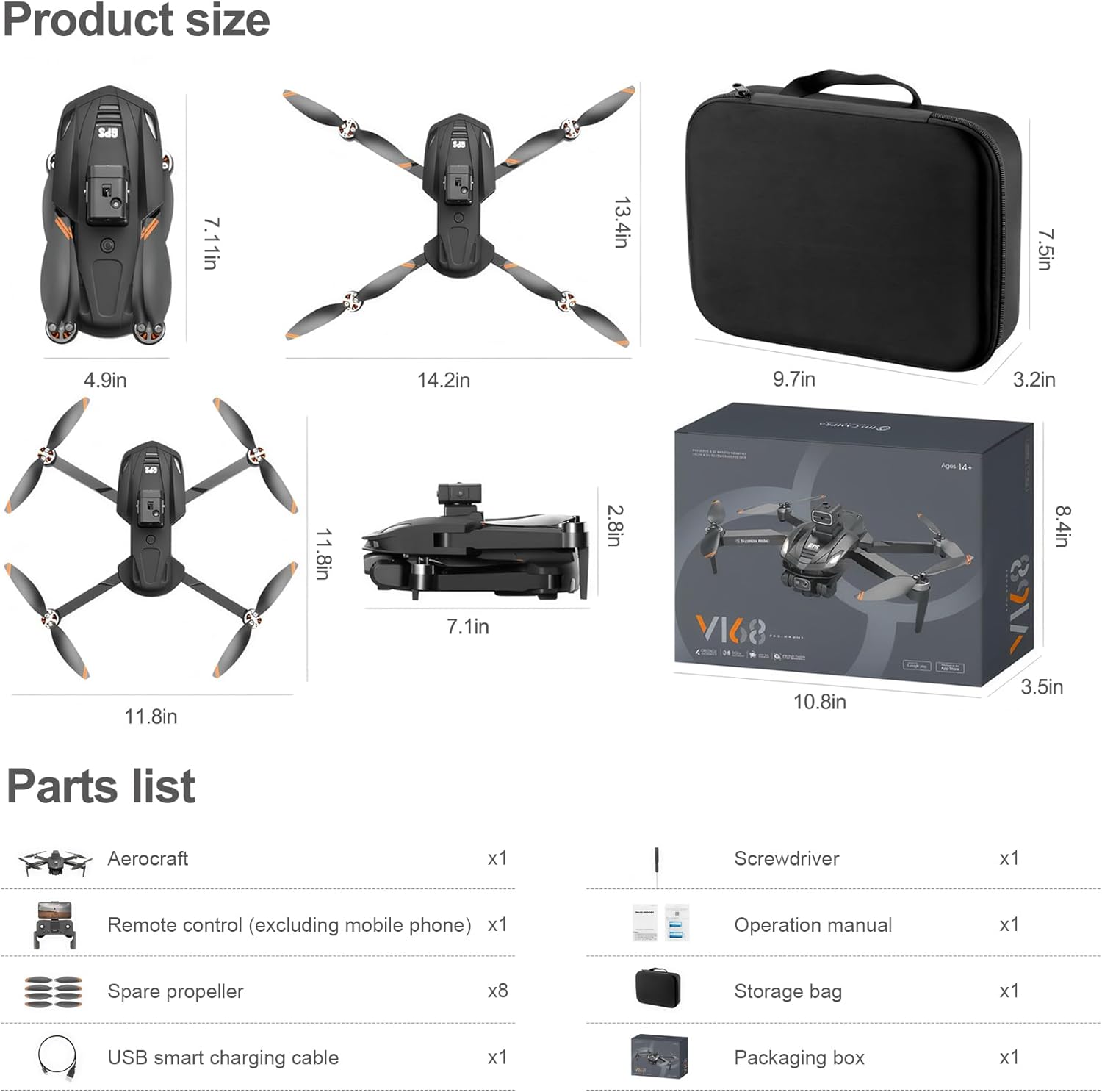
Figure 6: Remote Controller with Smartphone
4. Setup
4.1 Unfolding the Drone
- Carefully unfold the drone arms until they lock into place.
- Ensure all propellers are securely attached and free from obstruction.
4.2 Battery Installation
- Insert the fully charged battery into the designated slot on the underside of the drone until it clicks securely.
- To charge the battery, use the provided USB cable. The battery features a micro USB port for charging.
4.3 Attaching Obstacle Avoidance Module (Optional)
- Align the obstacle avoidance module with the port on top of the drone.
- Gently push down until it is firmly attached.
4.4 Remote Controller Setup
- Unfold the handles of the remote controller.
- Attach the phone mount to the top of the controller.
- Secure your smartphone in the phone mount.
- Power on the remote controller.
4.5 App Connection
- Download and install the recommended drone control app on your smartphone.
- Connect your smartphone to the drone's Wi-Fi network.
- Open the app to establish a connection and view the live camera feed.
5. Operating the Drone
5.1 Basic Flight Controls
- Takeoff: On the remote controller, pull both joysticks outwards simultaneously to start the motors. Then, push the left joystick up to initiate takeoff.
- Landing: Use the one-key land button on the remote controller for an automatic, smooth landing. The drone will return to its takeoff point.
- Direction: Use the right joystick to control the drone's forward, backward, left, and right movement.
- Altitude: Use the left joystick to control the drone's ascent and descent.
5.2 Smart Flight Modes
The V168 drone offers several intelligent flight modes for enhanced control and creative shots:
- GPS Auto Return: Features one-key return, low battery return, and signal-loss return to ensure the drone safely returns to its home point.
- Obstacle Avoidance: Utilizes 4-way obstacle avoidance sensors to detect and bypass obstacles.
- Optical Flow Positioning: Provides stable hovering and precise positioning, especially indoors or in areas with weak GPS signals.
- Follow Me: The drone automatically follows the remote controller or a designated subject.
- Waypoint Flight: Plan a custom flight path by setting multiple waypoints on the app map.
- Circle Fly: The drone flies in a circular path around a designated point.
- Gesture Control: Perform specific hand gestures to trigger photo or video capture.

Figure 7: Drone in Flight
5.3 Camera Operation
- Adjust Camera Angle: Use the dedicated dial on the remote controller to adjust the 4K camera's angle up to 90°.
- Live Feed: The 5G HD transmission provides a smooth, real-time video stream to your smartphone.
- Photo/Video Capture: Use the corresponding buttons on the app interface or remote controller to take photos or start/stop video recording.
- Switch Lenses: The app allows switching between the main 4K adjustable camera and the fixed HD optical flow lens.
Video 1: RAIGNV V168 GPS drone with 4K high-definition camera. This video demonstrates the drone's features, including its 4K camera, GPS capabilities, and ease of use.
6. Maintenance
- Propeller Inspection: Regularly check propellers for damage. Replace any bent or broken blades using the provided spare blades and screwdriver.
- Battery Care: Store batteries in a cool, dry place. Do not overcharge or over-discharge.
- Cleaning: Use a soft, dry cloth to clean the drone and camera lenses. Avoid using liquids or harsh chemicals.
- Storage: When not in use, fold the drone and store it in its carrying case to protect it from dust and damage.
7. Troubleshooting
- Drone not responding: Ensure the drone and remote controller are fully charged and properly paired. Check for strong Wi-Fi signal.
- Unstable flight: Perform GPS calibration and gyroscope calibration as instructed in the app or manual. Check propellers for damage.
- Poor video quality: Ensure 5G HD transmission is active. Check for obstructions between the drone and smartphone. Clean camera lenses.
- Obstacle avoidance not working: Ensure the obstacle avoidance module is correctly installed and enabled in the app.
8. Specifications
| Feature | Specification |
|---|---|
| Brand | RAIGNV |
| Model Name | V168 |
| Item Weight | 232 Grams |
| Item Dimensions (L x W x H) | 7.1"L x 4.9"W x 2.7"H |
| Video Capture Resolution | 4K |
| Effective Still Resolution | 12 MP |
| Battery Capacity | 3000 Milliamp Hours |
| Maximum Range | 3000 Meters |
| Connectivity Technology | Bluetooth, Wi-Fi |
| Skill Level | Beginner |
9. Warranty and Support
For product support, technical assistance, or warranty inquiries, please contact RAIGNV customer service. Refer to your purchase documentation for specific warranty terms and conditions.
Contact Email: info@raignv.com

Figure 8: Customer Support