
1. Safety Guidelines
Before operating the RAIGNV S119 4K Drone, please read and understand all safety guidelines. Failure to follow these instructions may result in injury, damage to the drone, or property damage.
- Flight Environment: Operate the drone in open, clear areas away from people, animals, buildings, and power lines. Avoid flying near airports or restricted airspace.
- Weather Conditions: Do not fly in strong winds, rain, snow, or fog. Optimal flight conditions are calm and clear.
- Line of Sight: Always maintain visual line of sight with the drone during flight.
- Battery Safety: Use only original RAIGNV batteries and chargers. Do not overcharge or puncture batteries. Store batteries in a cool, dry place.
- Propeller Safety: Keep hands, face, and hair away from rotating propellers. Ensure propellers are securely attached before flight.
- Respect Privacy: Be mindful of privacy laws and regulations when using the drone's camera.
- Age Recommendation: This drone is recommended for users aged 14 and above.
2. Package Contents
Verify that all items are included in your RAIGNV S119 4K Drone package:
- RAIGNV S119 4K Drone x 1
- RAIGNV S119 Remote Controller x 1
- RAIGNV S119 Battery x 2
- RAIGNV S119 Cable (USB Cable) x 1
- Memory Card (8GB) x 1
- Spare Propellers x 8
- Screwdriver x 1
- Organizer Bag x 1
- Operating Instructions x 1
- APP Manual x 1

Image: RAIGNV S119 4K Drone, remote controller, batteries, and various accessories neatly arranged.
3. Component Identification
3.1 RAIGNV S119 4K Drone
- Foldable Arms: For compact storage and portability.
- Brushless Motors: Provide efficient, quiet flight and longer service life.
- Propellers: Four propellers for lift and thrust.
- Dual Cameras: Front 4K camera with 120° wide-angle lens and 0-90° adjustable gimbal; bottom HD camera for optical flow positioning.
- Obstacle Avoidance Sensors: Detect obstacles to prevent collisions.
- Battery Compartment: Located at the rear for modular 7.4V 3800mAh batteries.
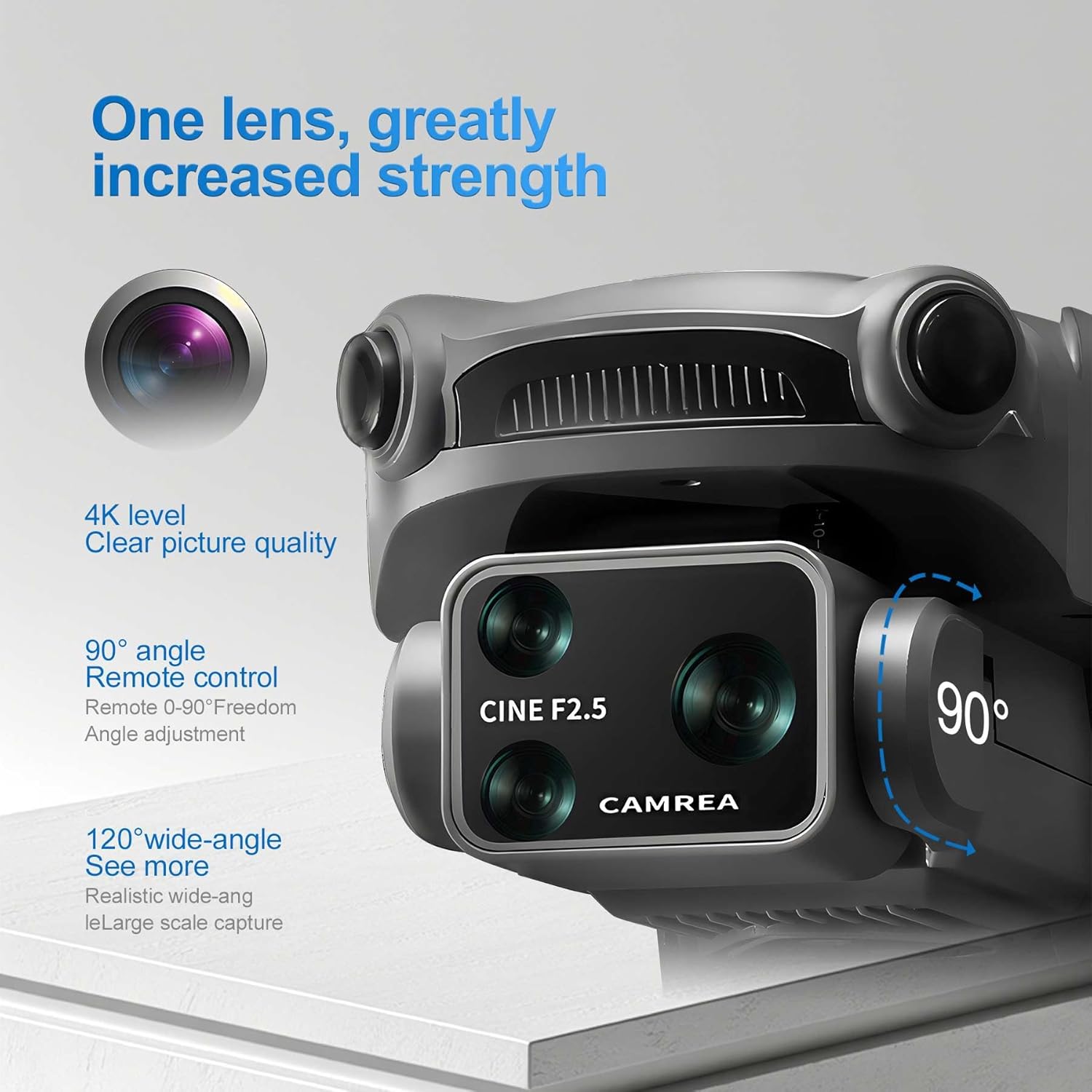
Image: Close-up view of the RAIGNV S119 4K Drone's front camera with adjustable gimbal and lens details.
3.2 Remote Controller
- Joysticks: Control drone movement (altitude, direction, rotation).
- Integrated Screen: Displays real-time FPV feed and flight data.
- Power Button: To turn the remote controller on/off.
- GPS Button: Activates GPS functions like auto return.
- Photo/Video Buttons: Capture images and start/stop video recording.
- Phone Mount: For attaching a smartphone to view the FPV feed via the app.

Image: The RAIGNV S119 Remote Controller with its integrated screen and foldable phone mount.
4. Setup
4.1 Battery Installation & Charging
- Insert the fully charged 7.4V 3800mAh battery into the drone's battery compartment until it clicks into place.
- To charge the battery, connect it to the provided USB cable and plug into a compatible USB power source. Charging time may vary.

Image: A single RAIGNV S119 drone battery, highlighting its modular design and capacity.
4.2 Propeller & Arm Setup
- Gently unfold the drone's arms until they are fully extended and locked into position.
- Ensure all propellers are securely attached and free from damage. Replace any damaged propellers using the provided screwdriver and spare propellers.
4.3 Remote Controller Setup
- Power on the remote controller by pressing and holding the power button.
- Attach your smartphone to the remote controller's phone mount.
- Connect your smartphone to the remote controller using the appropriate USB cable.
4.4 App Installation & Calibration
- Download and install the companion app (e.g.,
Ask a question about this manual
Ask about setup, troubleshooting, compatibility, parts, safety, or missing instructions. Manuals+ will review the question and use this page’s manual context to help answer it.