1. Introduction
The SUNKTA DM1 Smartwatch is a robust and versatile device designed for active lifestyles. Featuring a 1.43-inch AMOLED display, integrated GPS, and a durable high-strength alloy casing, it is built to withstand extreme outdoor activities. This manual provides essential information for setting up, operating, and maintaining your smartwatch.

Image 1: Front view of the SUNKTA DM1 Smartwatch, showcasing its round AMOLED display and rugged design.
2. What's in the Box
Upon unboxing your SUNKTA DM1 Smartwatch, please ensure all the following items are present:
- SUNKTA DM1 Smartwatch
- 2 Watch Straps (one pre-installed, one spare)
- Strap Adjustment Tool (for metal strap, if included)
- Magnetic Charging Cable
- User Manual
Video 1: An unboxing video demonstrating the contents of a typical smartwatch package, including the watch, straps, charging cable, and manual.
3. Initial Setup
3.1 Charging the Smartwatch
Before first use, fully charge your SUNKTA DM1 Smartwatch. Connect the magnetic charging cable to the charging points on the back of the watch and plug the USB end into a power adapter (5V/1A recommended) or a computer's USB port. The watch display will indicate charging status.

Image 2: Illustration of the smartwatch's battery life, showing up to 30 days standby time and 5-7 days of working time, alongside its LED flashlight function.
3.2 App Installation and Pairing
To unlock the full potential of your smartwatch, download and install the companion app on your smartphone. Scan the QR code displayed on the watch or in the manual to find the app in your device's app store (compatible with iOS and Android).
- Scan the QR code to download the app.
- Open the app and create an account or log in.
- Navigate to the 'Device' section and select 'Add Device'.
- Allow necessary permissions (Bluetooth, location, notifications).
- Select your SUNKTA DM1 from the list of available devices (e.g., 'TX7-B28' or similar identifier).
- Confirm the pairing request on both your phone and smartwatch.
Video 2: A demonstration of connecting a smartwatch to a smartphone app, showing the pairing process and initial setup steps.
4. Operating Your Smartwatch
4.1 Basic Navigation
- Swipe Up/Down: Access quick settings or notifications.
- Swipe Left/Right: Navigate through widgets and main functions.
- Press Side Buttons: Activate specific functions (e.g., power on/off, return to home screen, access sport modes).
4.2 Bluetooth Calls and Notifications
Once paired with your smartphone, the DM1 allows you to make and receive calls directly from your wrist and receive real-time notifications from various apps.
- Answering Calls: Tap the green icon on the watch screen when a call comes in.
- Making Calls: Access the call function from the watch menu to dial or select contacts.
- Notifications: Swipe down from the watch face to view recent notifications. Ensure app notification permissions are enabled in the companion app.

Image 3: The smartwatch displaying Bluetooth call functionality, showing options for microphone, call logs, contacts, and dialing, along with various app notification icons.
4.3 Music Control
Control music playback on your smartphone directly from your smartwatch. Play, pause, skip tracks, and adjust volume without needing to take out your phone.
4.4 LED Flashlight & Compass
The DM1 includes a built-in LED flashlight for convenience and a digital compass for navigation during outdoor activities.

Image 4: Various features of the smartwatch, including a wrist compass, the ATS3085L chip, remote camera control, music control, and weather display.
5. Health Monitoring
The SUNKTA DM1 Smartwatch provides comprehensive health tracking features to help you monitor your well-being 24/7.
- Heart Rate Monitoring: Continuously tracks your heart rate throughout the day.
- Blood Oxygen (SpO2) Monitoring: Measures your blood oxygen saturation levels.
- Sleep Tracking: Analyzes your sleep patterns, including deep sleep, light sleep, and REM sleep.
- Stress Monitoring: Helps you understand and manage your stress levels.
- Pedometer & Calorie Counter: Tracks your steps, distance, and calories burned.

Image 5: The smartwatch displaying 24-hour health management features, including deep sleep, light sleep, REM sleep, heart rate, blood oxygen, and stress monitoring.
6. Sport Modes and GPS
With over 170 sport modes, the DM1 is your ideal fitness companion. It supports various activities from running and cycling to swimming and yoga. The integrated GPS allows for precise tracking of your outdoor routes.
- GPS Tracking: Utilizes GPS, GLONASS, Beidou, Galileo, NavIC, and QZSS satellite systems for accurate route tracking.
- Activity Data: Records real-time data such as speed, distance, calories, and heart rate during workouts.

Image 6: The smartwatch highlighting its IP68 waterproof rating and support for over 100 sport modes, with icons for various activities like running, cycling, and swimming.
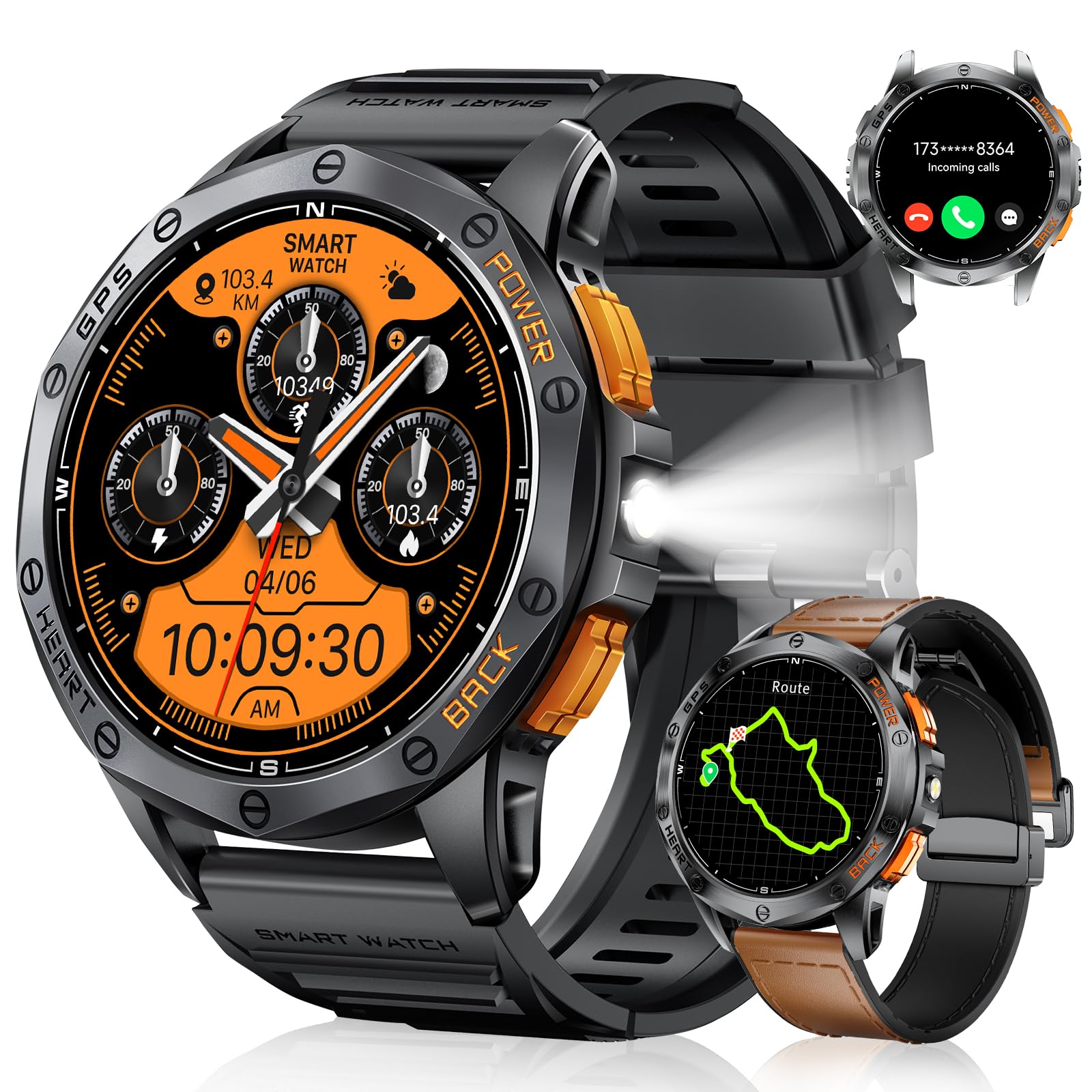
Image 7: The smartwatch displaying integrated GPS tracking data, showing distance, duration, speed, and heart rate, with a map overlay of a cycling route.
7. Durability and Design
The SUNKTA DM1 is built with a high-strength alloy casing, making it resistant to scratches, shocks, and corrosion. Its IP68 waterproof rating ensures it can withstand various environmental conditions.
- Rugged Design: Constructed with military-grade materials for enhanced durability.
- Water Resistance: IP68 rated, allowing normal operation up to 50 meters depth, suitable for swimming and water sports.
8. Maintenance
8.1 Cleaning Your Smartwatch
Regularly clean your smartwatch to ensure optimal performance and hygiene. Use a soft, damp cloth to wipe the screen and casing. For the straps, follow the specific cleaning instructions based on their material (silicone or metal).
8.2 Strap Adjustment
If your smartwatch comes with a metal strap, you may need to adjust its length for a comfortable fit. Use the provided strap adjustment tool to remove or add links as needed.
Video 3: A step-by-step guide on how to adjust the length of a metal watch strap using a specialized tool.

Image 8: Close-up view of the smartwatch strap, highlighting the outer leather material for durability, improved inner silicone for comfort, and a metallic magnetic buckle for secure fastening.
9. Troubleshooting
If you encounter any issues with your SUNKTA DM1 Smartwatch, please refer to the following common solutions:
- Watch not turning on: Ensure the watch is fully charged. Connect it to the charger for at least 30 minutes.
- Cannot pair with phone: Make sure Bluetooth is enabled on your phone and the watch. Restart both devices and try pairing again. Ensure the companion app has all necessary permissions.
- Notifications not received: Check app notification settings in the companion app and your phone's system settings. Ensure the app is running in the background.
- Inaccurate health data: Ensure the watch is worn snugly on your wrist, not too tight or too loose. Clean the sensor on the back of the watch.
- Short battery life: Reduce screen brightness, disable unnecessary features (e.g., continuous heart rate monitoring if not needed), and ensure background apps are closed on your phone.
If the issue persists, please contact customer support.
10. Specifications
| Feature | Detail |
|---|---|
| Brand | SUNKTA |
| Model Number | DM1-F1-FR |
| Operating System | iOS, Android |
| Screen Size | 1.43 Inches |
| Screen Type | AMOLED (466*466 pixels) |
| Connectivity | Bluetooth |
| Special Features | Rugged design, Water Resistance (IP68), Built-in GPS, Compass, LED Flashlight |
| Compatible Devices | Smartphone |
| Battery Capacity | 600 mAh |
| Memory Storage Capacity | 1 GB |
| Waterproof Rating | 5ATM (up to 50 meters) |
| Shape | Round |
11. Warranty and Support
11.1 Manufacturer's Warranty
The SUNKTA DM1 Smartwatch comes with a 2-year manufacturer's warranty. This warranty covers defects in materials and workmanship under normal use. It does not cover damage caused by misuse, accidents, unauthorized modifications, or normal wear and tear.
11.2 Customer Support
For technical assistance, warranty claims, or any other inquiries, please contact SUNKTA customer support through the official website or the contact information provided with your purchase. Please have your model number (DM1-F1-FR) and proof of purchase ready when contacting support.