
1. Introduction
Thank you for choosing the llano CM3 Charger and 2400mAh USB-C Battery Set. This product is designed to provide efficient and reliable power solutions for your camera equipment. This manual provides essential information for the safe and optimal use of your new charger and batteries. Please read it thoroughly before use and retain it for future reference.

Image 1.1: llano CM3 Charger and Battery Set overview.
2. Product Features
The llano CM3 Charger and 2400mAh USB-C Battery Set offers advanced features for professional and enthusiast photographers:
- Ultra-Fast PD 30W Triple-Slot Charging: Charges three NP-FZ100 batteries simultaneously with intelligent current allocation, achieving a full charge in approximately 3 hours. Supports various power sources including wall adapters, car chargers, and power banks.
- Real 2400mAh USB-C Battery: Each NP-FZ100 battery features an integrated Type-C fast charging port, providing a true 2400mAh (7.2V/17.3Wh) capacity for extended shooting sessions. Designed for over 500 recharge cycles.
- 100% Decoded Compatibility: Ensures perfect compatibility with Sony original and third-party NP-FZ100 batteries without firmware errors or decoding issues. Full support for in-camera power display.
- Advanced 8-Layer Safety System: Comprehensive protection against overcharging, overheating, overcurrent, short circuits, and voltage fluctuations. Real-time temperature and power monitoring for stable charging.
- CNC Aluminum Build: Constructed from premium CNC-machined aluminum for enhanced durability, rapid heat dissipation, and resistance to scratches and fingerprints.
3. Package Contents
Please verify that all items are present in your package:
- llano CM3 Triple-Slot Charger
- llano 2400mAh USB-C NP-FZ100 Batteries (Quantity as purchased)
- USB-C to USB-C Charging Cable
- User Manual (This document)
4. Setup and Charging
4.1. Charging with the CM3 Triple-Slot Charger
- Connect the Charger: Connect the provided USB-C cable to the PD:IN port on the llano CM3 charger. Connect the other end of the cable to a compatible PD 30W (or higher) power adapter, car charger, or power bank.
- Insert Batteries: Insert up to three NP-FZ100 batteries into the charging slots. Ensure the batteries are correctly oriented.
- Monitor Charging: The smart LED display on the charger will indicate the charging status for each slot.

Image 4.1: The llano CM3 Triple-Slot Charger with its PD:IN port.

Image 4.2: The llano CM3 charger is compatible with Sony original and third-party NP-FZ100 batteries.
4.2. Direct USB-C Charging for Batteries
Each llano 2400mAh USB-C battery can be charged independently without the multi-slot charger:
- Connect Battery: Connect a USB-C cable directly to the Type-C port on the battery.
- Connect Power Source: Connect the other end of the USB-C cable to a compatible power source such as a wall adapter, car charger, or power bank.
- Charging Indicator: The battery will have an indicator light to show charging status (refer to battery specific instructions if available).
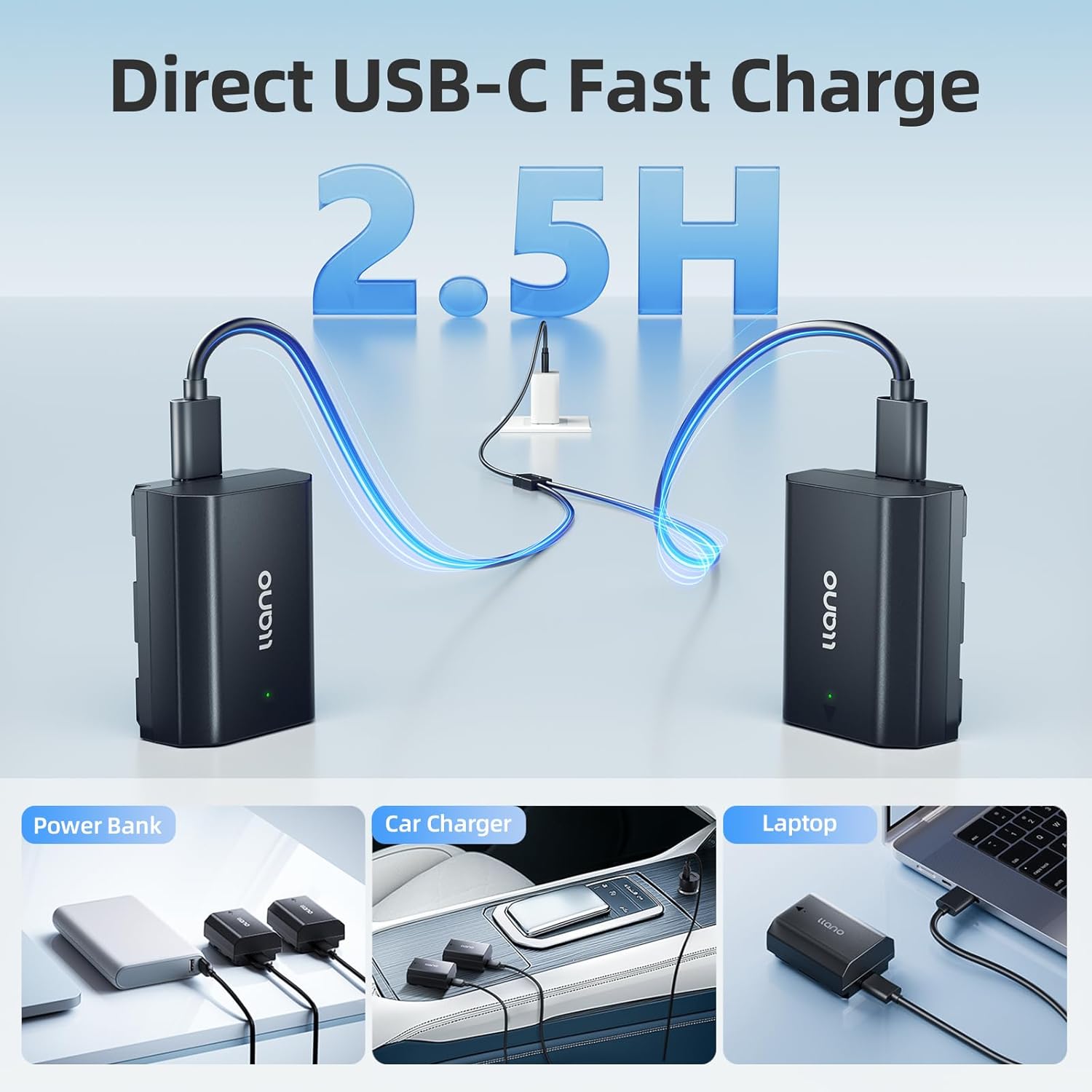
Image 4.3: Direct USB-C charging for individual llano batteries using various power sources.
5. Operating Instructions
5.1. Understanding the Smart LED Display
The CM3 charger features an intelligent LED display for each charging channel (CH1, CH2, CH3) to indicate the charging progress:
- Green Light (25% / 50% / 75%): Indicates slow charge progress (typically with 5V input).
- Orange Light (25% / 50% / 75%): Indicates fast charge progress (typically with 9V/12V input).
- All Four Lights On: Indicates that the battery in that channel is fully charged.

Image 5.1: Explanation of the Smart LED Display on the llano CM3 Charger.
5.2. Battery Usage and Compatibility
The llano 2400mAh NP-FZ100 batteries are designed for extended use with compatible Sony cameras and provide full support for in-camera power display. They are compatible with a wide range of Sony camera models, including:
- Sony A7III, A7IV, A6700, FX3, FX30, A7C, A7CII, A7RV, A7RIII, A6600, ZV-E1, ZV-E10II, A9, A1, FX2
- All other cameras using NP-FZ100 battery models.

Image 5.2: The llano 2400mAh battery provides reliable capacity for extended photo and video sessions.
6. Safety Information and Precautions
The llano CM3 Charger and batteries incorporate an advanced 8-layer safety system to ensure reliable and safe operation. This system protects against:
- Overcharging
- Overheating
- Overcurrent
- Short Circuits
- Voltage Fluctuations
- And other potential electrical issues.

Image 6.1: Internal view highlighting the multi-layer safety protection of the llano CM3 Charger.
General Safety Guidelines:
- Do not disassemble or modify the charger or batteries.
- Avoid exposing the product to extreme temperatures, direct sunlight, or moisture.
- Use only compatible power adapters and cables.
- Keep out of reach of children.
- If any damage is observed, discontinue use immediately.
7. Maintenance and Storage
7.1. Cleaning
The CNC aluminum build of the charger is designed to resist scratches and fingerprints. To clean, gently wipe the surface with a soft, dry cloth. Do not use harsh chemicals or abrasive materials.
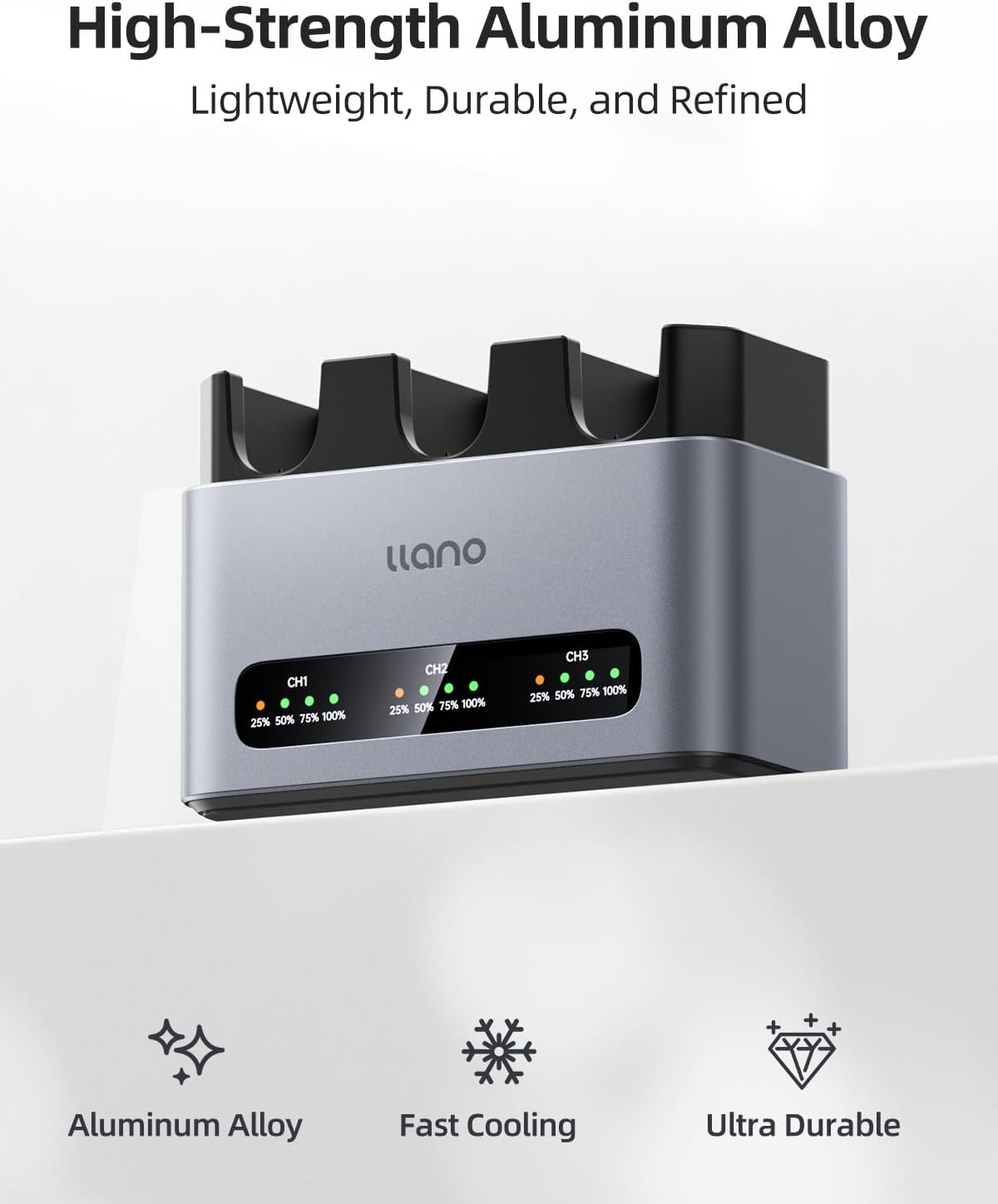
Image 7.1: The high-strength aluminum alloy construction of the llano CM3 Charger.
7.2. Storage
Store the charger and batteries in a cool, dry place away from direct sunlight and extreme temperatures. The product is designed to operate reliably in temperatures ranging from -20°C to 40°C. For long-term storage, it is recommended to charge batteries to approximately 50% capacity.

Image 7.2: The llano CM3 Charger and batteries are designed for stable performance across a wide temperature range.
8. Troubleshooting
If you encounter issues with your llano CM3 Charger or batteries, please refer to the following common solutions:
- Charger Not Powering On:
- Ensure the USB-C cable is securely connected to both the charger's PD:IN port and the power source.
- Verify that the power source (wall adapter, power bank) is functional and provides sufficient power (PD 30W recommended).
- Try a different USB-C cable or power source.
- Battery Not Charging:
- For multi-slot charger: Ensure the battery is correctly inserted into the slot. Check the LED indicator for that channel.
- For direct USB-C charging: Ensure the cable is firmly connected to the battery's Type-C port and the power source.
- If the battery is extremely depleted, it may take a few minutes for the charging indicator to activate.
- The 8-layer safety system may prevent charging if an issue like overheating or short circuit is detected. Allow the battery to cool down if it feels warm.
- In-Camera Power Display Issues:
- The llano batteries are 100% decoded for compatibility. If issues arise, ensure your camera's firmware is up to date.
- Reinsert the battery into the camera.
If the problem persists after trying these steps, please contact llano customer support.
9. Specifications
| Component | Specification |
|---|---|
| Charger Model | llano CM3 Triple-Slot Charger |
| Input | USB-C PD 30W (minimum recommended) |
| Charging Slots | 3 (for NP-FZ100 batteries) |
| Full Charge Time | Approx. 3 hours (for 3 batteries simultaneously with 30W PD input) |
| Battery Model | llano NP-FZ100 (with USB-C port) |
| Battery Capacity | 2400mAh (7.2V / 17.3Wh) |
| Battery Recharge Cycles | 500+ cycles without performance drop |
| Compatibility | Sony A7III, A7IV, A6700, FX3, FX30, A7C, A7CII, A7RV, A7RIII, A6600, ZV-E1, ZV-E10II, A9, A1, FX2, and all NP-FZ100 battery models. |
| Safety Features | 8-Layer Protection (Overcharge, Overheat, Overcurrent, Short Circuit, etc.) |
| Material | CNC-machined Aluminum Alloy |
| Operating Temperature | -20°C to 40°C (-4°F to 104°F) |
10. Warranty and Support
llano products are manufactured to high-quality standards. For warranty information, please refer to the warranty card included with your purchase or visit the official llano website. If you require technical assistance or have questions not covered in this manual, please contact llano customer support through the retailer where you purchased the product or via the contact information provided on the official llano website.
