
Introduction
This manual provides detailed instructions for the assembly, operation, and maintenance of your MARS HYDRO 2025 Plant Stand with Grow Lights and the accompanying ITime Smart Timer. Please read this manual thoroughly before use to ensure proper setup and safe operation of your product.

Image: The MARS HYDRO 2025 Plant Stand with Grow Lights, featuring multiple tiers of plants, situated in a well-lit indoor environment next to a window. The ITime Smart Timer is visible plugged into a wall outlet.
Important Safety Information
- Always ensure the product is assembled on a stable, level surface.
- Do not overload the shelves beyond the specified weight capacity (50 kg per layer).
- Keep electrical components, including grow lights and the smart timer, away from water and excessive moisture.
- Ensure all electrical connections are secure and conform to local electrical codes.
- Do not attempt to modify the product or its components. Use only original MARS HYDRO parts.
- Unplug the smart timer and grow lights before performing any maintenance or adjustments.
- This product is designed for indoor use only.
Package Contents
Please verify that all components are present before beginning assembly:
- Multi-tier metal plant stand frame
- Adjustable shelves (quantity based on model)
- Lockable swivel casters (4x)
- Grow tent fabric enclosure (16x12x47'')
- Full Spectrum LED Grow Lights (6x, 54W, 12'')
- MARS Hydro ITime 2-in-1 Smart Timer
- Power cables for grow lights and timer
- Assembly hardware and tools (if required)
- User Manual
Assembly and Setup: Plant Stand
The MARS HYDRO Plant Stand is designed for tool-free assembly. Follow these steps to set up your plant stand:
- Unpack Components: Carefully remove all parts from the packaging and lay them out.
- Assemble Frame: Connect the metal frame components, ensuring the heavy-duty joint reinforcements are securely fitted. The design features an aerospace-grade aluminum alloy for strength and stability.
- Install Casters: Attach the four lockable swivel casters to the base of the plant stand. Ensure they are securely fastened for stable and convenient movement.
- Adjust Shelf Height: The height of each shelf can be freely adjusted to accommodate plants of different heights, ranging from 30 cm to 180 cm. Position shelves as desired.
- Attach Grow Lights: Secure the 6 full spectrum LED grow lights to the underside of each shelf using the provided fixtures. Ensure even light distribution.
- Install Grow Tent: Drape and secure the grow tent fabric enclosure around the assembled frame. Utilize the multi-zip closure for easy access and the 1680D + Velcro secure system for a tight fit.
- Connect Power: Route the power cables for the grow lights through the designated cable port grommets. Connect them to the ITime Smart Timer.

Image: An exploded view diagram highlighting key features of the MARS HYDRO Plant Stand's grow tent, including multi-zip closure, reflective Mylar interior, 1680D fabric with Velcro secure, cable port grommets, climate control vent, and side storage pocket.

Image: A diagram illustrating the robust construction of the MARS HYDRO Plant Stand, detailing heavy-duty joint reinforcement, aerospace-grade aluminum alloy, and precision-welded, resistant casters.
ITime Smart Timer Setup and Operation
The MARS Hydro ITime 2-in-1 Smart Timer allows for precise control of your grow lights and other appliances.
Initial Setup
- Plug In: Plug the ITime Smart Timer into a standard 125V AC wall outlet.
- Connect Devices: Plug your grow lights (and any other desired appliances) into the dual outlets on the timer.
- Power On: The large LCD screen will illuminate.
App Control (MarsPro App)
For smart remote control and advanced features, download the MarsPro app:
- Download App: Search for "MarsPro" in your device's app store (iOS or Android).
- Pair Device: Follow the in-app instructions to pair your ITime Smart Timer via Bluetooth and Wi-Fi.
- Remote Control: Once paired, you can manage your devices anytime, anywhere through the app.
Programming Settings
The timer offers 12 programmable timing settings and supports cycle control. The minimum timing interval is 1 minute.
- Manual Programming: Use the buttons on the timer's LCD screen to set specific ON/OFF times for each outlet. Refer to the timer's on-screen prompts for navigation.
- Cycle Control: Set recurring ON/OFF cycles for automated operation, ideal for plant growth light schedules.
- Independent/Simultaneous Control: The dual outlets can be controlled independently or simultaneously, offering flexibility for different devices.

Image: The MARS HYDRO ITime Smart Timer plugged into a wall, with a smartphone displaying the MarsPro app interface for controlling the timer's settings.
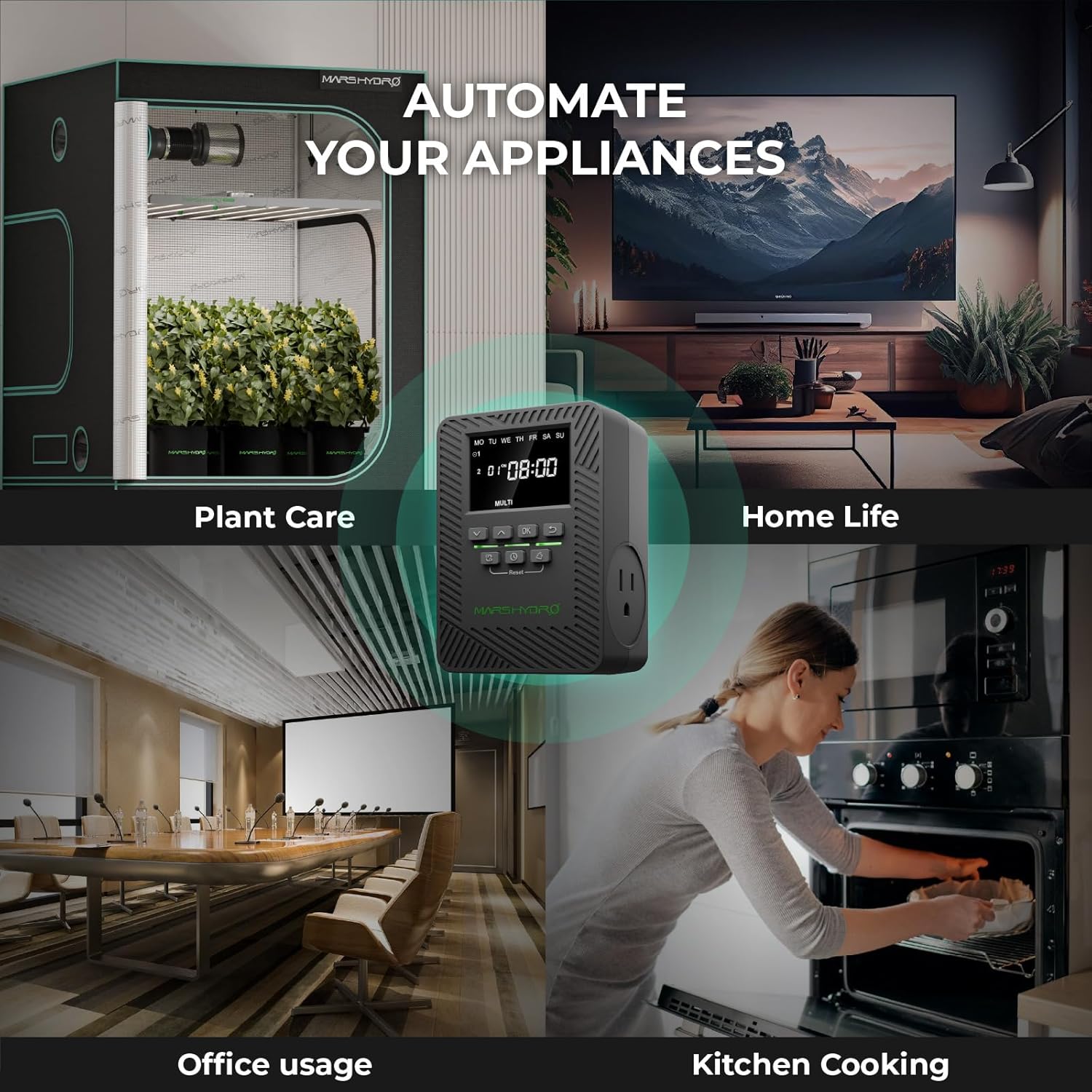
Image: A visual representation of the MARS HYDRO ITime Smart Timer's versatility, showing it automating plant care within a grow tent, as well as general home and office appliances.
Plant Stand Operation
Grow Light Management
The 6 full spectrum LED lamps provide optimal light for plant growth. Use the ITime Smart Timer to set appropriate light cycles for your specific plants. The lights offer a 5000K spectrum, suitable for various stages of plant development.

Image: A graph illustrating the Photosynthetic Photon Flux Density (PPFD) spectrum of the two LED grow lights, showing light intensity across different wavelengths (nm) from 320 to 800, with peaks in blue and red regions.
Environmental Control
- Ventilation: Utilize the climate control vent on the grow tent to manage airflow and temperature within the enclosure.
- Access: The multi-zip closure allows for easy access to your plants for watering, pruning, and inspection.
- Mobility: The lockable swivel casters allow you to easily move the plant stand. Engage the locks to keep the stand stationary.
Maintenance
- Cleaning: Wipe down the metal frame and shelves with a damp cloth as needed. The grow tent fabric can be spot cleaned with mild soap and water. Ensure all electrical components are unplugged before cleaning.
- Light Inspection: Periodically check the LED grow lights for any signs of damage or reduced performance.
- Caster Check: Ensure the casters are clean and roll smoothly. Lubricate if necessary.
- Tent Integrity: Inspect the grow tent fabric, zippers, and Velcro for wear and tear. Repair as needed to maintain a closed environment.
Troubleshooting
Grow Lights Not Turning On
- Check Power: Ensure the ITime Smart Timer is plugged into a live outlet and the grow lights are securely plugged into the timer.
- Timer Settings: Verify the timer's schedule. Ensure it is set to "ON" or within a programmed "ON" cycle. Check the MarsPro app if using remote control.
- Light Connection: Confirm that the grow light cables are firmly connected to the lights and the timer.
ITime Smart Timer Not Responding
- Power Cycle: Unplug the timer from the wall outlet for 10 seconds, then plug it back in.
- App Connection: If using the MarsPro app, ensure your smartphone has a stable internet connection and is properly paired with the timer via Bluetooth/Wi-Fi.
- Reset: If issues persist, perform a factory reset on the timer (refer to the timer's specific instructions for reset procedure, usually a small button).
Plant Stand Instability
- Level Surface: Ensure the stand is on a flat, level surface.
- Tighten Joints: Check all frame connections and ensure they are securely fastened.
- Caster Locks: If the stand is moving unintentionally, ensure the caster locks are engaged.
- Weight Distribution: Distribute plant weight evenly across the shelves and do not exceed the 50 kg per shelf limit.
Specifications
MARS HYDRO 2025 Plant Stand
- Dimensions: Approximately 16 x 12 x 47 inches (40.6 x 30.5 x 119.4 cm)
- Tiers: 4-Tier
- Shelf Load Capacity: Up to 50 kg (110 lbs) per layer
- Adjustable Shelf Height: 30 cm to 180 cm (12 to 71 inches)
- Frame Material: High-strength metal frame, aerospace-grade aluminum alloy
- Coating: Rust-proof and scratch-resistant powder coating
- Mobility: Four lockable swivel casters
- Grow Lights: 6 Full Spectrum LED Lamps (54W total, 12'' each, 5000K)
- Grow Tent Material: 1680D fabric with reflective Mylar interior
MARS Hydro ITime 2-in-1 Smart Timer
- Model: iTime
- Rated Voltage: 125V AC
- Maximum Current: 13A
- Maximum Power: 1625W (two outlets total)
- AC Outlets: 2
- Dimensions: 4.47 x 3.21 x 3.06 inches (11.35 x 8.16 x 7.76 cm)
- Weight: 0.57 lbs (0.26 kg)
- Working Environment: Indoor Use Only
- Temperature Range: -20°C to 40°C (-4°F to 104°F)
- Connectivity: Bluetooth, Wi-Fi (MarsPro App)
- Timing Settings: 12 programmable settings, cycle control, minimum 1-minute interval

Image: A detailed graphic displaying the product dimensions and key specifications for the MARS HYDRO ITime Smart Timer, including model, voltage, current, power, outlets, physical dimensions, weight, working environment, and temperature range.
Warranty and Support
The MARS Hydro ITime Smart Timer comes with a 1-Year Warranty from the date of purchase. For warranty claims, technical support, or any questions regarding your MARS HYDRO 2025 Plant Stand or ITime Smart Timer, please contact MARS HYDRO customer service. Refer to the official MARS HYDRO website for the most current contact information and support resources.


