
1. Product Overview
The KIKETECH X8 is a versatile cordless stick vacuum cleaner designed for efficient cleaning of various floor surfaces. It features a powerful 58kpa suction, a self-standing design for convenience, and an LED screen for operational feedback.
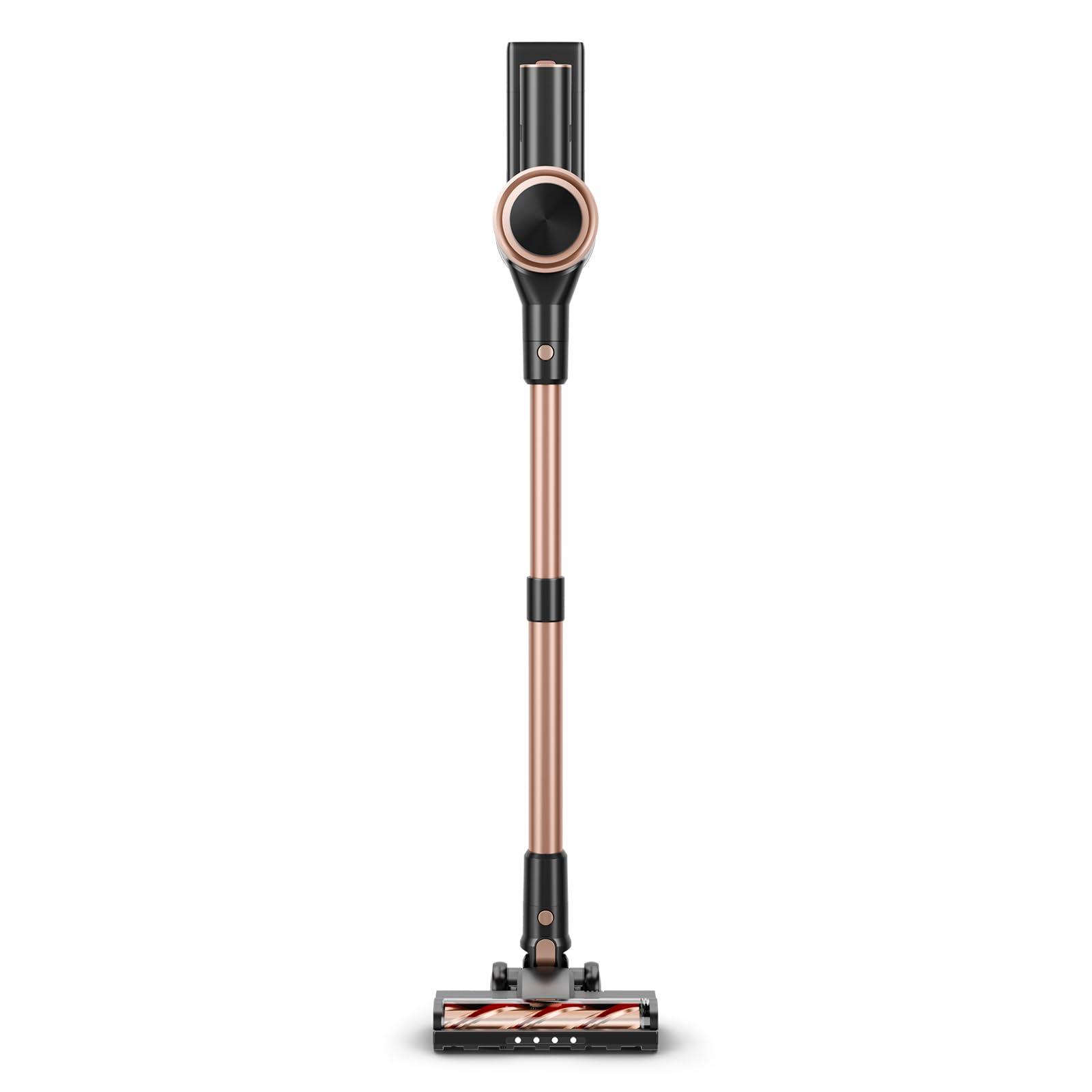
Image: KIKETECH X8 Cordless Vacuum Cleaner in Gold color, showcasing its sleek design.
2. Package Contents and Assembly
2.1 Package Contents
Before assembly, ensure all components are present in the package:
- Main Motor Unit
- Extension Wand
- Motorized Brush Head
- Crevice Tool
- 2-in-1 Brush Tool
- Wall Mount Bracket
- Power Adapter
- Battery Pack
- User Manual

Image: An exploded view of the KIKETECH X8 vacuum cleaner, displaying the main unit, various attachments like the crevice tool and brush, the extension wand, and the charging adapter.
2.2 Assembly Instructions
- Attach the Extension Wand: Insert the top end of the extension wand into the main motor unit until it clicks securely into place.
- Attach the Brush Head: Connect the motorized brush head to the bottom end of the extension wand until it clicks. For handheld use, attach accessories directly to the main motor unit.
- Install the Battery: Slide the battery pack into the designated slot on the main motor unit until it locks.
3. Charging the Battery
Before first use, fully charge the battery for approximately 4-5 hours. The LED screen will indicate charging status.
3.1 Charging Options
The KIKETECH X8 offers multiple convenient charging methods:
- Direct Charging: Plug the power adapter directly into the charging port on the main motor unit.
- Wall-Mount Charging: Install the wall mount bracket and place the vacuum on it. Connect the power adapter to the wall mount.
- Detachable Battery Charging: Remove the battery pack from the vacuum and charge it separately using the power adapter.

Image: A visual representation of the three charging methods for the KIKETECH X8 vacuum: direct charging, wall-mount charging, and charging the detachable battery separately.
4. Operating the Vacuum Cleaner
4.1 Power On/Off and Suction Modes
- Power On: Press the power button on the main motor unit. The LED screen will illuminate.
- Change Suction Mode: Press the mode button to switch between ECO (standard) and MAX (powerful) suction modes. The current mode is displayed on the LED screen.
- Power Off: Press the power button again to turn off the vacuum.
4.2 Self-Standing Feature
The KIKETECH X8 is designed with a self-standing capability, allowing you to pause cleaning and conveniently store the vacuum upright without needing a wall mount or leaning it against furniture. Simply push the vacuum forward slightly until it locks into the upright position.

Image: The KIKETECH X8 vacuum cleaner standing upright independently, demonstrating its self-standing design for easy pausing and storage.
4.3 Cleaning Different Surfaces
The vacuum is suitable for various floor types:
- Hardwood Floors: Use the motorized brush head on ECO mode for daily cleaning.
- Carpets: Use the motorized brush head, switching to MAX mode for deeper cleaning on carpets.
- Tiles and Marble: The motorized brush head is effective on these surfaces.
- Pet Hair: The powerful suction and brush head are designed to effectively pick up pet hair from various surfaces.

Image: The KIKETECH X8 vacuum cleaner effectively cleaning debris from both hardwood and carpeted surfaces, illustrating its versatility.
5. Maintenance
Regular maintenance ensures optimal performance and extends the lifespan of your vacuum cleaner.
5.1 Emptying the Dustbin
- Ensure the vacuum is turned off.
- Locate the dustbin release button on the main motor unit.
- Press the button to open the dustbin flap and empty contents into a trash can.
- Close the dustbin flap securely.
5.2 Cleaning the HEPA Filter
The HEPA filter should be cleaned regularly, ideally after every 3-5 uses, or when suction power decreases.
- Twist and remove the dustbin from the main motor unit.
- Carefully remove the HEPA filter and its components.
- Tap the filter gently to remove loose dust. You may rinse the filter under cold running water.
- Important: Allow the filter to air dry completely for at least 24 hours before reinserting it. Do not use a dryer or direct heat.
- Reassemble the filter components and reattach the dustbin.
5.3 Cleaning the Brush Roll
Periodically check the brush roll for tangled hair or debris.
- Turn off the vacuum and detach the motorized brush head.
- Locate the brush roll release mechanism (usually a latch or screw).
- Remove the brush roll and use scissors or a cleaning tool to cut and remove any tangled hair or fibers.
- Wipe the brush roll and its housing with a dry cloth.
- Reinsert the brush roll and secure it.
6. Troubleshooting
If you encounter issues with your KIKETECH X8 vacuum cleaner, refer to the following common problems and solutions:
| Problem | Possible Cause | Solution |
|---|---|---|
| Vacuum does not turn on. | Battery is not charged or not properly installed. | Ensure battery is fully charged and securely inserted. |
| Reduced suction power. | Dustbin is full, filter is clogged, or blockage in the hose/brush head. | Empty dustbin, clean HEPA filter, check for and remove blockages. |
| Brush roll not spinning. | Brush roll is tangled with hair/debris or motor is obstructed. | Clean the brush roll. Check for any foreign objects obstructing the brush roll motor. |
| Unusual noise during operation. | Blockage in the air path or foreign object in the brush head. | Inspect all parts for blockages or foreign objects and remove them. |
If the problem persists after attempting these solutions, please contact customer support.
7. Specifications
| Brand | KIKETECH |
| Model Name | X8 |
| Special Feature | Cordless, Self-Standing |
| Filter Type | HEPA Filter |
| Surface Recommendation | Carpet, Hardwood Floors, Tile, Marble |
| Power Source | Battery Powered |
| Capacity | 1 Liters |
| Voltage | 22.2 Volts (DC) |
| Item Weight | 6.61 Pounds |
| Item Dimensions (L x W x H) | 17.32" x 10.24" x 7.09" |
8. Warranty and Support
8.1 Product Warranty
KIKETECH products are manufactured to high-quality standards. For specific warranty details, please refer to the warranty card included in your product packaging or visit the official KIKETECH website. Keep your purchase receipt as proof of purchase for any warranty claims.
8.2 Customer Support
If you have any questions, require technical assistance, or need to report an issue with your KIKETECH X8 Cordless Vacuum Cleaner, please contact KIKETECH customer support. Contact information can typically be found on the product packaging, the official KIKETECH website, or through your retailer.