
1. Introduction
This manual provides detailed instructions for the SODI Z01T Portable Tri-Fold Bluetooth Keyboard with Touchpad. Please read this manual thoroughly before using the product to ensure proper operation and to maximize its lifespan. This keyboard is designed for portability and multi-device compatibility, offering a full-size typing experience with an integrated touchpad.
2. Package Contents
Verify that all items are present in your package:
- SODI Foldable Keyboard with Touchpad x 1
- Folding Phone Stand x 1
- 1.7ft USB A to C Cable x 1
- User Manual x 1
- Velvet Bag x 1

Figure 2.1: Package Contents
3. Product Overview
The SODI Z01T keyboard features a tri-fold design for compact storage and portability. It includes a full-size key layout and a responsive touchpad.
3.1 Key Features
- Tri-Fold Design: Allows for quick folding and unfolding, making it highly portable.
- Full-Size Key Layout: 0.63-inch keys provide a comfortable and accurate typing experience.
- Integrated Touchpad: Mimics a standard laptop touchpad for intuitive navigation.
- Slim Profile: At just 0.27 inches thin, it easily fits into bags or pockets.
- Durable Construction: Reinforced hinge tested for over 5,000 folds, with anti-scratch silicone and premium PU leather.
- Multi-Device Connectivity: Connects to up to three devices simultaneously via Bluetooth.
- Long Battery Life: Up to 150 hours of working time on a single charge.
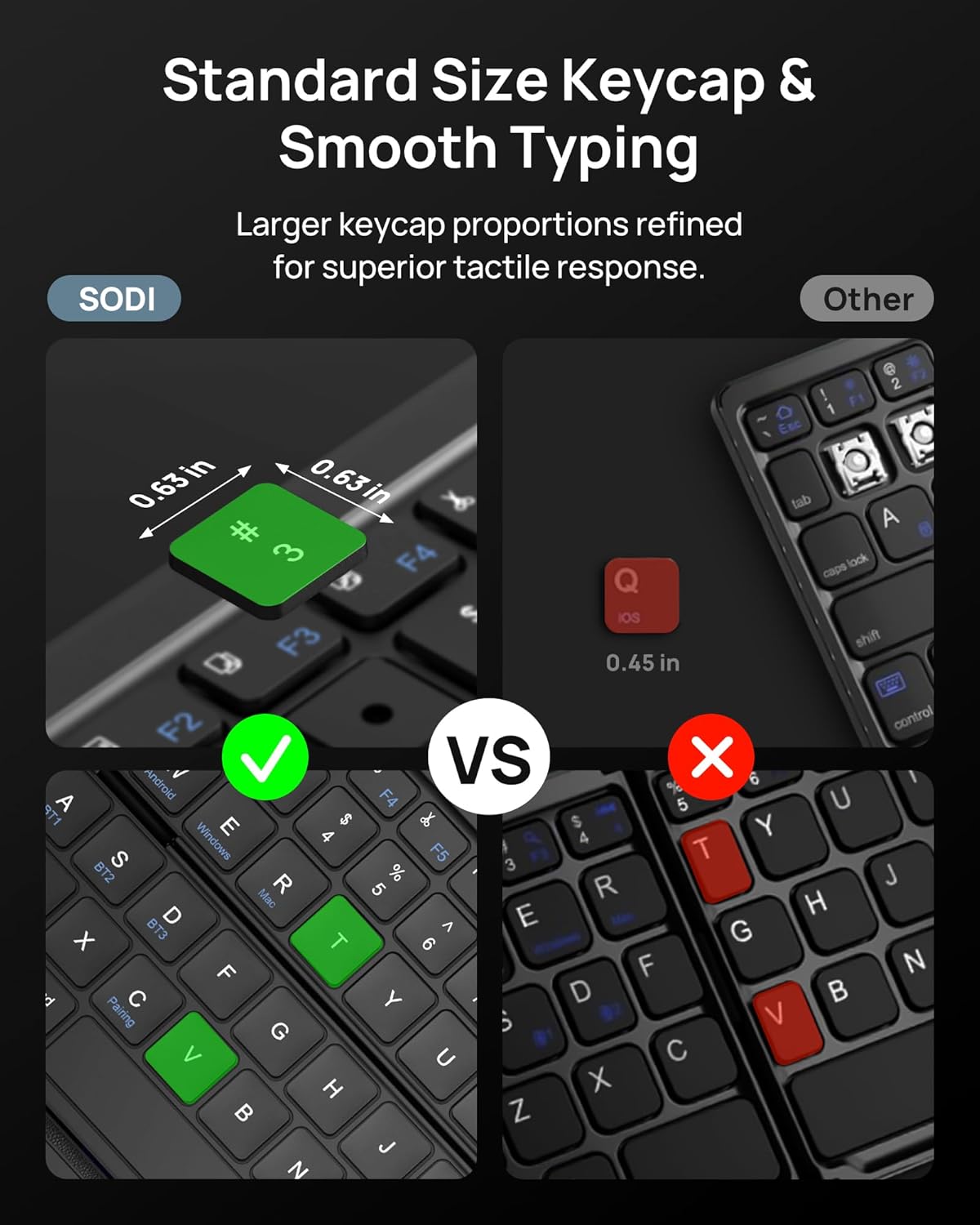
Figure 3.1: Standard Size Keycap & Smooth Typing

Figure 3.2: Minimalist & Modern Design Elements

Figure 3.3: Pocket Size Design

Figure 3.4: Business Stylish Design
4. Setup Instructions
4.1 Powering On/Off
- To power on, slide the power switch to the ON position.
- To power off, slide the power switch to the OFF position.
4.2 Bluetooth Pairing
The keyboard supports connection to up to three devices. Follow these steps to pair your device:
- Ensure the keyboard is powered on.
- Press Fn + C for 3 seconds to enter pairing mode. The Bluetooth indicator light will flash.
- On your device (smartphone, tablet, laptop), go to Bluetooth settings and search for "SODI BT Keyboard".
- Select the keyboard to connect. The Bluetooth indicator light will turn off once connected.
- To pair additional devices, press Fn + BT1/BT2/BT3 to switch to an available channel, then repeat steps 2-4.
4.3 System Switching
To optimize touchpad and key functionality for different operating systems, use the dedicated system switching keys:
- For iOS: Press Fn + Q
- For Android: Press Fn + W
- For Mac: Press Fn + R

Figure 4.1: Quick Setup Guide
5. Operating Instructions
5.1 Touchpad Functionality
The integrated touchpad provides mouse-like control. To enable or disable the touchpad, press Fn + Space. It is recommended to disable the touchpad for distraction-free typing.

Figure 5.1: Same Touchpad Layout for Familiarity

Figure 5.2: Touchpad On/Off Function
5.2 Multi-Device Switching
Once paired with multiple devices, you can switch between them by pressing Fn + BT1, Fn + BT2, or Fn + BT3.

Figure 5.3: Multi-Device Connection
5.3 Multimedia Functions
The top row of keys (F1-F12) can be used for multimedia functions or standard F-keys. By default, they operate as multimedia keys. To switch to standard F-key functions, press Fn + Esc.

Figure 5.4: Multimedia Key Functions
5.4 Usage Scenarios
The SODI Z01T keyboard is versatile for various environments:

Figure 5.5: Keyboard in Home, Aircraft, and Cafe Settings

Figure 5.6: Home Use with 32 ft Range

Figure 5.7: Study Use

Figure 5.8: Cafe Use

Figure 5.9: Travel Use
Video 5.1: Demonstrating the SODI Portable Tri-Fold Bluetooth Keyboard with Touchpad features, including folding, typing, touchpad use, and multi-device switching.
6. Charging and Battery
The SODI Z01T keyboard is equipped with a rechargeable Lithium Polymer battery.
6.1 Charging the Keyboard
- Connect the provided USB A to C cable to the keyboard's USB-C port and to a USB power source.
- The charging indicator light (red) will illuminate during charging.
- Once fully charged, the indicator light will turn green.
6.2 Battery Life and Power Saving
- A full charge provides up to 150 hours of working time.
- Standby time is up to 180 days.
- The keyboard automatically enters sleep mode after 30 minutes of inactivity to conserve power. Press any key to wake it instantly.
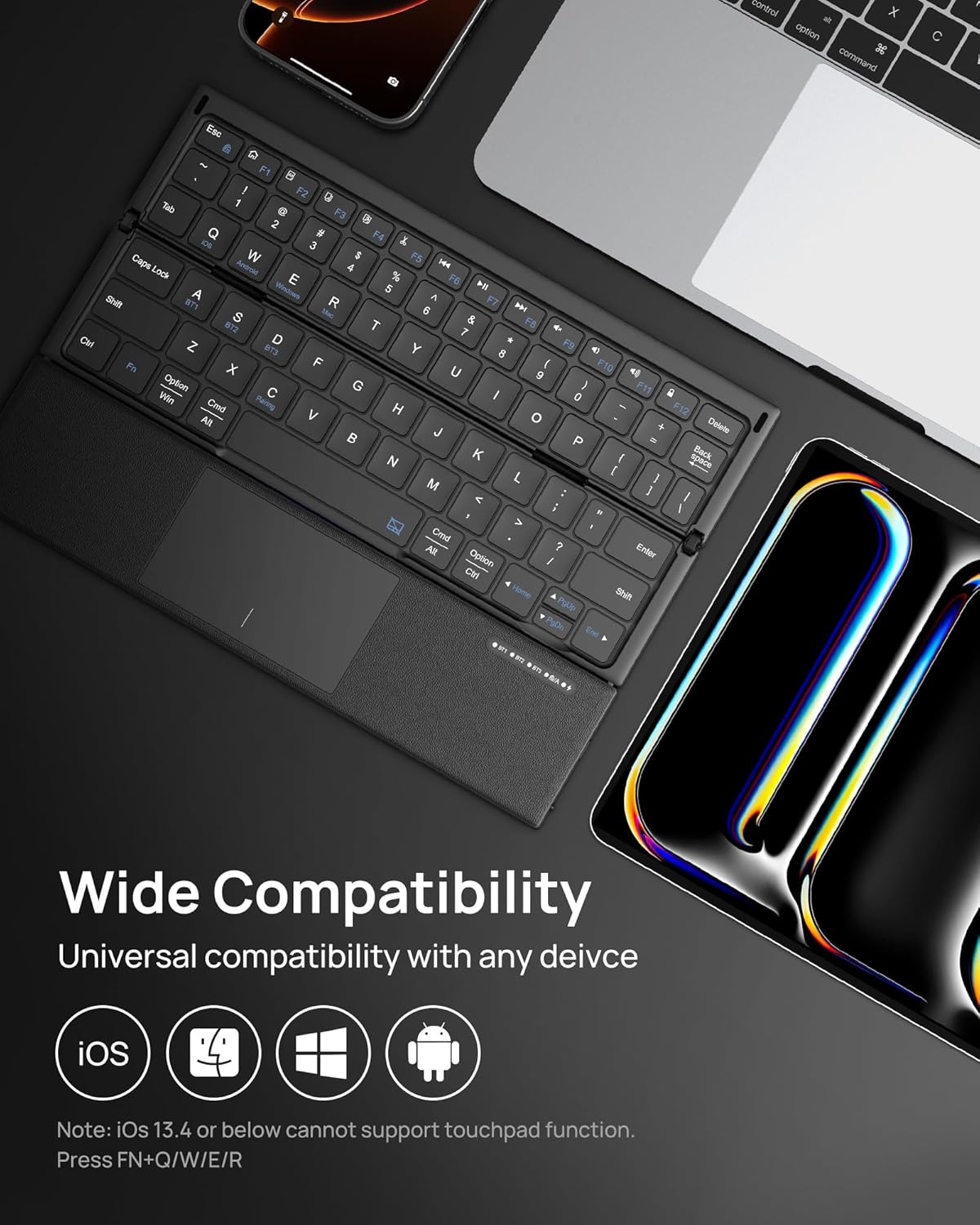
Figure 6.1: USB-C Fast Charging and Battery Indicators
7. Maintenance
To maintain your keyboard's performance and appearance:
- Clean the keyboard regularly with a soft, dry cloth.
- Avoid using harsh chemicals or abrasive materials.
- Keep the keyboard away from liquids and extreme temperatures.
- Store in the provided velvet bag when not in use to prevent scratches.
8. Troubleshooting
If you encounter issues with your SODI Z01T keyboard, refer to the following common solutions:
8.1 Keyboard Not Connecting via Bluetooth
- Ensure the keyboard is powered on and fully charged.
- Make sure Bluetooth is enabled on your device.
- Press Fn + C for 3 seconds to re-enter pairing mode.
- If previously paired, try forgetting the device on your host device's Bluetooth settings and re-pairing.
- Ensure you are on the correct Bluetooth channel (BT1, BT2, or BT3) for the device you are trying to connect.
8.2 Touchpad Not Responding
- Press Fn + Space to ensure the touchpad is enabled.
- Verify that your device's operating system is compatible with touchpad functions (iOS 13.4 or below may not support touchpad).
- Ensure the correct system mode is selected (Fn + Q/W/E/R).
8.3 Keys Not Responding or Incorrect Input
- Check the battery level and charge the keyboard if necessary.
- Ensure the correct system mode is selected for your device (Fn + Q for iOS, Fn + W for Android, Fn + E for Windows, Fn + R for Mac).
- If specific keys are not working, try restarting the keyboard and your device.
9. Specifications
| Model Number | Z01T |
| Product Dimensions (Unfolded) | 9.96 x 7.12 x 0.26 inches (25.3 x 18.1 x 0.66 cm) |
| Product Dimensions (Folded) | 9.95 x 2.38 x 0.83 inches (25.27 x 6.05 x 2.11 cm) |
| Item Weight | 0.634 ounces (18 grams) |
| Connectivity Technology | Bluetooth |
| Compatible Devices | Laptop, Smartphone, Tablet (iOS, Android, Windows, Mac) |
| Battery Type | Lithium Polymer |
| Working Time | Up to 150 hours |
| Standby Time | Up to 180 days |
| Auto Sleep | After 30 minutes of inactivity |
| Material | Aluminum, Plastic, Polybutylene Terephthalate, Polyurethane (PU) |
10. Warranty and Support
For warranty information and customer support, please refer to the documentation included with your purchase or visit the official SODI website. Keep your proof of purchase for warranty claims.