
1. Introduction
The RUXINGX Smart Watch is designed to enhance your daily life with advanced fitness and communication features. This manual provides essential information to help you get started and make the most of your device.
Key features include a long-lasting battery, Bluetooth calling, comprehensive health monitoring, and a wide array of sports modes.
2. What's in the Box
- Smart watch x 1
- Charging Cable x 1
- User Manual x 1
- Watch Band x 2
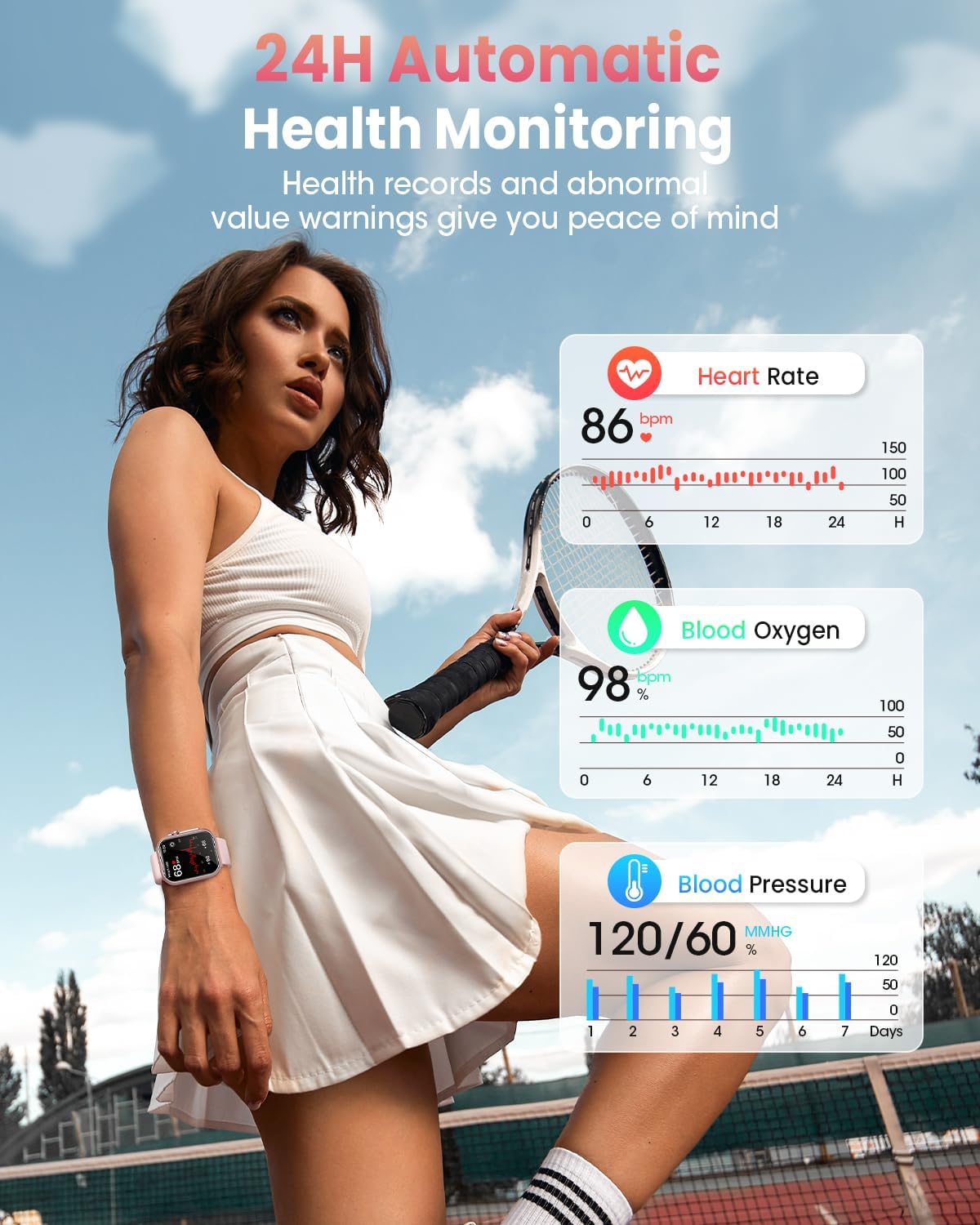
Image: The RUXINGX Smart Watch, its charging cable, and two interchangeable watch bands neatly arranged in the product packaging.
Video: A brief overview of the RUXINGX Smart Watch, showcasing its design and initial display.
3. Setup
- Charge the Watch: Before first use, ensure the watch is fully charged. Connect the magnetic charging cable to the back of the watch and plug the USB-A end into a compatible power adapter. A full charge typically takes about 2.5 hours.
- Download the App: Scan the QR code in the user manual or on the watch screen to download the 'FitCloudPro' app from your smartphone's app store (iOS 9.0+ or Android 6.0+ required).
- Pair with your Smartphone: Open the FitCloudPro app, create an account, and follow the on-screen instructions to pair your watch via Bluetooth. Ensure Bluetooth is enabled on your phone.
- Enable Notifications: Within the FitCloudPro app settings, enable call and SMS notifications to receive alerts directly on your watch. Keep the app running in the background for uninterrupted alerts.
Video: Demonstrates quick access features and how to navigate recently used apps on the smartwatch interface.

Image: Detailed instructions for configuring the FitCloudPro app to run in the background on both iOS and Android devices, ensuring continuous notifications and data synchronization.
4. Operating the Smart Watch
- Touchscreen Navigation: Swipe up, down, left, or right to access different menus, notifications, and quick settings.
- Side Button: Press the side button to return to the home screen or access the main menu.
- Bluetooth Calls: Answer calls directly from your wrist using the built-in speaker and microphone.
- Smart Notifications: Receive instant alerts for texts, emails, and social media apps (WhatsApp, Facebook, Instagram, Twitter).

Image: A woman demonstrating the Bluetooth calling feature of the RUXINGX Smart Watch, showing a call interface on the watch screen.
5. Health Monitoring
The RUXINGX Smart Watch acts as your personal wellness guardian, providing 24/7 health tracking:
- Heart Rate Monitoring: Continuously tracks your heart rate throughout the day.
- Sleep Tracking: Monitors sleep stages (deep, light, REM) to help you understand and improve your sleep habits. Note: Sleep data is recorded between 9:30 PM and 12:00 PM; irregular sleep times may affect accuracy.
- Stress Level Monitoring: Helps you keep track of your stress levels.
- Blood Oxygen Monitoring: Measures your blood oxygen saturation (SpO2).
- Breathing Training: Guided breathing exercises to help you relax.

Image: The RUXINGX Smart Watch displaying real-time health metrics including heart rate, blood oxygen, and blood pressure, while being worn by a woman engaged in physical activity.
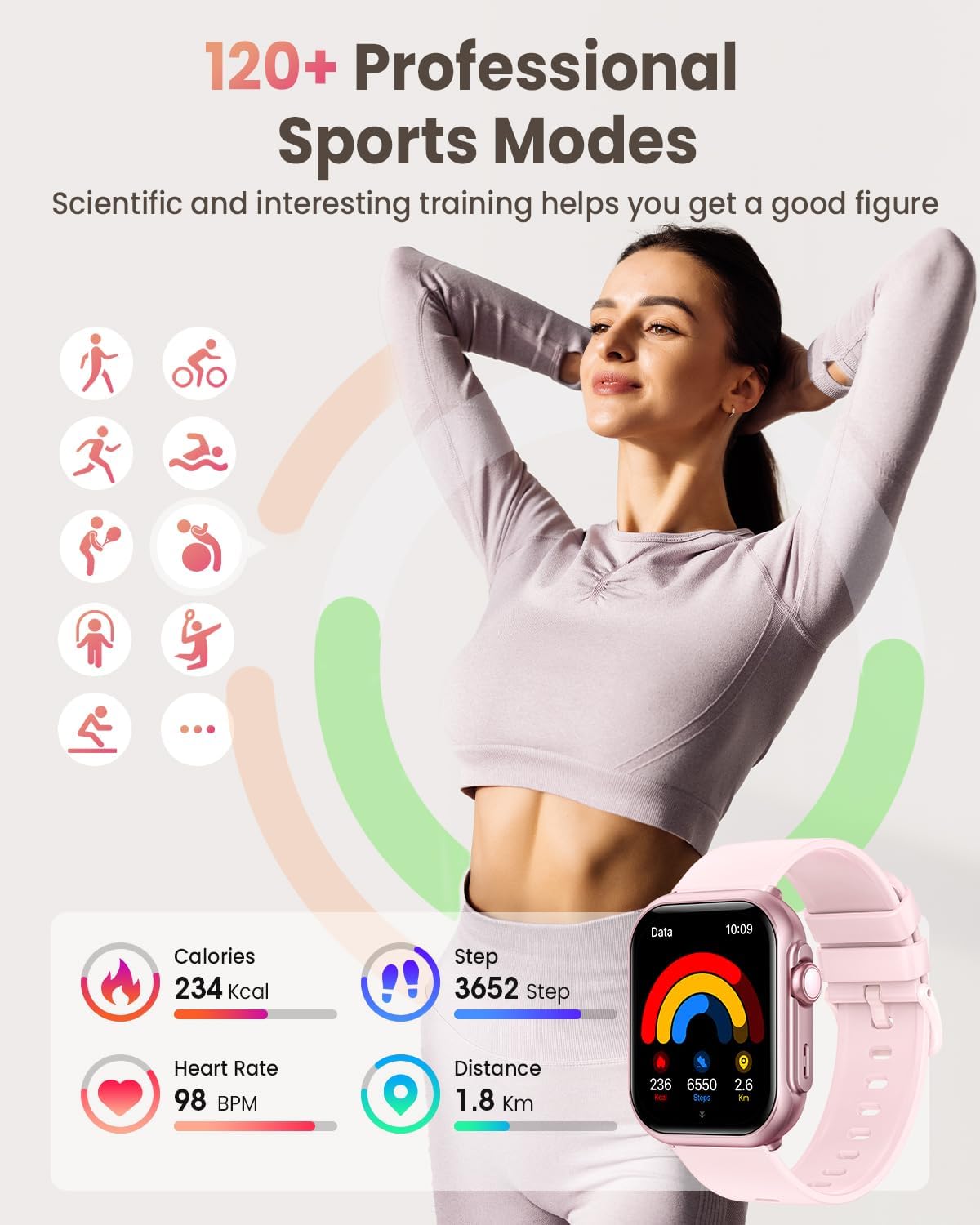
Image: The RUXINGX Smart Watch showing a detailed breakdown of sleep patterns, including deep sleep, light sleep, REM sleep, and wake-up times, to help users analyze their sleep quality.
6. Sports Modes & Water Resistance
Train smarter with over 120 sports modes and robust water resistance:
- 120+ Sports Modes: Supports a wide range of activities including running, swimming, yoga, hiking, and more. Track steps, calories, distance, and duration accurately.
- GPS Tracking: Utilizes your phone's GPS for accurate route tracking during outdoor activities.
- 5ATM Waterproof: Designed to withstand water pressure equivalent to 50 meters, allowing you to swim, shower, or sweat without worry.
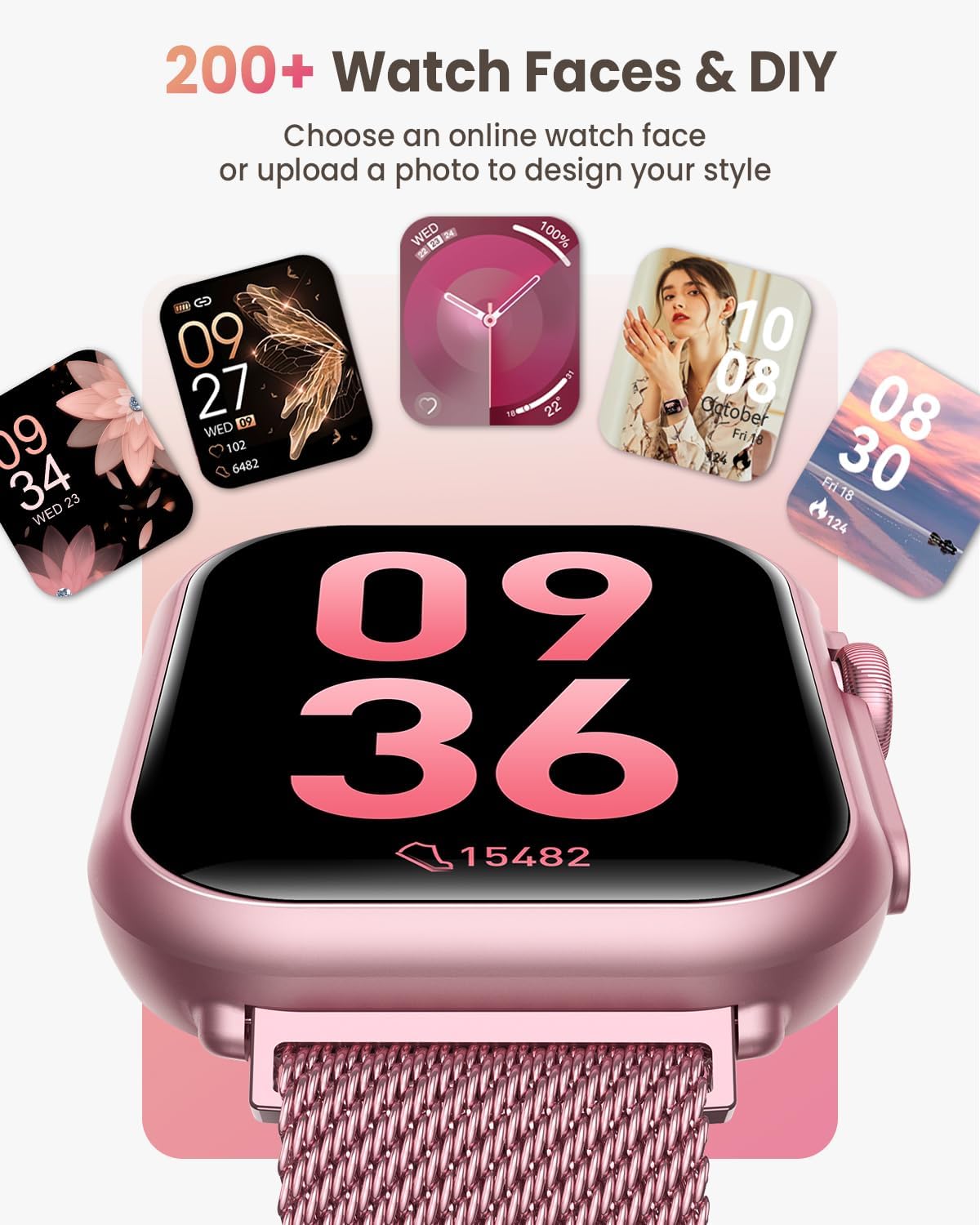
Image: A woman engaged in exercise, with the RUXINGX Smart Watch on her wrist displaying key fitness metrics such as calories burned, steps taken, heart rate, and distance covered.
7. Customization
Personalize your smart watch to match your style:
- 300+ Customizable Dials: Choose from a vast library of dynamic watch faces within the FitCloudPro app.
- Personalized Watch Faces: Upload your own photos to create unique watch faces.
- 1.85" HD Touchscreen: Enjoy an ultra-clear display with adjustable brightness for optimal visibility in any lighting condition.

Image: The RUXINGX Smart Watch showcasing a selection of its 300+ customizable watch faces, including options to upload personal photos for a personalized display.
8. Battery Life & Charging
Experience extended usage with the powerful battery:
- 30+ Days Battery Life: The 1000mAh battery provides up to 30 days of use on a single charge.
- 100 Days Standby: Offers an impressive 100 days of standby time.
- Fast Charging: Fully charges in approximately 2.5 hours.
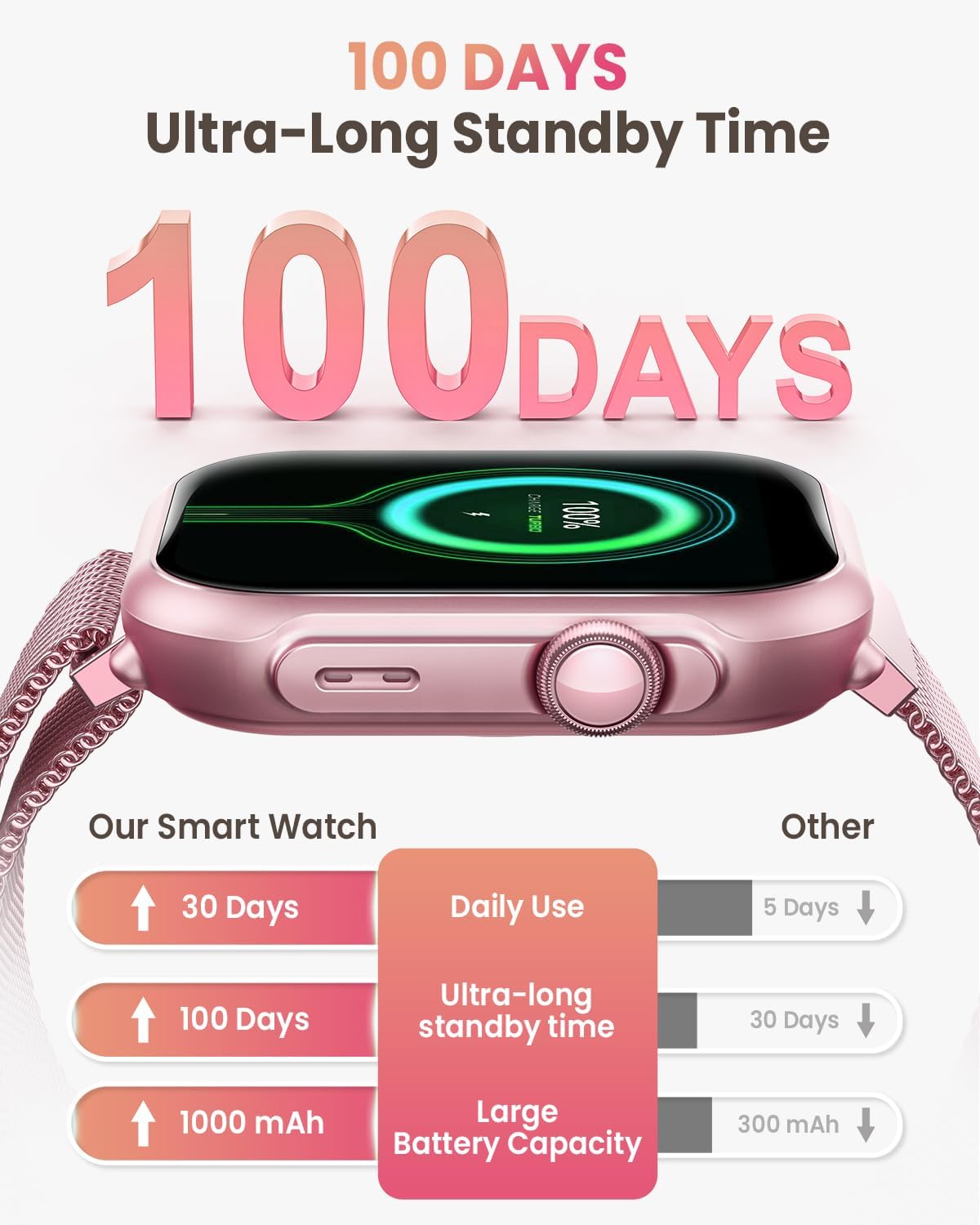
Image: The RUXINGX Smart Watch highlighting its ultra-long standby time of 100 days and a comparison of its 1000mAh battery capacity against other smartwatches.
9. Maintenance
To ensure the longevity and optimal performance of your RUXINGX Smart Watch, follow these maintenance guidelines:
- Cleaning: Regularly clean the watch screen and bands with a soft, dry cloth. For silicone bands, a mild soap and water solution can be used, followed by thorough rinsing and drying.
- Avoid Extreme Conditions: Do not expose the watch to extreme temperatures (hot or cold), direct sunlight for prolonged periods, or harsh chemicals.
- Water Resistance: While 5ATM waterproof, avoid prolonged submersion in hot water or exposure to high-pressure water jets. Ensure the watch is dry before charging.
- Storage: When not in use for an extended period, store the watch in a cool, dry place.
10. Troubleshooting
If you encounter any issues with your RUXINGX Smart Watch, refer to the following common solutions:
- Watch Cannot Turn On: Ensure the watch is fully charged. Press and hold the side button for at least 3 seconds. If the battery is completely depleted, it may take a few minutes for the screen to respond after connecting to the charger.
- Bluetooth Disconnection: Ensure Bluetooth is enabled on your smartphone and the watch is within range. Restart both your watch and smartphone, then attempt to re-pair via the FitCloudPro app.
- Inaccurate Heart Rate/Blood Oxygen Data: Ensure the watch is worn snugly on your wrist, not too tight or too loose. Avoid excessive movement during measurements.
- Sleep Data Not Accurate: Ensure you wear the watch consistently during sleep. Note that sleep data is typically recorded between 9:30 PM and 12:00 PM.
- Notifications Not Received: Verify that call/SMS notifications are enabled in the FitCloudPro app and that the app is running in the background on your smartphone.
11. Specifications
| Feature | Detail |
|---|---|
| Screen Size | 1.85 Inches |
| Shape | Rectangular |
| GPS | GPS Via Smartphone |
| Battery Cell Composition | Lithium Polymer |
| Connectivity Technology | Bluetooth |
| Battery Capacity | 1000 Milliamp Hours |
| Operating System Compatibility | iOS 9.0+ and Android 6.0+ smartphones |
| Memory Storage Capacity | 128 MB |
| Item Weight | 5 ounces |
| Water Resistance | 5ATM |
12. Warranty & Support
- Return Policy: 30 days no reason to return policy.
- Replacement: 2 years free replacement.
- Technical Support: Lifetime support and satisfied solutions.
- Customer Service: 24 hours quick service via email.
For further assistance, please contact RUXINGX customer support.