
INIU P512
INIU P512 20000mAh 22.5W PD Fast Charging Power Bank Instruction Manual
Model: P512
1. Product Overview
The INIU P512 is a compact 20000mAh portable power bank designed for fast charging of various electronic devices. It features 22.5W Power Delivery (PD) fast charging, a detachable USB-C cable that doubles as a lanyard, an LED digital display, and a built-in flashlight. Its design is flight-safe, making it suitable for travel.
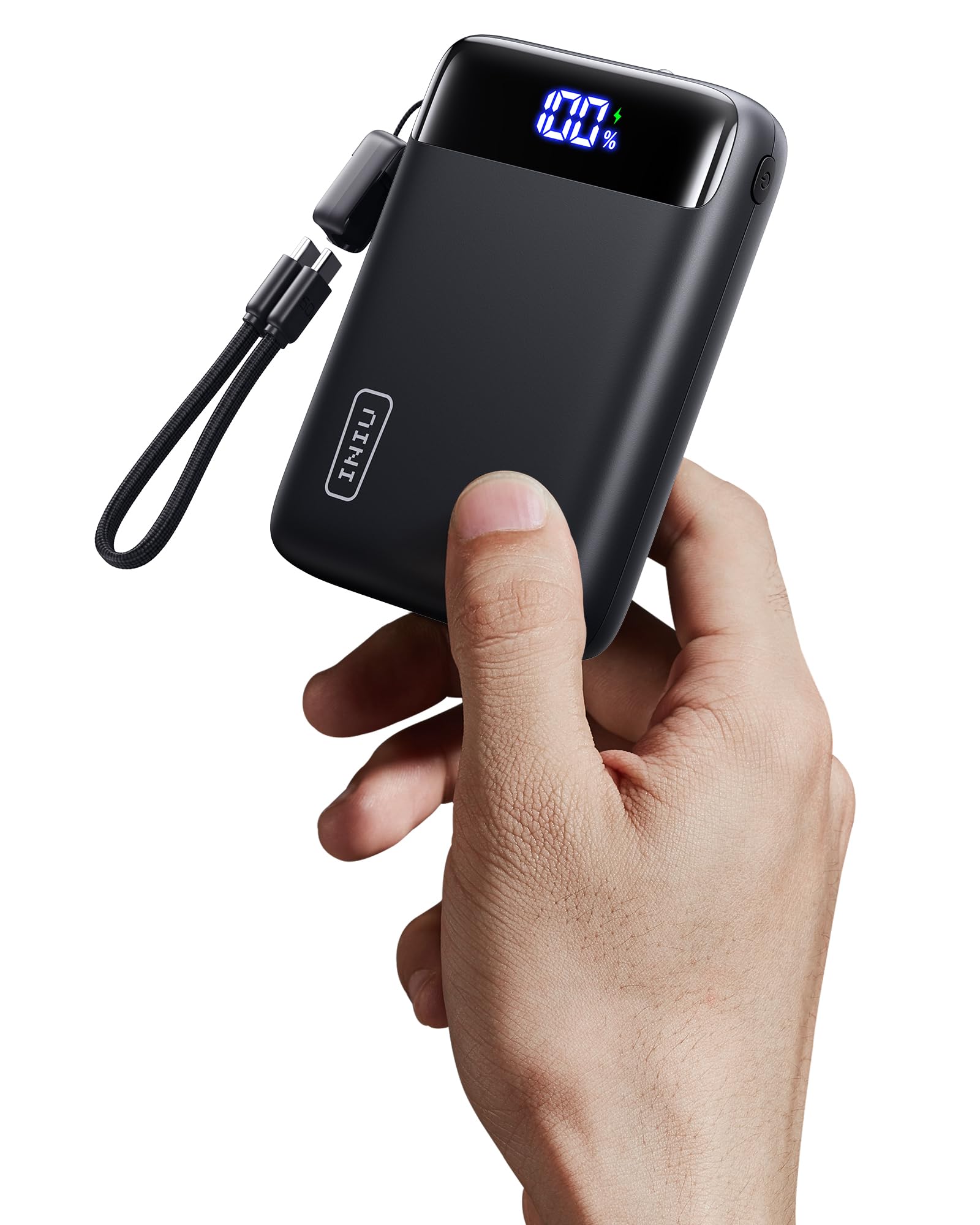
Image: The INIU P512 20000mAh Power Bank in black, showcasing its compact size and LED display.
2. Package Contents
Verify that all items are present in the package:
- 1x INIU P512 20000mAh Power Bank
- Built-in USB-C Cables (detachable)
- 1x User Manual
3. Setup and Initial Use
3.1 Charging the Power Bank
Before first use, fully charge the power bank. The LED display will show the battery percentage.
- Connect the built-in USB-C cable or another compatible USB-C cable to the power bank's input port (IN1/OUT1 or IN2/OUT2).
- Connect the other end of the cable to a USB wall charger (not included).
- The LED display will show the charging progress. A full charge typically takes approximately 5.4 hours.

Image: The INIU P512 power bank connected to a charging source, displaying its battery percentage.
3.2 Detachable Cable Functionality
The integrated USB-C cable serves as both a charging cable and a lanyard. It can be detached for use or storage.

Image: Illustration of the detachable USB-C cable on the INIU P512 power bank, showing how it can be removed and reattached.
4. Operating Instructions
4.1 Charging Devices
The power bank can charge up to three devices simultaneously using its USB-C and USB-A output ports.
- Connect your device to one of the power bank's output ports (USB Type C * 2 + USB A *1).
- The power bank will automatically begin charging your device. The LED display will show the remaining battery percentage.
- For Apple devices requiring a Lightning cable, use your own Lightning cable with one of the USB-A or USB-C output ports.
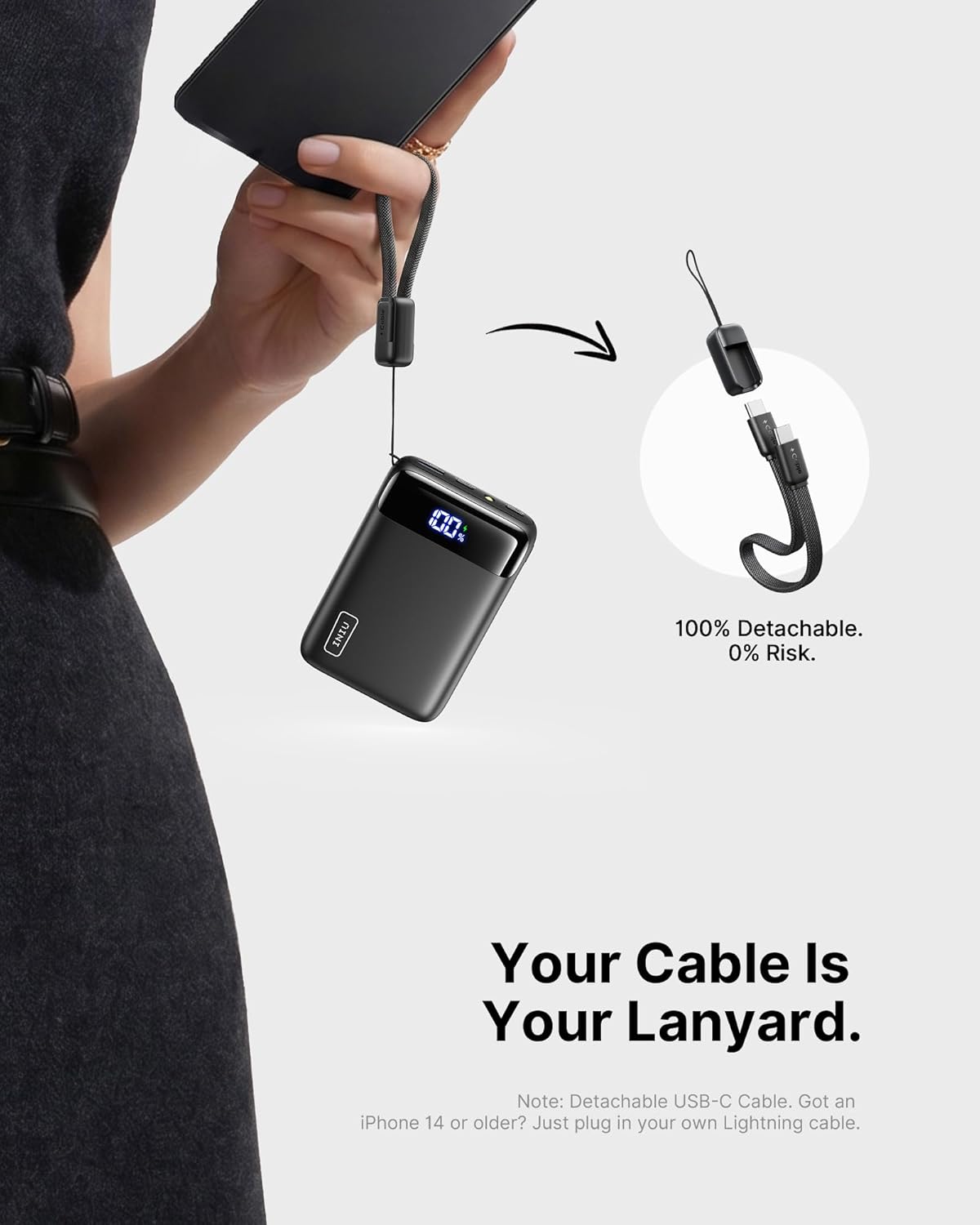
Image: The INIU P512 power bank connected and charging a smartphone and another device.
4.2 Using the Flashlight
The power bank includes a built-in flashlight for convenience.
- To turn on the flashlight, press and hold the power button for a few seconds.
- To turn off the flashlight, press and hold the power button again.
Image: A hand holding the INIU P512 power bank with its built-in flashlight illuminated.
5. Maintenance and Safety
- Keep the power bank away from water, fire, and extreme temperatures.
- Do not disassemble, puncture, or modify the device.
- Store in a cool, dry place when not in use.
- Charge the power bank at least once every three months to maintain battery health.
- The power bank is equipped with an 18-layer SmartProtect safety system to prevent overcharge, over-discharge, short-circuit, and overheating.

Image: Diagram illustrating the 18-layer SmartProtect safety system integrated into the INIU P512 power bank.
6. Troubleshooting
- Power bank not charging: Ensure the charging cable is securely connected to both the power bank and the wall charger. Try a different cable or wall charger.
- Device not charging from power bank: Ensure the power bank has sufficient charge. Check if the cable connecting your device to the power bank is functional and properly connected.
- Slow charging: Verify that both the power bank and your device support fast charging protocols. Ensure you are using a compatible cable.
- Flashlight not working: Press and hold the power button for a few seconds to activate/deactivate the flashlight.
7. Specifications
| Model Name | P512 |
| Battery Capacity | 20000 Milliamp Hours |
| Output | USB Type C * 2 + USB A *1 |
| Fast Charging | 22.5W PD |
| Battery Cell Type | Lithium Polymer |
| Item Dimensions (L x W x Th) | 4.1"L x 2.8"W x 1.1"Th (10.4 x 7 x 2.9 cm) |
| Battery Weight | 320 Grams (11.3 oz) |
| Battery Charge Time | 5.4 Hours |
| Special Features | Digital Display, Fast Charging, Flashlight, Lightweight, Pocket Size, Detachable Cable |
| Flight Approved | Yes (TSA-compliant capacity) |

Image: The INIU P512 power bank shown next to a smartphone and tablet for size comparison, highlighting its compact form factor.
8. Warranty and Support
8.1 Warranty Information
INIU provides a 3-year hassle-free warranty for this product. For any quality issues within this period, a brand-new replacement will be provided.

Image: Graphic indicating INIU's 3-year warranty for the product.
8.2 Customer Support
For further assistance or inquiries, please contact INIU customer support through their official website or the retailer where the product was purchased.
Related documentsP512


Ask a question about this manual
Ask about setup, troubleshooting, compatibility, parts, safety, or missing instructions. Manuals+ will review the question and use this page’s manual context to help answer it.