
1. Introduction
Thank you for choosing the EIGHTREE ET72 Outdoor Smart Plug. This device allows you to control your outdoor appliances remotely, monitor energy consumption, and set schedules, all while providing reliable IP44 weather protection. This manual will guide you through the installation, operation, and maintenance of your smart plug to ensure optimal performance and safety.
2. Safety Information
- Outdoor Use Only: This smart plug is designed for outdoor use with an IP44 rating, protecting against splashes and dust. Ensure the protective cover is securely closed when not in use.
- Electrical Rating: Do not exceed the maximum load of 16A / 230V. Overloading can cause damage to the device and connected appliances, and poses a fire hazard.
- Water Protection: While IP44 rated, avoid submerging the device in water. Ensure the socket is not exposed to direct, high-pressure water jets.
- Installation: Ensure the plug is securely inserted into a compatible outdoor socket. Do not disassemble or modify the device.
- Children and Pets: Keep the device out of reach of children and pets.
- Operating Temperature: Operate the device within the specified temperature range (typically -5°C to 40°C).
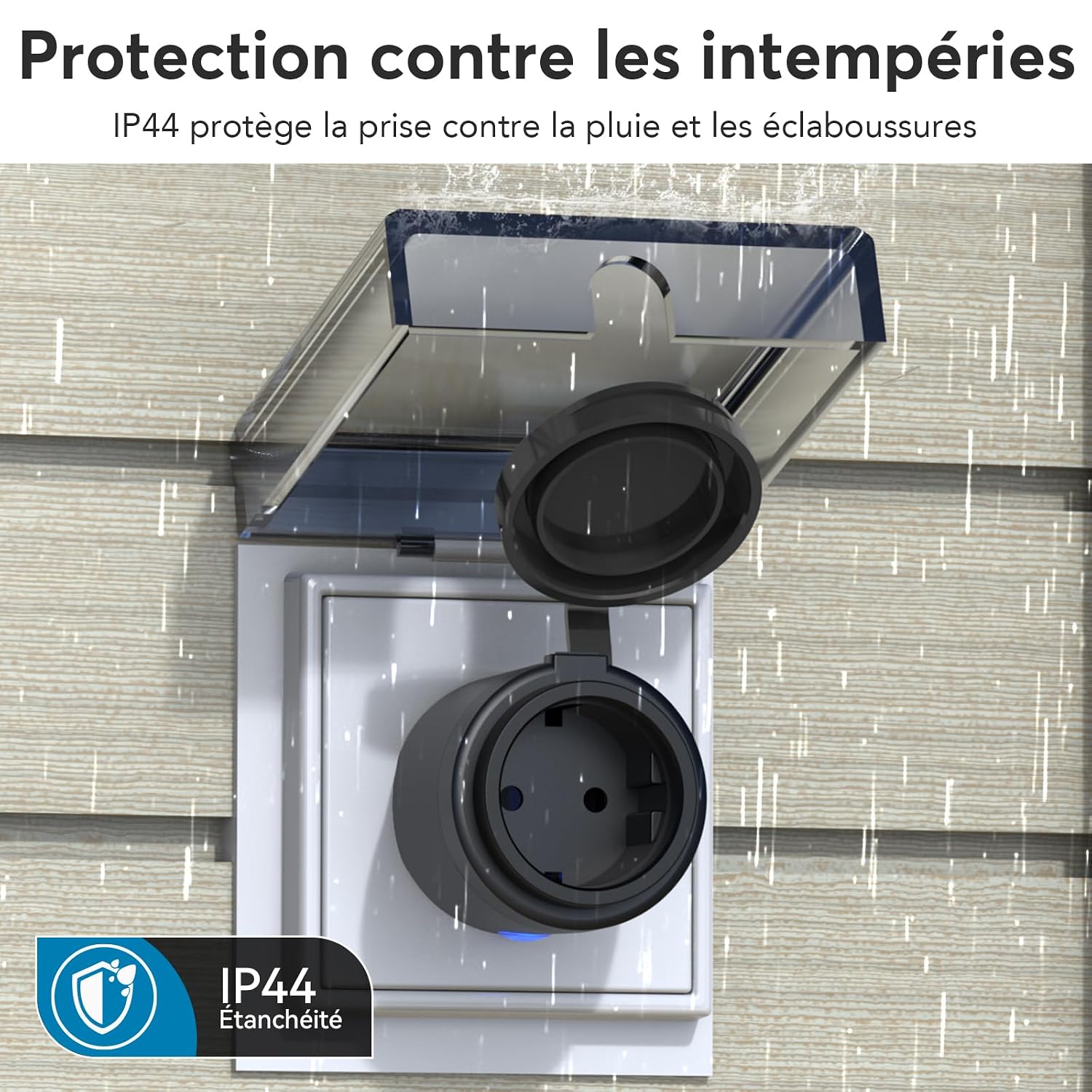
Image: The EIGHTREE ET72 Outdoor Smart Plug demonstrating its IP44 protection against rain and splashes, ensuring safe operation in various weather conditions.

Image: A detailed breakdown of the EIGHTREE ET72's multi-layered waterproof design, highlighting the sealed cover, silicone indicator, and raised edges for enhanced protection against water and dust.
3. Package Contents
Please check the package for the following items:
- 1 x EIGHTREE ET72 Outdoor Smart Plug
- 1 x User Manual
4. Product Overview
The EIGHTREE ET72 is a robust outdoor smart plug designed to bring smart home convenience to your garden, patio, or balcony. It features a durable, weather-resistant design and integrates seamlessly with popular smart home ecosystems.

Image: A close-up view of the EIGHTREE ET72 Outdoor Smart Plug, illustrating its Type F socket and the open protective cover, ready for use.

Image: A visual summary of the EIGHTREE ET72's key features, including remote control, voice control, energy monitoring, timer programming, dual BLE+WiFi connectivity, and IP44 waterproofing.
5. Setup Instructions
5.1. Download and Install the Smart Life App
- Scan the QR code in the manual or search for "Smart Life" in your mobile app store (App Store for iOS, Google Play for Android).
- Download and install the app.
- Register an account or log in if you already have one.
5.2. Connect to Wi-Fi (2.4GHz) and Pair the Device
The EIGHTREE ET72 requires a 2.4GHz Wi-Fi network for connection. Ensure your router is configured for 2.4GHz or has a combined 2.4GHz/5GHz network.
- Plug the smart plug into an outdoor power outlet.
- Open the Smart Life app. Ensure Bluetooth and Wi-Fi are enabled on your phone.
- The app should automatically detect the new device. If not, tap "+" in the top right corner and select "Add Device" or "Electrical Outlet (Wi-Fi)".
- Follow the on-screen instructions to connect the smart plug to your 2.4GHz Wi-Fi network. You will need to enter your Wi-Fi password.
- Once connected, the device indicator light will stop blinking and remain solid.

Image: A visual guide to setting up the EIGHTREE ET72 using the Smart Life app, showing steps to enable Bluetooth and Wi-Fi, open the app, enter Wi-Fi details, and add the smart plug.
6. Operating Instructions
6.1. Remote Control via App
Once paired, you can control your smart plug from anywhere using the Smart Life app.
- Open the Smart Life app and select your EIGHTREE ET72 device.
- Tap the power icon to turn the connected appliance ON or OFF.

Image: A user demonstrating remote control of an outdoor sprinkler through the Smart Life app on their smartphone, connected to the EIGHTREE ET72 smart plug.
6.2. Scheduling and Timers
Automate your outdoor devices with flexible scheduling and timer functions.
- In the device interface within the Smart Life app, navigate to the "Schedule" or "Timer" section.
- Set specific ON/OFF times for your appliances (e.g., turn on garden lights at sunset, turn off at sunrise).
- Create countdown timers for temporary operations.
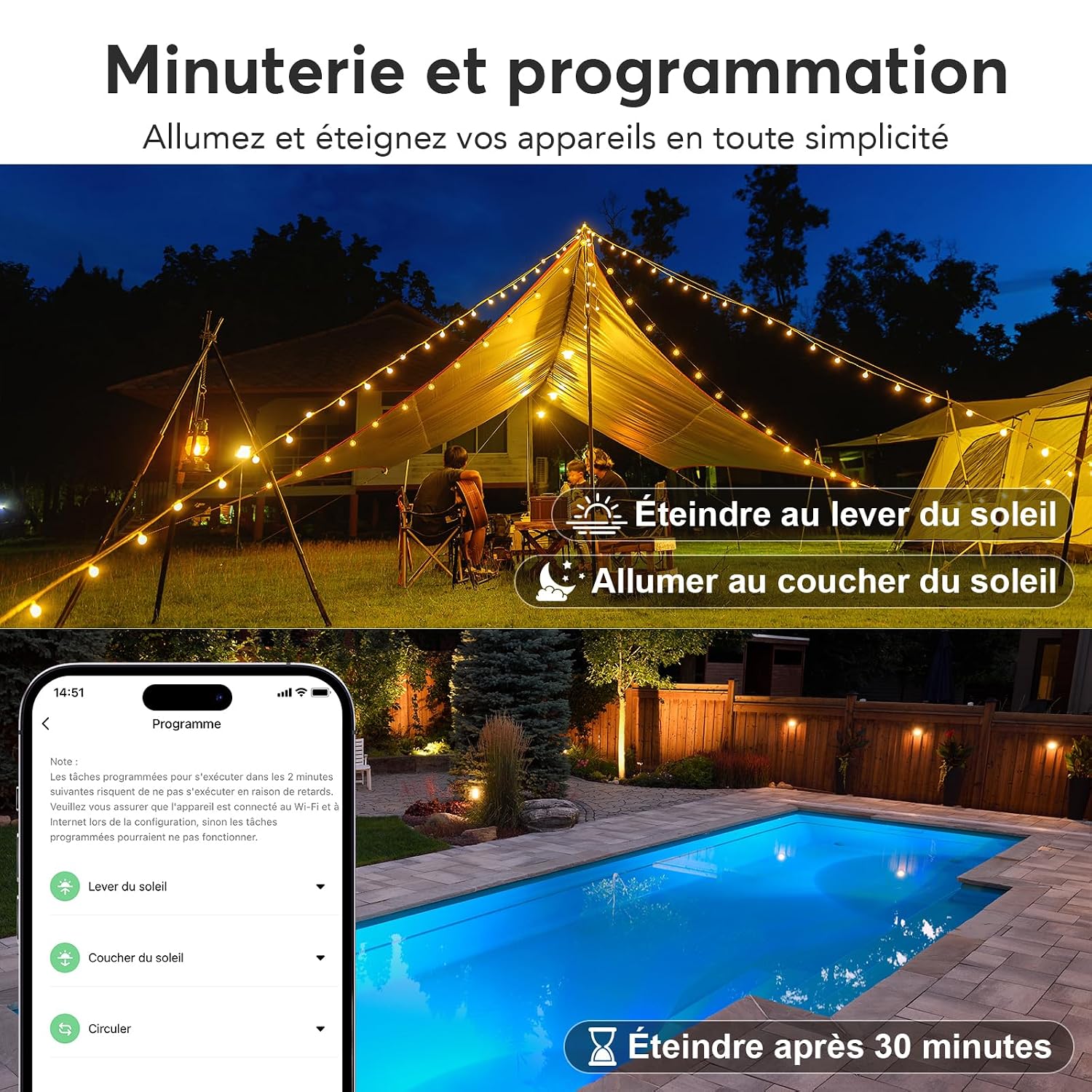
Image: The Smart Life app displaying various timer and scheduling options for the EIGHTREE ET72, including automated actions like turning devices on at sunset and off at sunrise.
6.3. Energy Monitoring
Track the power consumption of connected devices to manage your energy usage.
- Access the "Energy Statistics" or "Power Consumption" section in the Smart Life app for your plug.
- View real-time power usage (Watts), current (Amps), and voltage (Volts).
- Review historical consumption data in kWh and estimated costs by entering your electricity tariffs.

Image: The Smart Life app interface showing detailed energy consumption statistics for the EIGHTREE ET72, including kWh usage, estimated costs, and a graphical representation of daily power consumption.
6.4. Voice Control (Alexa & Google Assistant)
Integrate your smart plug with voice assistants for hands-free control.
- For Alexa:
- Open the Smart Life app, go to "Profile" > "Alexa".
- Follow the instructions to link your Smart Life account with Alexa.
- Once linked, discover devices in the Alexa app. You can then use commands like "Alexa, turn on the garden lights."
- For Google Assistant:
- Open the Smart Life app, go to "Profile" > "Google Assistant".
- Follow the instructions to link your Smart Life account with Google Home.
- Once linked, you can use commands like "Hey Google, turn off the patio fan."
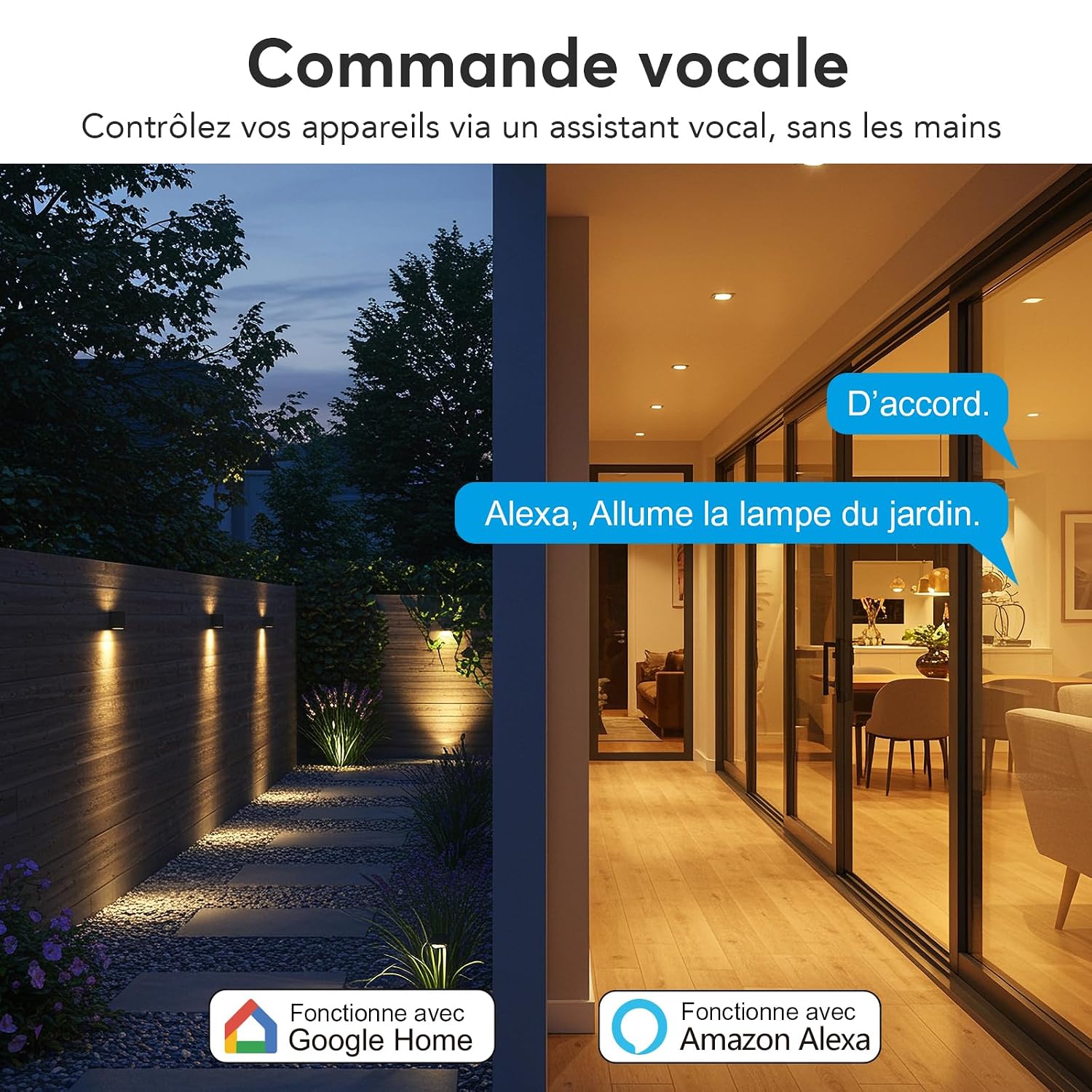
Image: An illustration of the EIGHTREE ET72's voice control capabilities, showing how users can command outdoor lighting using Amazon Alexa and Google Assistant.
Image: Step-by-step guide within the Smart Life app for linking the EIGHTREE ET72 with Amazon Alexa, from accessing the profile to confirming successful account linkage.
Image: A visual walkthrough of connecting the EIGHTREE ET72 to Google Assistant via the Smart Life app, detailing the process from profile access to device selection.
6.5. Smart Scenes
Create automated scenarios based on environmental conditions or other smart devices.
- In the Smart Life app, go to the "Smart" section.
- Set conditions (e.g., "If it rains," "If temperature is above 30°C").
- Define actions (e.g., "Turn off the sprinkler," "Turn on the fan").
Image: The Smart Life app illustrating intelligent scene creation, such as automatically turning off devices when it rains or turning them on when the temperature exceeds 30°C, using the EIGHTREE ET72.
7. Maintenance
- Cleaning: Disconnect the smart plug from the power outlet before cleaning. Wipe with a dry, soft cloth. Do not use harsh chemicals or abrasive cleaners.
- Storage: When not in use for extended periods, store the smart plug in a cool, dry place away from direct sunlight and extreme temperatures.
- Inspection: Periodically check the smart plug and its connected cables for any signs of damage or wear. Discontinue use if damage is found.
8. Troubleshooting
| Problem | Possible Cause | Solution |
|---|---|---|
| Device cannot connect to Wi-Fi. | Incorrect Wi-Fi password; 5GHz network used; device too far from router; router issues. | Ensure correct 2.4GHz Wi-Fi password. Move device closer to router. Check router settings. Try resetting the plug (press and hold button for 5 seconds). |
| Remote control not working. | No internet connection on phone or plug; app not updated. | Check internet connection for both phone and smart plug. Update Smart Life app. Restart the app. |
| Voice control not responding. | Incorrect device name; account not linked; voice assistant offline. | Verify device name in Smart Life and voice assistant app. Ensure Smart Life account is correctly linked. Check voice assistant's internet connection. |
| Energy monitoring data is inaccurate. | Incorrect tariff settings in app. | Review and adjust your electricity tariff settings within the Smart Life app. |
9. Specifications
- Model: ET72
- Manufacturer: EIGHTREE
- Dimensions (L x W x H): 5.7 x 6.5 x 10 cm
- Weight: 140 grams
- Material: Acrylonitrile Butadiene Styrene (ABS)
- Current Rating: 16 A
- Operating Voltage: 230 Volts
- Operating Mode: ON-OFF-ON
- Connectivity: Wi-Fi 2.4GHz
- Waterproof Rating: IP44
- Compatibility: Amazon Alexa, Google Assistant, SmartThings, Smart Life App

Image: A technical diagram illustrating the precise dimensions of the EIGHTREE ET72 Outdoor Smart Plug, including its height and width for installation planning.
10. Warranty and Support
EIGHTREE products are designed for reliability and performance. For warranty information or technical support, please refer to the contact details provided with your purchase or visit the official EIGHTREE website. Please retain your proof of purchase for warranty claims.


