Introduction
This manual provides instructions for the safe and efficient use of your Jingkey HQ-JS915 7L Smart Cool Mist Humidifier. Please read this manual thoroughly before operating the device and retain it for future reference.
The Jingkey HQ-JS915 humidifier is designed to enhance indoor air quality by adding moisture to the air, helping to alleviate dryness and improve comfort in large rooms, bedrooms, and offices. It features a 7-liter capacity, smart app control, remote control, and multiple mist settings.
Important Safety Information
READ ALL INSTRUCTIONS BEFORE USE.
- Always place the humidifier on a firm, flat, waterproof surface at least 12 inches (30 cm) away from walls and appliances.
- Do not place the humidifier directly on carpet, wood floors, or near heat sources.
- Ensure the power cord is not pinched or placed under heavy objects.
- Unplug the humidifier before filling, cleaning, or moving it.
- Do not immerse the base unit in water or other liquids.
- Use only clean, cool tap water. Distilled or demineralized water is recommended to prevent white dust.
- Do not add essential oils directly into the water tank. Use the designated essential oil tray.
- Keep out of reach of children and pets.
- If the humidifier is not working correctly, refer to the troubleshooting section or contact customer support.
Package Contents & Components
Package Contents:
- 1 x Jingkey HQ-JS915 Humidifier
- 1 x Remote Control
- 1 x User Manual
Humidifier Components:
Familiarize yourself with the main parts of your humidifier:
- Top Lid/Mist Outlet: Where mist is dispersed.
- Control Panel: Digital display and touch buttons for settings.
- Water Tank: 7L capacity, with water level window.
- Base Unit: Contains the ultrasonic transducer and fan.
- Essential Oil Tray: Located at the back for aromatherapy.
- Power Cord: For electrical connection.
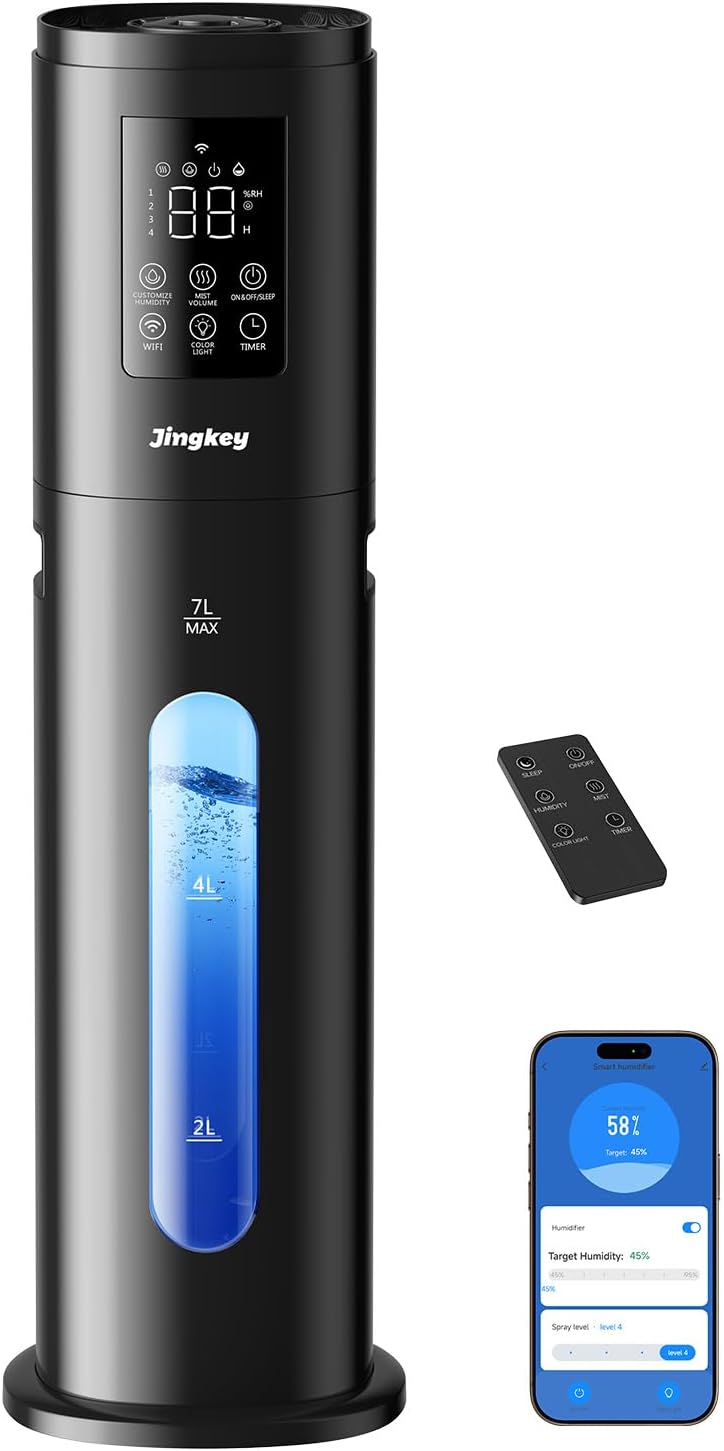
Image: Jingkey HQ-JS915 Humidifier with its remote control and a smartphone displaying the control app.
Setup Instructions
1. Placement
- Place the humidifier on a flat, stable surface.
- Ensure it is at least 12 inches (30 cm) away from walls, furniture, and electronics to allow for proper mist dispersion.
2. Water Tank Assembly & Filling
The humidifier features a top-fill design for easy refilling.
- Remove the top lid of the humidifier.
- Align the FRONT mark on the lid perfectly with the matching side of the tank opening.
- Press the top down until the other side fully closes with a click, indicating it is securely locked.
- Pour clean, cool tap water directly into the water tank opening. Do not exceed the 'MAX' fill line (7L).
- Replace the top lid securely.
Video: Demonstrates the correct method for installing the tank cap on the Jingkey humidifier, ensuring proper alignment and secure locking.

Image: A woman easily refilling the Jingkey humidifier from the top, highlighting the convenient top-fill design.
3. Power Connection
- Plug the power cord into a standard electrical outlet.
Operating Instructions
1. Power On/Off
- Press the Power button on the control panel or remote control to turn the humidifier on or off.
2. Mist Level Adjustment
- The humidifier offers 4 mist levels. Press the Mist button to cycle through the available settings.
3. Intelligent Humidity Control
- Press the Humidity button to set your desired humidity level, ranging from 45% to 95% (adjustable in 5% increments).
- The built-in humidistat sensor will detect the real-time humidity. The humidifier will automatically stop misting when the preset humidity is reached and restart when the humidity falls below your desired level.
4. Sleep Mode & Night Light
- Activate Sleep Mode by pressing the dedicated button. In this mode, the humidifier operates at a low noise level (approximately 35dB) and the display lights dim for an undisturbed environment.
- The humidifier features a 7-color night light. Press the Light button to cycle through the colors or turn the light off.
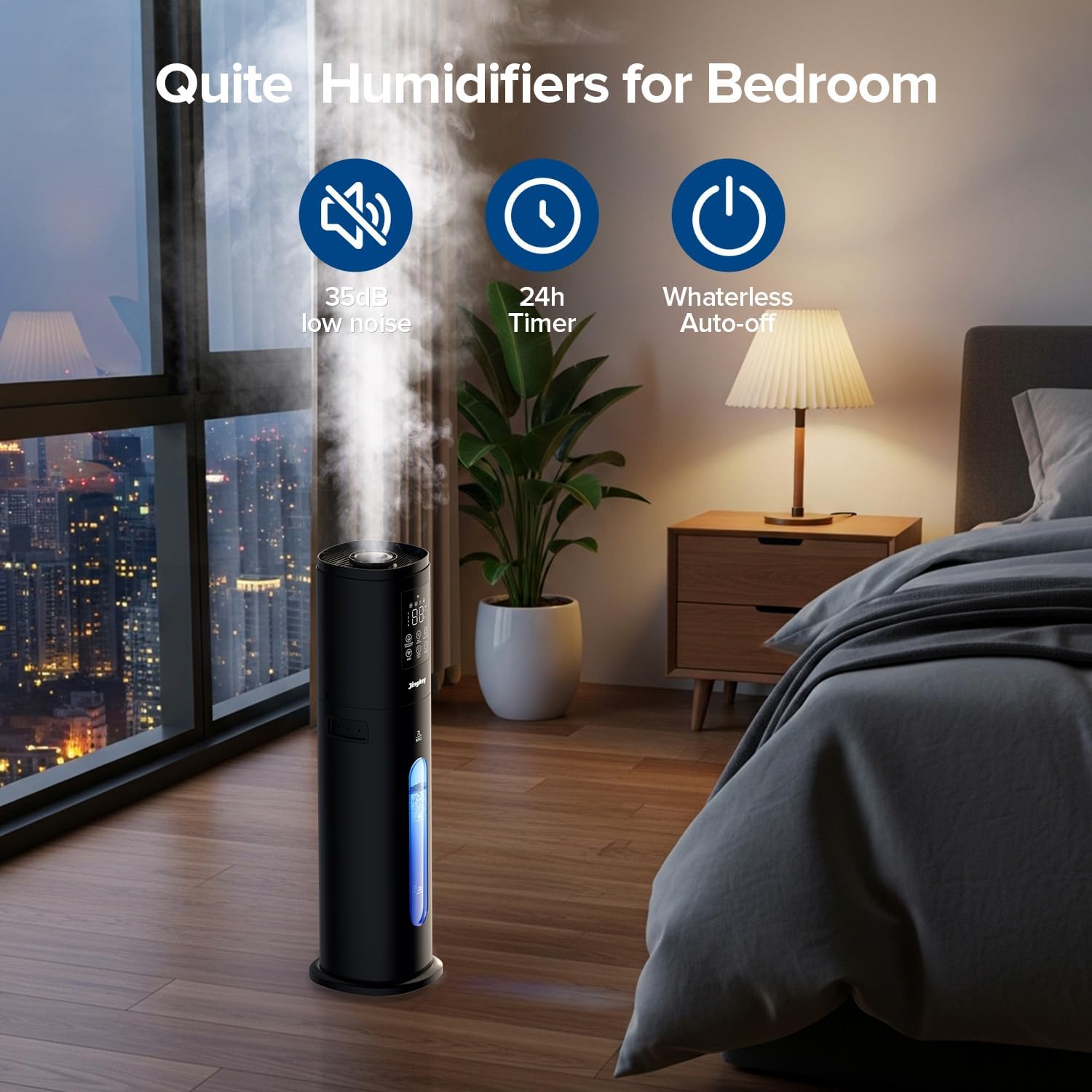
Image: The Jingkey humidifier operating quietly in a bedroom, illustrating its low noise level, 24-hour timer, and waterless auto-off features.

Image: A woman sleeping undisturbed in a bedroom with the Jingkey humidifier, emphasizing its quiet operation for restful sleep.
5. Timer Function
- Press the Timer button to set the operating duration from 1 to 24 hours. The humidifier will automatically turn off once the set time expires.
6. Essential Oil Diffuser
- Locate the essential oil tray at the back of the humidifier.
- Add 1-2 drops of your preferred essential oil onto the pad in the tray.
- Do not add essential oils directly into the water tank.
7. 360° Adjustable Nozzle
- The mist outlet nozzle can be rotated 360 degrees to direct the mist flow as needed.
8. Auto-Shutoff
- The humidifier will automatically shut off when the water level is too low to prevent damage and ensure safety.
Smart Control (App & Remote)
1. Tuya Smart App Connection
The humidifier supports control via the Tuya Smart App (2.4G Wi-Fi only).
- Ensure Bluetooth is enabled on your smartphone.
- Download the "Tuya Smart" app from your device's app store (Google Play Store or Apple App Store).
- Long press the Wi-Fi button on the humidifier's control panel for 3 seconds until the Wi-Fi indicator blinks.
- Open the Tuya Smart App and follow the on-screen prompts to add a new device. Select "Humidifier (Wi-Fi)" under Small Home Appliances.
- Confirm the indicator is blinking in the app.
- Input your 2.4 GHz Wi-Fi network account and password.
- Once connected, the app will confirm the device has been added successfully.
- You can now control all humidifier functions (mist levels, timers, humidity, night light, sleep mode) from your smartphone.

Image: Visual guide for the first three steps of connecting the humidifier to the Tuya Smart app: enabling Bluetooth, downloading the app, and long-pressing the Wi-Fi button.

Image: Visual guide for steps four through six of connecting the humidifier to the Tuya Smart app: opening the app, adding the device, and confirming the indicator light is blinking.

Image: Visual guide for the final steps of connecting the humidifier to the Tuya Smart app: inputting Wi-Fi credentials, finishing the addition process, and confirming successful connection.
2. Remote Control
- The included remote control allows you to operate the humidifier from a distance of up to 4 meters.
- Functions include Power, Mist Level, Humidity Setting, Timer, and Sleep Mode.

Image: A hand holding the infrared remote control for the Jingkey humidifier, demonstrating its effective range of 4 meters.
3. Touch Control
- The control panel on the humidifier features touch-sensitive buttons for direct operation.
Maintenance
Regular cleaning is essential for optimal performance and hygiene.
1. Daily Maintenance
- Empty any remaining water from the tank and base unit.
- Rinse the water tank and base unit with clean water.
- Allow all parts to air dry completely before reassembly or storage.
2. Weekly Cleaning (Descaling)
- Unplug the humidifier.
- Remove the water tank.
- Pour 1 cup (240ml) of undiluted white vinegar into the water tank and base unit.
- Let it soak for 20-30 minutes.
- Use a soft brush or cloth to clean any mineral buildup.
- Rinse all components thoroughly with clean water until the vinegar smell is gone.
3. Filter Maintenance
- The humidifier features a self-cleaning tank with a water filter.
- The filter needs to be replaced periodically. Refer to the product packaging or manufacturer's website for replacement frequency and instructions.

Image: A diagram illustrating the water filter and self-cleaning tank mechanism, emphasizing cleaner humidification. Note: The filter requires periodic replacement.
4. Storage
- Before storing, ensure the humidifier is clean and completely dry.
- Store in a cool, dry place away from direct sunlight.
Troubleshooting
| Problem | Possible Cause | Solution |
|---|---|---|
| No mist or low mist output |
|
|
| Unusual odor |
|
|
| White dust around humidifier | Hard water used | Use distilled or demineralized water. Clean regularly. |
| Humidifier not connecting to Wi-Fi |
|
|
| Remote control not working |
|
|
Specifications
- Brand: Jingkey
- Model Name: HQ-JS915
- Capacity: 7 Liters (1.85 Gallons)
- Product Dimensions: 7"D x 7"W x 24"H
- Item Weight: 4.6 Pounds
- Mist Levels: 4
- Humidity Control Range: 45%-95% (5% increments)
- Max Mist Output: 350mL/h
- Coverage Area: Up to 500 sq.ft
- Noise Level: <35dB
- Timer: 1-24 hours
- Special Features: Adjustable Humidity Control, Low Water Indicator, Quiet Operation, Smart App Control (Tuya Smart, 2.4G Wi-Fi), Water Level Window, Essential Oil Tray, 7-Color Night Light, Remote Control, Top-Filling Design, Auto-Shutoff.
Warranty and Support
Jingkey is committed to customer satisfaction. Your HQ-JS915 humidifier comes with:
- 120 Days Free Replacement: For any manufacturing defects or performance issues within 120 days of purchase.
- One Year Warranty: Covers defects in materials and workmanship for one year from the date of purchase.
- Customer Service: For any questions or assistance, please contact Jingkey customer service. Our team is available 7 days a week, 24 hours a day to help you.
Please retain your proof of purchase for warranty claims.


