1. Product Overview
The MAMNV D13S MAX is a versatile 3-in-1 robot vacuum and mop combo designed for comprehensive home cleaning. It integrates powerful vacuuming, sweeping, and mopping functionalities to tackle various floor types and debris. Equipped with advanced LiDAR navigation, it intelligently maps your home for efficient and precise cleaning paths. The self-emptying feature provides up to 70 days of hands-free operation, minimizing manual intervention. Control is convenient via a dedicated mobile app, voice commands through Alexa or Google Assistant, and customizable cleaning plans.
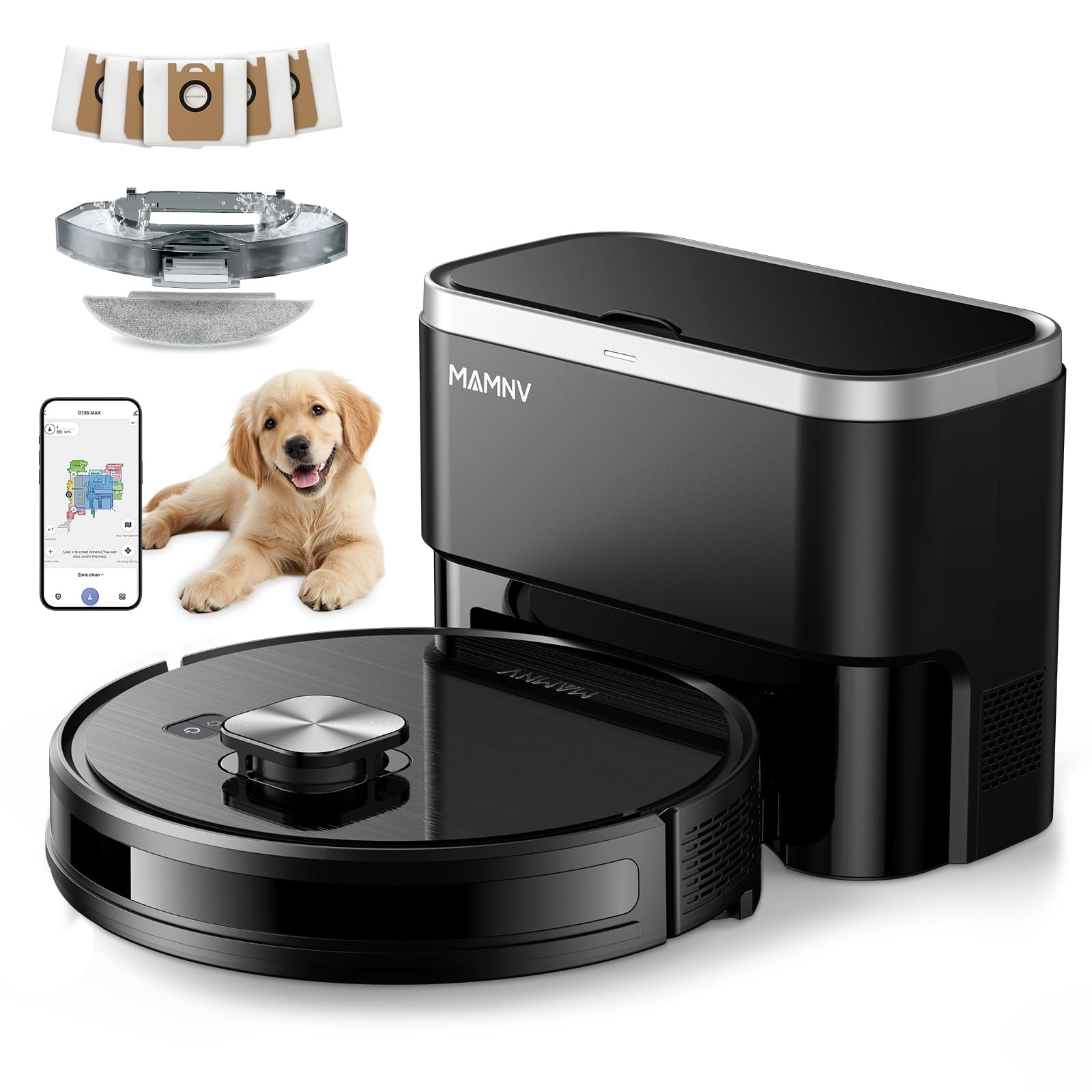
Image 1.1: The MAMNV D13S MAX Robot Vacuum and Mop Combo with its self-emptying station.
2. Setup Guide
2.1 Initial Charging
Place the self-emptying station against a wall in an open area with adequate space around it. Ensure the robot vacuum is correctly docked for its initial charge. A full charge is recommended before the first use.
2.2 App Connection
To unlock the full potential of your D13S MAX, connect it to the Tuya Smart or Smart Life app.
- Download the Tuya Smart App or Smart Life App from your device's app store.
- Register and log into your account.
- Ensure your phone's Bluetooth is enabled and connected to a 2.4GHz Wi-Fi network.
- Power on the robot by pressing and holding the power button for 3-5 seconds.
- Press and hold the home button for 3-5 seconds until the light flashes white and you hear a corresponding prompt, indicating it's in network configuration mode.
- In the app, tap '+' to add a device. The app should automatically detect the D13S MAX. Follow the on-screen instructions to complete the connection.

Image 2.1: Visual guide for connecting the D13S MAX to the mobile application.
2.3 Initial Mapping
For the first cleaning cycle, allow the robot to freely map your home. Clear any obstacles to ensure accurate map creation. The robot will return to its charging station once the mapping is complete.
Video 2.1: An overview of the D13S Max Robot Vacuum and Mop Combo, including its self-emptying function and mapping capabilities.
3. Operating Instructions
3.1 LiDAR Smart Navigation
The D13S MAX utilizes advanced LiDAR navigation to scan your home in 360 degrees, creating detailed and accurate maps. This allows for efficient route planning, avoiding blind collisions, and ensuring thorough coverage.

Image 3.1: The robot vacuum using LiDAR for precise navigation and mapping.
3.2 App Control Features
The mobile app provides extensive control over your robot vacuum:
- Multi-Floor Mapping: Save up to 5 floor maps for homes with multiple levels.
- No-Go Zones & Virtual Walls: Define areas the robot should avoid, such as pet bowls or fragile items.
- Custom Cleaning Plans: Adjust suction levels, water volume, and cleaning times for specific rooms (e.g., higher suction for the kitchen, double cleaning for bedrooms).
- Scheduled Cleaning: Set cleaning schedules for automated operation.
- Manual & Spot Cleaning: Direct the robot manually or send it to clean specific spots.

Image 3.2: Overview of the app's various cleaning modes and scheduling options.
3.3 Voice Control
Integrate your D13S MAX with Amazon Alexa or Google Assistant for convenient voice-activated cleaning commands.

Image 3.3: The robot vacuum can be controlled using voice commands via Amazon Alexa or Google Assistant.
4. Maintenance
4.1 Self-Emptying Station
The D13S MAX automatically empties its dustbin into the massive base station after each clean. The station holds up to 70 days of dirt and dust, providing a hands-free cleaning experience for an extended period. The station will notify you when the dust bag needs replacement.

Image 4.1: The self-emptying station automatically collects debris from the robot vacuum.
Video 4.1: A short demonstration of the D13S Max Robot Vacuum's self-emptying feature.
4.2 Dustbin and Water Tank
The robot features a 2-in-1 dust and water tank combo (230ml dust, 240ml water). Regularly empty the dustbin and refill the water tank. The mop pad is washable and can be easily attached/detached.

Image 4.2: The 2-in-1 dustbin and water tank for simultaneous vacuuming and mopping.
4.3 Brushes and Filters
Periodically inspect and clean the rolling brush and side brushes to remove tangled hair or debris. The HEPA triple-stage filtration system includes a primary filter and sponge, which should be cleaned regularly and replaced as needed to maintain optimal performance.

Image 4.3: Replacement accessories such as mop pads, filters, and side brushes.
5. Troubleshooting
5.1 Mop Pad Not Wetting / No Mopping
If the mop pad is not wetting or the robot is not mopping:
- Ensure all mopping modules are correctly installed according to the user's manual.
- When the machine first enters mop mode, the mop might dampen slowly. Wait a few minutes or manually dampen the mop in advance.
- If there is oil residue on the mop pad, it may hinder water absorption. Wash the mop pad with cleaner and reinstall it.
- Verify that the cleaning mode is set to 'Mop' (not 'Sweep') and the water volume adjustment is not set to 'OFF' in the app.
Note: Do not use detergents or disinfectants in the water tank, as they may corrode the tank and clog the water outlet pipes.

Image 5.1: Troubleshooting steps for mop pad and water delivery issues.
5.2 Software Problem: Memory Loss After Recharge/Stuck
Some users have reported that if the robot pauses to recharge or gets stuck, it may lose its memory of previously cleaned areas and restart the cleaning cycle. Ensure the robot has a clear path and sufficient battery for the entire cleaning area to minimize interruptions.
6. Specifications
| Feature | Detail |
|---|---|
| Brand | MAMNV |
| Model Name | D13S MAX Robot Vacuum and Mop |
| Special Features | Advanced Custom Cleaning, LiDAR Navigation, Precision Laser Mapping & Navigation, Self-Emptying, Smart Mapping |
| Color | Black |
| Product Dimensions | 12.59"L x 12.59"W x 3.82"H |
| Filter Type | HEPA Triple-stage Filtration, Primary Filter, Sponge |
| Battery Life | 1000 Hours (up to 160 minutes runtime) |
| Voltage | 110 Volts (AC) |
| Dustbin Capacity | 230 Milliliters |
| Water Tank Capacity | 240 Milliliters |
| Power Source | Battery Powered (4 12V batteries included) |
| Control Method | App, Voice (Amazon Echo, Google Home, Smartphones) |
| Surface Recommendation | Hard Floor, Carpet, Wood Floor, Tile Floor |
| Item Weight | 14.44 pounds |

Image 6.1: Dimensions of the robot vacuum and its self-emptying station.
7. What's Included
Your MAMNV D13S MAX package includes:
- D13S MAX LiDAR Navigation Robot Vacuum
- Dust Collection Station
- 2-in-1 Water Tank and Dustbin
- Dust Bags x5
- Rolling Brush x1
- Side Brushes x2
- Mop Holder
- Mops x2
- Filters x2
- User Manual
- FQA (Frequently Asked Questions)
- App Connection Guide

Image 7.1: All components included in the MAMNV D13S MAX Robot Vacuum package.
8. Warranty and Support
The MAMNV D13S MAX Robot Vacuum comes with professional customer service and a 12-month service warranty. For any inquiries or support needs, please refer to the contact information provided in your User Manual or App Connection Guide.


