
1. Important Safety Information
WARNING: Failure to follow these safety instructions may result in injury or damage to the product.
- Always secure the dresser to the wall using the anti-tip device provided to prevent tipping. This is crucial for the safety of children.
- Keep the dresser away from heat sources, open flames, and direct sunlight to prevent material degradation.
- Do not place heavy objects on top of the dresser that could cause instability or damage.
- Ensure all screws and fasteners are tightened securely during assembly and periodically check for tightness.
- Supervise children around the dresser to prevent climbing or misuse.
- This product is intended for indoor use only.
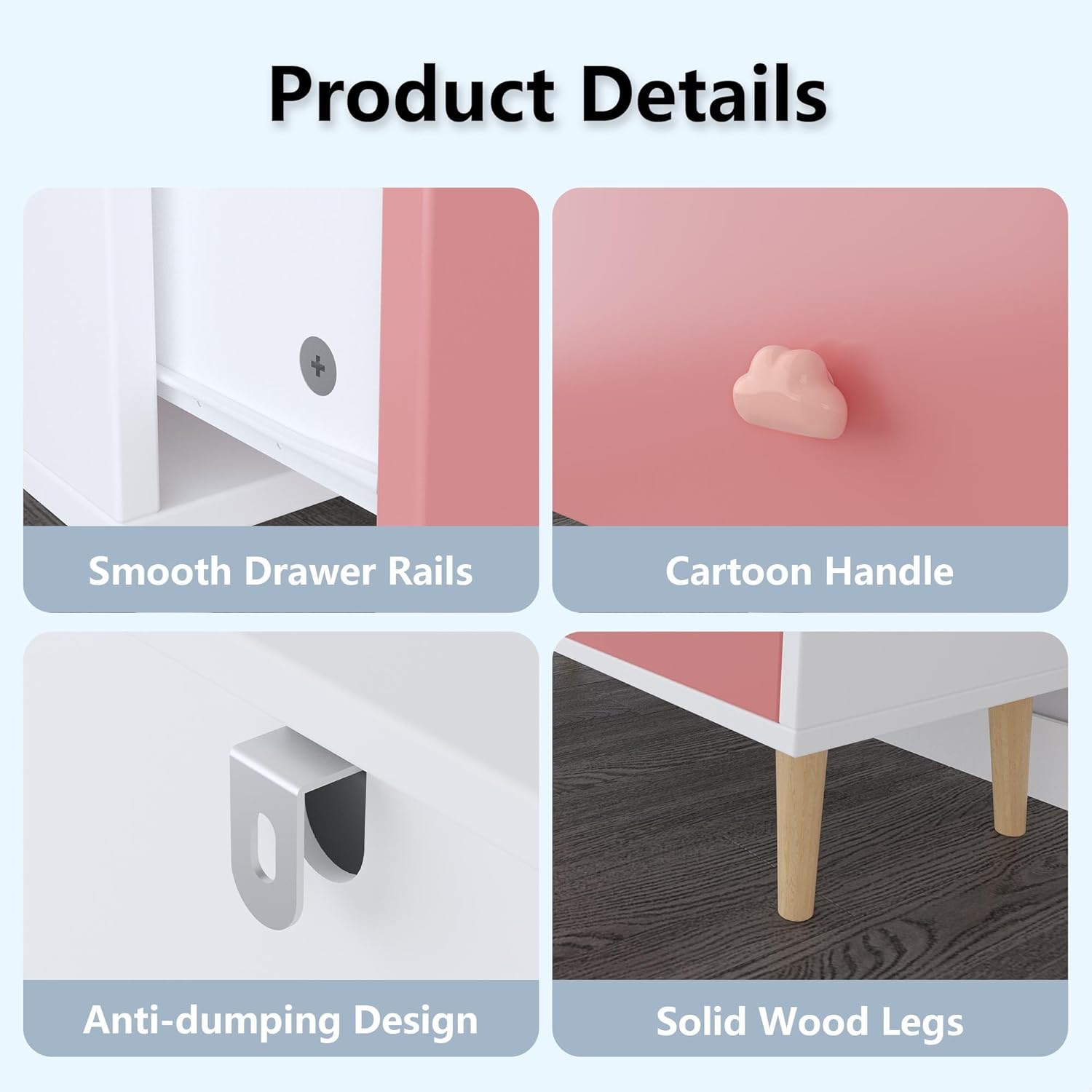
Image: Detailed view of the dresser's construction, highlighting smooth drawer rails, child-friendly cartoon handles, the anti-tip device attachment point, and the sturdy solid wood legs.
2. Package Contents
Before beginning assembly, please verify that all components are present and undamaged. If any parts are missing or damaged, contact customer support.
- 1 x GDFStudio 3-Drawer Kids Dresser (main furniture unit)
- 1 x Assembly Parts Package (includes hardware, screws, and anti-tip device)
- 1 x Installation Instructions (detailed assembly guide)
3. Specifications
| Feature | Detail |
|---|---|
| Brand | GDFStudio |
| Model Number | 351962 |
| Color | Colorful |
| Material | MDF (Engineered Wood) with Solid Wood Legs |
| Product Dimensions (L x W x H) | 31.50" x 11.81" x 28.94" (80cm x 30cm x 73cm) |
| Item Weight | 48.5 lbs |
| Number of Drawers | 3 |
| Drawer Glides | Euro Glides |
| Assembly Required | Yes |
| Special Features | Anti-tip device included, Cartoon Pulls, Rounded Edges |

Image: Product dimensions diagram for the GDFStudio 3-Drawer Kids Dresser.
4. Setup (Assembly)
Assembly of the GDFStudio 3-Drawer Kids Dresser is required. Please follow the detailed step-by-step instructions provided in the separate "Installation Instructions" manual included in your package.
General Assembly Tips:
- Clear a spacious area for assembly.
- Lay out all parts and hardware and compare them against the parts list in the installation manual.
- Use appropriate tools as specified in the manual.
- Do not overtighten screws to avoid damaging the material.
- Ensure the anti-tip device is securely installed to a wall stud according to the instructions.
5. Operating (Usage)
The GDFStudio 3-Drawer Kids Dresser is designed for organizing various items in a child's room, nursery, or toddler space. Its three spacious drawers provide ample storage.
- Drawer Operation: The drawers feature smooth Euro glides for easy opening and closing. Gently pull or push the cartoon handles to operate the drawers.
- Storage Capacity: Utilize the drawers for storing clothes, diapers, toys, linens, books, and other essentials.
- Versatile Placement: This dresser can be used in bedrooms, nurseries, living rooms, or playrooms as a storage solution or an accent piece.
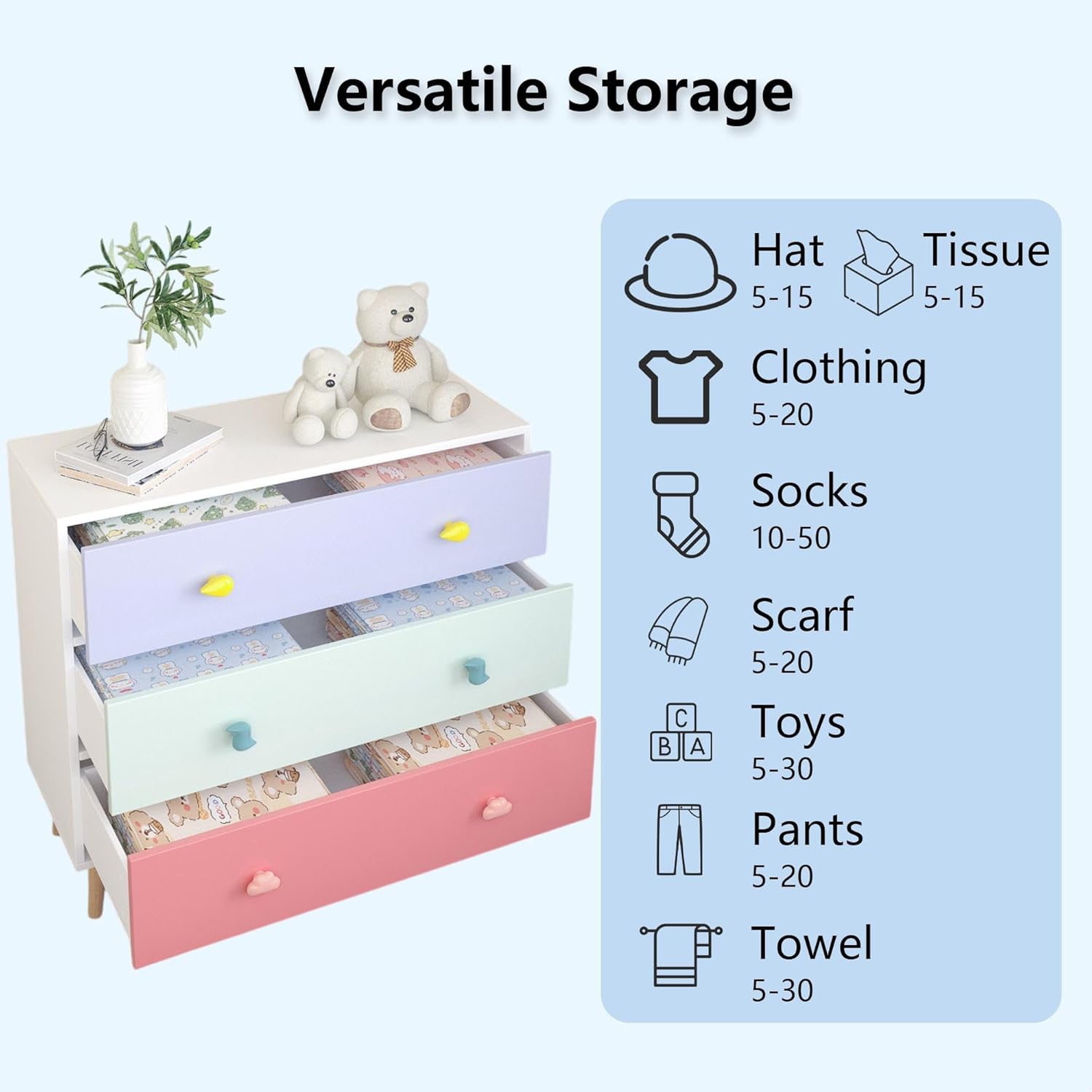
Image: Illustration of the dresser's versatile storage capabilities, showing various items that can be organized within its drawers.

Image: Visual representation of how the dresser contributes to a tidy environment by providing ample storage space.
6. Maintenance
Proper care will ensure the longevity and appearance of your GDFStudio dresser.
- Cleaning: Wipe the surface with a soft, damp cloth. Avoid abrasive cleaners or harsh chemicals, as these can damage the finish.
- Spills: Clean spills immediately to prevent staining.
- Hardware: Periodically check all screws and fasteners to ensure they remain tight. Retighten if necessary.
- Environment: Avoid exposing the dresser to extreme temperature changes or high humidity, which can affect the wood material.
7. Troubleshooting
This section addresses common issues you might encounter.
- Drawers not sliding smoothly: Check if the drawer glides are properly aligned and free from obstructions. Ensure all assembly screws for the glides are tightened.
- Dresser feels wobbly: Verify that all leg attachments and main frame screws are securely tightened. Ensure the dresser is placed on a flat, level surface. Re-check the anti-tip device installation.
- Missing parts: If you find any parts missing upon unboxing, please refer to the "Package Contents" section and contact customer support with your purchase details.
8. Warranty and Support
GDFStudio stands behind the quality of its products. For specific warranty details, please refer to the documentation included with your purchase or visit the official GDFStudio website.
If you require further assistance, have questions about assembly, or need to report a defect, please contact GDFStudio customer support. Have your model number (351962) and purchase information ready for faster service.
Contact Information: Please refer to your purchase receipt or the GDFStudio official website for the most current customer support contact details.


