Introduction
This manual provides detailed instructions for the installation, operation, and maintenance of your Fortdows 4Core+32G Car Radio. This unit is designed to upgrade the in-dash entertainment system in compatible Dodge Ram 1500 and 2500 models from 2013 to 2018. Please read this manual thoroughly before installation and use to ensure proper function and safety.
Package Contents
Verify that all items listed below are included in your package:
- 1 x Main Unit
- 1 x Camera
- 1 x Power Cable
- 1 x Crowbar
- 1 x USB Cable
- 1 x GPS Antenna
- 1 x MIC
- 1 x Camera Input Cable
- 1 x Canbus Decoder
- 1 x RCA Input/Output Cable
- 1 x Original USB Cable
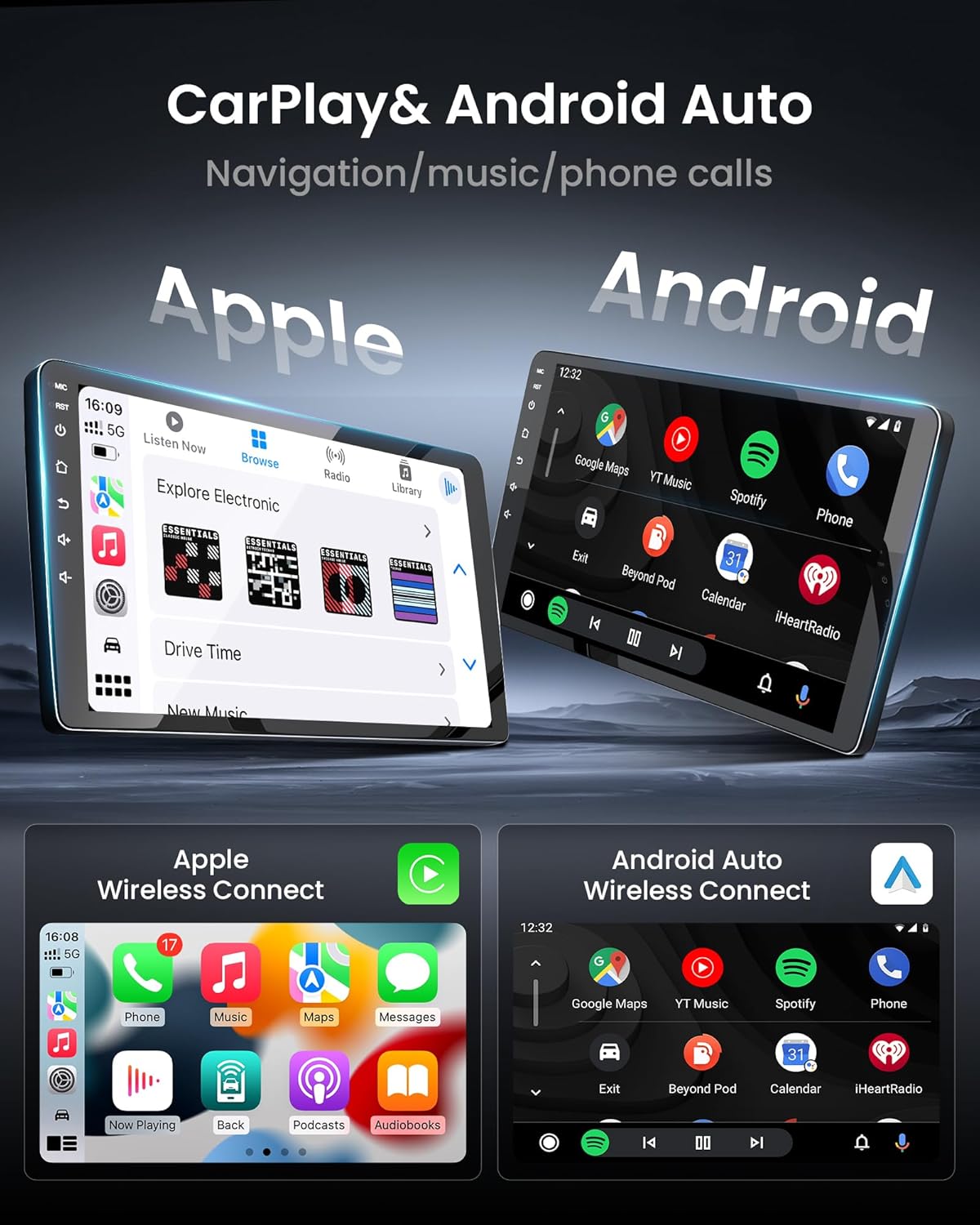
Figure 1: Included components in the Fortdows 4Core+32G Car Radio package.
Compatibility & Setup
Vehicle Compatibility
This car radio is specifically engineered for Dodge Ram 1500 and 2500 models manufactured between 2013 and 2018. It is compatible only with vehicles equipped with manual AC controls. Please verify your vehicle's AC control type before installation.
Installation
The unit features a plug-and-play design for integration with the original dashboard, requiring no modifications. Professional installation is recommended to ensure correct wiring and functionality. Refer to your vehicle's service manual for specific dashboard removal and reinstallation procedures.

Figure 2: Compatibility guide for Dodge Ram 1500/2500 (2013-2018) with manual AC controls.
Operating Instructions
CarPlay & Android Auto
The unit supports wireless CarPlay and Android Auto for seamless smartphone integration. Connect your compatible smartphone to access navigation, make calls, send messages, and play music through the car radio interface. This feature is designed to enhance driving safety by minimizing distractions.

Figure 3: Wireless CarPlay and Android Auto interface.
Bluetooth Handsfree
The car radio includes Bluetooth 5.4 for hands-free calling and voice control. Pair your mobile device to make and receive calls, or use voice commands for functions like playing music or initiating GPS navigation, promoting safer driving.
5G WiFi Connectivity & GPS Navigation
Integrated 5G WiFi allows for internet connectivity, enabling real-time GPS navigation, music streaming, and access to online content. The system supports downloading maps for offline use, ensuring navigation functionality even without a network connection.
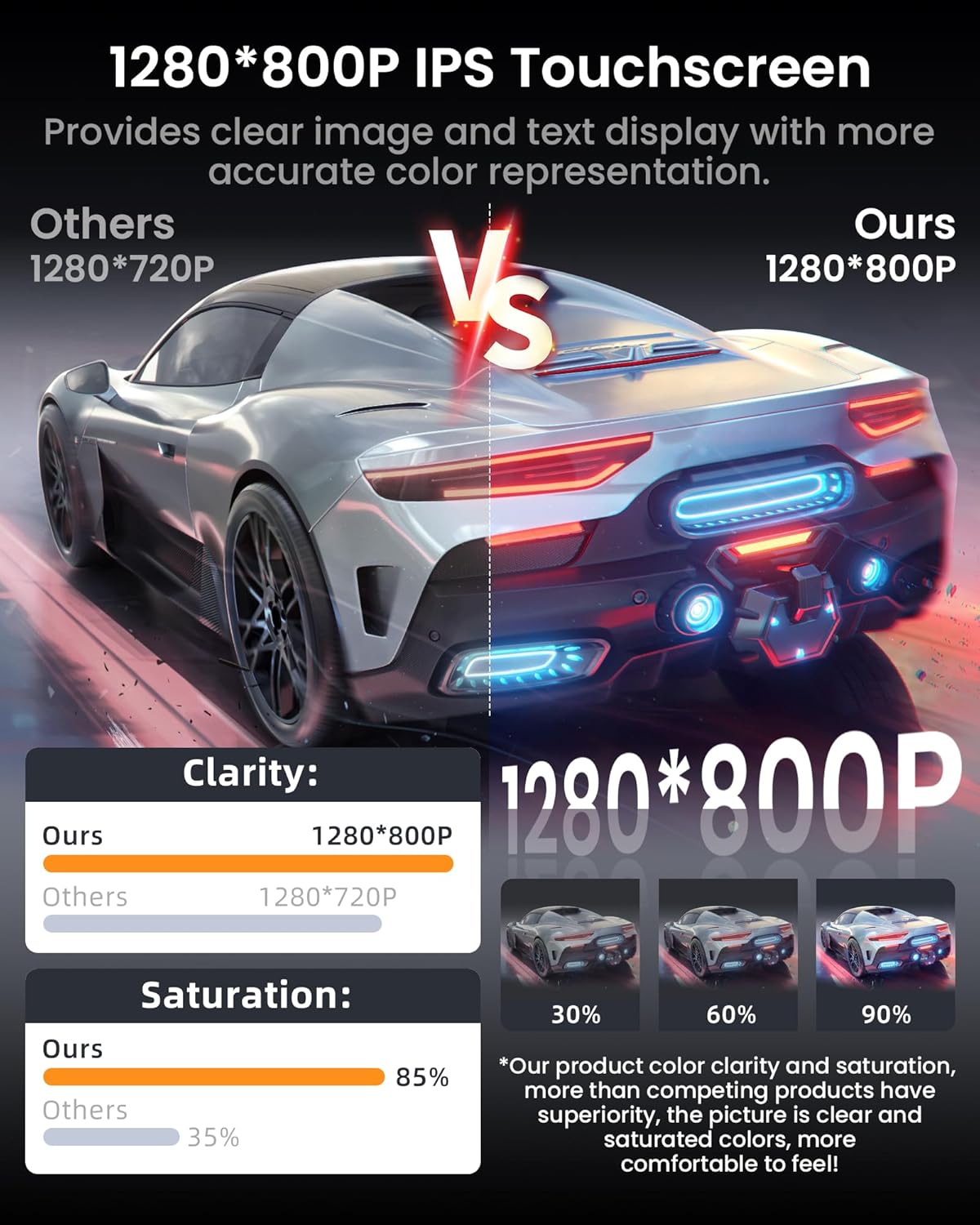
Figure 4: 5G WiFi connectivity interface.
1080P Backup Camera
A 170° wide-angle, night vision, waterproof backup camera is included. This camera provides a clear view of the area behind your vehicle when reversing, assisting in avoiding obstacles and blind spots.
9" IPS Display & Audio Experience
The unit features a 9-inch 1280x800 HD IPS touchscreen with a 178° wide viewing angle and an anti-glare coating. This display provides clear image and text representation under various lighting conditions. Audio settings include FM EQ and a 32-band equalizer with presets (Jazz, Rock, Pop) for sound customization.

Figure 5: 9-inch 1280x800 HD IPS Touchscreen clarity comparison.
Steering Wheel Controls
The car radio supports integration with your vehicle's existing steering wheel controls. This allows for convenient operation of the radio's functions without diverting attention from the road.

Figure 6: Steering wheel control integration.
Maintenance
To ensure the longevity and optimal performance of your Fortdows Car Radio, follow these maintenance guidelines:
- Cleaning the Screen: Use a soft, lint-free cloth to gently wipe the touchscreen. For stubborn smudges, slightly dampen the cloth with water or a screen-safe cleaner. Avoid abrasive materials or harsh chemicals.
- Software Updates: Periodically check for available software updates to ensure the system operates with the latest features and security patches. Follow the on-screen instructions for any update procedures.
- Environmental Conditions: Avoid exposing the unit to extreme temperatures, direct sunlight for prolonged periods, or excessive moisture.
- Cable Connections: Ensure all cables are securely connected. Loose connections can lead to intermittent functionality.
Troubleshooting
If you encounter issues with your car radio, refer to the following common problems and solutions:
- No Power:
- Check all power connections and fuses.
- Ensure the vehicle's ignition is on.
- No Sound:
- Verify volume settings are not muted or set too low.
- Check speaker connections.
- Ensure the correct audio source is selected.
- GPS Not Working/Inaccurate:
- Ensure the GPS antenna is properly installed and has a clear view of the sky.
- Check GPS settings within the unit.
- Bluetooth Connection Issues:
- Ensure Bluetooth is enabled on both the car radio and your mobile device.
- Delete previous pairings and attempt to re-pair the devices.
- Move your mobile device closer to the car radio.
- Touchscreen Unresponsive:
- Restart the unit by turning off the vehicle's ignition and restarting.
- Ensure the screen is clean and free of debris.
If problems persist after attempting these solutions, please contact customer support.
Specifications
| Feature | Specification |
|---|---|
| Model Name | 4Core+32G |
| Operating System | Android 13 |
| Processor | 4 Core |
| RAM | 2GB |
| ROM (Internal Storage) | 32GB |
| Display Size | 9 Inches |
| Screen Resolution | 1280x800 HD IPS |
| Connectivity Technology | Bluetooth 5.4, 5G WiFi |
| Special Features | Wireless CarPlay, Android Auto, GPS Navigation, 1080P AHD Backup Camera, Steering Wheel Control |
| Audio Output Mode | Stereo |
| Item Weight | 3.89 pounds |
| Package Dimensions | 12.68 x 11.3 x 4.88 inches |
Warranty & Support
Warranty Information
This Fortdows Car Radio comes with a 1-year manufacturer's warranty from the date of purchase. The warranty covers defects in materials and workmanship under normal use. It does not cover damage caused by misuse, accidents, unauthorized modifications, or improper installation.
Customer Support
For technical assistance, warranty claims, or any questions regarding your Fortdows Car Radio, please contact our customer support team. Refer to the contact information provided with your purchase documentation or visit the official Fortdows website for support options.


