
Introduction
The Quntis ScreenLinear Curved Plus Monitor Light is designed to provide optimal illumination for both curved and flat monitors, enhancing your workspace with advanced lighting technology. This manual provides detailed instructions for setup, operation, and maintenance to ensure you get the most out of your device.
Package Contents
Please verify that all items listed below are included in your package:
- ScreenLinear Curved Plus Monitor Light (Main Unit) x 1
- Wireless Remote Control x 1
- USB Type-C Cable x 1
- Power Adapter x 1
- AAA Batteries x 3 (for remote control)
- User Manual x 1
- Remote Control Instruction Manual x 1

Setup Instructions
- Install Batteries in Remote Control: Open the battery compartment on the back of the remote control and insert 3 AAA batteries, ensuring correct polarity.
- Attach Monitor Light to Monitor:
- The light features a patented clamp design that supports monitors up to 8cm (3.15 inches) thick.
- Adjust the clamp to fit your monitor's thickness. The dual-axis design allows for angle adjustment to match your viewing angle.
- Ensure the silicone pads firmly grip the monitor to prevent slipping. The counterweight helps maintain stability.

Image: Detailed view of the patented clamp, showing its adjustability for different monitor thicknesses and shapes, including thin, thick, and special-shaped monitors. 
Image: The monitor light is compatible with various monitor sizes (34, 32, 27 inches) and types, including thin, thick, and specially shaped monitors, thanks to its adjustable 66cm clamp. - Connect Power: Connect the USB Type-C cable to the monitor light and the power adapter. Plug the adapter into a power outlet.
- Adjust Light Bar Angle: The two arched LED light bars can be independently rotated to perfectly match your monitor's curvature (1000R to 3000R) and eliminate shadows or reflections. The light offers a 180-degree irradiation angle cover.


Operating Instructions
The Quntis ScreenLinear Curved Plus offers intuitive control via its wireless remote control.
Remote Control Functions

- Main Power Button: Press to turn the light ON/OFF.
- Brightness Adjustment Button: Short press to cycle through preset brightness levels. Long press for continuous dimming.
- Color Temperature Adjustment Button: Short press to cycle through 4 color temperature modes (3000K, 4000K, 5000K, 6500K). Long press for continuous adjustment.
- Backlight Button: Press to turn the monitor's backlight ON/OFF.
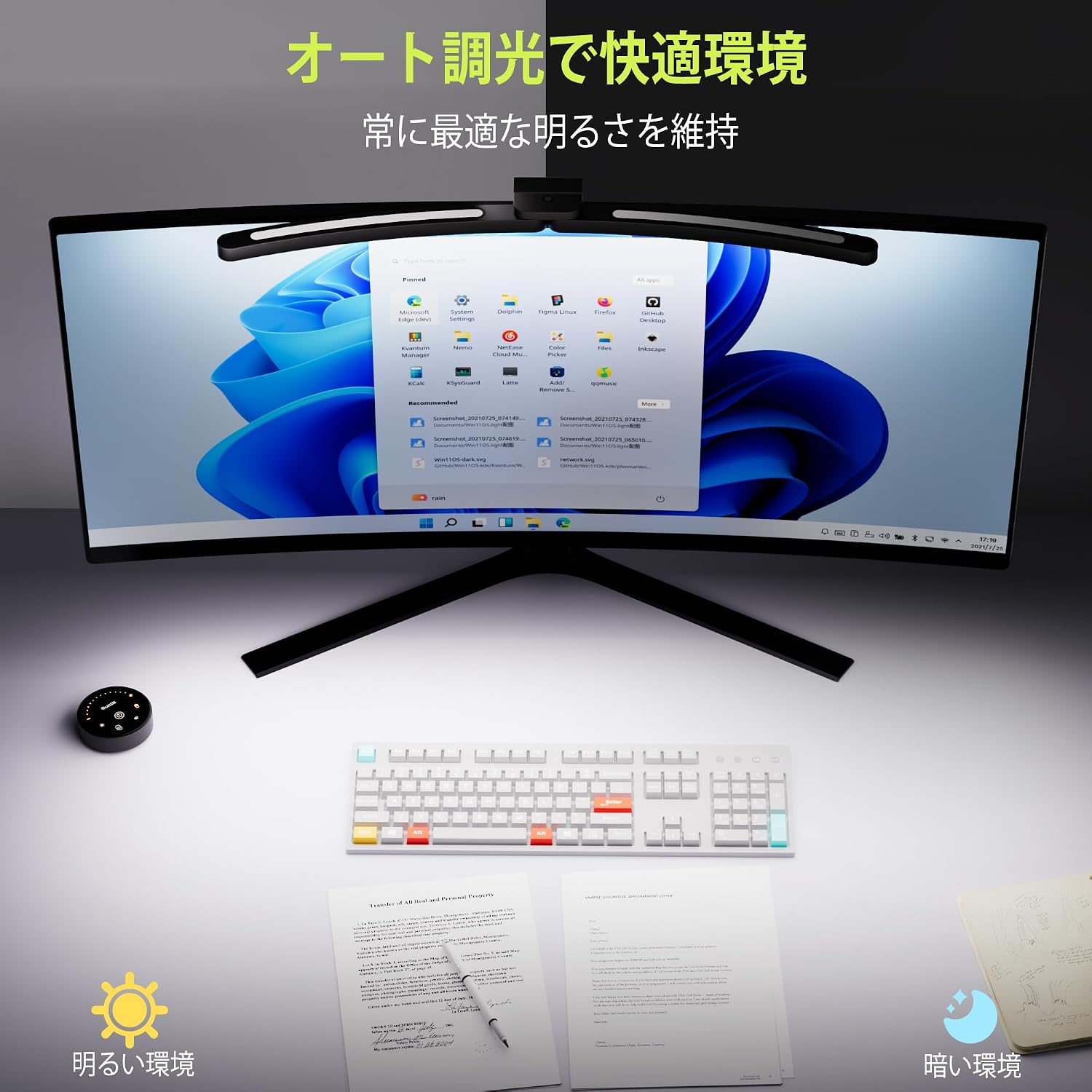
- Ambient Light Sensor Toggle: Press to activate/deactivate the automatic dimming function.
Lighting Modes
The monitor light offers various modes to suit different tasks:
- Wide Angle Mode: Illuminates a broad desk area evenly.
- Focus Mode: Concentrates light on a specific area, ideal for detailed work.

Automatic Dimming
The built-in ambient light sensor automatically adjusts the brightness to maintain optimal illumination based on your surroundings, ensuring a comfortable viewing experience without manual adjustments.
Key Features
- Curved & Large Monitor Compatibility: Specifically designed for 1000R to 3000R curved monitors and large displays exceeding 34 inches.
- Dual Adjustable Light Bars: Two arched LED light bars can be independently rotated to perfectly fit your monitor's shape, eliminating shadows and reflections.
- W-Illumination System: Combines front main illumination with a monitor backlight to reduce contrast glare and eye strain.
- Asymmetric Light Distribution: Directs light onto your desk area, preventing direct reflection (glare) on the screen and protecting your eyes.
- High Color Rendering (Ra98) & Full Spectrum: Equipped with 112 high-quality LEDs for front lighting and 78 for backlighting, achieving a Ra98 color rendering index for accurate color reproduction, crucial for design and photo editing.
- Smart & Intuitive Operation: Features automatic brightness adjustment based on ambient light and a 2.4GHz wireless remote control for convenient operation from your seat.
- Space-Saving Clamp Design: Utilizes a slide-type clamp that doesn't occupy desk space, compatible with monitor thicknesses up to approximately 8cm.


Maintenance
- Cleaning: Use a soft, dry cloth to wipe the surface of the monitor light and remote control. Do not use abrasive cleaners or solvents.
- Storage: When not in use for extended periods, store the device in a cool, dry place.
- Battery Replacement: Replace the AAA batteries in the remote control when the indicator light dims or the remote becomes unresponsive.
Troubleshooting
| Problem | Possible Cause | Solution |
|---|---|---|
| Light does not turn on. | No power connection. Remote control batteries are dead. | Check USB cable and power adapter connection. Replace remote control batteries. |
| Remote control is unresponsive. | Low or dead batteries. Interference. | Replace batteries. Ensure no obstructions between remote and light. |
| Light flickers. | Unstable power supply. | Ensure the power adapter is connected to a stable power source. |
| Automatic dimming not working. | Ambient light sensor is off. | Press the ambient light sensor toggle button on the remote to activate. |
Specifications
- Model Number: LI-HY-0213-GY
- Dimensions (D x W x H): 2.5 x 66 x 1.5 cm (0.98 x 25.98 x 0.59 inches)
- Weight: 300 grams (0.66 lbs)
- Power Source: USB Power
- Voltage: 5 Volts
- Wattage: 10 W
- Light Source Type: LED
- Color Rendering Index (CRI): Ra98
- Color Temperature: 3000K-6500K (4 levels, continuous adjustment)
- Control Method: Touch (on remote)
- Mounting Type: Monitor Clamp
- Max Clamp Thickness: Approx. 8 cm (3.15 inches)
- Material: ABS, Aluminum, Polycarbonate
- Finish Type: Matte
- Special Features: Curved monitor compatibility (1000R-3000R), Backlight W-illumination, High CRI Ra98, Independent adjustable dual light bars, Smart auto-dimming remote control.
Warranty and Support
Quntis provides comprehensive after-sales support for this product:
- Warranty: 1-year warranty from the date of purchase.
- Customer Support: Our dedicated support team responds to inquiries and issues within 24 hours.
- Returns & Exchanges: Free returns and exchanges within 30 days of purchase.
For any questions or issues, please contact our customer support team. We are committed to ensuring your long-term satisfaction.


