
1. Introduction
Thank you for choosing the Havit Gamenote Huaxu-X1 Wireless Gaming Headset. This manual provides essential information for setting up, operating, maintaining, and troubleshooting your new headset. Please read this manual carefully before use to ensure optimal performance and longevity of your device. Keep this manual for future reference.
The Havit Gamenote Huaxu-X1 offers a superior audio experience with its 53mm drivers, virtual 7.1 surround sound support, and a high-sensitivity microphone. Designed for comfort and durability, it features ultra-soft ear cushions and versatile connectivity options for various devices.
2. Product Overview
2.1 Key Features
- 53mm Speaker Drivers: Delivers rich, immersive audio for gaming and multimedia.
- Virtual 7.1 Surround Sound Support: Enhances spatial awareness in games (where supported).
- Multi-Mode Connectivity: Supports 2.4GHz wireless (via Type-C/USB dongle), Bluetooth 5.3, and 3.5mm wired connections.
- Long-Lasting Battery: Integrated 600mAh lithium battery provides approximately 43 hours of usage on a single charge.
- Ultra-Low Latency Gaming Mode: Ensures minimal audio delay for a competitive gaming edge.
- High-Sensitivity Microphone: Provides clear voice communication.
- Comfort and Durability: Features ultra-soft ear cushions for extended wear.
2.2 Package Contents
Please check the package for the following items:
- Havit Gamenote Huaxu-X1 Wireless Gaming Headset
- 2.4GHz USB-C Wireless Dongle (may include USB-A adapter)
- 3.5mm Audio Cable
- USB-C Charging Cable
- User Manual (this document)
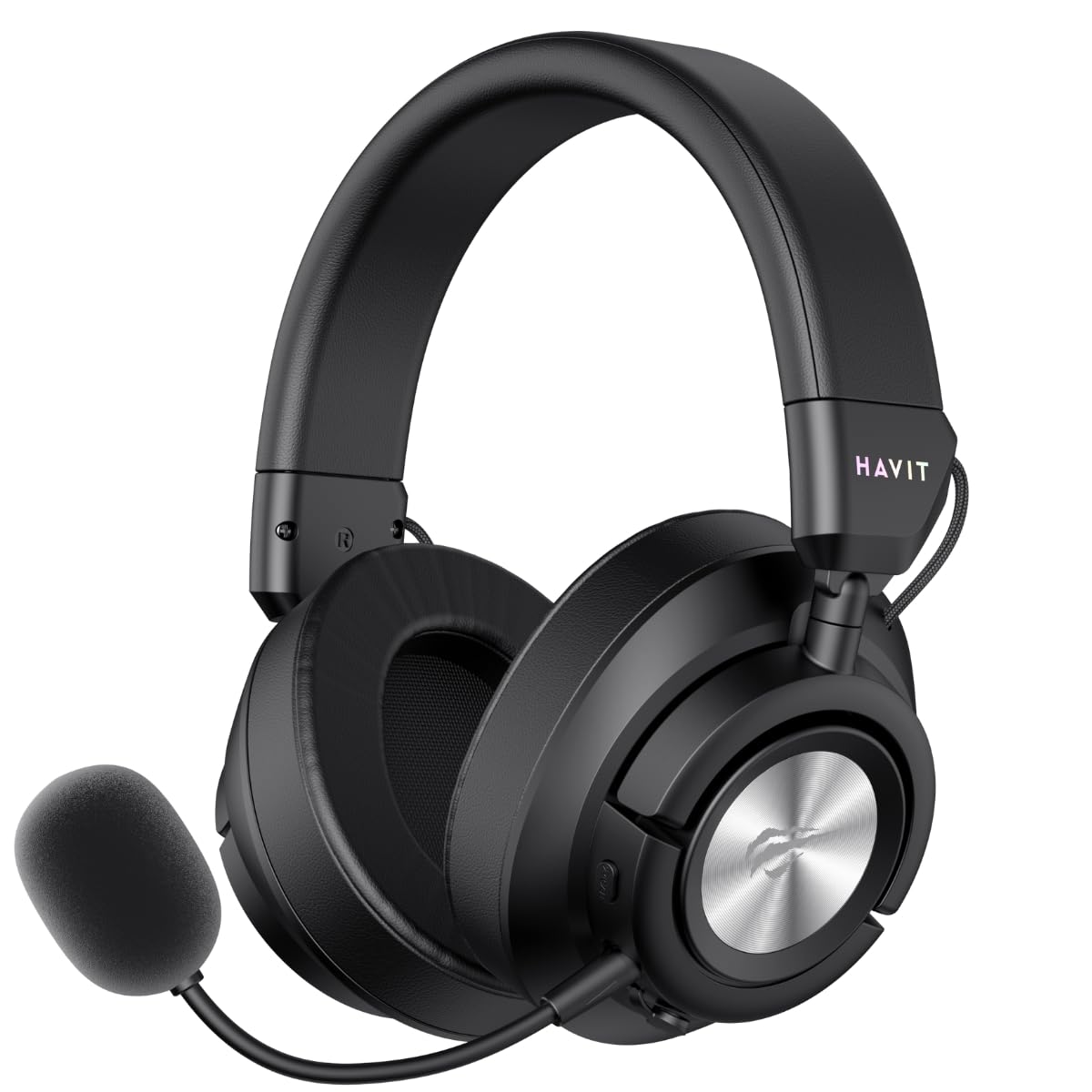
Figure 1: Havit Gamenote Huaxu-X1 Wireless Gaming Headset (Front-angled view with microphone attached)
3. Setup
3.1 Charging the Headset
- Connect the USB-C charging cable to the charging port on the headset.
- Connect the other end of the cable to a USB power source (e.g., computer USB port, wall adapter).
- The LED indicator on the headset will show charging status. A full charge takes approximately 2.5 hours.
- Once fully charged, the LED indicator will change or turn off. Disconnect the charging cable.
Note: It is recommended to fully charge the headset before first use.
3.2 Connecting the Headset
3.2.1 2.4GHz Wireless Connection (PC, PlayStation, Nintendo Switch)
- Insert the 2.4GHz USB-C wireless dongle into an available USB-C port on your device. If your device only has USB-A ports, use the provided USB-C to USB-A adapter.
- Power on the headset by pressing and holding the Power button.
- Switch the headset to 2.4GHz mode (refer to Section 4.2 for mode switching). The headset should automatically connect to the dongle.
- On your device, ensure the Havit Huaxu-X1 is selected as the audio output and input device in your sound settings.

Figure 2: Headset side view showing control buttons and ports for connectivity.
3.2.2 Bluetooth 5.3 Connection (Mobile Devices, PC)
- Power on the headset.
- Switch the headset to Bluetooth mode (refer to Section 4.2). The LED indicator will flash, indicating pairing mode.
- On your mobile device or PC, enable Bluetooth and search for available devices.
- Select "Havit Huaxu-X1" from the list of devices to pair.
- Once paired, the LED indicator will stop flashing and remain solid.
3.2.3 3.5mm Wired Connection (Universal)
- Connect one end of the 3.5mm audio cable to the 3.5mm port on the headset.
- Connect the other end of the cable to the 3.5mm audio jack on your device.
- The headset will automatically switch to wired mode. No power is required for basic audio functionality in wired mode, but the microphone may require power.
4. Operating Instructions
4.1 Power On/Off
- Power On: Press and hold the Power button for approximately 3 seconds until the LED indicator lights up.
- Power Off: Press and hold the Power button for approximately 3 seconds until the LED indicator turns off.
4.2 Mode Switching
The Huaxu-X1 supports multiple connection modes. Use the Mode button (or a combination of buttons, refer to specific button layout on your headset) to cycle between 2.4GHz wireless, Bluetooth, and 3.5mm wired modes. The LED indicator will change to reflect the active mode.
4.3 Volume Control
Use the volume roller or buttons located on the earcup to adjust the audio output level. Roll up/press '+' to increase volume, roll down/press '-' to decrease volume.
4.4 Microphone Mute/Unmute
The headset features a dedicated microphone mute button or a switch. Press or toggle it to mute or unmute the microphone. An LED indicator on the microphone or headset may show its status (e.g., red for muted).
4.5 Gaming Mode (Ultra-Low Latency)
When connected via 2.4GHz wireless, you can activate Gaming Mode for ultra-low latency audio. This mode is ideal for competitive gaming. Refer to the specific button on your headset (often labeled 'Game Mode' or a dedicated button press) to toggle this feature. An audible prompt or LED change may indicate activation.
4.6 Virtual 7.1 Surround Sound
The headset supports virtual 7.1 surround sound for an enhanced immersive experience. This feature is typically available when connected via 2.4GHz wireless to a PC and may require specific software or driver installation. Consult Havit's official website for any necessary software downloads.
5. Maintenance
Proper maintenance ensures the longevity and performance of your headset.
- Cleaning: Use a soft, dry cloth to wipe the headset. For ear cushions, a slightly damp cloth with mild soap can be used, but ensure they are completely dry before use. Do not use harsh chemicals or abrasive materials.
- Storage: Store the headset in a cool, dry place away from direct sunlight and extreme temperatures. Avoid placing heavy objects on the headset.
- Battery Care: To prolong battery life, avoid fully discharging the headset frequently. Charge it regularly, even if not in use for extended periods.
- Cable Management: Avoid sharp bends or kinks in the cables to prevent damage.
6. Troubleshooting
If you encounter issues with your Havit Gamenote Huaxu-X1 headset, please refer to the following common solutions:
| Problem | Possible Solution |
|---|---|
| No sound from headset |
|
| Microphone not working |
|
| Headset not connecting wirelessly |
|
| Short battery life |
|
7. Specifications
| Feature | Detail |
|---|---|
| Model Name | Huaxu-X1 |
| Brand | Havit |
| Connectivity Technology | Wired, Wireless (2.4GHz, Bluetooth 5.3, 3.5mm) |
| Speaker Drivers | 53mm |
| Battery Capacity | 600mAh |
| Battery Life | Approx. 43 hours |
| Charging Time | Approx. 2.5 hours |
| Sensitivity | 99 dB |
| Form Factor | Over Ear |
| Compatible Devices | Laptop, Desktop Computer, Gaming Console, Mobile Devices |
| Color | Black |
8. Warranty and Support
8.1 Warranty Information
The Havit Gamenote Huaxu-X1 Wireless Gaming Headset comes with a 2-Year Distributor Warranty. This warranty covers manufacturing defects and ensures your product is free from material and workmanship flaws under normal use. Please retain your proof of purchase for warranty claims.
The warranty does not cover damage caused by misuse, accidents, unauthorized modifications, or normal wear and tear.
8.2 Customer Support
For technical assistance, warranty claims, or further inquiries, please contact Havit customer support through their official website or the retailer where you purchased the product. You may need to provide your product model number (Huaxu-X1) and proof of purchase.
Havit Official Website: www.havit.com


