
1. Introduction
Thank you for choosing EUQQ YYK-Q10 Wireless Earbuds. This manual provides detailed instructions for setting up, operating, and maintaining your earbuds to ensure optimal performance and longevity. Please read this manual carefully before use and retain it for future reference.
2. Package Contents
- EUQQ YYK-Q10 Wireless Earbuds (L/R)
- Charging Case
- USB-C Charging Cable
- S/M/L Ear Tips (M pre-installed)
- User Manual
3. Product Overview
The EUQQ YYK-Q10 earbuds feature advanced audio technology for a superior listening experience. Key components include the earbuds with touch control areas and the charging case with an LED display.

Image 3.1: Internal structure of an EUQQ earbud, illustrating the Active Noise Cancellation (ANC) and Clear Voice Capture (CVC 8.0) components for enhanced audio and call clarity.
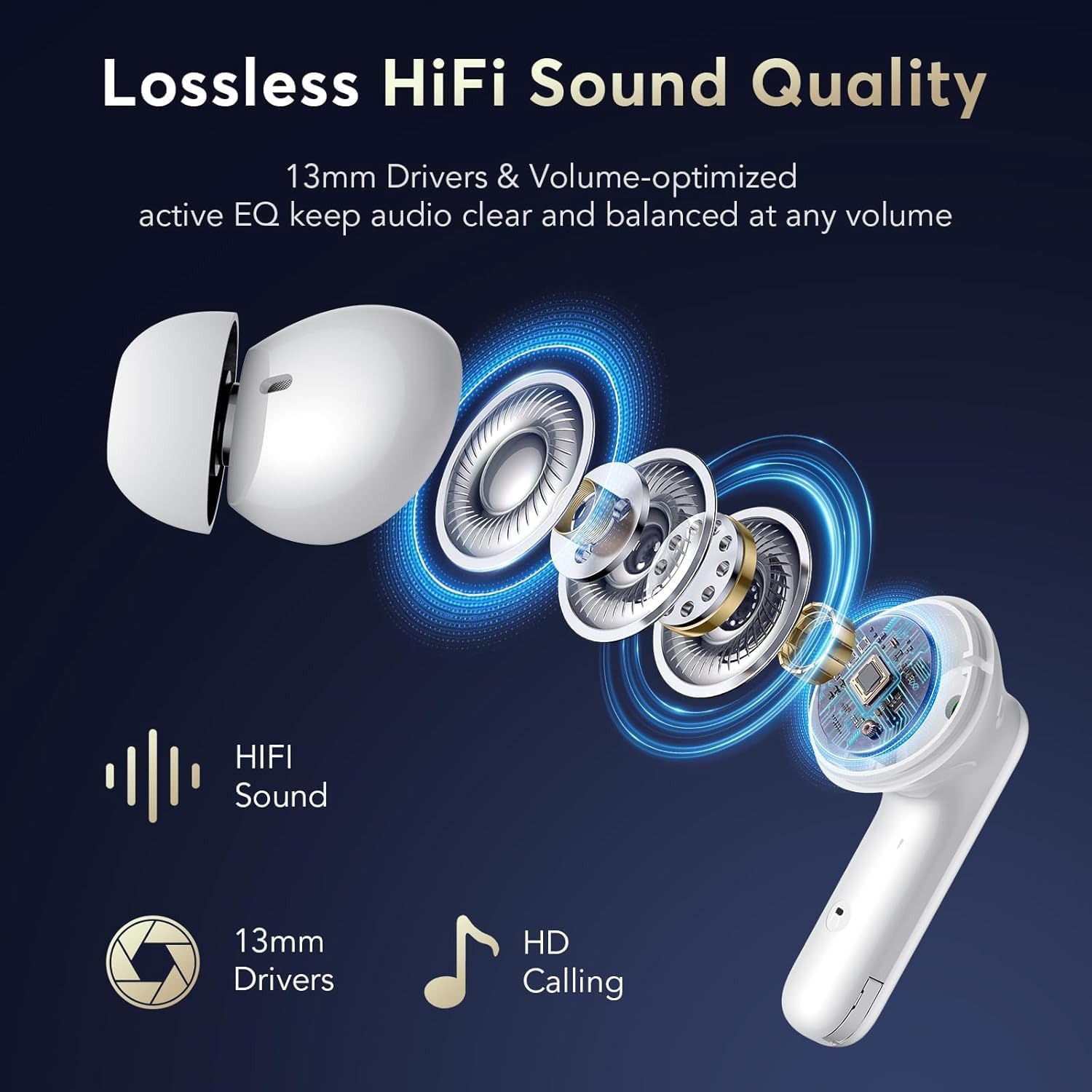
Image 3.2: Exploded view of the earbud showcasing 13mm drivers and other components responsible for delivering lossless HiFi sound quality and HD calling.
4. Setup
4.1 Charging the Earbuds and Case
Before first use, fully charge the earbuds and the charging case. Place the earbuds into the charging case. Connect the USB-C charging cable to the charging port on the case and a power source. The LED display on the case will indicate the charging status and battery levels.
- A full charge for the earbuds takes approximately 1 hour.
- The charging case provides multiple charges, extending total playtime up to 36 hours.

Image 4.1: The earbuds inside the charging case, illustrating the USB-C charging connection and the LED display showing battery status for both earbuds and the case.
4.2 Initial Pairing
- Ensure the earbuds are charged.
- Open the charging case. The earbuds will automatically enter pairing mode.
- On your device (smartphone, tablet, etc.), enable Bluetooth.
- Search for available Bluetooth devices and select "YYK-Q10" from the list.
- Once connected, a voice prompt will confirm successful pairing.
After the initial pairing, the earbuds will automatically connect to your last paired device when the charging case is opened, provided Bluetooth is enabled on your device.
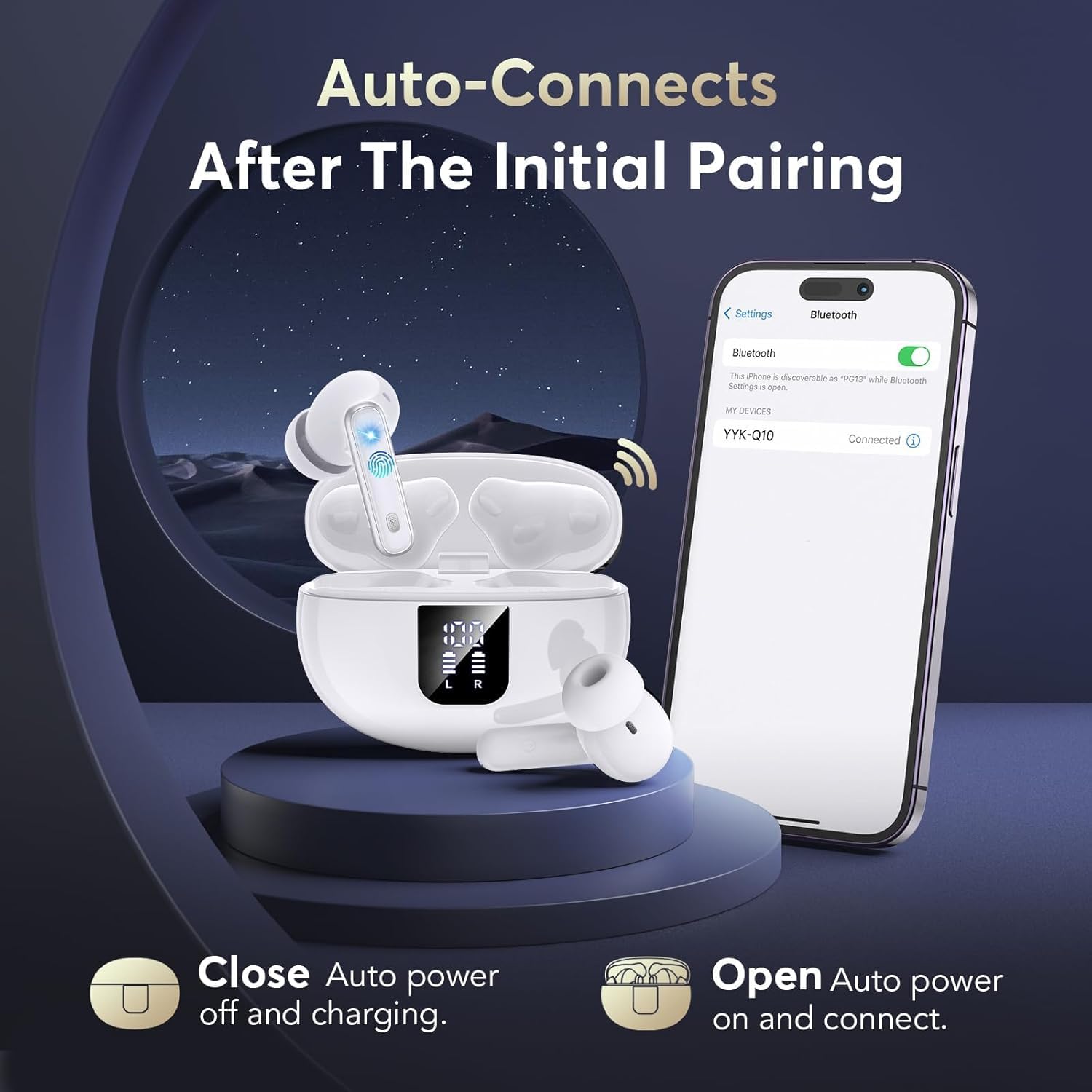
Image 4.2: A visual representation of the automatic connection process, showing the earbuds and case alongside a phone screen indicating a successful Bluetooth connection to "YYK-Q10".

Image 4.3: An infographic detailing the improvements offered by Bluetooth 5.4 technology, such as a 50% increase in connection range, 75% increase in stable connection, and 100% increase in transfer speed range.
5. Operating the Earbuds
5.1 Touch Controls
The earbuds feature touch-sensitive areas for various functions:
| Action | Function |
|---|---|
| Single Tap (L/R) | Play/Pause Music, Answer/End Call |
| Double Tap (Right Earbud) | Next Track |
| Double Tap (Left Earbud) | Previous Track |
| Triple Tap (L/R) | Activate Voice Assistant |
| Long Press (L/R, 2 seconds) | Switch between Active Noise Cancellation (ANC) and Transparency Mode |
| Long Press (L/R, 3 seconds during call) | Reject Incoming Call |
5.2 Active Noise Cancellation (ANC) and Transparency Mode
The YYK-Q10 earbuds offer two distinct listening modes:
- Active Noise Cancellation (ANC): This mode reduces ambient noise, allowing for an immersive audio experience. Ideal for noisy environments.
- Transparency Mode: This mode allows you to hear your surroundings clearly without removing the earbuds. It enhances safety and awareness by letting in ambient sounds.
To switch between ANC and Transparency Mode, long press the touch button on either earbud for 2 seconds.

Image 5.1: A user demonstrating the Transparency Mode feature, highlighting the ability to hear ambient sounds by long-pressing the earbud's touch control.
6. Comfort and Fit
For optimal sound quality and comfort, select the ear tips that best fit your ears. The YYK-Q10 comes with S, M, and L size ear tips. Experiment with different sizes to find the most secure and comfortable fit.
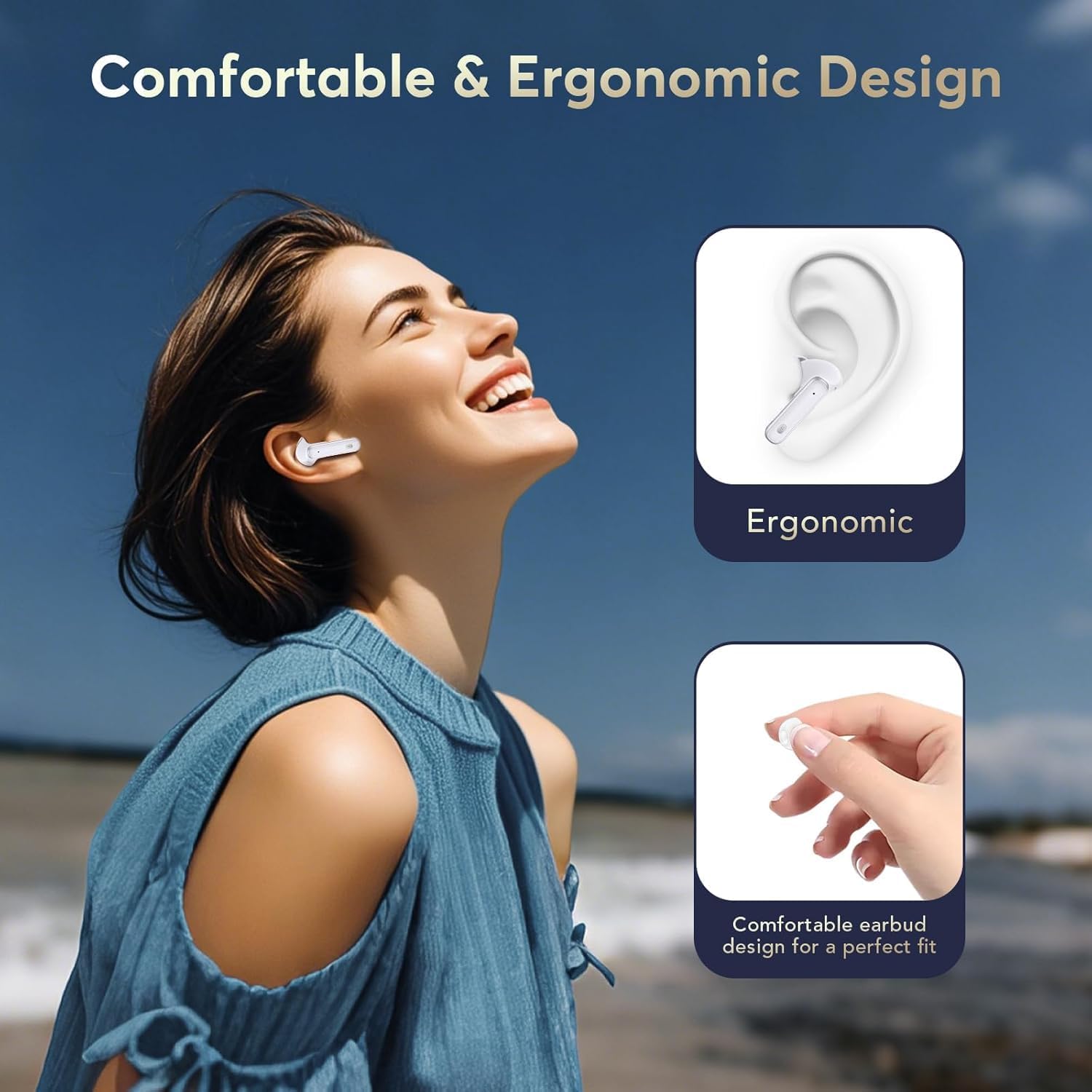
Image 6.1: A visual guide to the ergonomic design of the earbuds, demonstrating how they are shaped for a comfortable and secure fit within the ear.
7. Maintenance
7.1 Cleaning
- Regularly clean the earbuds and charging case with a soft, dry, lint-free cloth.
- Do not use harsh chemicals, cleaning solvents, or strong detergents.
- Remove ear tips and clean them separately with water if necessary, ensuring they are completely dry before reattaching.
7.2 Storage
When not in use, store the earbuds in their charging case to protect them from dust and damage. Store in a cool, dry place away from extreme temperatures.
8. Troubleshooting
- No Sound: Ensure earbuds are charged, properly paired, and volume is adjusted on both the earbuds and your device.
- Pairing Issues: Turn off Bluetooth on your device, place earbuds back in the case, close and reopen the case, then try pairing again. Ensure no other devices are trying to connect.
- Earbud Not Charging: Check that the charging contacts on the earbuds and in the case are clean and free of debris. Ensure the charging cable is securely connected.
- Intermittent Connection: Ensure you are within the Bluetooth range (up to 15 meters) and there are no significant obstructions between the earbuds and your device.
9. Specifications
| Feature | Detail |
|---|---|
| Brand | EUQQ |
| Model | YYK-Q10 |
| Bluetooth Version | 5.4 |
| Noise Cancellation | Dual ANC & CVC 8.0 |
| Driver Size | 13.0mm Dynamic Drivers |
| Playtime (Earbuds) | 6-7 hours (single charge) |
| Total Playtime (with case) | Up to 36 hours |
| Charging Time (Earbuds) | Approx. 1 hour |
| Waterproof Rating | IPX7 |
| Bluetooth Range | Up to 15 meters |
| Ear Placement | In Ear |
| Impedance | 140 Ohms |
10. Warranty and Support
EUQQ products are designed for reliability and performance. For warranty information or technical support, please refer to the contact details provided with your purchase or visit the official EUQQ website. Please retain your proof of purchase for warranty claims.


