
1. Introduction
Thank you for choosing the Easy Count E Mini Heat Press Machine. This compact and versatile heat press is designed for various heat transfer projects, including T-shirts, hats, shoes, and small HTV vinyl applications. Its portable design and efficient heating capabilities make it an ideal tool for crafters and DIY enthusiasts. This manual provides essential information for safe and effective operation, maintenance, and troubleshooting.
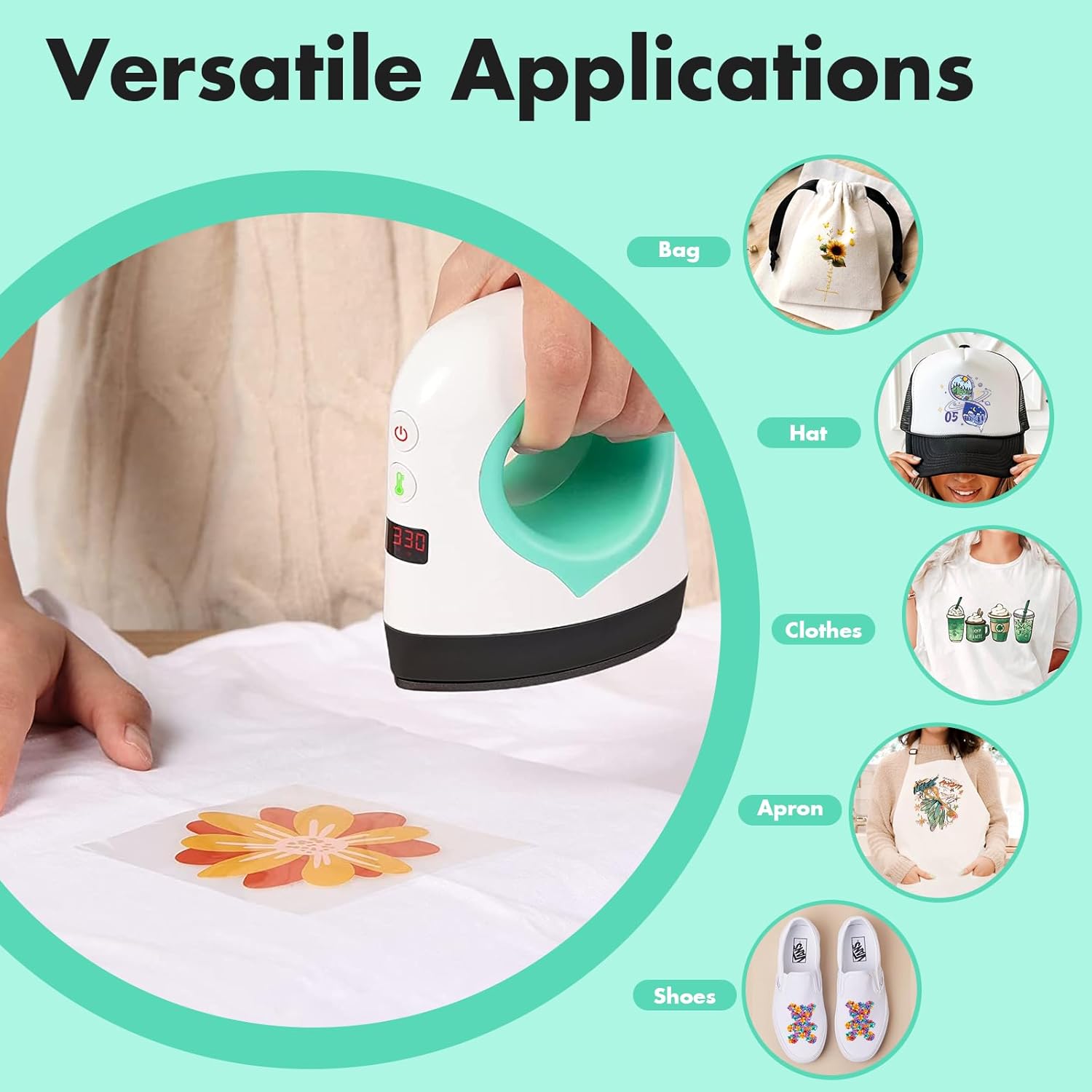
Image 1.1: The Easy Count E Mini Heat Press Machine is suitable for various items such as bags, hats, clothing, aprons, and shoes.
2. Safety Information
Please read all safety instructions carefully before using the Easy Count E Mini Heat Press Machine to prevent injury and damage to the device or property. Keep this manual for future reference.
- Electrical Safety: Ensure the power outlet matches the voltage requirements of the device (110-220V compatible). Do not use if the cord or plug is damaged. Unplug the device when not in use or before cleaning.
- Heat Hazard: The heating plate reaches high temperatures. Avoid direct contact with the hot surface during and immediately after operation. Use the insulated safety base provided.
- Ergonomic Handle: The device features an ergonomic handle for comfortable and safe grip. However, the handle may become warm during prolonged use.
- Automatic Shut-off: The machine is equipped with an auto shut-off feature that activates after 10 minutes of inactivity to enhance safety and prevent overheating.
- Overcurrent and Short Circuit Protection: Built-in safeguards protect against electrical faults.
- Ventilation: Use the heat press in a well-ventilated area.
- Children and Pets: Keep the device out of reach of children and pets.
- Storage: Always place the heat press on its insulated safety base when not actively pressing. Allow it to cool completely before storing.

Image 2.1: Key safety features of the Easy Count E Mini Heat Press Machine.
3. Package Contents
Upon unpacking, please ensure all items are present and in good condition:
- Easy Count E Mini Heat Press Machine (Model HP1)
- Insulated Safety Base
- User Manual (this document)
4. Product Overview
Familiarize yourself with the components of your Easy Count E Mini Heat Press Machine:
- Comfortable Handle: Designed for ergonomic grip during use.
- Power Button: To turn the device on and off.
- Temperature Adjustable Button: To cycle through temperature settings.
- LED Display: Shows the current temperature setting.
- Dry, Even Heat Plate: The heating surface that applies heat and pressure.
- Precision Tip: Allows for accurate application on smaller or intricate designs.
- Safety Base: An insulated base for resting the hot heat press safely.

Image 4.1: Labeled components of the Easy Count E Mini Heat Press Machine.
5. Setup
Before first use, follow these steps:
- Unpack: Carefully remove all components from the packaging.
- Inspect: Check the device and accessories for any signs of damage. Do not use if damaged.
- Placement: Place the insulated safety base on a stable, heat-resistant surface in a well-ventilated area.
- Power Connection: Plug the power cord into a suitable electrical outlet.

Image 5.1: The insulated safety base provides a secure resting place for the heat press.
6. Operating Instructions
Follow these steps for effective heat transfer:
- Power On: Press the Power Button (usually marked with a ⑂ symbol) to turn on the device. The LED display will illuminate.
- Select Temperature: Press the Temperature Adjustable Button (usually marked with a thermometer symbol) to cycle through the available temperature settings. The device offers three distinct temperature settings: Low, Medium, and High, with the high setting reaching up to 400°F (204°C). Refer to your transfer material's instructions for the recommended temperature.
- Preheat: Allow the machine to preheat. The rapid heating technology ensures it's ready in approximately 20 seconds. The LED display will show the current temperature.
- Prepare Item: Place your item (e.g., T-shirt, hat) on a flat, heat-resistant surface. Position your heat transfer vinyl (HTV) or other transfer material onto the item as desired.
- Apply Heat: Gently place the hot plate of the heat press onto the transfer material. Apply even, firm pressure. The duration of application depends on your transfer material's instructions (typically 15-30 seconds).
- Cool Down: Once the transfer is complete, lift the heat press and immediately place it back on its insulated safety base. Allow the item and transfer to cool according to the transfer material's instructions (e.g., warm peel or cool peel).
- Power Off: When finished, press and hold the Power Button to turn off the device. Unplug the machine from the power outlet once it has cooled down completely.

Image 6.1: Demonstrating the application of a heat transfer design using the mini heat press.
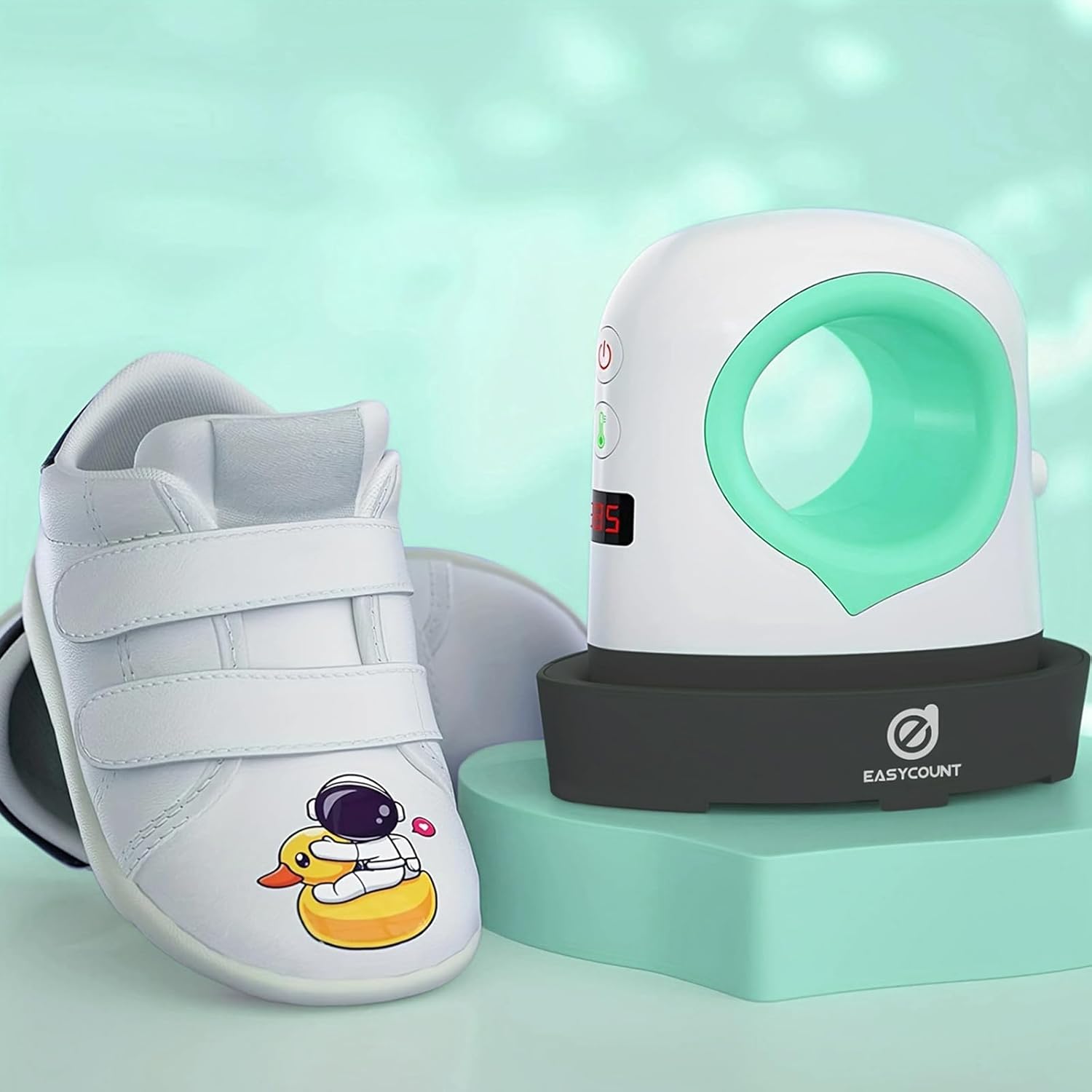
Image 6.2: The mini heat press is ideal for applying designs to smaller items like shoes.
7. Maintenance
Proper maintenance ensures the longevity and performance of your heat press:
- Cleaning: Ensure the device is unplugged and completely cool before cleaning. Wipe the heating plate with a soft, damp cloth to remove any residue. Do not use abrasive cleaners or immerse the device in water.
- Storage: Store the heat press on its insulated safety base in a dry, cool place, away from direct sunlight and moisture.
- Cord Care: Do not wrap the power cord tightly around the device. Store it loosely to prevent damage.
8. Troubleshooting
If you encounter issues, refer to the following common problems and solutions:
| Problem | Possible Cause | Solution |
|---|---|---|
| Device does not power on. | Not plugged in; power outlet issue; damaged cord. | Ensure the power cord is securely plugged into a working outlet. Check the power button. If the cord is damaged, discontinue use and contact customer support. |
| Device is not heating up. | Incorrect temperature setting; device malfunction. | Verify the temperature setting on the LED display. Allow sufficient time for preheating (approx. 20 seconds). If the issue persists, contact customer support. |
| Transfer material is not adhering properly. | Insufficient heat or pressure; incorrect application time; wrong temperature for material. | Increase heat or pressure slightly. Extend application time. Ensure the correct temperature setting for your specific transfer material. Pre-press the fabric to remove moisture and wrinkles. |
| Device automatically shuts off during use. | 10-minute inactivity auto shut-off. | This is a safety feature. If you need to continue using it, simply power it back on. |
If you experience any issues not listed here or if the suggested solutions do not resolve the problem, please contact Easy Count E customer support.
9. Specifications
- Model Number: HP1
- Product Dimensions: 7 x 5.8 x 3.09 inches (17.78 x 14.73 x 7.85 cm)
- Item Weight: Approximately 0.035 ounces (1 gram)
- Material: Metal
- Color: Green (for this variant)
- Voltage Compatibility: 110-220V
- Temperature Settings: Low, Medium, High (up to 400°F / 204°C)
- Safety Features: Auto Shut-off (10 mins inactivity), Overheat Protection, Overcurrent Protection, Short Circuit Protection.

Image 9.1: Dimensions and portability of the Easy Count E Mini Heat Press Machine.
10. Warranty and Support
Easy Count E is committed to providing high-quality products and excellent customer service. While specific warranty details are not provided in this manual, most products come with a standard manufacturer's warranty covering defects in materials and workmanship.
- Customer Support: If you have any questions, concerns, or require assistance with your Easy Count E Mini Heat Press Machine, please contact our dedicated customer support team. Refer to the product packaging or the EasyCount E official store on Amazon for contact information.
- Returns: For return policies, please refer to the retailer's return policy where the product was purchased.