1. Introduction
Thank you for choosing the Durecopow PS35K Solar Charger Power Bank. This robust and versatile device is designed to keep your electronic devices charged on the go, especially during outdoor activities. With a high capacity of 20,000mAh, multiple charging options, and a durable design, it's an essential companion for any adventure.
- High Capacity: 20,000mAh Li-Polymer battery.
- Multi-Device Charging: Features 4 built-in cables (Type C, Lightning, Micro USB, USB-A input) and 3 output ports (Type-C In/Output, 2x USB Output) to charge up to 6 devices simultaneously.
- Dual Charging Modes: Recharge via solar panel for emergency use or a wall outlet for faster charging.
- Durable Design: Water-resistant, shock-resistant, and dustproof, made from eco-friendly silicone rubber and ABS PC material.
- Integrated Features: Includes a dual LED flashlight with Steady-SOS-Strobe modes, a compass, and a carabiner for portability.
2. Safety Instructions
Please read and follow these safety guidelines carefully to ensure safe and optimal use of your power bank:
- Initial Activation: To fully activate the battery, charge the power bank via a wall outlet for at least 10 hours during the first 2-3 uses.
- Avoid Overcharging: Do not charge the power bank all day or use overvoltage. Fully charging by outlet takes approximately 10 hours.
- Simultaneous Charging: Do not charge the power bank itself while it is charging other devices to avoid shortened lifespan or damage.
- Heat Sources: Keep away from heat sources or high temperatures. Do not leave the solar charger unattended in an outdoor car.
- Solar Charging: Solar charging is intended for emergency use and is influenced by natural conditions. It is a slower process. For daily use, always prioritize charging via a wall outlet.
- Material Safety: The power bank is made of strong ABS material with drop-resistant thick silicone on each corner. The charging port is protected by a silicone cover.
3. Product Overview
Familiarize yourself with the components of your Durecopow PS35K Solar Charger Power Bank:

Image: Labeled diagram of the Durecopow PS35K Solar Charger Power Bank components.
- Solar Panel: Converts sunlight into electrical energy to charge the power bank.
- Power Indicator: LED lights display the remaining battery charge level.
- Power ON/OFF Switch: Activates/deactivates the power bank and controls the flashlight.
- USB-C In/Output Port: Used for both charging the power bank and charging compatible devices.
- USB Output Ports (x2): Standard USB-A ports for charging various devices.
- Built-in Cables: Includes Micro USB, Type-C, Lightning output cables, and a USB-A input cable for convenient charging without extra accessories.
- Dual LED Flashlight: Provides illumination with Steady, SOS, and Strobe modes.
- Compass: Integrated for navigation during outdoor activities.
- Carabiner: Allows for easy attachment to backpacks or gear.
4. Setup
4.1 Initial Charging
Before first use, or after extended storage, fully charge the power bank via a wall outlet. This ensures the internal battery cells are properly activated and calibrated for optimal performance.
- Connect the power bank to a wall charger using the built-in USB-A input cable or a Type-C cable.
- Charge for approximately 10 hours until all power indicator lights are solid blue.
5. Operating Instructions
5.1 Charging the Power Bank
Your power bank offers two methods for recharging:
5.1.1 Via Wall Outlet (Recommended)
For the fastest and most efficient charging, use a wall adapter:
- Open the protective cover on the side of the power bank to access the ports.
- Pull out the built-in USB-A input cable or use a separate Type-C cable.
- Connect the cable to a compatible wall adapter (not included) and plug it into a power outlet.
- The blue LED indicators will flash during charging and remain solid when fully charged.

Image: The power bank illustrating both solar and adapter charging methods.
5.1.2 Via Solar Panel (Emergency Use)
The integrated solar panel provides an emergency charging option:
- Place the power bank in direct sunlight.
- The green LED indicator will light up when solar charging is active.
- Note that solar charging is significantly slower (approximately 80 hours for a full charge in ideal conditions) and is primarily for emergency power replenishment.
5.2 Charging External Devices
The power bank can charge up to 6 devices simultaneously:

Image: The power bank demonstrating simultaneous charging of multiple devices.
- Press the Power ON/OFF switch once to turn on the power bank. The blue LED indicators will show the battery level.
- Using Built-in Cables: Pull out the appropriate built-in cable (Type C, Lightning, or Micro USB) and connect it to your device.
- Using USB Output Ports: Open the protective cover and connect your device's charging cable to one of the two USB-A output ports or the Type-C output port.
- Your device should begin charging automatically.
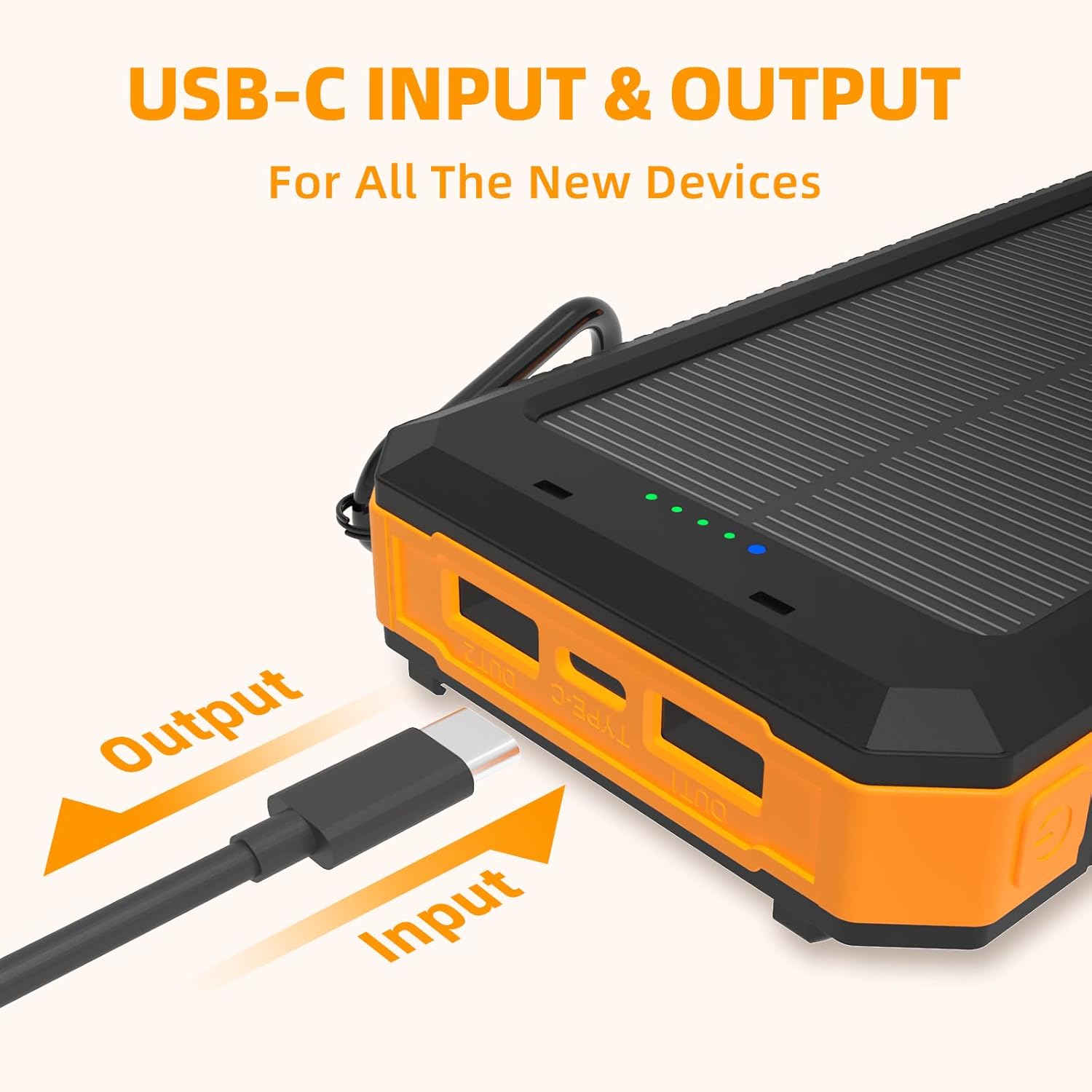
Image: Detail of the USB-C Input/Output port on the power bank.
5.3 Flashlight Operation
The dual LED flashlight has three modes:

Image: The power bank's LED flashlight demonstrating its different modes.
- Turn On/Steady Mode: Press and hold the Power ON/OFF switch for 3 seconds.
- SOS Mode: While the flashlight is on, press the Power ON/OFF switch once. The light will flash in an SOS pattern.
- Strobe Mode: While in SOS mode, press the Power ON/OFF switch once. The light will flash rapidly.
- Turn Off: Press and hold the Power ON/OFF switch for 3 seconds from any mode.
5.4 Compass Usage
The integrated compass on the back of the power bank can assist with basic navigation. Ensure the power bank is held flat and away from strong magnetic fields for accurate readings.
6. Maintenance
To prolong the life of your power bank:
- Keep the device dry and away from moisture.
- Avoid extreme temperatures (hot or cold).
- Clean the exterior with a soft, dry cloth. Do not use harsh chemicals.
- Ensure the protective cover for the ports is securely closed when not in use to maintain water and dust resistance.
7. Troubleshooting
If you encounter issues with your power bank, try the following:
- Device Not Charging: Ensure the power bank is turned on and has sufficient charge. Check all cable connections. Try a different cable or port.
- Power Bank Not Charging: Verify the wall adapter and cable are functioning correctly. Ensure the solar panel is in direct sunlight if using solar charging.
- Slow Charging: Solar charging is inherently slower. For faster charging, use a wall outlet. Ensure your cables and adapter support fast charging if applicable.
- Flashlight Not Working: Press and hold the Power ON/OFF switch for 3 seconds to activate. Check the power indicator for battery level.
If problems persist, please refer to the Warranty & Support section for assistance.
8. Specifications
| Feature | Specification |
|---|---|
| Model Number | PS35K |
| Battery Type | Li-Polymer battery |
| Capacity | 20,000mAh |
| Solar Power | 200mA |
| Input (Type-C) | 5V/2.4A |
| Output (Type-C) | 5V/2.4A |
| Output (USB-A x2) | 5V/2.4A |
| Built-in Cables | Micro USB, Type-C, Lightning (Output), USB-A (Input) |
| Product Dimensions | 5.9 x 3.14 x 0.78 inches |
| Item Weight | 10.5 ounces |
| Material | Eco-friendly silicone rubber and ABS PC |
| Certifications | CE, FCC, RoHS |
9. Warranty & Support
Your Durecopow PS35K Solar Charger Power Bank comes with a 12-month warranty. We are committed to the quality of our products and offer comprehensive customer support.
- After-Sales Service: 24-hour online support is available for any inquiries or issues.
- Replacement Policy: We offer a friendly replacement or refund policy for any related product issues.
- Contact Us: If you have any problems with your item, please contact the MeliTech Store directly for assistance.
10. Media Resources
10.1 Product Images
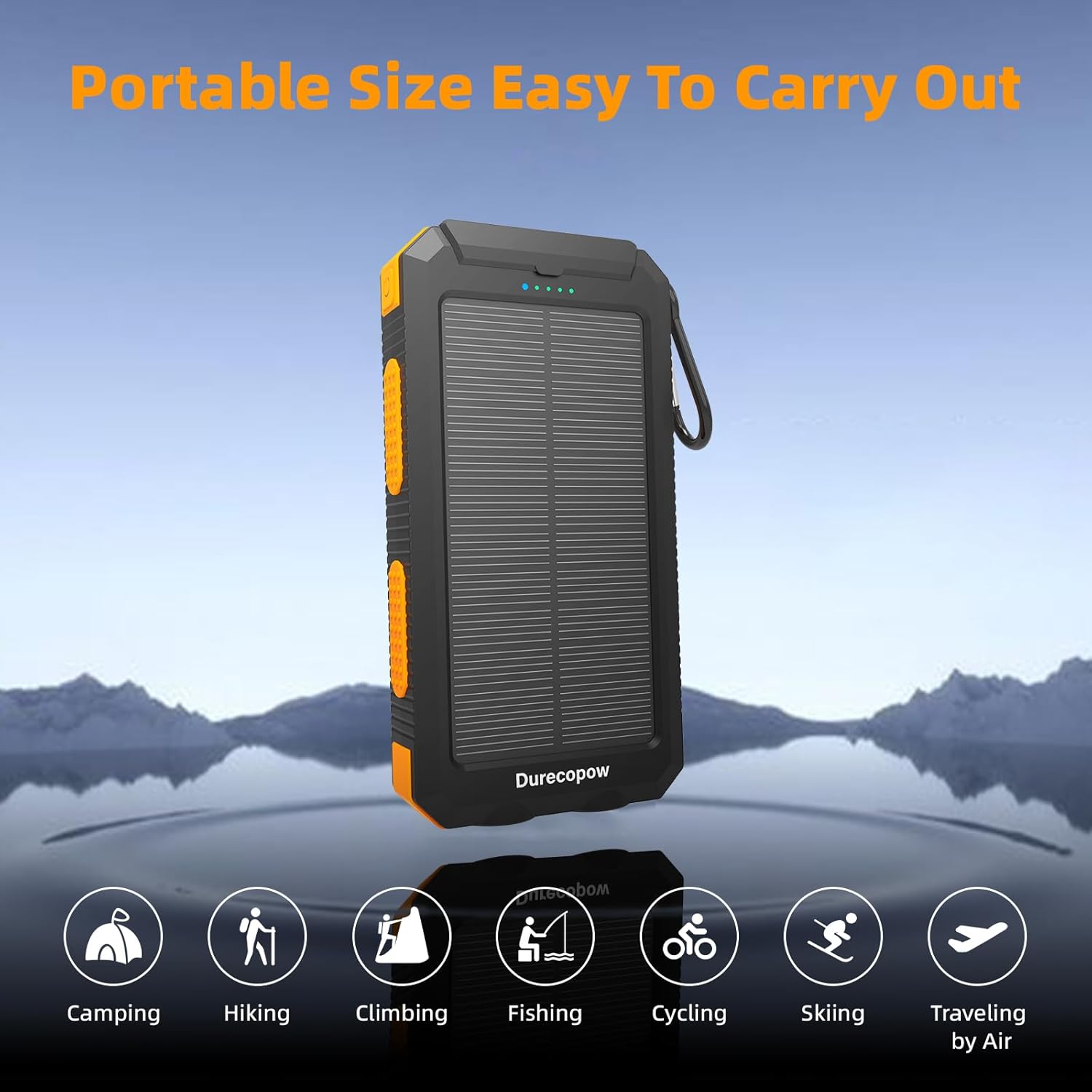
Image: Portable size, easy to carry for outdoor activities.

Image: Demonstrating waterproof, shockproof, and dustproof features.
10.2 Official Product Video
Video: An official product video from MeliTech showcasing the Durecopow Solar Charger Power Bank's features and usage scenarios, including its multi-device charging capabilities, solar charging, flashlight modes, and durable design.