1. Introduction
The Liretope T01 Hidden Camera Detector is an advanced device designed to enhance your privacy and security by detecting various hidden surveillance equipment. This manual provides detailed instructions for setting up, operating, and maintaining your detector to ensure optimal performance.
Key Features:
- One-Touch Control & Dual Alerts: Easily switch between silent vibration and loud 90dB alarms.
- Comprehensive Privacy Protection: Detects 1-6.5GHz wireless cameras (including 4K/5G), magnetic GPS trackers, infrared bugs, and voice recorders.
- Triple-Sensor Technology: RF, IR, and Magnetic sensors enable 360° full-spectrum scanning.
- 15m Range & AI-Powered Accuracy: Locates threats within 2 feet using laser-guided triangulation and a 15-meter detection radius, with AI algorithms reducing false alarms.
- Extended Battery Life: 1-hour USB-C charge provides up to 30 hours of continuous scanning.
- Anti-Theft Alarm Function: High-sensitivity vibration detection triggers a 100dB+ alarm for security.
2. Product Overview

Figure 1: Front view of the Liretope T01 Detector.
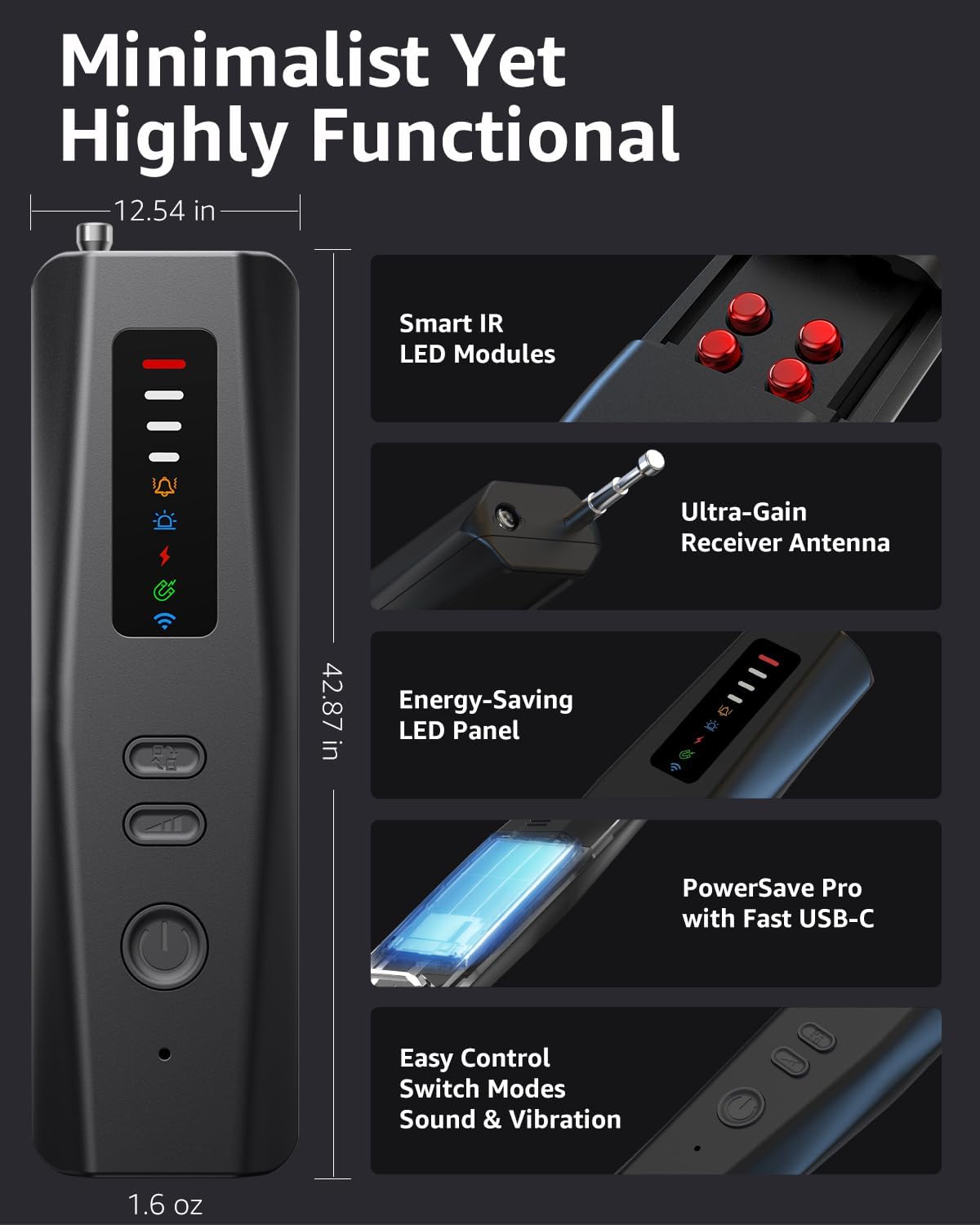
Figure 2: Key components and features of the Liretope T01 Detector.
3. Getting Started
3.1 Package Contents
- Liretope T01 Hidden Camera Detector
- USB-C Charging Cable
- User Manual
3.2 Charging the Device
Before first use, fully charge the detector using the provided USB-C cable. Connect the USB-C end to the detector and the USB-A end to a compatible power adapter (not included) or a computer USB port. The charging indicator light will illuminate during charging and turn off when fully charged. A full charge takes approximately 1 hour and provides up to 30 hours of continuous operation.
3.3 Basic Controls
The device features intuitive controls:
- Power On/Off & Sound/Vibration Toggle Button: Press and hold to power on/off. Short press to switch between sound and vibration alerts.
- Function Toggle Button: Short press to cycle through different detection modes (Wireless, Infrared, Magnetic, Anti-Theft).
- Signal Sensitivity / Infrared Scan Adjustment Button: Adjusts sensitivity in wireless mode or flashing speed in infrared mode.
Video 1: An overview of the Liretope T01 Detector's components and basic button functions, including how to extend the antenna and activate different modes. This video demonstrates the physical aspects and initial setup of the device.
4. Operating Modes
4.1 Wireless Signal Detection (RF)
This mode detects wireless signals emitted by hidden cameras, listening devices, and GPS trackers operating between 1-6.5GHz.
- Power on the device. The wireless detection mode is enabled by default upon startup.
- Extend the antenna for optimal signal reception.
- Slowly scan the area. The LED signal strength indicators will light up, and the device will emit an audible or vibrating alert when a wireless signal is detected.
- Adjust the sensitivity using the Signal Sensitivity button. Lower sensitivity helps pinpoint the exact location of a strong signal source.
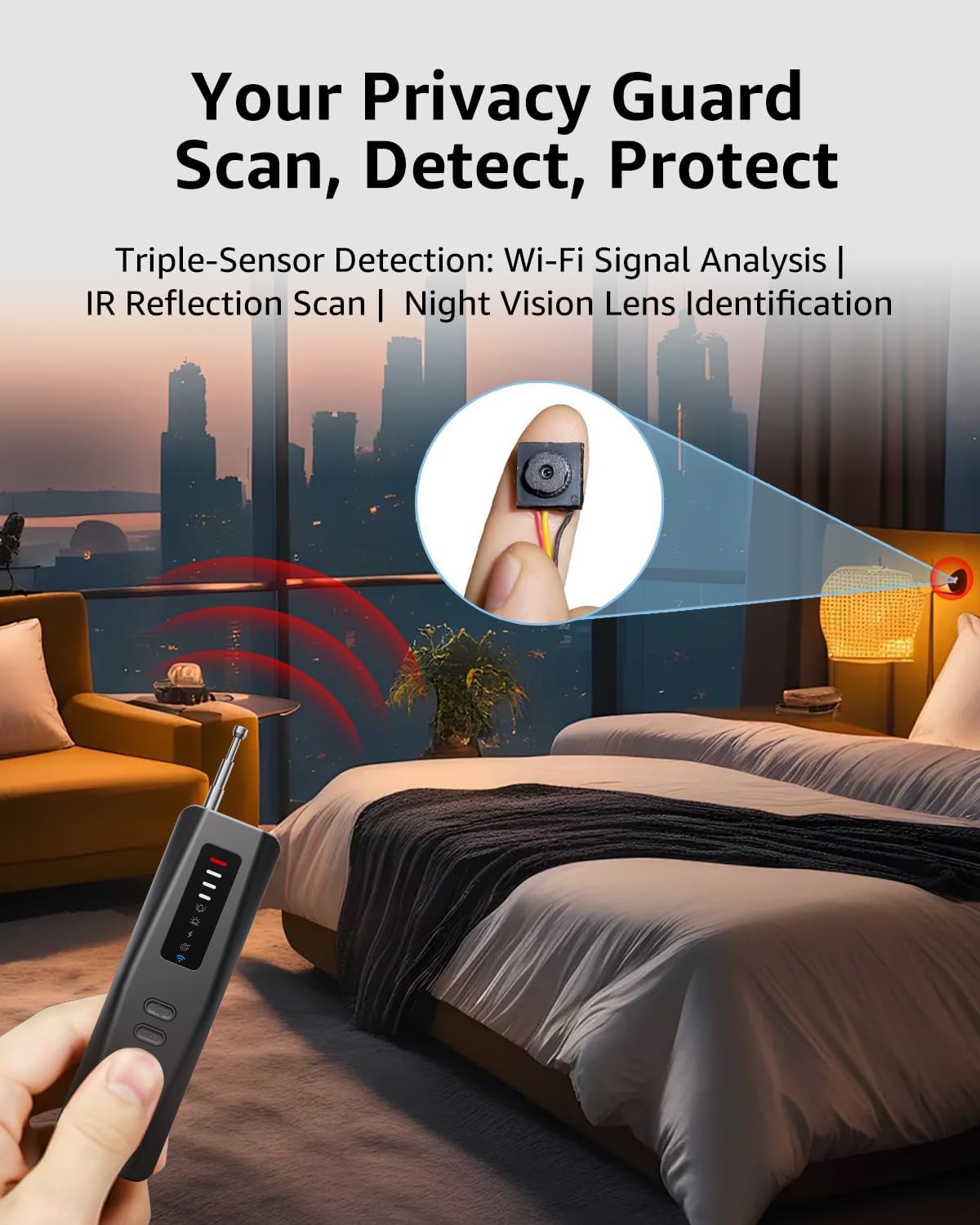
Figure 3: Using the detector for wireless camera detection in a room.
4.2 Infrared (IR) Camera Detection
This mode helps locate hidden cameras by detecting their infrared lenses, even if they are not actively transmitting a signal. This is most effective in dark environments.
- Press the Function Toggle Button to switch to Infrared Scanning Mode. The IR LEDs on the device will illuminate.
- Look through the red viewing window on the detector.
- Scan the area, paying close attention to objects and surfaces. Hidden camera lenses will appear as bright red dots through the viewing window.
- Press the adjustment button to change the flashing speed of the IR light, which can help in identifying different types of lenses.

Figure 4: Infrared camera detection in action.
4.3 Magnetic Field Detection (GPS Tracker)
This mode is specifically designed to detect magnetic GPS trackers, which are often covertly attached to vehicles or other metal surfaces.
- Press the Function Toggle Button to activate GPS Magnetic Detection Mode. The corresponding indicator light will illuminate.
- Move the detector close to surfaces where a magnetic tracker might be hidden, such as under car seats, bumpers, or within luggage.
- The device will alert you with increasing signal strength indicators and an alarm when a magnetic field is detected.
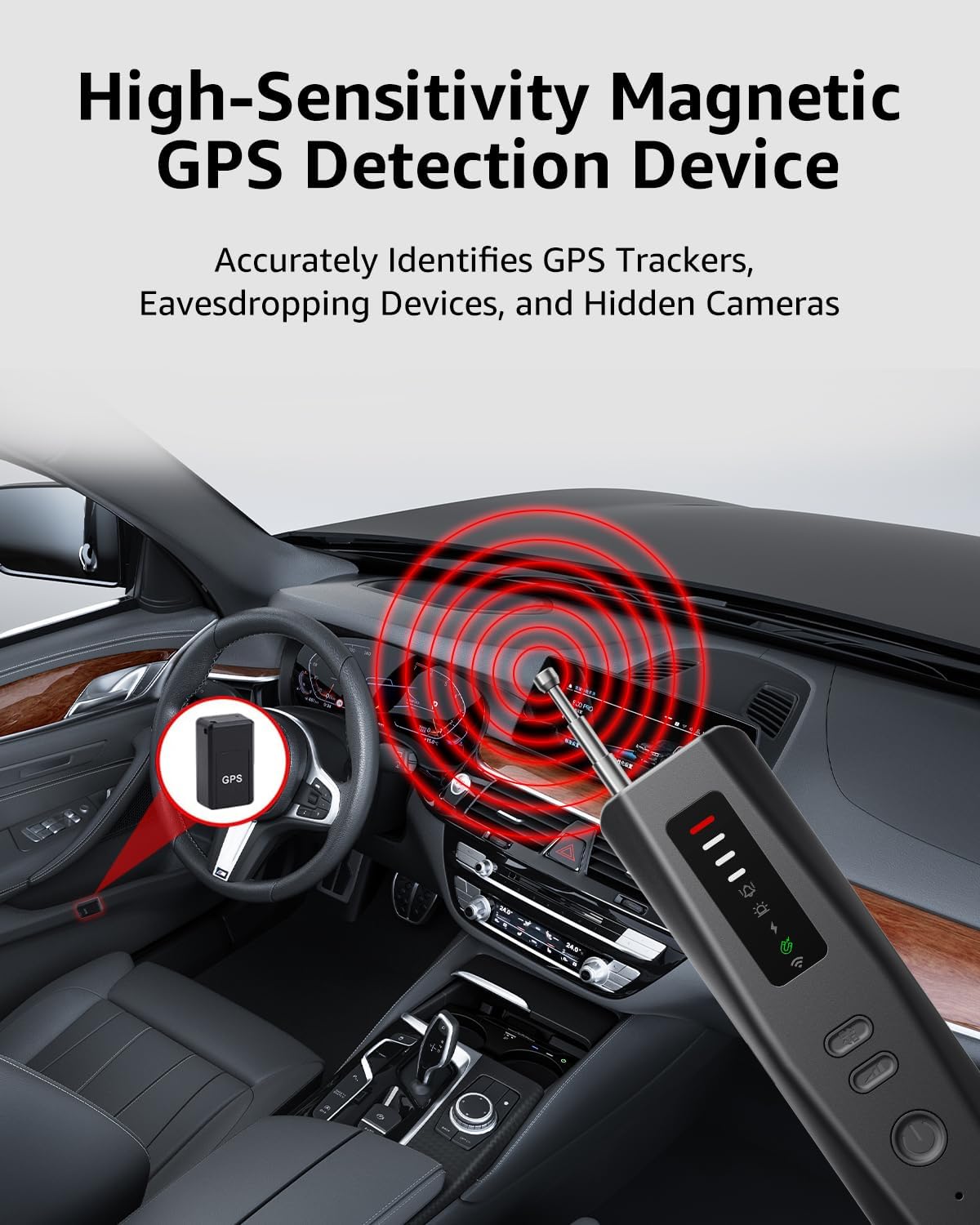
Figure 5: Detecting a magnetic GPS tracker in a car.
4.4 Anti-Theft Alarm Function
The detector can also function as an anti-theft alarm, utilizing its sensitive vibration detection capabilities.
- Press the Function Toggle Button to activate the Anti-Theft Alarm Mode. The alarm icon will illuminate.
- Place the device on or near items you wish to protect (e.g., behind a door, in a suitcase, on valuable items).
- If the device detects significant vibrations or movement, it will trigger a loud 100dB+ piercing alarm to deter potential intruders or alert you to tampering.
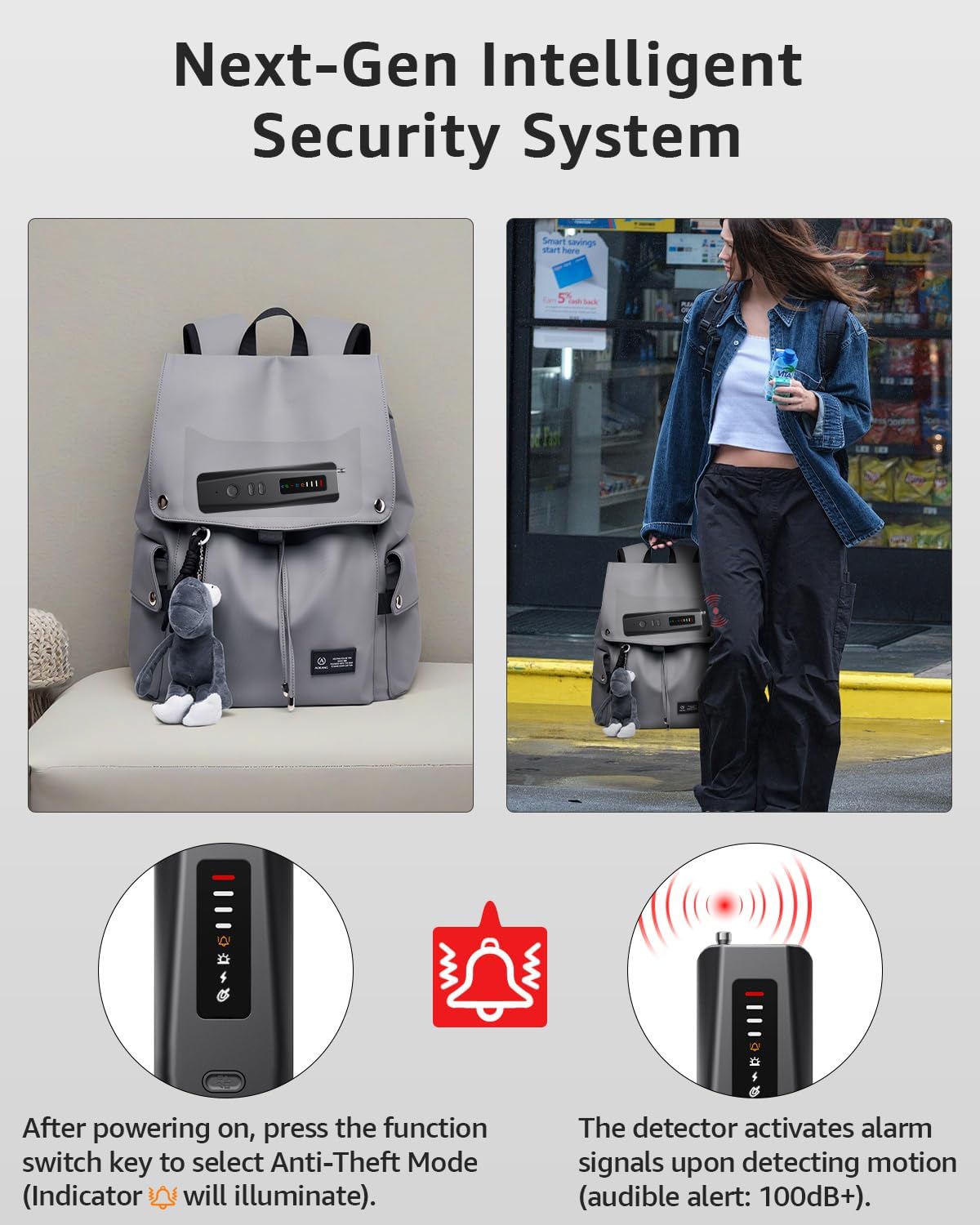
Figure 6: Anti-theft alarm mode activated on a backpack.
5. Maintenance
- Cleaning: Use a soft, dry cloth to clean the device. Do not use abrasive cleaners or solvents.
- Storage: Store the detector in a cool, dry place away from direct sunlight and extreme temperatures.
- Battery Care: To prolong battery life, avoid fully discharging the device frequently. Charge it regularly, even if not in use for extended periods.
- Avoid Impact: Protect the device from drops and impacts, which can damage internal components.
6. Troubleshooting
| Problem | Possible Cause | Solution |
|---|---|---|
| Device does not power on | Low battery; Device malfunction | Charge the device fully. If the issue persists, contact customer support. |
| False alarms in wireless detection mode | High sensitivity; Interference from other devices (Wi-Fi, phones) | Reduce the sensitivity level. Move away from known wireless devices. |
| Cannot detect hidden cameras in IR mode | Area too bright; Camera not IR-enabled; Incorrect usage | Ensure the area is dark. Scan slowly and thoroughly. Confirm the camera has an IR lens. |
| Magnetic detection not working | Tracker not magnetic; Device not close enough | Ensure the tracker uses magnetic attachment. Bring the detector very close to the suspected area. |
| Anti-theft alarm not triggering | Insufficient vibration; Mode not active | Ensure the device is in Anti-Theft Alarm Mode. Test with a stronger vibration. |
7. Specifications
| Feature | Detail |
|---|---|
| Model Number | T01 |
| Compatible Devices | Spy Cameras |
| Power Source | Battery Powered |
| Connectivity Protocol | Wi-Fi |
| Controller Type | Push Button |
| Color | Black |
| Form Factor | Box |
| Material | Plastic |
| Water Resistance Level | Not Water Resistant |
| Batteries Required? | Yes (1 A battery included) |
| Connectivity Technology | Wireless |
| Special Feature | Adjustable Sensitivity |
| Indoor/Outdoor Usage | Indoor |
8. Warranty and Support
For warranty information and customer support, please refer to the documentation included with your purchase or contact the seller directly. Protection plans may be available for extended coverage.