1. Introduction
This manual provides essential information for setting up, operating, maintaining, and troubleshooting your ACEMAGICIAN W1 Mini PC. The ACEMAGICIAN W1 is a compact and powerful mini computer featuring an AMD Ryzen 7 H 255 (Upgraded 8745HS) processor, 32GB DDR5 5600MHz RAM, and a 1TB PCIe 4.0 M.2 SSD. It supports 8K triple display output and offers versatile connectivity options, making it suitable for various applications from commercial offices to home media centers and light gaming.

Figure 1.1: ACEMAGICIAN W1 Mini PC highlighting its core features.
2. What's in the Box
Verify that all items listed below are included in your package:
- 1 x W1 Mini PC
- 1 x HDMI Cable
- 1 x User Manual
- 1 x Power Adapter
- 1 x VESA Mount with Screws
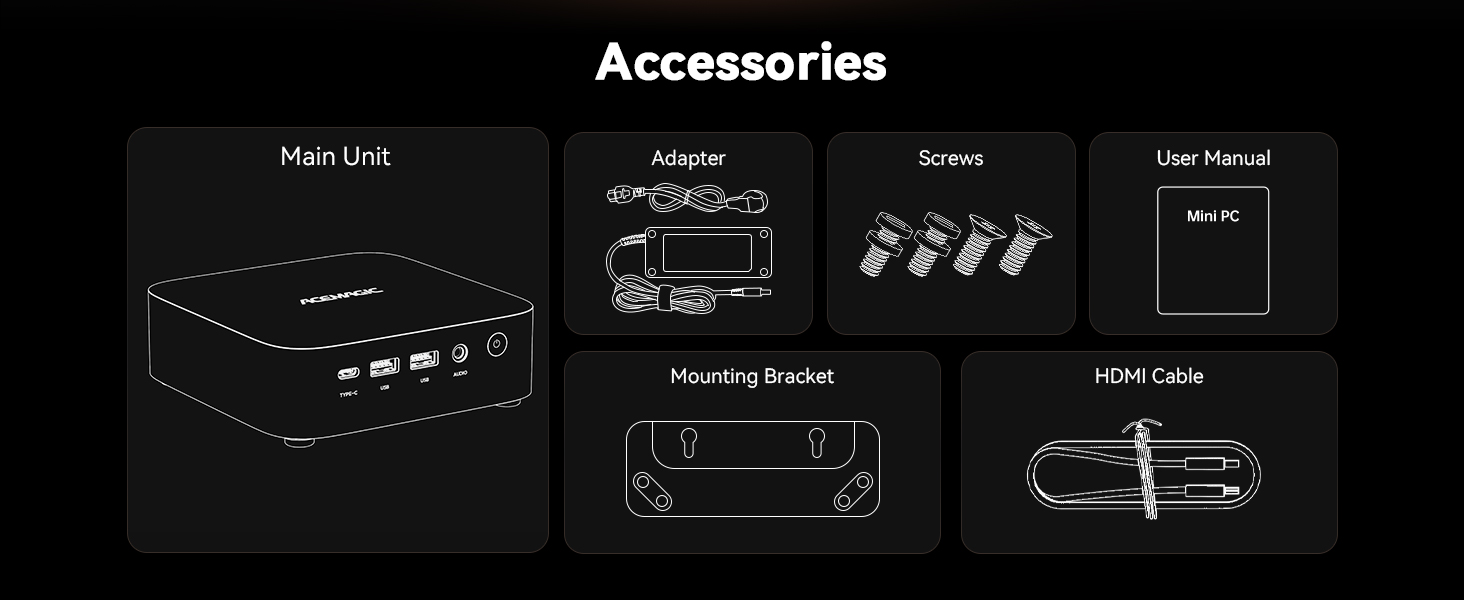
Figure 2.1: Package contents of the ACEMAGICIAN W1 Mini PC.
Video 2.1: An unboxing video demonstrating the contents of the ACEMAGICIAN W1 Mini PC package and initial setup steps.
3. Setup
Follow these steps to set up your ACEMAGICIAN W1 Mini PC:
- Connect to Power: Plug the power adapter into the DC IN port on the back of the mini PC, then connect it to a power outlet.
- Connect to Display: Use an HDMI or DisplayPort cable to connect your monitor to the corresponding port on the back of the mini PC. For USB4 Type-C display, use a compatible cable.
- Connect Peripherals: Plug in your keyboard, mouse, and other USB devices into the available USB 3.2 ports on the front or back of the mini PC.
- Network Connection: For wired internet, connect an Ethernet cable to the 2.5GbE LAN port. For wireless, the device supports WiFi 6E and Bluetooth 5.2.
- Power On: Press the power button on the front of the mini PC to start the system.
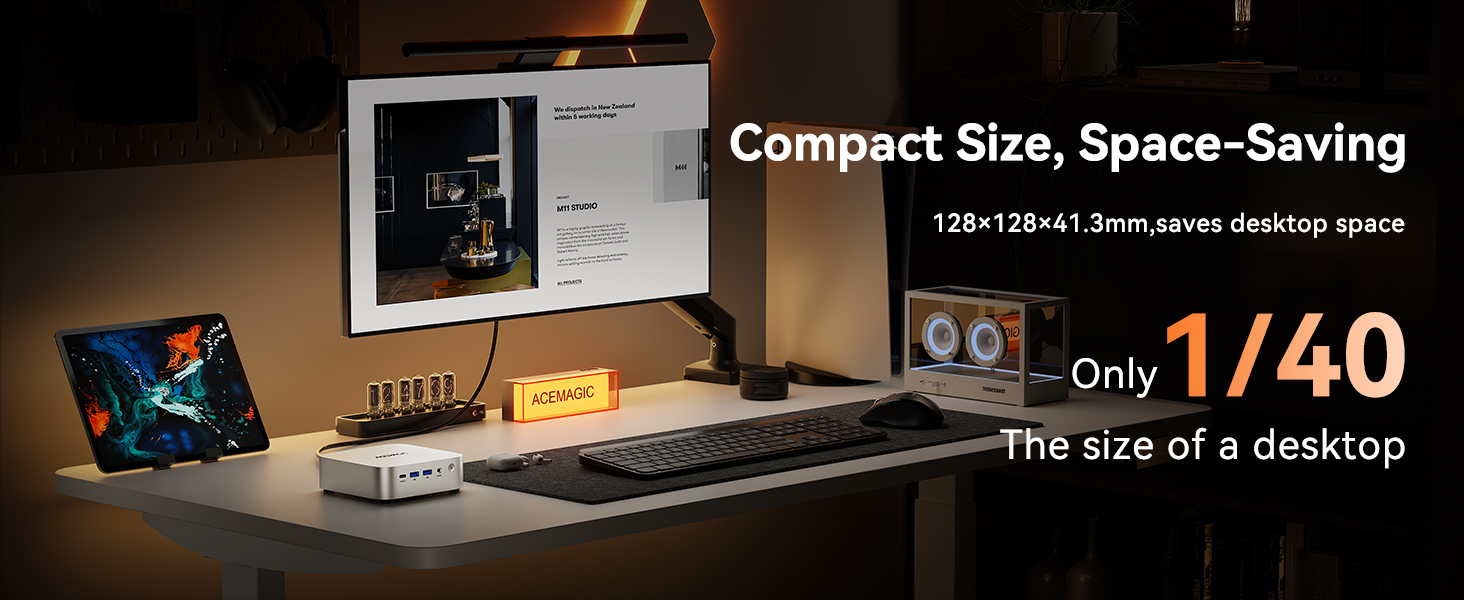
Figure 3.1: Front and rear interfaces of the ACEMAGICIAN W1 Mini PC.
4. Operating Your Mini PC
Your ACEMAGICIAN W1 Mini PC comes pre-installed with Windows 11 Pro, offering a familiar and efficient operating environment. The powerful AMD Ryzen 7 8745HS processor and Radeon 780M graphics ensure smooth performance for daily tasks, creative work, and even light gaming.
4.1. Multi-Display Support
The W1 Mini PC supports up to three 8K displays simultaneously via HDMI 2.1, DisplayPort 2.0, and USB4 Type-C. This allows for enhanced productivity and immersive viewing experiences.

Figure 4.1: Triple-display setup with the ACEMAGICIAN W1 Mini PC.
Video 4.1: Demonstration of the ACEMAGICIAN W1 Mini PC supporting triple display output for enhanced multitasking.
Video 4.2: A video showcasing the ACEMAGICIAN W1 Mini PC's capability to support 4K and 8K displays.
4.2. Connectivity
Enjoy robust and high-speed connections with WiFi 6E, Bluetooth 5.2, and a 2.5GbE LAN port for stable wired networking.

Figure 4.2: Ultra-fast connectivity options on the ACEMAGICIAN W1 Mini PC.
4.3. Performance Overview
The AMD Ryzen 7 H 255 processor (8C/16T, up to 4.9GHz) provides excellent multi-core performance, while the integrated AMD Radeon 780M Graphics (12 cores, 2600 MHz) handles demanding visual tasks and supports DirectX 12 Ultimate for smooth gaming.

Figure 4.3: AMD Ryzen 7 H 255 Processor Performance.
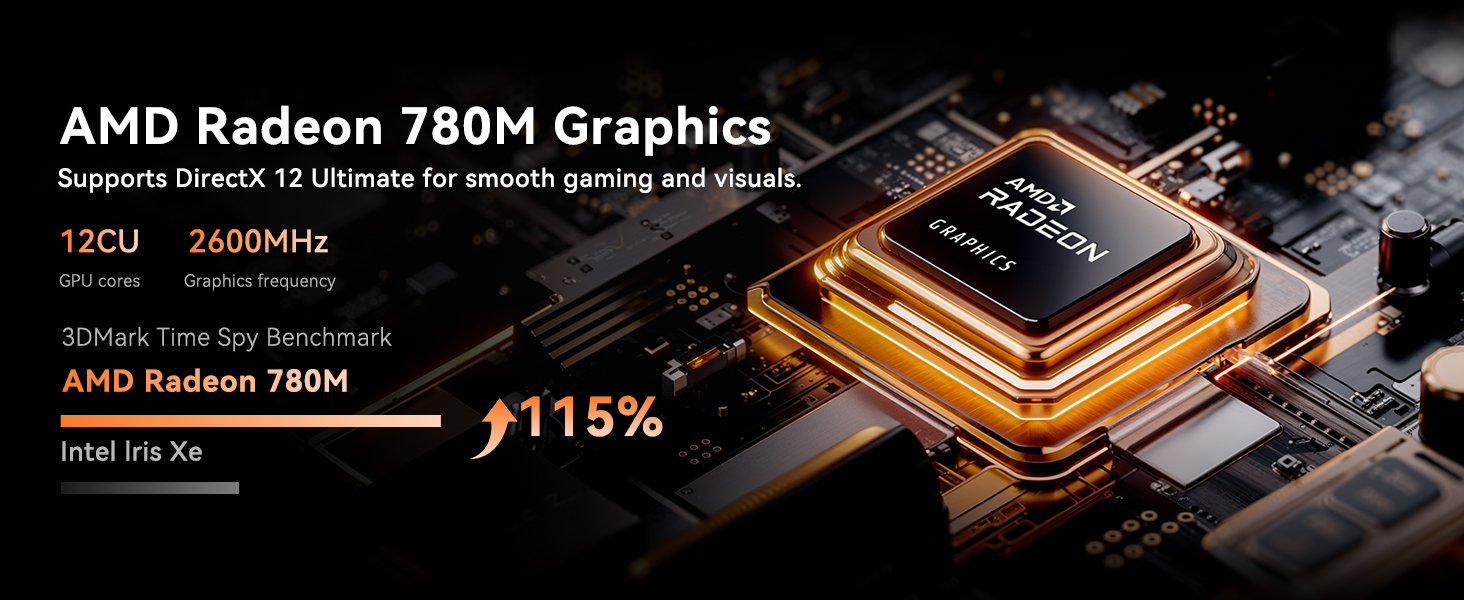
Figure 4.4: AMD Radeon 780M Graphics Performance.
Video 4.3: Gameplay footage of Forza Horizon 5 on the ACEMAGICIAN W1 Mini PC, demonstrating its gaming capabilities.
5. Maintenance and Upgrades
5.1. Storage and Memory Expansion
The ACEMAGICIAN W1 Mini PC comes with 32GB DDR5 5600MHz RAM (dual-channel, expandable up to 128GB) and a 1TB PCIe 4.0 M.2 SSD. For additional storage, you can easily add a 2.5" SSD (not included) to expand up to 4TB.

Figure 5.1: Memory and Storage Configuration.
Video 5.1: A detailed video guide on how to install or upgrade SSD and DDR memory in the ACEMAGICIAN W1 Mini PC.
5.2. Advanced Cooling System
The mini PC features an advanced cooling system with dual centrifugal fans, a stacked fin array, copper thermal framework, and conductive silicone interfaces. An independent aluminum SSD heatsink maintains temperatures below 70°C under load, ensuring sustained performance and component longevity.

Figure 5.2: Advanced Cooling System Components.
6. Troubleshooting
If you encounter any issues with your ACEMAGICIAN W1 Mini PC, please refer to the following general troubleshooting tips:
- No Power: Ensure the power adapter is securely connected to both the mini PC and a working power outlet. Check the power button for any damage.
- No Display: Verify that the HDMI, DisplayPort, or USB4 Type-C cable is correctly connected to both the mini PC and the monitor. Try a different cable or monitor if possible. Ensure the monitor is powered on and set to the correct input source.
- Peripheral Not Detected: Try connecting the peripheral to a different USB port. Ensure drivers are up-to-date if required.
- Slow Performance: Check for background applications consuming resources. Ensure sufficient free storage space. Consider updating Windows and drivers.
- Network Issues: For wired connections, check the Ethernet cable and router. For wireless, ensure WiFi is enabled and connected to the correct network. Restart your router if necessary.
7. Specifications
Below are the detailed technical specifications for the ACEMAGICIAN W1 Mini PC:
| Category | Specification |
|---|---|
| Model | W1 |
| Processor | AMD Ryzen 7 H 255 (Upgraded 8745HS) (8C/16T, 3.8GHz up to 4.9GHz) |
| Graphics | AMD Radeon 780M Graphics (12 cores, 2600 MHz) |
| RAM | 32GB DDR5 5600MHz (Dual-channel, expandable up to 128GB) |
| Storage | 1TB PCIe 4.0 M.2 SSD (Expandable up to 4TB with 2.5" SSD) |
| Operating System | Windows 11 Pro |
| Video Output | HDMI 2.1 (8K), DisplayPort 2.0 (8K), USB4 Type-C (8K@60Hz) - Triple Display Support |
| USB Ports | 6 x USB 3.2, 1 x USB4 Type-C (10Gbps) |
| Network | 2.5GbE RJ45 LAN, WiFi 6E, Bluetooth 5.2 |
| Audio | 3.5mm Audio Jack |
| Dimensions | 128 x 128 x 41.3 mm |
| Weight | Approx. 2.8 pounds |

Figure 7.1: Summary of ACEMAGICIAN W1 Mini PC specifications.
8. Warranty and Support
All ACEMAGICIAN mini PC computers are covered by a complete 12-month assurance. The product has FCC, ROHS, and CE certifications, ensuring quality and safety standards.
For any questions or support regarding your purchase, please contact ACEMAGICIAN customer service through Amazon. Our support team is available 7 days a week, 24 hours a day, to provide assistance and ensure your peace of mind.
For further assistance, you may visit the ACEMAGICIAN Store on Amazon.


