
EasyCount E HP1
Contents
Easy Count E Mini Heat Press Machine (Model HP1) User Manual
Model: HP1
Introduction
The Easy Count E Mini Heat Press Machine is designed for small-scale heat transfer projects, including crafts, T-shirts, hats, shoes, and HTV vinyl applications. Its compact and portable design makes it suitable for intricate work and on-the-go use. This manual provides essential information for safe and effective operation of your device.
Safety Information
Always prioritize safety when operating electrical appliances. Read and understand all safety instructions before use.
- Keep the device away from water and flammable materials.
- Do not touch the hot plate during or immediately after operation. Use the insulated safety base provided.
- Ensure the power cord is not damaged and is properly connected to a suitable power outlet (110-220V compatible).
- Unplug the device when not in use or before cleaning.
- The device features an automatic shut-off function after 10 minutes of inactivity to prevent overheating.
- The handle may remain warm even after the device is turned off but still plugged in. Always unplug the unit completely when finished.
- This product includes overcurrent and short circuit protection.
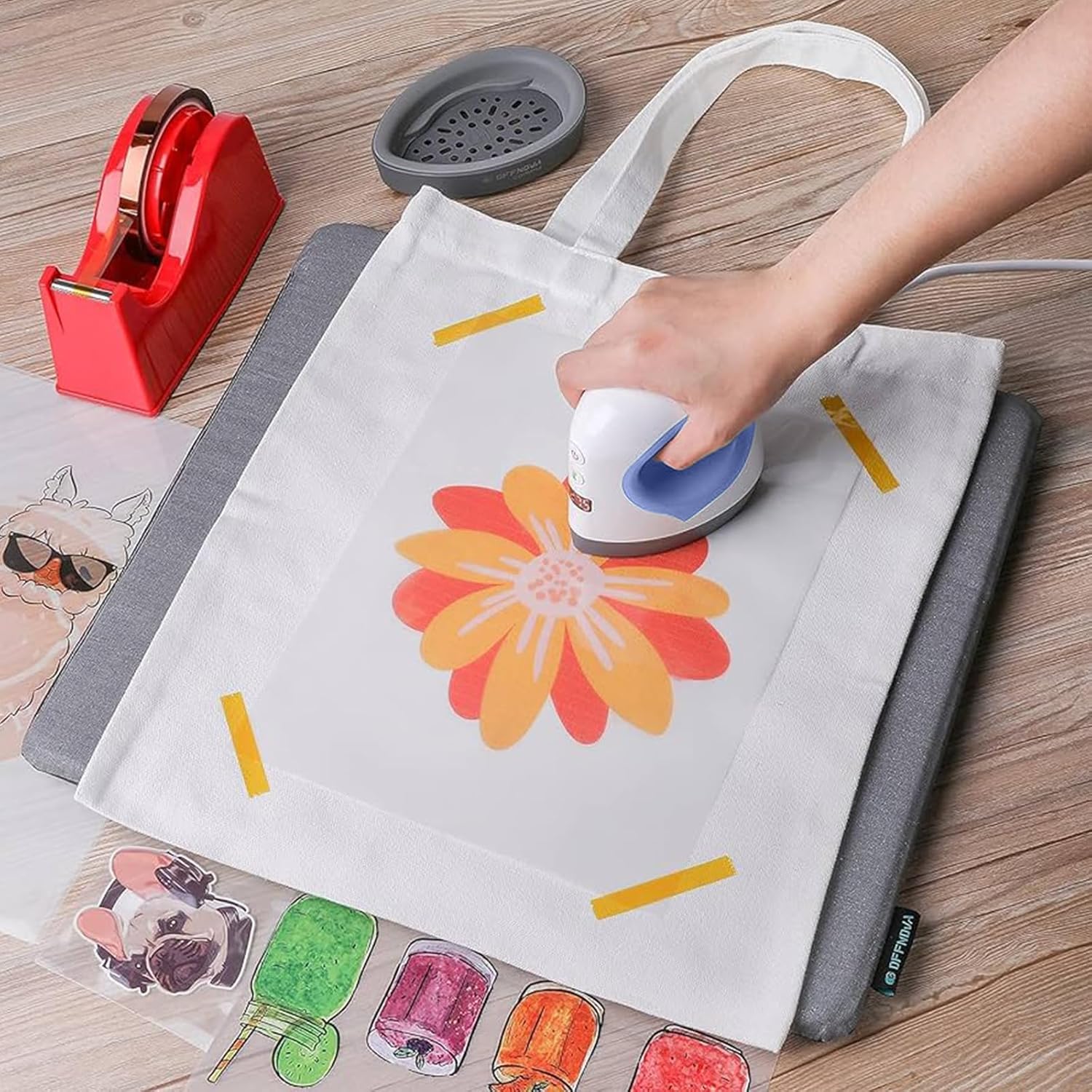
Image: Overview of the Easy Count E Mini Heat Press Machine's safety features, highlighting the ergonomic handle, LED screen digital controls, evenly heated plate, insulated antislip base, fireproof design, auto shut-off & overheat protection, overcurrent protection, and short circuit protection.
Package Contents
Upon unpacking, verify that all items are present:
- Easy Count E Mini Heat Press Machine
- Insulated Safety Base
- User Manual
Product Overview
Familiarize yourself with the components of your Mini Heat Press Machine:

Image: Diagram illustrating the components of the Easy Count E Mini Heat Press Machine, including the Comfortable Handle, Power Button, Temperature Adjustable Button, LED Display, Dry Even Heat Plate, Precision Tip, and Safety Base.
- Comfortable Handle: Ergonomically designed for ease of grip during use.
- Power Button: Turns the device on and off.
- Temperature Adjustable Button: Cycles through available temperature settings.
- LED Display: Shows the current temperature setting.
- Dry, Even Heat Plate: Provides consistent heat distribution for effective transfers.
- Precision Tip: Allows for accurate application on small or intricate areas.
- Safety Base: Insulated base for safe resting of the hot press when not in active use.
Setup
- Unpack: Carefully remove the heat press and all accessories from the packaging.
- Placement: Place the insulated safety base on a stable, heat-resistant surface.
- Power Connection: Plug the power cord into a compatible 110-220V electrical outlet. The device will enter standby mode.
Operating Instructions
Powering On and Temperature Selection
- Power On: Press the Power Button (usually indicated by a power symbol) to turn on the heat press. The LED display will illuminate.
- Select Temperature: Press the Temperature Adjustable Button (usually indicated by a thermometer symbol) to cycle through the available temperature settings. The device offers multiple temperature levels, ranging from approximately 210°F to 400°F, suitable for various materials.
- Heating: The device will begin to heat up rapidly, typically reaching the desired temperature in approximately 20 seconds. The LED display will show the current temperature.

Image: Display showing 11 different temperature levels (210, 255, 270, 280, 290, 305, 315, 330, 340, 365, 400) for various materials on the Easy Count E Mini Heat Press Machine.
Application Process
- Prepare Surface: Place your material (e.g., T-shirt, hat, bag) on a flat, heat-resistant surface. Ensure the area for transfer is smooth and free of wrinkles.
- Position Design: Carefully place your HTV vinyl or transfer design onto the material. Secure it with heat-resistant tape if necessary.
- Apply Heat: Once the heat press reaches the desired temperature, gently place it over your design. Apply even, firm pressure. Refer to your transfer material's specific instructions for recommended time and pressure.
- Remove Heat Press: After the recommended time, lift the heat press and immediately place it back on its insulated safety base.
- Peel Design: Follow the peeling instructions for your specific transfer material (e.g., warm peel, cool peel).

Image: Examples of versatile applications for the Easy Count E Mini Heat Press Machine, including heat transfers on hats, bags, T-shirts, and coasters.

Image: A person using the Easy Count E Mini Heat Press Machine to apply a design to a T-shirt, demonstrating its portable and handheld nature.
Automatic Shut-Off
For safety and energy conservation, the Mini Heat Press Machine will automatically power off after 10 minutes of inactivity. To resume operation, press the Power Button again.

Image: Illustration highlighting key features of the Mini Heat Press Machine, including an icon for 10 minutes auto power off, LED display, net weight, fast heating, and 110-220V compatibility.
Maintenance
- Cleaning: Ensure the device is unplugged and completely cool before cleaning. Wipe the heat plate with a soft, damp cloth. Do not use abrasive cleaners or immerse the device in water.
- Storage: Store the heat press in a dry, safe place, preferably on its insulated safety base, away from children and pets.
Troubleshooting
| Problem | Possible Cause | Solution |
|---|---|---|
| Device does not power on. | Not plugged in; power outlet issue; device malfunction. | Check power cord connection. Try a different outlet. If problem persists, contact customer support. |
| Device not heating up. | Incorrect temperature setting; internal fault. | Ensure a temperature setting is selected. If the device powers on but does not heat, contact customer support. |
| Uneven heat transfer. | Insufficient pressure; uneven surface; incorrect temperature/time. | Apply firm, even pressure. Ensure the working surface is flat. Verify temperature and time settings for your material. |
| Handle remains warm after turning off. | Normal standby behavior. | This is expected. Always unplug the device completely from the power outlet when not in use. |
Specifications
| Model Number | HP1 |
| Brand | EasyCount E |
| Product Dimensions | 7 x 5.8 x 3.09 inches (17.78 x 14.73 x 7.85 cm) |
| Item Weight | 0.035 ounces (approximately 1 gram) |
| Material | Alloy Steel, Aluminum |
| Power Compatibility | 110-220V |
| Temperature Settings | Multiple levels, up to 400°F (204°C) |
| Auto Shut-off | After 10 minutes of inactivity |

Image: Detailed dimensions of the Easy Count E Mini Heat Press Machine compared to a smartphone, highlighting its compact and portable design. Also lists features like LED Display, Net Weight (1.0LB/0.45KG), Fast Heating, 10 mins auto power off, and 110-220V compatibility.
Customer Support
EasyCount E is committed to providing excellent customer service. If you encounter any issues with your Mini Heat Press Machine or have questions not covered in this manual, please contact our dedicated customer support team for assistance. We will provide a tailored solution to ensure your satisfaction.
For support, please refer to the contact information provided with your purchase or visit the official EasyCount E website.
Ask a question about this manual
Ask about setup, troubleshooting, compatibility, parts, safety, or missing instructions. Manuals+ will review the question and use this page’s manual context to help answer it.