
Introduction
The MechLands Aula F-NB98 is a transparent mechanical keyboard designed for both gaming and professional use. It features customizable RGB backlighting, a compact 96% layout, an interactive display screen, hot-swappable linear switches, and versatile 3-mode connectivity (wired, 2.4GHz wireless, and Bluetooth) with an 8000mAh battery. This manual provides detailed instructions to help you set up, operate, and maintain your keyboard.
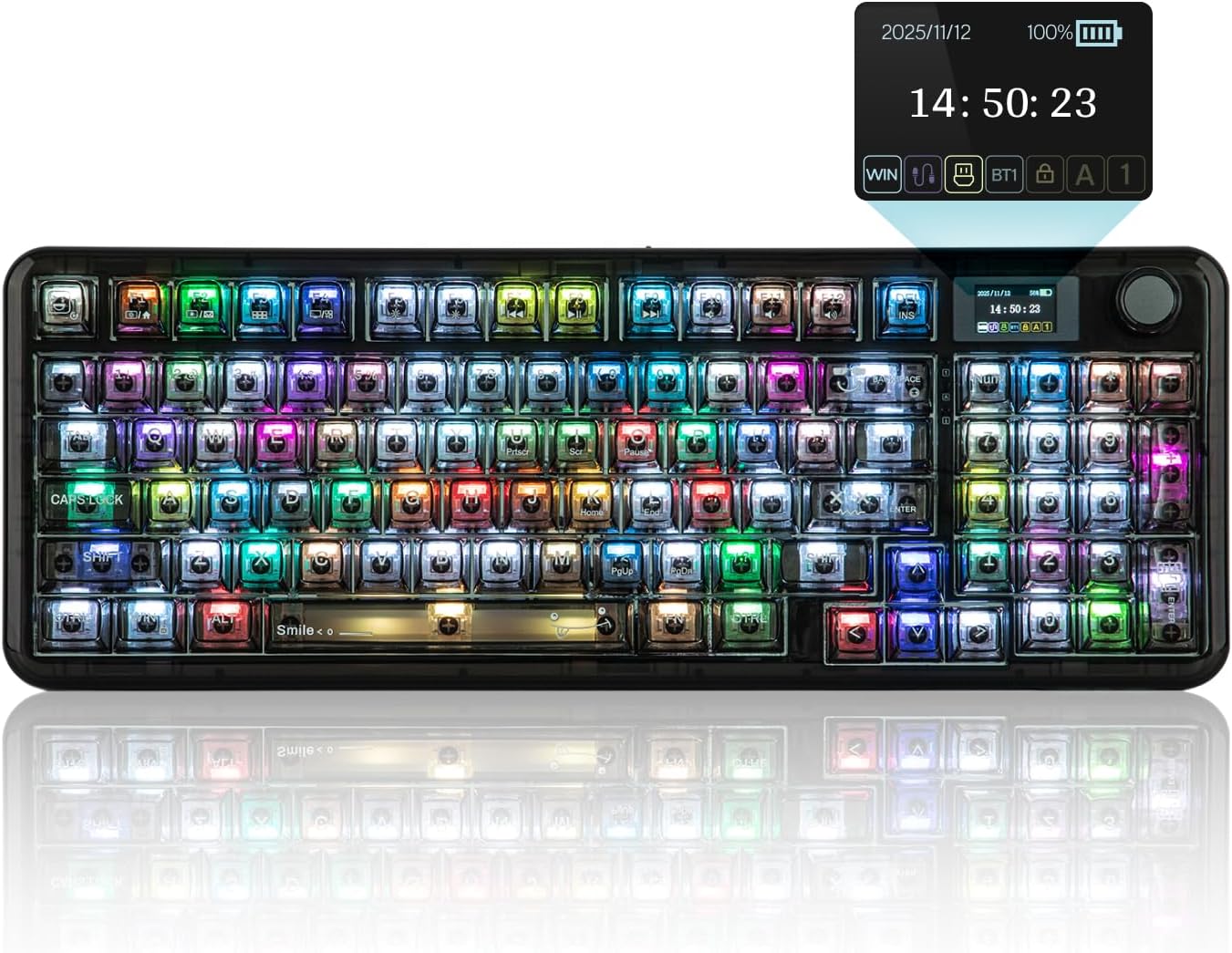
Figure 1: MechLands Aula F-NB98 Transparent Wireless Mechanical Keyboard.
What's in the Box
Please verify that all the following items are included in your package:
- MechLands Aula F-NB98 Keyboard
- USB Cable
- Keycap Puller
- User Manual
Setup
1. Connectivity Modes
The F-NB98 keyboard supports three connection modes: wired (USB-C), 2.4GHz wireless, and Bluetooth. Use the switch located on the back of the keyboard to select your desired mode.
- Wired Mode: Connect the provided USB-C cable to the keyboard and your computer.
- 2.4GHz Wireless Mode: Insert the 2.4GHz USB dongle into your computer. Switch the keyboard to 2.4GHz mode.
- Bluetooth Mode: Switch the keyboard to Bluetooth mode. Search for the keyboard on your device's Bluetooth settings and pair.
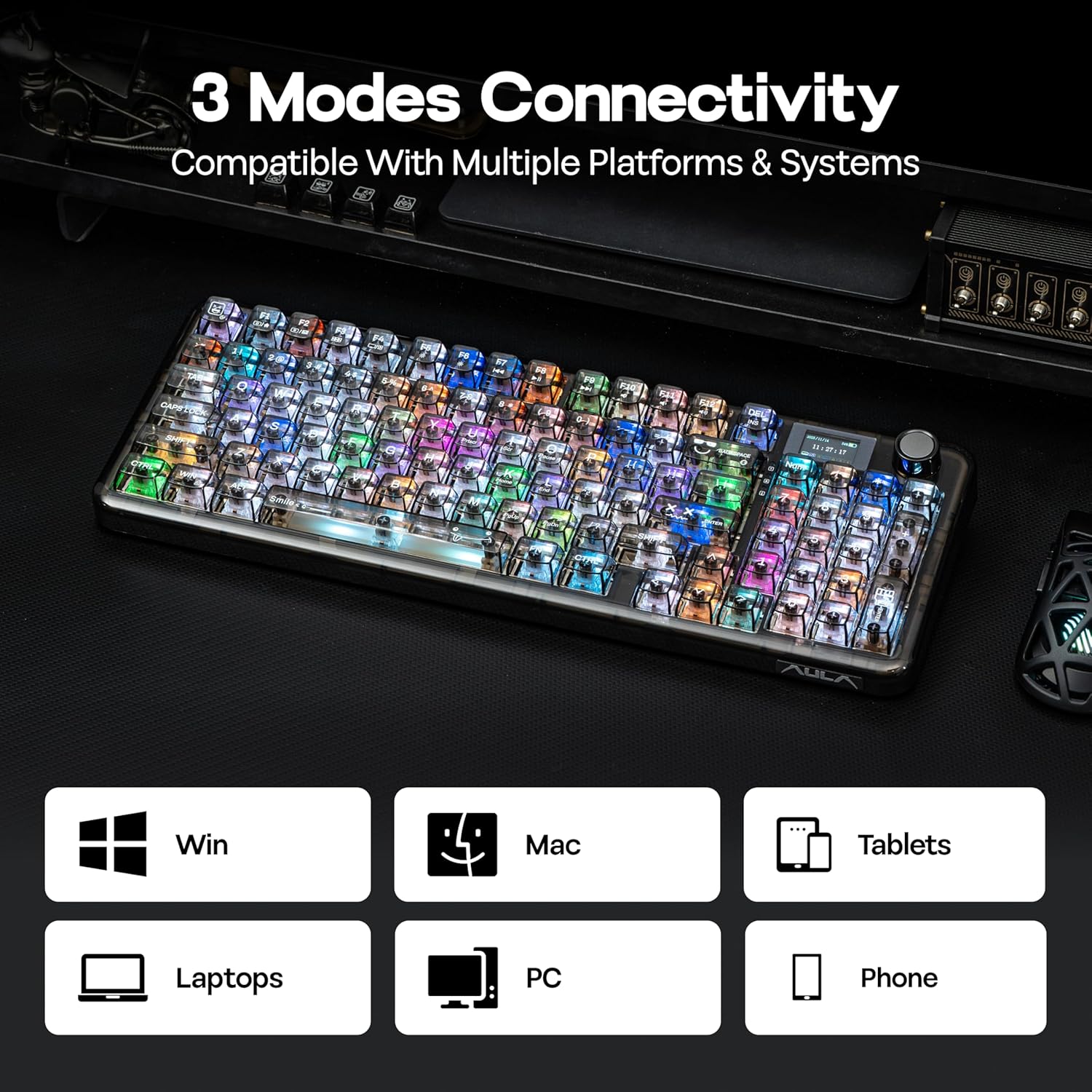
Figure 2: Three Modes Connectivity.
2. Charging
The keyboard is equipped with an 8000mAh battery. To charge, connect the USB-C cable to the keyboard and a power source. The interactive display screen will show the battery status.
3. Dongle Location
The 2.4GHz wireless dongle is conveniently stored under a magnetic panel on the bottom of the keyboard. Gently remove the panel to access the dongle.

Figure 3: Keyboard underside showing dongle storage and adjustable stands.
4. Adjustable Stands
Adjust the keyboard's typing angle using the integrated adjustable stands located on the underside. Flip them out for an elevated position or keep them folded for a flatter profile.
Operating Instructions
1. RGB Backlighting
The F-NB98 features customizable RGB backlighting. Use the keyboard's function keys or the programmable driver software to cycle through various lighting effects, adjust brightness, and change colors. The translucent keycaps and north-facing LEDs enhance the visual appeal of the lighting.

Figure 4: Vibrant RGB Backlights.
Video 1: Demonstration of RGB lighting effects and keyboard features.
Video 2: Overview of the transparent design and RGB lighting of the F-NB98 keyboard.
2. Interactive Display Screen
The keyboard features an interactive display screen that provides real-time information such as time, date, battery life, and connection status. Use the multi-function knob next to the screen to navigate through settings and options, including lighting adjustments, volume control, and language settings.

Figure 5: Interactive Display Screen functions.
3. Hot-Swappable Switches
The F-NB98 is equipped with hot-swappable linear switches, allowing you to easily change switches without soldering. This feature enables customization of your typing experience. Use the provided keycap puller and switch puller (if included) to remove and replace switches.

Figure 6: Example of a hot-swappable linear switch.
4. Programmable Driver
Download and install the dedicated programmable driver software from the MechLands website to unlock advanced customization options. This software allows for key remapping, macro editing, layer definition, backlight settings, music rhythm synchronization, and other system settings.

Figure 7: Programmable Driver interface.
5. Compatibility
The F-NB98 keyboard is compatible with a wide range of devices and operating systems, including Laptops, PCs, Smart TVs, Smartphones, and Tablets.
Maintenance
1. Cleaning
To clean your keyboard, disconnect it from all power sources. Use a soft, dry cloth to wipe the surface. For dust and debris between keycaps, use the provided brush or compressed air. Avoid using harsh chemicals or abrasive materials.
2. Keycap Replacement
Use the included keycap puller to carefully remove keycaps for cleaning or replacement. Grasp the keycap firmly with the puller and pull straight up. When replacing, align the keycap with the switch stem and press down gently until it clicks into place.
Troubleshooting
1. Connectivity Issues
- Wired: Ensure the USB-C cable is securely connected to both the keyboard and the computer. Try a different USB port or cable.
- 2.4GHz Wireless: Verify the 2.4GHz dongle is properly inserted and the keyboard is switched to 2.4GHz mode. Ensure the keyboard battery is charged.
- Bluetooth: Confirm the keyboard is in Bluetooth pairing mode and visible to your device. Remove any previous pairings on your device and try reconnecting. Ensure the keyboard battery is charged.
2. Backlight Issues
- If backlights are not working, check the brightness settings using the function keys or the programmable driver.
- Ensure the keyboard battery is sufficiently charged, as low battery can affect lighting performance.
- If specific keys are not lighting up, ensure the switches are properly seated and not damaged.
Specifications
| Brand | MechLands |
| Model | F-NB98 |
| Connectivity Technology | 2.4GHz Wireless, Bluetooth, USB-C |
| Keyboard Layout | QWERTY, 96% Layout (96 keys) |
| Switch Type | Linear |
| Battery Capacity | 8000mAh |
| Backlighting | RGB |
| Special Features | Backlit, Customizable Display Keys, Hot-Swappable, Rechargeable, Transparent Base |
| Product Dimensions | 15.39"L x 5.59"W x 1.77"H |

Figure 8: Technical Specifications Diagram.
Warranty
The MechLands Aula F-NB98 keyboard comes with a 1 YEAR WARRANTY from the date of purchase. Please retain your proof of purchase for warranty claims. For detailed warranty terms and conditions, refer to the official MechLands website or contact customer support.
Support
For further assistance, product updates, or to explore other MechLands products, please visit the official MechLands store:


