
Introduction
Thank you for choosing the DEWENWILS Remote Control Outlet with Timer. This device provides convenient wireless control and programmable countdown timer functions for your indoor electrical appliances. It is designed for ease of use, allowing you to manage power to devices from a distance and prevent overcharging or unnecessary power consumption.
Safety Information
- For indoor use only. Do not expose to moisture or extreme temperatures.
- Ensure the total current of connected appliances does not exceed 15A or 1875W.
- Do not disassemble or modify the device.
- Keep out of reach of children.
- Unplug the device from the wall outlet before cleaning.
Package Contents
- 1 x Remote Control Outlet
- 1 x Wireless Remote Control (with keychain)
Product Overview
The DEWENWILS Remote Control Outlet system consists of a compact wall plug outlet and a wireless remote control unit. The outlet features a manual power button and an indicator light. The remote control includes ON, OFF, and various countdown timer buttons.

Image: The DEWENWILS remote control outlet and its accompanying wireless remote with a keychain. The outlet is white with a standard US 3-prong receptacle and a small button on the side. The remote is also white, featuring ON, OFF, 5 Min, 15 Min, 30 Min, 60 Min, 2H, and 4H buttons.

Image: A diagram illustrating the compact size of the DEWENWILS remote control outlet, showing it does not block the second outlet. Dimensions are provided: 2.62" width, 1.6" height, 1.17" depth. The image also points out the indicator light, program button, and manual switch on the side of the outlet, and the remote's dimensions (1.3" width, 2.5" height).
The remote control operates using a powerful RF signal, allowing control up to 100 feet in open areas and through walls and doors.

Image: A cutaway diagram of a house showing the DEWENWILS remote control outlet plugged into a wall. A hand holds the remote control, and blue and green concentric circles illustrate the 100-foot RF signal range extending through multiple rooms and walls, controlling devices like a lamp, humidifier, and floor lamp.
Setup
- Insert Remote Battery: The remote control comes with a pre-installed CR2032 battery. If the remote does not respond, ensure the battery is properly seated or replace it if necessary.
- Plug in the Outlet: Insert the DEWENWILS Remote Control Outlet into a standard 3-prong wall receptacle. The compact design ensures it does not block adjacent outlets.
- Connect Appliance: Plug your desired appliance into the remote control outlet.
- Initial Pairing (Pre-programmed): The remote and outlet are pre-programmed for immediate use. No additional pairing steps are typically required. If pairing is lost, refer to the Troubleshooting section for re-pairing instructions.
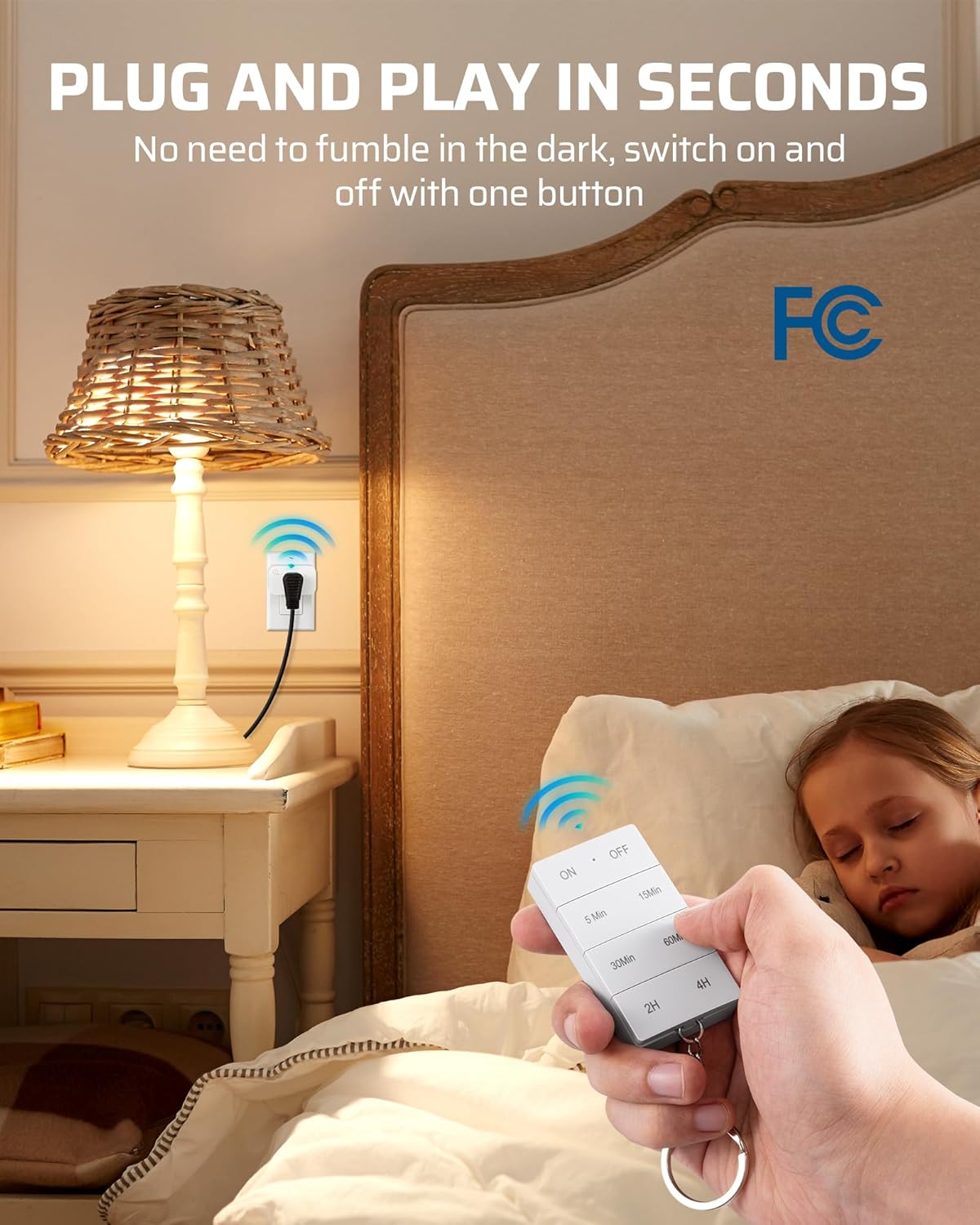
Image: A bedroom scene showing the DEWENWILS remote control outlet plugged into a wall socket behind a nightstand, powering a lamp. A hand holds the remote control, demonstrating its ease of use for turning devices on and off without needing to reach the wall outlet.
Operating Instructions
The remote control outlet offers two primary modes of operation: instant ON/OFF and countdown timer.
Instant ON/OFF Control
- To turn the connected appliance ON, press the ON button on the remote control. The indicator light on the outlet will illuminate.
- To turn the connected appliance OFF, press the OFF button on the remote control. The indicator light on the outlet will turn off.
- Alternatively, you can press the manual switch on the side of the outlet to toggle power ON/OFF.

Image: A festive living room scene with a decorated Christmas tree and fireplace. A hand holds the DEWENWILS remote control, demonstrating its use to control an appliance plugged into a hard-to-reach wall outlet, such as Christmas lights.
Countdown Timer Functions
The remote control features several countdown timer options to automatically turn off your appliance after a set duration. This is useful for preventing overcharging or for devices that do not have an auto shut-off function.
- To activate a countdown timer, ensure the appliance is ON.
- Press the desired countdown button on the remote: 5 Min, 15 Min, 30 Min, 60 Min, 2H (2 Hours), or 4H (4 Hours).
- The appliance will remain ON for the selected duration and then automatically turn OFF.
- To cancel an active countdown timer, press the OFF button on the remote.
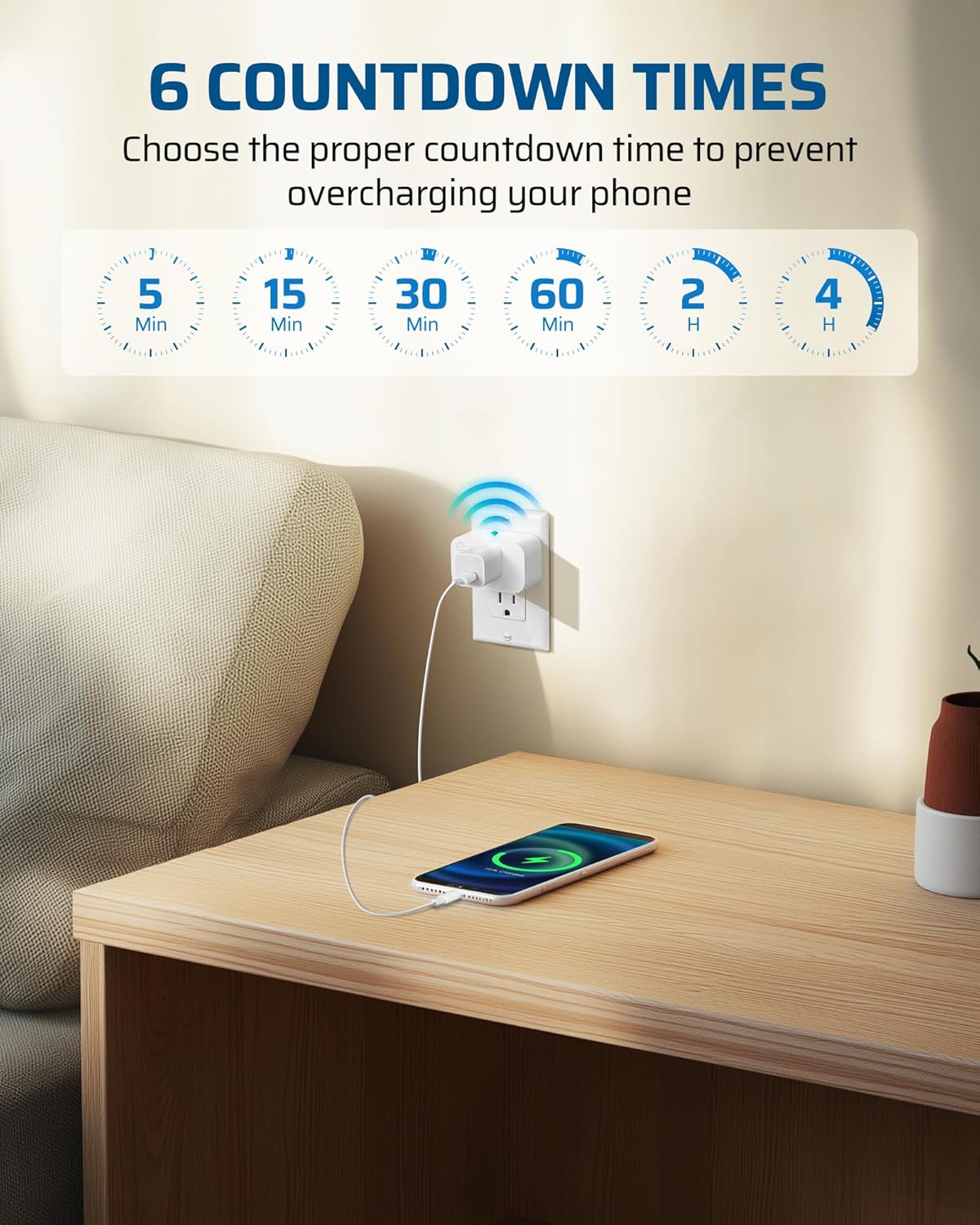
Image: A bedroom scene with a smartphone charging via the DEWENWILS remote control outlet. Above the outlet, a graphic displays the six available countdown times: 5 Min, 15 Min, 30 Min, 60 Min, 2 H, and 4 H, emphasizing their use to prevent overcharging.
Maintenance
- Cleaning: Disconnect the outlet from power before cleaning. Use a dry, soft cloth to wipe the surface. Do not use liquid cleaners or sprays.
- Battery Replacement: The remote control uses one CR2032 battery. If the remote's range decreases or it stops responding, replace the battery. To replace, open the battery compartment on the back of the remote, remove the old battery, and insert a new CR2032 battery with the positive (+) side facing up.
- Storage: Store the device in a cool, dry place away from direct sunlight when not in use for extended periods.
Troubleshooting
| Problem | Possible Cause | Solution |
|---|---|---|
| Outlet does not respond to remote. |
|
|
| Appliance does not turn ON/OFF. |
|
|
| Countdown timer does not work. |
|
|
Specifications
| Feature | Detail |
|---|---|
| Model Number | IT104 |
| Operating Voltage | 125 Volts |
| Current Rating | 15 Amps |
| Maximum Load | 1875 Watts |
| Frequency | 60 Hz |
| Wireless Range | Up to 100 feet (open area) |
| Remote Battery Type | 1 x CR2032 (included) |
| Operation Mode | ON-OFF-ON, Countdown Timer |
| Contact Type | Plug in |
| Material | Copper (Contact Material) |
| Certifications | FCC Certified |
Warranty and Support
DEWENWILS products are designed for reliability and performance. For warranty information or technical support, please contact DEWENWILS customer service through their official website or the retailer where the product was purchased.
For further assistance, please visit the DEWENWILS Store on Amazon.