
1. Introduction
Thank you for purchasing the Betopper LF105 150W Stage Strobe Light. This RGBW LED stage light bar is designed for professional stage performances, clubs, and events, offering vibrant colors and high-speed strobe effects. This manual provides essential information for safe operation, setup, and maintenance of your device. Please read it thoroughly before use.
2. Safety Information
- Electrical Safety: Always connect the device to a grounded power outlet. Ensure the power supply voltage matches the device's requirements. Disconnect power before cleaning or servicing.
- Heat Management: The device generates heat during operation. Ensure adequate ventilation and do not block cooling vents. Maintain a safe distance from flammable materials.
- Eye Safety: Avoid direct eye exposure to the light source, as it can cause eye damage.
- Installation: Mount the device securely using appropriate hardware. Ensure the mounting surface can support the weight of the fixture.
- Moisture: Do not expose the device to rain or moisture. It is intended for indoor use only.
- Servicing: Refer all servicing to qualified personnel. Do not attempt to repair the unit yourself.
3. Product Features
- 150W High-Output Strobe Effect: Equipped with 945 pcs of high-intensity 0.2W 5050 RGB LEDs, delivering bright, vibrant colors and a super-fast strobe effect up to 30Hz.
- Multiple Control Modes: Supports DMX512, Master-Slave, Sound-Active, and Auto modes for versatile operation.
- 15-Channel Flexibility: Choose from 8, 9, or 15 channels to access various functions including single/double word modes, static effects, and dynamic color patterns.
- Smooth Dimming & Adjustable Strobe: Features 32-bit linear dimming (0-100%) and adjustable strobe speed from 1-255 levels. Independently control red, green, and blue LEDs for custom color mixing.
- 7x15 Pixel Control Zones: 105 independent control pixels allow for complex chasing, flowing, and dynamic mapping effects.
- Durable & Professional Build: Rugged aluminum housing ensures stable performance, efficient heat dissipation, and long service life.
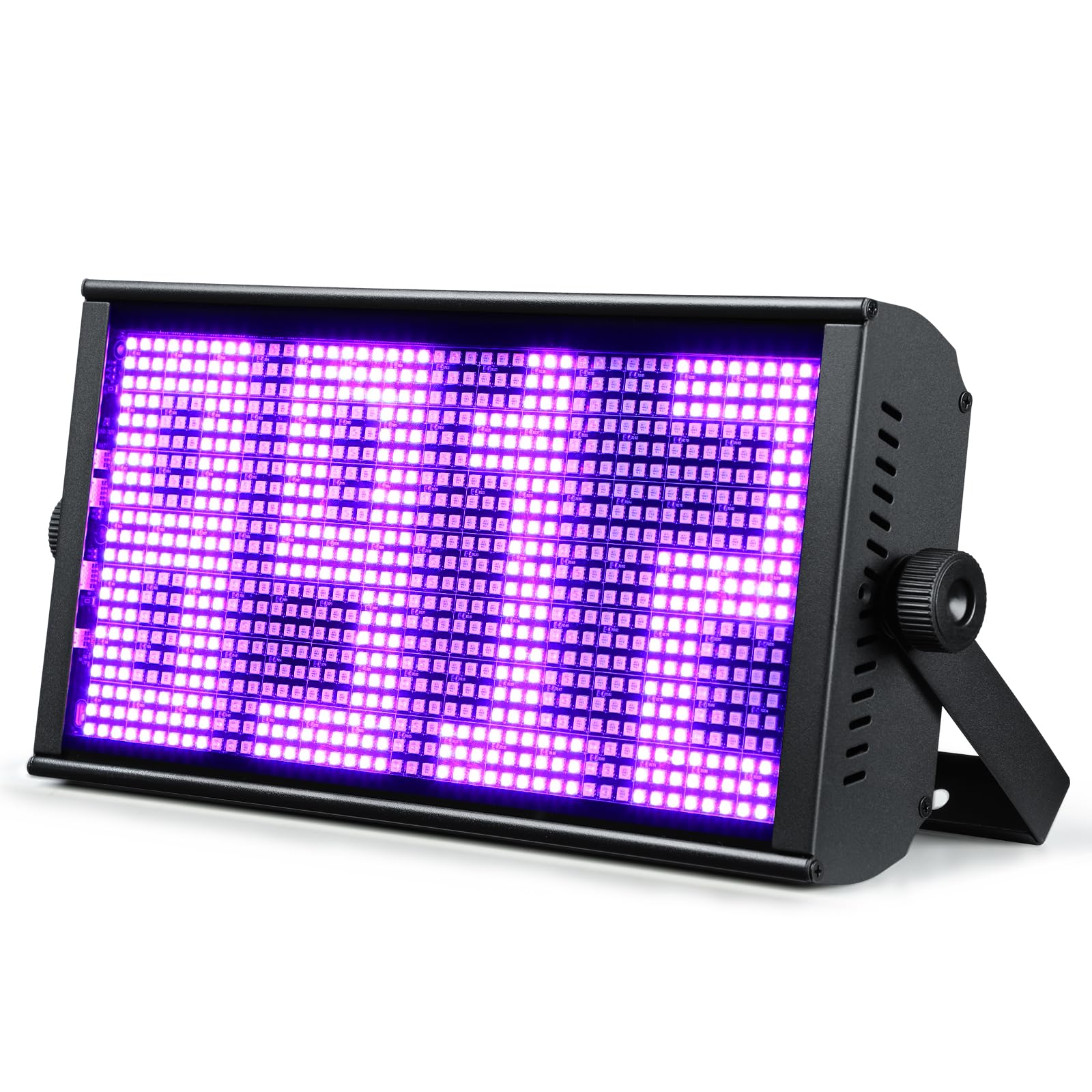
Figure 1: Betopper LF105 150W Stage Strobe Light.
4. Package Contents
Verify that all items listed below are included in your package:
- LF105 Strobe Light (1 unit)
- Instruction Manual (1 unit)
- Power Cord (1 unit)
- DMX Signal Cable (1 unit)

Figure 2: Contents included in the Betopper LF105 package.
5. Setup
5.1 Mounting
The LF105 can be mounted on a truss, wall, or placed on a flat surface. Ensure the mounting location is stable and can support the fixture's weight (3.55 kg). Use appropriate clamps or screws for secure installation. The fixture features a 360° adjustable angle for flexible positioning.
5.2 Power Connection
Connect the provided power cord to the 'POWER IN' port on the rear of the fixture. For multiple units, utilize the 'POWER OUT' port for daisy-chaining up to 14 devices, simplifying cable management.

Figure 3: Daisy-chaining multiple light fixtures for power and DMX.
5.3 DMX Connection
For DMX control, connect a DMX cable from your DMX controller to the 'DMX IN' port of the first fixture. To connect additional fixtures, use a DMX cable from the 'DMX OUT' port of the first fixture to the 'DMX IN' port of the next, and so on.
6. Operating Modes
The LF105 offers several control modes, accessible via the onboard display and buttons (MENU, UP, DOWN, ENTER) or an external DMX controller.
6.1 Control Panel Navigation
Use the 'MENU' button to cycle through main settings, 'UP' and 'DOWN' to adjust values or select options, and 'ENTER' to confirm.

Figure 4: Control panel and available operating modes.
6.2 DMX512 Mode
Connect a DMX controller to unlock advanced control over individual pixels, colors, dimming, and strobe effects. The LF105 supports 8, 9, or 15 DMX channels, allowing for precise customization of lighting shows.
6.3 Master-Slave Mode
Link multiple LF105 units together. Set one unit as the 'Master' and others as 'Slaves'. The slave units will mirror the master's settings and effects, creating synchronized lighting displays.
6.4 Sound-Active Mode
The fixture responds to ambient sound and music, creating dynamic light patterns that synchronize with the beat. Adjust sensitivity via the control panel.
6.5 Auto Mode
The LF105 features built-in automated programs for various lighting effects, including static colors, gradual changes, pulse changes, and chasing effects. These can be selected and run without an external controller.
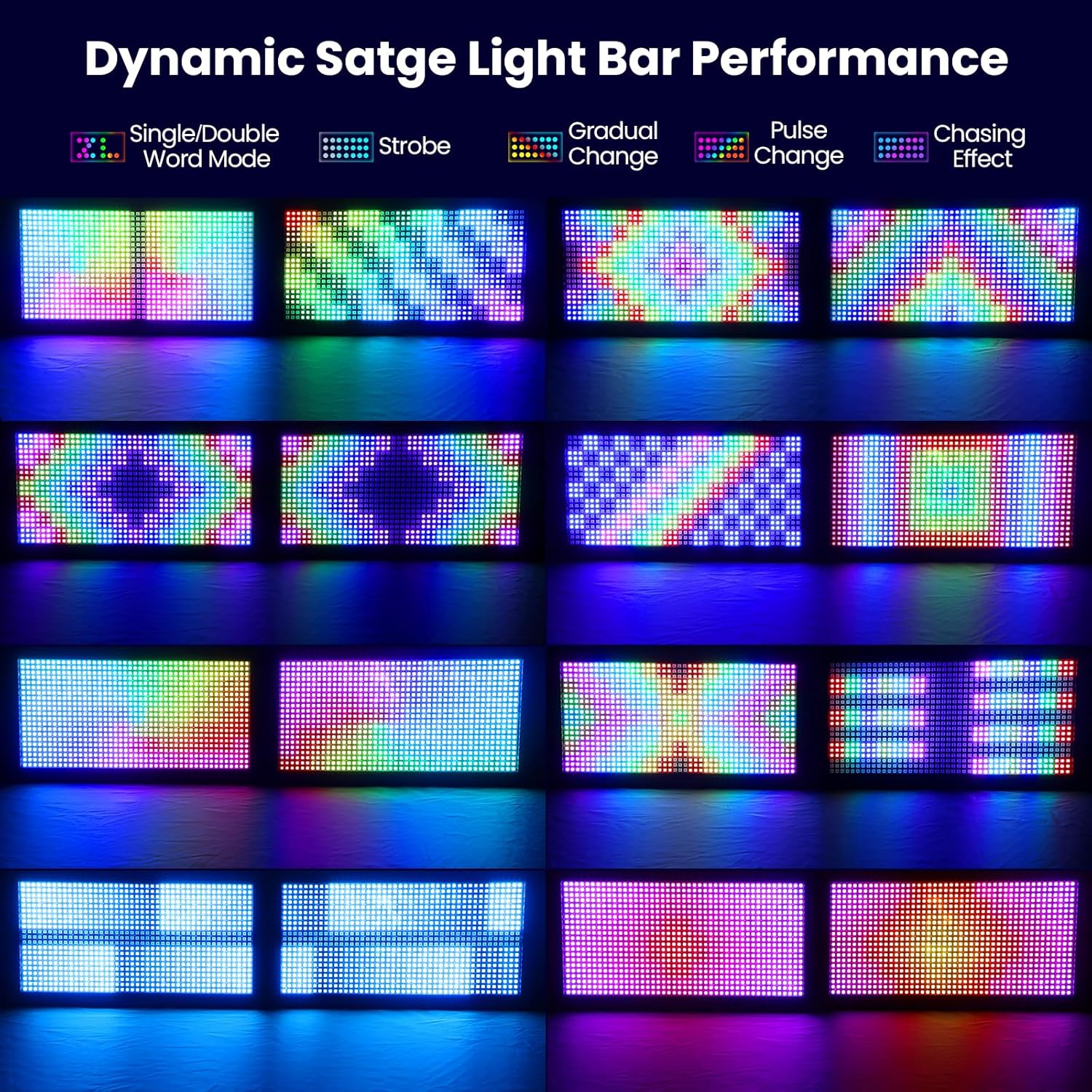
Figure 5: Examples of dynamic lighting effects.

Figure 6: Examples of 7 static color lighting effects.
6.6 Pixel Control Zones
The 7x15 pixel control zones (105 independent pixels) allow for intricate light shows, enabling complex chasing, flowing, and dynamic mapping effects. This feature is particularly useful for DJs and lighting designers seeking creative impact.

Figure 7: Illustration of 7x15 pixel control zones.
6.7 Dimming and Strobe Frequency
The LF105 supports 0-100% linear dimming for smooth transitions and an adjustable strobe frequency from 1-30 Hz for intense visual effects.

Figure 8: Demonstration of 0-100% linear dimming.
Video 1: Demonstration of strobe effects and matrix beam patterns. This video showcases various dynamic lighting sequences and the intensity of the strobe function, similar to the capabilities of the Betopper LF105.
7. Specifications
| Feature | Detail |
|---|---|
| Product Dimensions | 44.4 x 8.2 x 9.4 cm |
| Item Weight | 3.55 Kilograms |
| Material | Aluminum |
| Finish Type | Powder Coated |
| Light Source Type | Light Emitting Diode (RGBW LED) |
| Light Source Wattage | 150 Watts (Product Title states 150W, specifications list 200 Watts, using 150W from title for consistency with product description) |
| Number of Light Sources | 945 (0.2W 5050 RGB LEDs) |
| Pixel Control Zones | 7x15 (105 independent pixels) |
| Strobe Speed | Up to 30Hz (1-255 levels adjustable) |
| Dimming | 32-bit linear (0-100%) |
| Control Modes | DMX512, Master-Slave, Sound-Active, Auto |
| DMX Channels | 8, 9, or 15 channels |
| Power Source | Corded Electric |
| Operating Temperature | -20°C to 50°C |

Figure 9: High-efficiency heat dissipation system of the LF105.
8. Maintenance
- Cleaning: Regularly clean the lens and housing with a soft, lint-free cloth to maintain optimal light output and prevent overheating. Do not use abrasive cleaners.
- Inspection: Periodically check all cables, connections, and mounting hardware for signs of wear or damage. Replace any damaged components immediately.
- Storage: When not in use, store the fixture in a dry, dust-free environment.
9. Troubleshooting
- No Power: Check the power cable connection, power outlet, and ensure the power switch is on.
- No Light Output: Verify the selected operating mode and settings. In DMX mode, ensure the DMX signal is present and the address is correctly set.
- Intermittent Operation: Check for loose connections in power and DMX cables. Ensure the unit is not overheating.
- Incorrect DMX Control: Confirm the DMX address and channel mode settings match your controller. Check DMX cable integrity.
10. Warranty and Support
The Betopper LF105 150W Stage Strobe Light comes with a 1-year manufacturer's warranty. For technical support, troubleshooting assistance, or warranty claims, please contact Betopper customer service. Refer to your purchase documentation for contact details.
11. Applications

Figure 10: The Betopper LF105 is suitable for various events including weddings, bar clubs, large stages, and Halloween parties.


