
1. Safety Instructions
Please read and understand all safety instructions before operating the MBYULO OC3-16G Laser Level. Failure to follow these instructions may result in serious injury.
- Laser Radiation: This product emits Class II laser radiation with a power output of <1mW.
- DO NOT STARE INTO THE LASER WINDOW. Direct exposure to the laser beam can cause eye damage.
- Avoid pointing the laser beam at people or animals.
- Do not disassemble or modify the laser level. Repairs should only be performed by authorized personnel.
- Keep the device out of reach of children.
- Use the device in a well-lit environment to reduce the risk of accidental exposure.
2. Package Contents
Verify that all items are present in your package:
- 1x 4D 16 Lines Laser Level
- 1x Carry Bag
- 1x Power Charger
- 1x 1/4" Tread Mount
- 1x 5/8-20" Tread Mount
- 1x Wall Iron
- 1x User Manual
- 1x Remote Control
- 1x Green Target Plate
- 1x Wall Bracket
- 1x Lifting Platform
- 2x 2400mAH Batteries
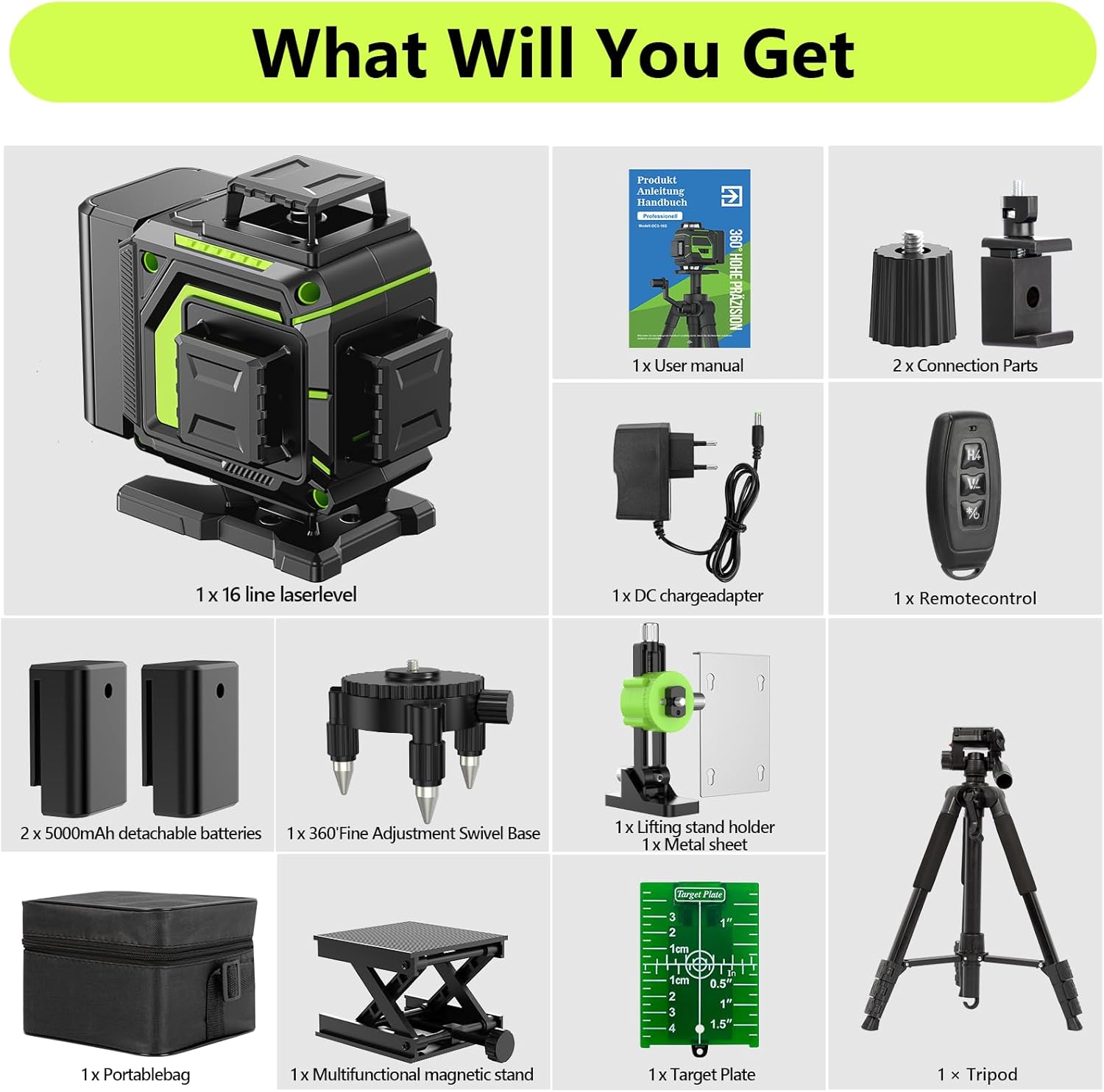
Image: All components included with the MBYULO OC3-16G Laser Level, neatly arranged in its carry case.
3. Product Overview
The MBYULO OC3-16G is a professional 4D 16-line green cross-line laser level designed for high visibility and accuracy in various applications. It features advanced diode technology for enhanced brightness and precision.
- High Visibility: Green laser beams are up to 4 times brighter than red beams, improving visibility indoors and outdoors.
- 4x360° Laser Lines: Two 360° horizontal lines and two 360° vertical lines provide comprehensive coverage for floor, wall, and ceiling layouts.
- High Accuracy: Achieves an accuracy of ±1/10 inch at 8 feet.
- Adjustable Brightness: Laser brightness can be adjusted from 1% to 100%.
- Dual Power: Comes with two rechargeable 2400mAh batteries, offering up to 8 hours of continuous operation.
- Remote Control: Easily switch between laser lines and adjust settings remotely.
- Durable Design: IP54 waterproof and dustproof rating ensures reliable performance in challenging work conditions.
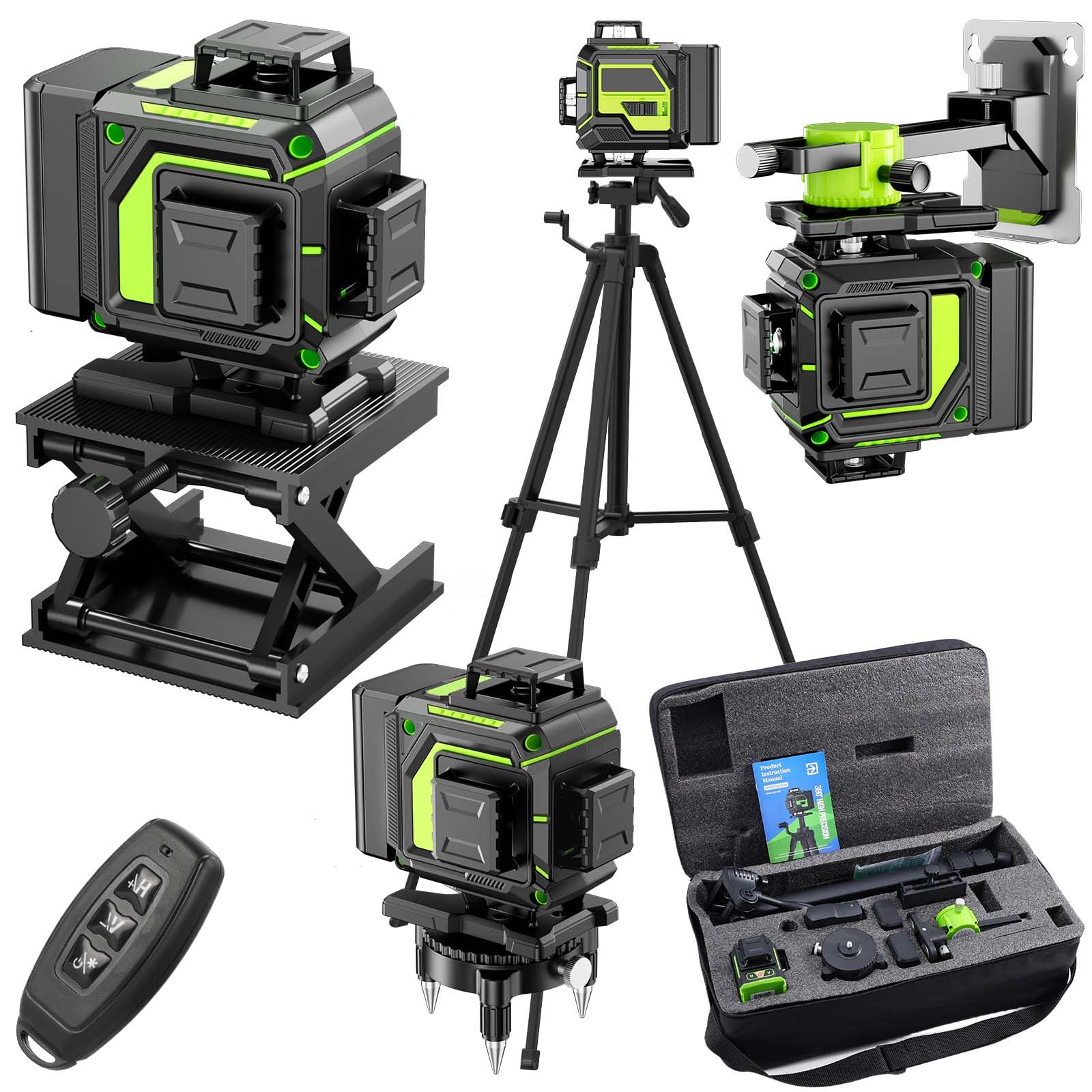
Image: Front view of the MBYULO OC3-16G 4D 16-Line Green Laser Level.
4. Setup
- Battery Installation: Insert one of the provided 2400mAh rechargeable batteries into the battery compartment located on the side of the laser level. Ensure it clicks securely into place.
- Charging: Connect the power charger to the device and a power outlet to charge the batteries. The battery indicator lights will show charging status. It is recommended to keep the second battery charged for continuous use.
- Mounting Options:
- Tripod Mounting: Attach the laser level to a standard tripod using the 1/4" or 5/8-20" tread mount.
- Magnetic Bracket: Use the magnetic bracket to attach the laser level to metal surfaces.
- Lifting Platform: For fine height adjustments on flat surfaces, place the laser level on the lifting platform and use its adjustment knob.
- Wall Bracket: Secure the wall bracket to a wall and attach the laser level for elevated positioning.
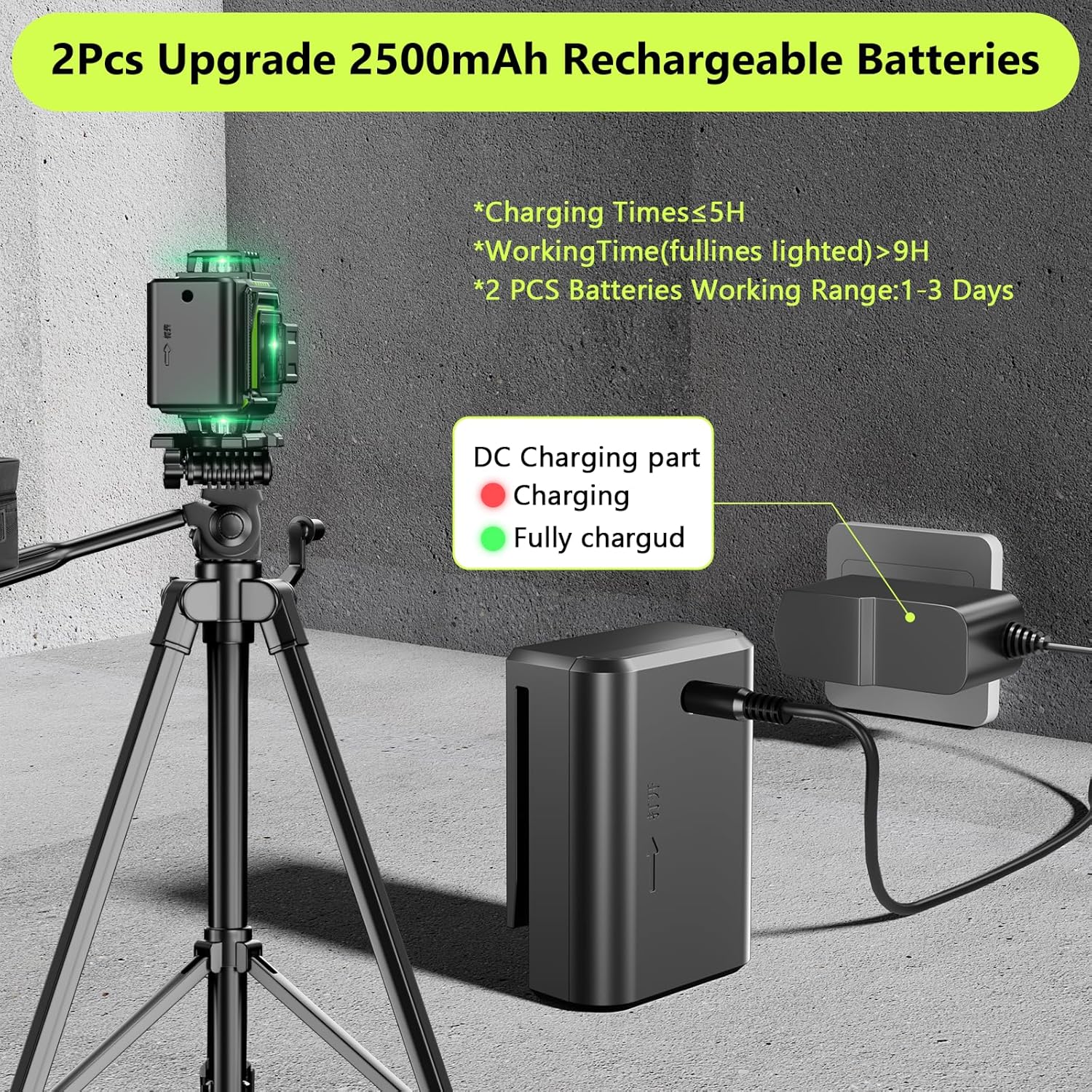
Image: The laser level with its rechargeable batteries and charging cable, demonstrating the power system.

Image: The laser level demonstrating its versatility with a 360° fine-tuning rotary base, magnetic bracket, lifting base, and 1/4" threaded mount for tripods.
5. Operating Instructions
- Power On/Off: Slide the main power switch to the ON position to power on the device. Slide it to OFF to power off.
- Self-Leveling Mode: When powered on, the laser level automatically enters self-leveling mode. If the tilt angle is ≤4°, the device will self-level. If the tilt angle exceeds 4°, the laser will continuously beep to indicate it is out of level.
- Manual Mode: To project laser lines at any angle, hold down the 'OUTDOOR' button (or corresponding button on the remote) for 3 seconds to activate manual mode. The pendulum will be locked, allowing for angled projections.
- Switching Laser Lines: Use the 'H' (Horizontal) and 'V' (Vertical) buttons on the device or the remote control to individually switch on/off the horizontal and vertical laser lines. The remote control allows for easy selection of desired line patterns (e.g., Vertical Line 1, Vertical Line 2, Horizontal Line, combinations).
- Adjusting Brightness: The brightness of the laser lines can be adjusted from 1% to 100% using the controls on the device or remote.

Image: Demonstrates the self-leveling mode with a compensation range of ±3° and the manual mode activated by pressing the middle button for 3 seconds.

Image: The remote control and various 360° laser line configurations (vertical, horizontal, and combined) for different applications.
Official Product Video: MBYULO 16 Line Laser Level 360
Video: A demonstration of the MBYULO 16 Line Laser Level 360, highlighting its rechargeable battery, remote control, and magnetic stand features.
6. Maintenance
- Cleaning: Use a soft, damp cloth to clean the device. Do not use abrasive cleaners or solvents.
- Storage: Store the laser level in its carry bag in a dry, cool place when not in use.
- Battery Care: Ensure batteries are fully charged before long-term storage. Recharge periodically if stored for extended periods.
- Durability: The IP54 rating provides protection against dust and splashing water. However, avoid submerging the device in water or exposing it to heavy rain.
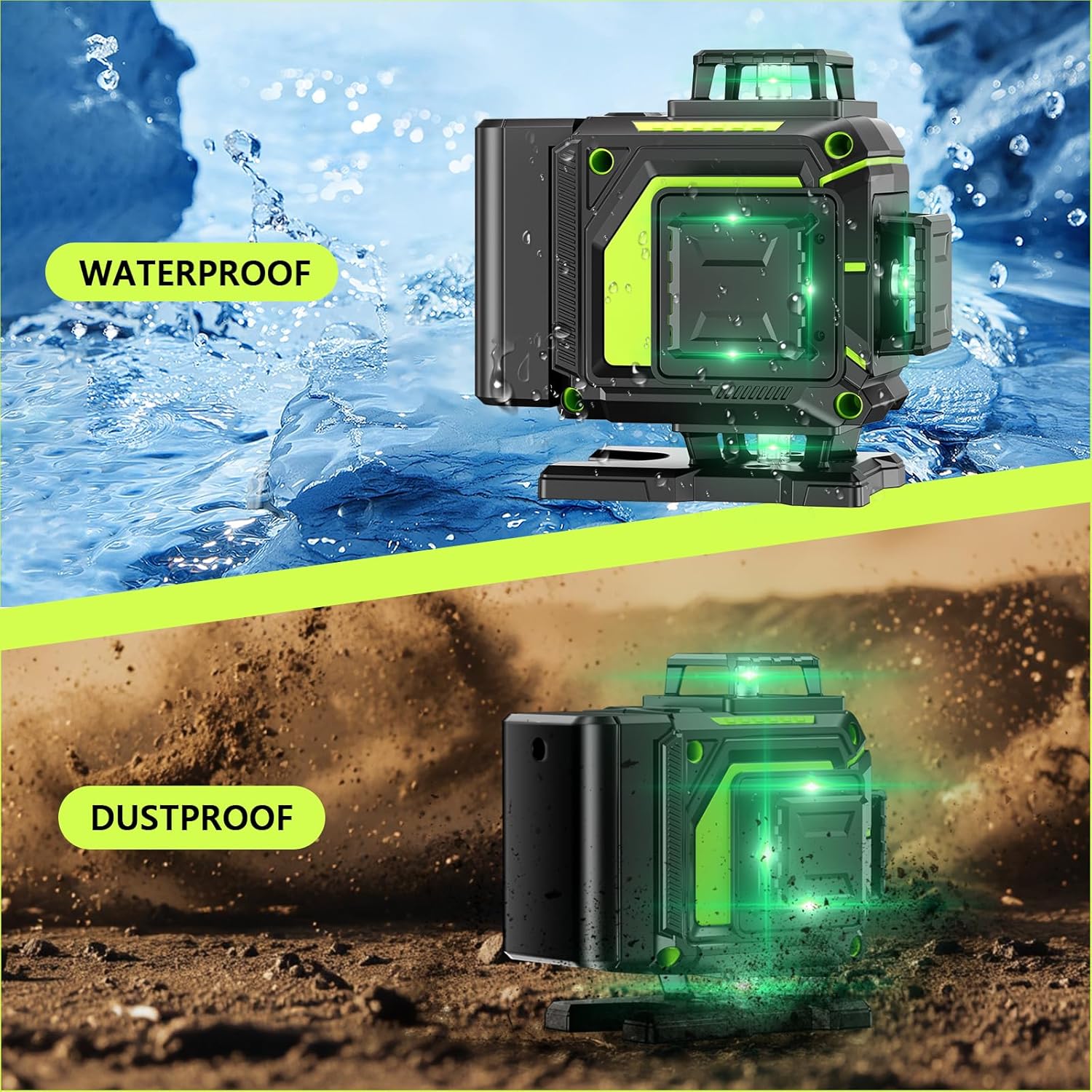
Image: Visual representation of the laser level's IP54 waterproof and dustproof capabilities, ensuring durability in various working conditions.
7. Troubleshooting
If you encounter issues with your MBYULO OC3-16G Laser Level, refer to the following common problems and solutions:
- Laser not turning on: Check if the battery is properly installed and charged. Ensure the main power switch is in the ON position.
- Laser lines are dim: Adjust the brightness setting using the device controls or remote. Ensure the working environment is not excessively bright.
- Device beeps continuously in self-leveling mode: This indicates the device is outside its self-leveling range (tilt angle >4°). Adjust the position of the laser level until the beeping stops and the lines stabilize.
- Remote control not working: Check the remote control battery. Ensure there are no obstructions between the remote and the laser level.
- Inaccurate lines: Ensure the device is on a stable surface and within its self-leveling range (if in self-leveling mode). If in manual mode, ensure the desired angle is correctly set.
8. Specifications
| Feature | Specification |
|---|---|
| Brand | MBYULO |
| Model Number | OC3-16G |
| Laser Lines | 4D (2x360° Horizontal, 2x360° Vertical) |
| Laser Color | Green |
| Accuracy | ±1/10 inch at 8ft |
| Max Working Range | 100ft |
| Self-Leveling Range | ≤4° |
| Power Source | Battery Powered (2x 2400mAh Lithium Polymer) |
| Battery Life | Up to 8 hours |
| Operation Mode | Automatic / Manual |
| Material | Metal, Plastic |
| Item Weight | 5.61 pounds |
| Dimensions | 18.94 x 11.69 x 7.17 inches (Package) |
| Waterproof/Dustproof | IP54 |

Image: The MBYULO OC3-16G Laser Level being used for multiple applications such as tiling, bricklaying, ceiling work, and picture hanging.
9. Warranty and Support
For warranty information and customer support, please refer to the documentation included with your product or contact MBYULO customer service. Keep your purchase receipt as proof of purchase.