
1. Introduction and Overview
The KCONBS D3 Dehumidifier is designed to efficiently reduce humidity in small to medium-sized rooms, up to 500 sq.ft. Featuring a 60 oz (1.6L) water tank, quiet operation, and an automatic shut-off function, it helps create a comfortable and healthy indoor environment by preventing issues caused by excess moisture.

Image 1.1: KCONBS D3 Dehumidifier in a living room, illustrating its compact design and suitability for home use.
2. Safety Instructions
Please read and understand all safety instructions before operating the dehumidifier to prevent injury or damage.
- Always place the dehumidifier on a flat, stable surface to prevent tipping.
- Do not block the air inlet or outlet. Maintain at least 8 inches (20 cm) of clear space around the unit.
- Unplug the unit from the power outlet before cleaning, performing maintenance, or when not in use for extended periods.
- Do not operate the unit with a damaged power cord or plug. If damaged, contact customer support.
- Keep the appliance out of reach of children and pets.
- Do not immerse the unit, power cord, or plug in water or other liquids.
- This appliance is for indoor use only. Do not use outdoors.
- Do not use chemical solvents (such as benzene, alcohol, gasoline) to clean the unit.
3. Product Features
The KCONBS D3 Dehumidifier incorporates several features for efficient and user-friendly operation:
- Super Quiet Dehumidification System: Utilizes advanced semiconductor condensation technology to effectively reduce humidity, collecting up to 450 ml of water per day (at 86°F/80% humidity).
- Ultra-Quiet Sleep Mode: Operates at a noise level below 28 dB, making it suitable for bedrooms and other quiet environments.
- Automatic Shut-off: The unit automatically turns off and illuminates a red indicator light when the 1.6L (60 oz) water tank is full, preventing overflow.
- 7-Color Ambient Nightlight: Features a built-in nightlight with 7 dynamic colors or the option to select a fixed color, enhancing room ambiance.
- 24-Hour Timer: Offers 6 timer options (2, 4, 6, 8, 10, or 12 hours) for scheduled operation.
- Compact and Portable Design: Its small footprint makes it ideal for small spaces such as wardrobes, RVs, bedrooms, bathrooms, and basements.

Image 3.1: The KCONBS D3 Dehumidifier operating quietly next to a bed, showcasing its sleep mode and ambient lighting feature.
4. Package Contents
Please check the package contents upon unboxing:
- 1 x KCONBS D3 Dehumidifier
- 1 x Power Cord
- 1 x User Manual
5. Setup
Follow these steps to set up your KCONBS D3 Dehumidifier:
- Unpack: Carefully remove the dehumidifier and all accessories from the packaging.
- Placement: Place the unit on a flat, stable, and level surface in the desired room. Ensure it is not near heat sources or in direct sunlight.
- Airflow: Ensure there is at least 8 inches (20 cm) of unobstructed space around the air inlet (back) and air outlet (top) for optimal performance.
- Power Connection: Connect the provided power adapter to the dehumidifier's power port (located at the back). Then, plug the adapter into a suitable electrical outlet (100-240V AC, 50/60Hz).
- Water Tank: Verify that the water tank is correctly inserted into the unit. The unit will not operate if the tank is not properly seated.

Image 5.1: Rear view of the KCONBS D3 Dehumidifier, illustrating the power cord connection point and the removable water tank.
6. Operating Instructions
Familiarize yourself with the control panel and functions:
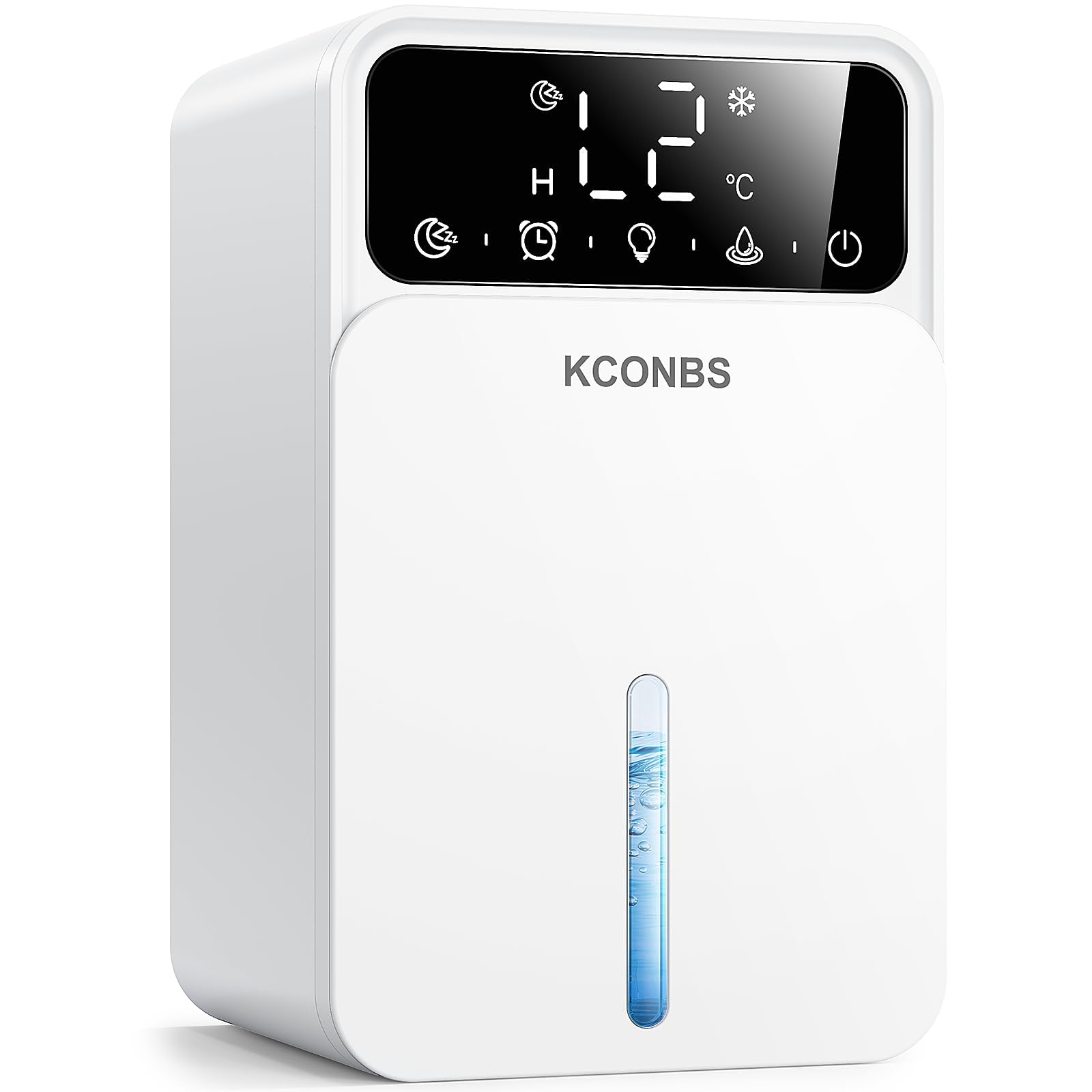
Image 6.1: Close-up of the KCONBS D3 Dehumidifier's control panel, showing touch buttons for various functions.
- Power On/Off: Press the Power button () to turn the unit on or off. The display will light up when powered on.
- Timer Function: Press the Timer button () repeatedly to cycle through the available timer settings: 2H, 4H, 6H, 8H, 10H, 12H. The unit will automatically shut off after the set duration.
- Sleep Mode: Press the Sleep Mode button () to activate a quieter operation mode. The display lights will dim for minimal disturbance.
- Light Control: Press the Light button () to cycle through the 7 dynamic colors, select a fixed color, or turn off the ambient light feature.
- Water Tank Full Indicator: When the water tank is full, the unit will automatically cease operation, and a red light will illuminate on the control panel to alert you to empty the tank.
7. Maintenance
Regular maintenance ensures optimal performance and longevity of your dehumidifier.
7.1 Emptying the Water Tank
- When the red indicator light signals that the water tank is full, gently pull out the water tank from the front of the unit.
- Carefully carry the tank to a sink and empty the collected water.
- Rinse the tank with clean water if necessary. Do not use harsh detergents.
- Reinsert the empty water tank firmly into the unit until it clicks into place. Ensure it is properly seated for the dehumidifier to resume operation.

Image 7.1: The KCONBS D3 Dehumidifier displaying the red light for a full water tank, with an illustration of the tank being removed.
7.2 Cleaning the Unit
- Always unplug the dehumidifier before cleaning.
- Wipe the exterior of the unit with a soft, damp cloth. Do not use abrasive cleaners, solvents, or harsh chemicals, as these can damage the surface.
- Periodically inspect the air inlet (back) and air outlet (top) grilles for dust or debris. Use a soft brush or a vacuum cleaner with a brush attachment to gently clean these areas.
7.3 Storage
If the dehumidifier will not be used for an extended period:
- Empty and clean the water tank thoroughly.
- Clean the exterior of the unit and ensure all parts are dry.
- Store the dehumidifier in a cool, dry place, away from direct sunlight and extreme temperatures.
8. Troubleshooting
Refer to this section for common issues and their solutions.
| Problem | Possible Cause | Solution |
|---|---|---|
| Unit not turning on | Power cord not securely plugged in. Water tank not properly inserted. | Check power connection. Ensure water tank is fully seated. |
| No water collected | Room humidity is too low. Ambient temperature is too low. Air inlets/outlets are blocked. | Check room humidity (should be above 50%). Ensure ambient temperature is above 41°F (5°C). Clear any obstructions from air vents. |
| Unit is noisy | Unit is on an uneven surface. Obstruction in fan or air vents. | Place the unit on a flat, stable surface. Check and clear any obstructions. |
| Red light is on, but tank is not full | Water tank not properly seated. Float sensor obstructed. | Remove and reinsert the water tank firmly. Check if the float sensor inside the tank is moving freely. |
9. Specifications
Detailed technical specifications for the KCONBS D3 Dehumidifier:
| Brand | KCONBS |
| Model Name | D3 |
| Floor Area Coverage | Up to 500 Square Feet |
| Water Tank Capacity | 1.6 Liters (60 OZ) |
| Dehumidification Capacity | 0.45 Liters per Day (at 86°F/80% RH) |
| Product Dimensions (D x W x H) | 10.47" x 7.37" x 6.77" |
| Item Weight | 1.4 Kilograms |
| Wattage | 22.5 watts |
| Noise Level | <28 dB (in Sleep Mode) |
| Special Features | Automatic Defrost, Automatic Shutoff, Quiet Operation, Sleep Mode, Timer, 7-Color Lights |
| Material | Acrylonitrile Butadiene Styrene (ABS), Polycarbonate (PC) |
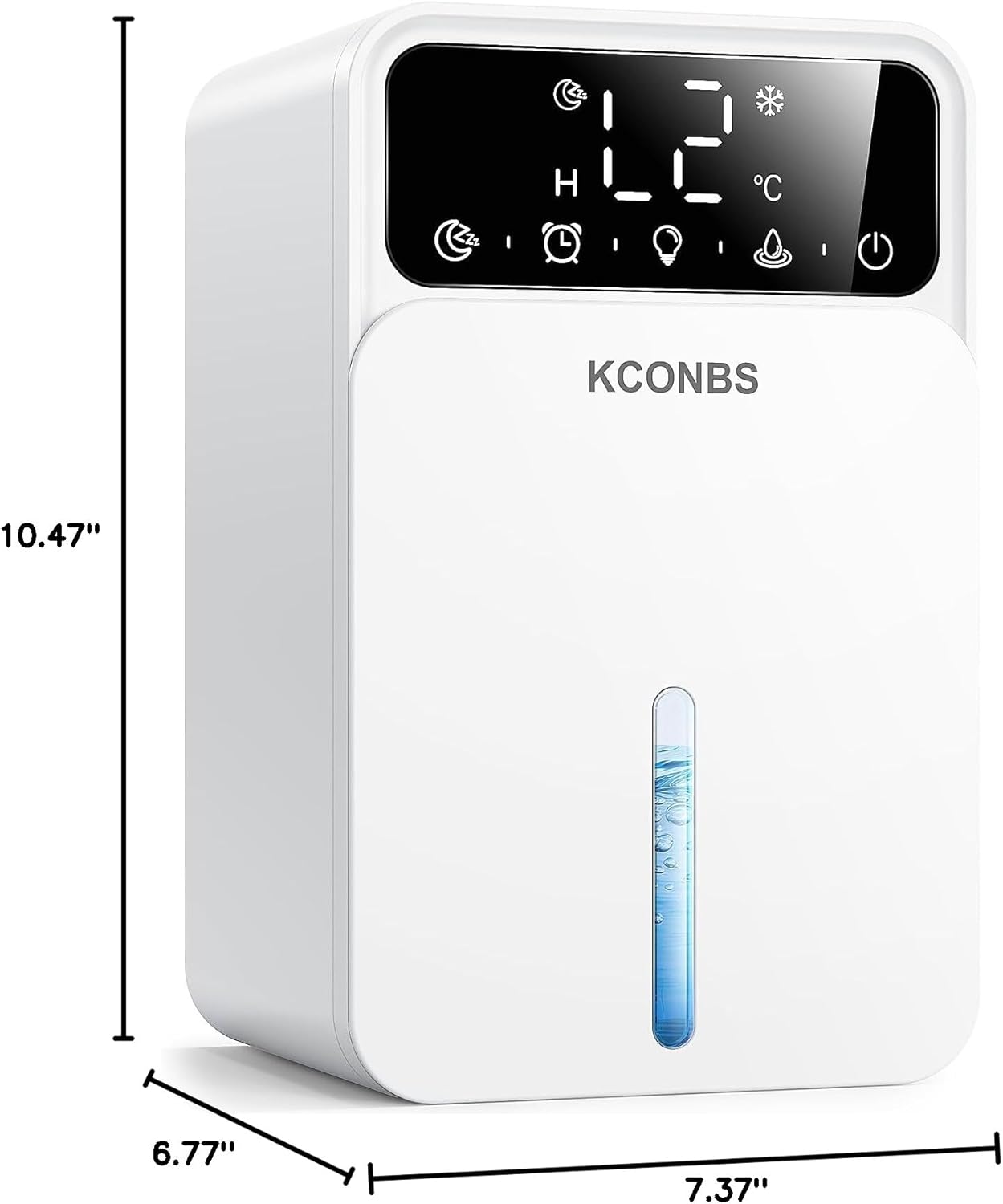
Image 9.1: Dimensional view of the KCONBS D3 Dehumidifier, showing its compact size.
10. Warranty and Support
KCONBS is committed to providing high-quality products and customer satisfaction.
- 30-Day Satisfaction Guarantee: Your purchase is backed by a 30-day performance guarantee.
- 270 Days Free Replacement: We offer a 270-day free replacement policy for any manufacturing defects.
- Lifetime Support: Our dedicated customer support team is available to assist you with any questions or concerns, committed to responding within 12 hours.
For warranty claims, technical assistance, or any product-related inquiries, please contact our customer support team via the contact information provided in your product packaging or on the official KCONBS website.

Image 10.1: KCONBS brand logo.