1. Product Overview
The KIDYWOLF K-Watch Corail is a smartwatch designed for young users, offering a range of features to assist with daily activities and personal well-being. This device includes functionalities such as sleep tracking, heart rate monitoring, a stopwatch, timer, weather updates, and a calculator. It connects via Bluetooth to a smartphone for synchronization and does not require a SIM card. A built-in flashlight is also included for convenience.
2. What's in the Box
- KIDYWOLF K-Watch Corail Smartwatch
- USB Charging Cable
- User Manual (this document)
3. Setup Guide
3.1 Charging the Device
Before initial use, fully charge your K-Watch Corail. Connect the provided USB charging cable to the charging port on the watch and plug the other end into a standard USB power adapter (not included) or a computer's USB port. The watch display will indicate charging status. A full charge typically takes approximately 2 hours.
3.2 Powering On/Off
- To Power On: Press and hold the side button for a few seconds until the KIDYWOLF logo appears on the screen.
- To Power Off: Press and hold the side button, then select the "Power Off" option on the screen.
3.3 Bluetooth Pairing with a Smartphone
The K-Watch Corail connects to a smartphone via Bluetooth for data synchronization and enhanced features. No SIM card is required for its operation.
- Ensure Bluetooth is enabled on your smartphone.
- Download and install the official KIDYWOLF companion application from your smartphone's app store.
- Open the KIDYWOLF app and follow the on-screen instructions to create an account or log in.
- Within the app, navigate to the device pairing section.
- On your K-Watch Corail, ensure it is powered on and in pairing mode (refer to the watch's settings if needed).
- Select your K-Watch Corail from the list of available devices in the smartphone app.
- Confirm the pairing request on both your smartphone and the watch.
Once paired, the watch will synchronize data with the app, allowing you to view tracked information and manage certain settings from your phone.
4. Operating the K-Watch Corail
4.1 Basic Navigation
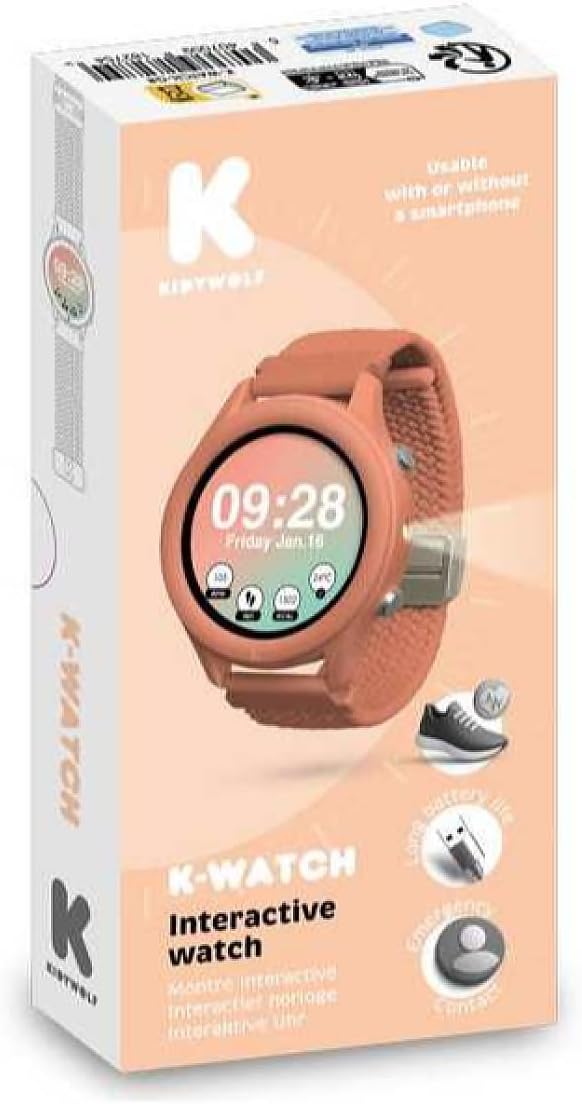
Image: A child's hand navigating the K-Watch Corail touchscreen, displaying various application icons.
- Touchscreen: Swipe left, right, up, or down to navigate through menus and applications. Tap on an icon to open an application or select an option.
- Side Button: Press the side button to return to the home screen or to wake the device. A long press typically accesses power options.
4.2 Key Features
The K-Watch Corail offers several integrated features:
- Sleep Tracking: Monitors sleep patterns and duration. Data can be viewed on the watch or synchronized with the companion app for detailed analysis.
- Heart Rate Monitor: Measures heart rate. To use, ensure the watch is snug on the wrist and select the heart rate application.
- Stopwatch: A standard stopwatch function for timing activities.
- Timer: Set countdown timers for various purposes.
- Weather: Provides current weather information when connected to a smartphone with internet access.
- Calculator: A basic calculator for simple arithmetic.
- Flashlight: Activates a bright screen light to serve as a small flashlight.
5. Maintenance and Care
- Cleaning: Wipe the watch screen and strap regularly with a soft, dry, lint-free cloth. Avoid using harsh chemicals or abrasive materials.
- Water Resistance: The K-Watch Corail is designed for daily wear but is not suitable for swimming or showering. Avoid prolonged exposure to water.
- Temperature: Do not expose the watch to extreme temperatures (hot or cold) or direct sunlight for extended periods.
- Storage: When not in use for a long time, store the watch in a cool, dry place.
6. Troubleshooting
| Problem | Solution |
|---|---|
| Watch does not power on. | Ensure the watch is fully charged. Connect it to the charger for at least 30 minutes. |
| Cannot pair with smartphone. |
|
| Heart rate readings are inaccurate. | Ensure the watch is worn snugly on the wrist, not too loose or too tight. Clean the sensor on the back of the watch. |
| Screen is unresponsive. | Try restarting the watch by holding down the side button. If the issue persists, ensure the screen is clean and dry. |
7. Product Specifications
| Feature | Detail |
|---|---|
| Model Number | K-WATCH-CO |
| Brand | KIDYWOLF |
| Connectivity Technology | Bluetooth |
| Wireless Communication Standard | Bluetooth |
| Operating System | Android Wear 1.0 (Note: This may be a generic or outdated entry for a children's smartwatch) |
| Compatible Devices | Smartphone |
| Special Feature | Lightweight |
| Display Type | Digital |
| Shape | Round |
| GPS | No GPS |
| Main Material | Mixed Materials |
| Battery/Batteries Required | No (Features an integrated rechargeable battery) |
8. Warranty and Support
For warranty information, technical support, or service inquiries, please refer to the official KIDYWOLF website or contact their customer service directly. Keep your purchase receipt as proof of purchase.
You can visit the KIDYWOLF brand store for more information: KIDYWOLF Store


