
1. Product Overview
The SUNKTA FV23-A Smartwatch features a 7.9mm ultra-thin round design with a 1.32-inch AMOLED display. It is designed for women, offering a blend of contemporary sophistication and high-end technology. The watch comes with both a stainless steel strap for formal occasions and a soft silicone strap for comfort during exercise.
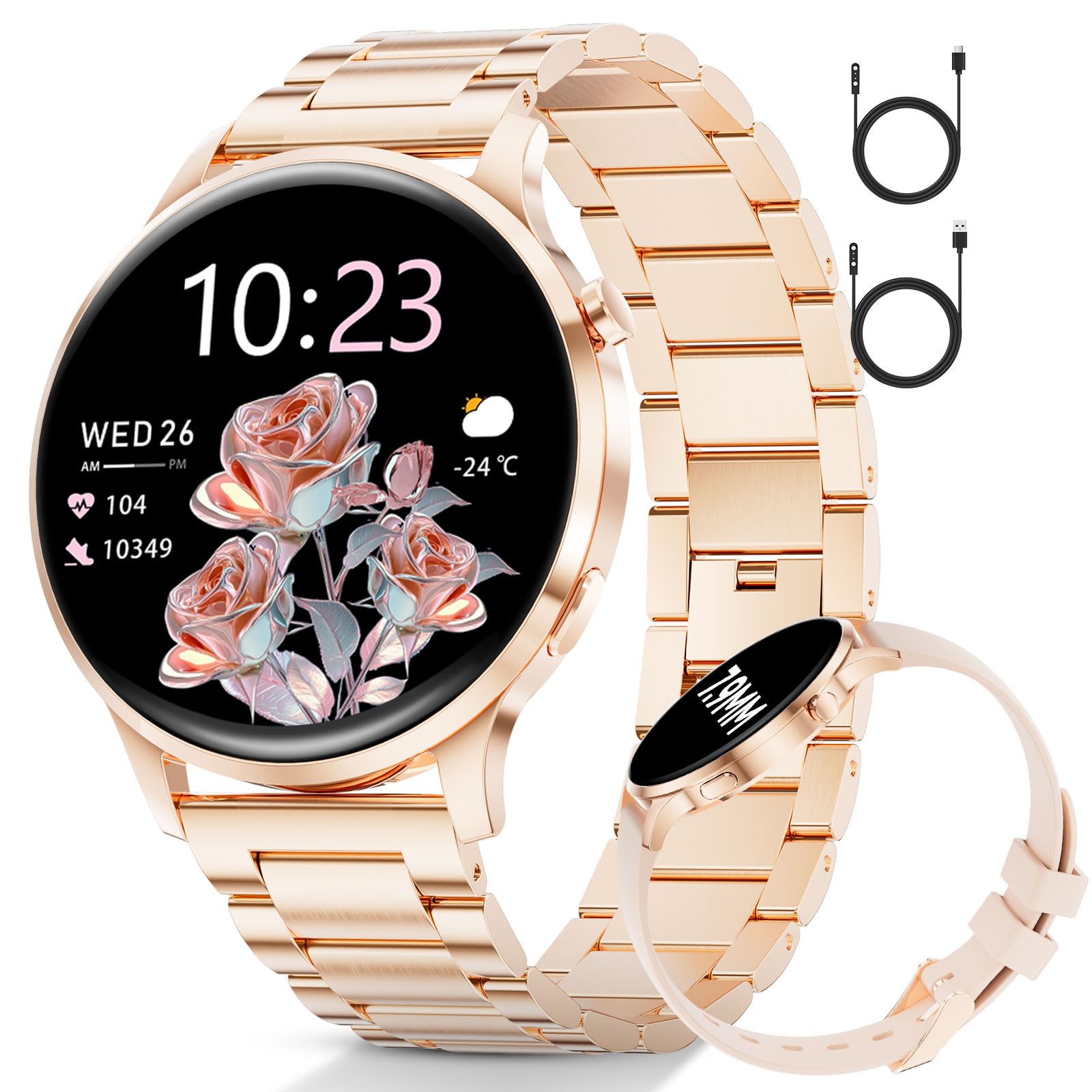
Figure 1: SUNKTA FV23-A Smartwatch (Rose Gold variant)
What's in the Box
- Smartwatch (FV23-A)
- Watch strap (Stainless Steel)
- Additional strap (Silicone)
- USB Charging Cable
- Type-C Charging Cable
- User Manual
Video 1: Unboxing the SUNKTA FV23-A Smartwatch, showing all included accessories.
2. Setup
2.1 Charging the Smartwatch
Before initial use, fully charge your smartwatch. The package includes two charging cables: a classic USB cable and a modern Type-C cable. Connect the appropriate cable to the charging port on the back of the watch and to a power source (e.g., computer USB port, wall adapter).

Figure 2: The smartwatch charging, illustrating the use of both USB and Type-C charging cables.
2.2 Adjusting the Watch Strap
The stainless steel strap can be adjusted to fit your wrist using the included tool. Remove links as necessary to achieve a comfortable fit. The silicone strap offers flexibility and breathability.
Video 2: Demonstrating how to adjust the metal watch strap using the provided tool.
2.3 App Installation and Pairing
Download the FitCloudPro application from your smartphone's app store (compatible with iOS and Android devices). Follow the in-app instructions to pair your smartwatch via Bluetooth. This enables features like call answering, contact synchronization, and smart notifications.
3. Operating Instructions
3.1 Display and Navigation
The 1.32-inch AMOLED display offers a resolution of 466 x 466 pixels, providing clear visuals and quick response times. The 'raise wrist to wake' feature allows for easy viewing of notifications and time. Navigate the watch interface using touch gestures.

Figure 3: AMOLED display features and watch face customization options.
3.2 Bluetooth Calling and Notifications
With integrated Bluetooth calling, you can answer and make calls directly from your wrist. Download contacts and view call logs through the paired app. The smartwatch provides smart notifications for incoming calls, SMS, WhatsApp messages, and other app updates.

Figure 4: Bluetooth calling and smart notifications displayed on the smartwatch.
3.3 Fitness Tracking
The smartwatch includes 10 built-in exercise modes (e.g., yoga, cycling, hiking, running, mountaineering, badminton). The FitCloudPro app offers over 100 additional exercise modes. It tracks comprehensive fitness metrics including steps, workout duration, distance, calories burned, and heart rate (for indicative purposes only).

Figure 5: Smartwatch displaying various sport modes and fitness tracking data.
3.4 Health Monitoring
The smartwatch continuously monitors your well-being. Key health features include:
- Menstrual Cycle Management: Helps track and manage menstrual cycles, recording periods and assisting with pregnancy planning.
- Heart Rate Monitoring: Provides continuous heart rate data.
- Breathing Exercises: Guides you through breathing exercises.
- Sleep Tracking: Monitors sleep patterns and quality.

Figure 6: Smartwatch displaying female health tracking features, including menstrual cycle management.

Figure 7: Smartwatch displaying detailed sleep monitoring data.
3.5 Additional Features
- AI Voice Assistant: Stay connected hands-free.
- Remote Camera Control: Capture photos remotely.
- Music Control: Play, pause, and change tracks from your wrist.
- Smart Alarm: Gentle wake-up alarms.
- Real-time Weather Updates: Plan your day with current weather information.
- Sedentary Reminders: Prompts to move after periods of inactivity.
- Drink Water Reminders: Helps maintain hydration.

Figure 8: Smartwatch displaying various smart features like music control, camera remote, and weather updates.
4. Maintenance
To ensure the longevity and optimal performance of your SUNKTA FV23-A Smartwatch, follow these maintenance guidelines:
- Cleaning: Regularly wipe the watch screen and straps with a soft, dry cloth. For silicone straps, a damp cloth with mild soap can be used, ensuring it is thoroughly dried afterward.
- Water Resistance: The watch is not waterproof. Avoid exposing it to water, including showering, swimming, or heavy rain.
- Charging: Use only the provided charging cables. Ensure the charging contacts on the watch and cable are clean and dry before charging.
- Storage: Store the watch in a cool, dry place away from direct sunlight and extreme temperatures.
- Avoid Chemicals: Do not use harsh chemicals, cleaning solvents, or strong detergents to clean the watch, as this may damage the finish or internal components.
5. Troubleshooting
If you encounter issues with your smartwatch, refer to the following common troubleshooting steps:
- Watch not turning on: Ensure the watch is fully charged. Connect it to the charger for at least 30 minutes.
- Cannot pair with phone:
- Ensure Bluetooth is enabled on your phone.
- Make sure the watch is within range of your phone.
- Restart both your phone and the smartwatch.
- Check if the FitCloudPro app is updated to the latest version.
- Inaccurate health data: Ensure the watch is worn snugly on your wrist, not too tight or too loose. Clean the sensors on the back of the watch. Remember that health data is for indicative purposes only and not for medical diagnosis.
- Notifications not appearing: Check app permissions on your phone to ensure FitCloudPro has access to notifications. Verify that notifications are enabled within the FitCloudPro app settings for specific applications.
- Short battery life: Reduce screen brightness, disable unnecessary features, and ensure background app usage is optimized on your phone.
6. Specifications
| Feature | Specification |
|---|---|
| Brand | SUNKTA |
| Model Number | FV23-A |
| Display Type | AMOLED |
| Screen Size | 1.32 Inches |
| Resolution | 466 x 466 pixels |
| Connectivity Technology | Bluetooth |
| Wireless Communication Standard | Bluetooth |
| Operating System | Android Wear / Wear OS (Compatible) |
| Compatible Devices | Smartphones (iOS and Android) |
| Special Features | Phone Call, Voice Control, Music Player, Multi-sport Tracking |
| GPS Functionality | GPS via smartphone |
| Battery Composition | Lithium-polymer |
| Water Resistance Level | Not Waterproof |
| Band Material Type | Stainless Steel |
| Band Length | 245 Millimeters |
| Band Width | 20 Millimeters |
| Target Audience | Women |
| Country of Origin | China |

Figure 9: Technical diagram showing product dimensions and specifications.
7. Warranty and Support
7.1 Warranty Information
This SUNKTA smartwatch comes with a 2-year extended warranty. Please retain your proof of purchase for any warranty claims.
7.2 Customer Support
For further assistance, technical support, or warranty inquiries, please refer to the contact information provided in the warranty card included in your product packaging or visit the official SUNKTA website.
