
1. Introduction
Thank you for choosing the ARENTI B2 360° View Baby Monitor Camera. This manual provides essential information for setting up, operating, and maintaining your device. Please read it thoroughly before use to ensure proper functionality and safety.
The ARENTI B2 is designed to provide comprehensive monitoring of your baby's environment, offering features such as 360° pan/tilt, two-way audio, night vision, and smart detection capabilities.
2. Product Overview
2.1. Package Contents
Verify that all items are present in the package:
- Camera x 1
- Bracket x 1
- Screw Package x 1
- Power Cable x 1
- Power Adapter x 1
- Quick Guide x 1

Image: Contents of the ARENTI B2 Baby Monitor package, including the camera, bracket, screws, power cable, power adapter, and quick guide.
2.2. Camera Components
The camera features a rotating head for 360° coverage, a lens, a microphone, and a speaker for two-way audio. It also includes an indicator light and a reset button.
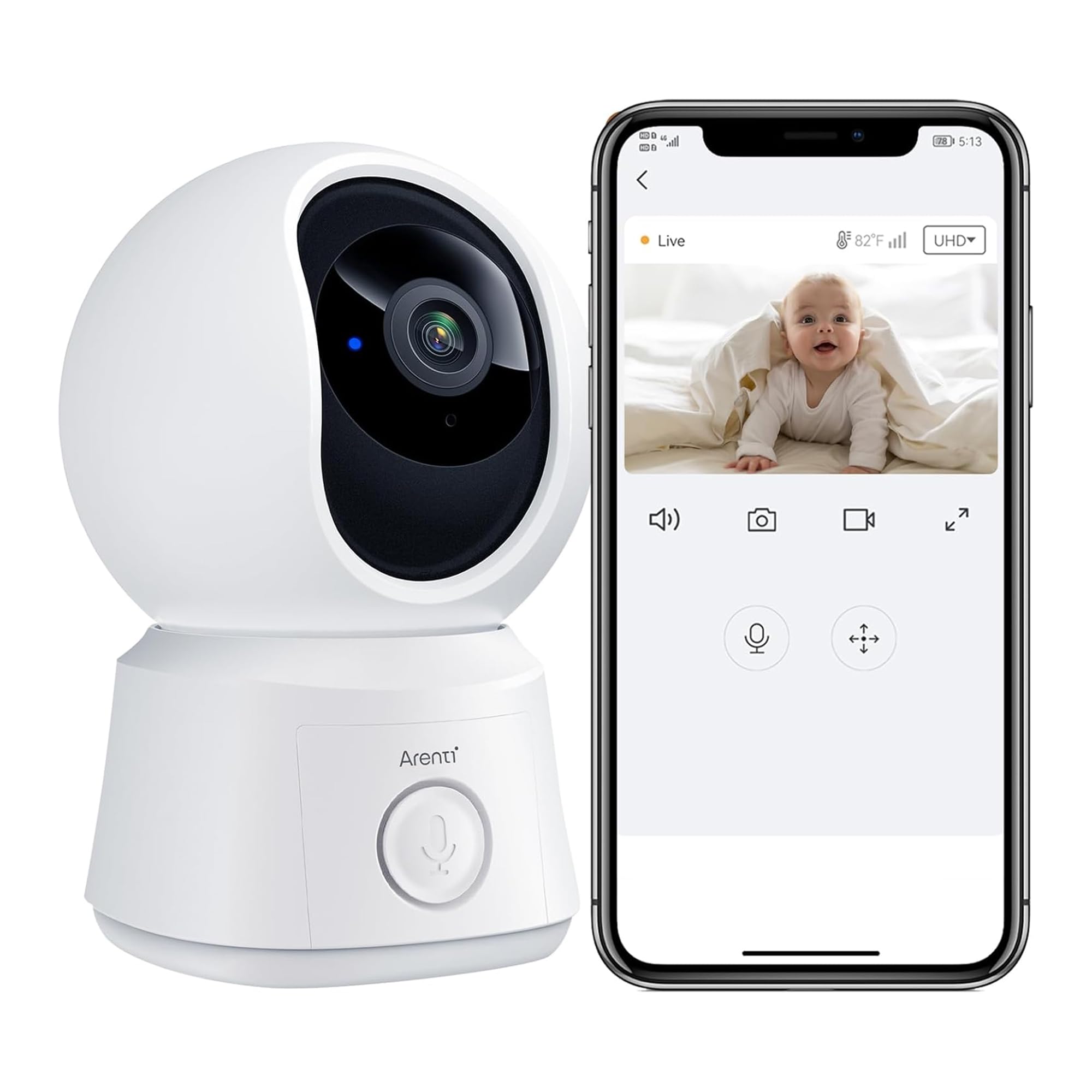
Image: Front view of the ARENTI B2 Baby Monitor Camera, showing the lens and base.
3. Setup
3.1. Powering On the Camera
- Connect the power cable to the camera's power port.
- Plug the power adapter into a wall outlet.
- The camera will power on, and the indicator light will turn red and begin flashing.

Image: The ARENTI B2 Baby Monitor Camera connected to its power adapter and plugged into an outlet.
3.2. Connecting to the Smartphone App (Wi-Fi Setup)
To connect your ARENTI B2 camera to your smartphone:
- Download the ARENTI app from your smartphone's app store.
- Create an account or log in.
- In the app, select "Add Device" and choose the "Baby Camera" option.
- Follow the on-screen prompts to power on the device. Ensure the indicator light is flashing red.
- If prompted, reset the device by pressing the reset button for 4-5 seconds until you hear a "cuckoo" sound.
- Select your 2.4GHz Wi-Fi network and enter the password.
- The app will display a QR code. Position your phone 5-8 inches in front of the camera lens for scanning.
- Once scanned successfully, the camera's indicator light will turn blue, indicating a successful connection.
- Complete the setup in the app by naming your device and assigning it to a family.
Video: Demonstrates the process of connecting the ARENTI B2 Baby Monitor Camera to a smartphone using the ARENTI app, including powering on, resetting, Wi-Fi setup, and QR code scanning.
3.3. Connecting to the Monitor Screen (No Wi-Fi Option)
The ARENTI B2 camera can also be used with a dedicated monitor screen without requiring a Wi-Fi connection or smartphone app.
- Ensure both the camera and the monitor screen are powered on.
- The camera and screen are typically pre-paired from the factory. If not, follow the pairing instructions in the monitor's manual.
- You can control the pairing between the camera and screen as needed through the monitor's menu.
Video: Illustrates the non-Wi-Fi setup of the ARENTI B2 Baby Monitor, showing the camera and a dedicated monitor screen, and the pairing process.

Image: An illustration showing the ARENTI B2 Baby Monitor system, highlighting the camera's ability to connect to a monitor screen without Wi-Fi, and the possibility of multiple cameras.
4. Operating Instructions
4.1. Live View and Pan/Tilt Control
Access the live video feed through the ARENTI app or the dedicated monitor screen. Use the on-screen controls (app) or physical buttons (monitor) to pan (horizontal) and tilt (vertical) the camera for a 360° view of the room.

Image: The ARENTI B2 Baby Monitor camera demonstrating its 360° pan and tilt capabilities, along with auto-tracking of a baby.
4.2. Two-Way Audio
The camera features a built-in microphone and speaker, enabling two-way communication. Press and hold the microphone icon in the app or on the monitor to speak, and release to listen.

Image: A visual representation of the two-way audio feature of the ARENTI B2 Baby Monitor, showing a parent speaking through the app to a baby.
4.3. Night Vision
The camera automatically switches to night vision mode in low-light conditions, providing clear black and white video. This ensures continuous monitoring even in complete darkness.

Image: The ARENTI B2 Baby Monitor displaying its crystal-clear night vision capabilities, showing a baby sleeping in a crib in a dark room.
4.4. Lullabies and White Noise
The camera can play pre-set lullabies or white noise to help soothe your baby. Access these features through the app or monitor settings.

Image: The ARENTI B2 Baby Monitor highlighting additional features such as temperature sensing, playing lullabies, and white noise for a sleeping baby.
4.5. Smart Detection and Alerts
The camera features advanced AI for human, motion, and noise detection. When an event is detected, you will receive instant notifications on your smartphone app.
- Human Detection: Identifies human figures to reduce false alarms.
- Motion Detection: Alerts you to any movement within the camera's view.
- Noise Detection: Notifies you of sounds, such as a baby crying.
- Auto Tracking: The camera can automatically follow detected movement.
- Custom Alert Areas: Define specific zones within the camera's view for motion detection.

Image: A smartphone screen displaying smart alerts from the ARENTI B2 Baby Monitor, indicating detected motion and sound, with a child crying in the background.

Image: The ARENTI B2 Baby Monitor app interface, demonstrating how to set custom motion detection zones within the camera's field of view.
5. Maintenance
- Cleaning: Use a soft, dry cloth to clean the camera lens and body. Avoid abrasive cleaners or solvents.
- Placement: Ensure the camera is placed on a stable surface or securely mounted using the provided bracket. Keep it away from direct sunlight, heat sources, and moisture.
- Software Updates: Regularly check the ARENTI app for firmware updates to ensure optimal performance and security.
- Storage: The camera supports Micro SD cards up to 256GB for local storage (not included). Cloud storage options are also available.

Image: The ARENTI B2 Baby Monitor illustrating its flexible storage options, including support for a Micro SD card (up to 256GB) and cloud storage.
6. Troubleshooting
| Problem | Possible Solution |
|---|---|
| Camera not powering on | Ensure the power cable is securely connected and the adapter is plugged into a working outlet. |
| Unable to connect to Wi-Fi |
|
| No video feed |
|
| Poor image quality |
|
| Two-way audio issues |
|
7. Specifications
| Feature | Detail |
|---|---|
| Model | B2 |
| Compatible Devices | Google Assistant, Amazon Alexa |
| Power Source | Corded Electric |
| Connectivity Protocol | Wi-Fi (2.4GHz) |
| Wireless Communication Technology | Wi-Fi |
| Indoor/Outdoor Usage | Indoor |
| Special Feature | Easy to Install, 360° Pan/Tilt, Two-Way Audio, Night Vision, Human/Motion/Noise Detection, Auto Tracking, Lullabies, Real-Time Temperature Monitoring |
| Storage Options | Cloud Service, Micro SD card (up to 256 GB, not included) |
| Item Weight | 14.9 ounces |
| Package Dimensions | 7.01 x 5.79 x 3.19 inches |
8. Warranty and Support
8.1. Warranty Information
The ARENTI B2 Baby Monitor Camera typically comes with a 1-Year Protection Plan. Please refer to your purchase documentation for specific warranty terms and conditions.

Image: An image highlighting key benefits of choosing ARENTI, including a 1-Year Protection Plan.
8.2. Customer Support
For technical assistance or customer service, please contact ARENTI's professional support team. They are available to assist you with any questions or issues you may encounter.
- Availability: Monday - Friday, 9 AM - 5 PM (PT)
- Response Time: Replies typically within 24 hours.

Image: Information regarding ARENTI's professional support team, including operating hours and response time.


