
1. Introduction
Thank you for purchasing the ZHIWHIS ZWS-8802 Digital Radio. This multi-functional digital radio is designed for both daily use and emergency situations. It supports AM, FM, Shortwave (SW), and Wide FM bands, making it suitable for various listening needs and information gathering during emergencies. This manual provides detailed instructions for proper setup, operation, and maintenance of your device.
2. Product Overview
The ZHIWHIS ZWS-8802 features a clear digital display, multiple power options, and user-friendly controls. Its compact size ensures portability, while the integrated features like a digital clock and alarm function enhance its utility.
2.1. Package Contents
- 1 x ZHIWHIS ZWS-8802 Portable Radio (FM/AM/SW/Wide FM compatible)
- 1 x USB Charging Cable
- 1 x User Manual & Warranty Card

Image: The ZHIWHIS ZWS-8802 radio, USB cable, and user manual shown next to its retail box.
2.2. Component Identification

Image: Front view of the ZHIWHIS ZWS-8802 radio, indicating dimensions (155mm width, 90mm height, 40mm depth) and labels for controls like M-, M+, VOL, MEMO, BAND/U, and the digital display.
- Digital Display: Shows frequency, time, battery status, and other indicators.
- Speaker: Front-facing speaker for audio output.
- Telescopic Antenna: Extendable antenna for FM, SW, and Wide FM reception.
- Volume Knob (VOL): Adjusts audio volume.
- M-/M+ Buttons: For frequency tuning and memory channel selection.
- MEMO Button: For memory functions.
- BAND/U Button: Switches between frequency bands (AM/FM/SW/Wide FM).
- Headphone Jack (3.5mm): For private listening.
- USB-C Charging Port (DC5V): For charging the internal battery.
- Battery Compartment: For optional AA dry cell batteries.

Image: Detailed views of the radio's controls, including the volume knob, M-/M+ buttons, MEMO, BAND/U buttons, 3.5mm headphone jack, and USB-C charging port.
3. Key Features
- Multi-Band Reception: Supports AM, FM, Shortwave (SW), and Wide FM broadcasts.
- Dual Power Options:
- Built-in 2000mAh rechargeable lithium-ion battery (charged via USB-C).
- Compatible with 4 x AA dry cell batteries (not included) for extended use or emergencies.

Image: The radio highlighting its internal 2000mAh rechargeable battery and the compartment for 4 AA dry cell batteries.
- Digital Clock & Alarm: Displays current time and features an alarm function.
- Preset Memory: Stores up to 60 preset stations (20 for FM, 20 for AM, 20 for SW).
- Backlight Display: Ensures visibility in low-light conditions.
- Headphone Output: 3.5mm jack for private listening.
- Portable Design: Compact and lightweight for easy carrying.
4. Setup
4.1. Powering the Device
The ZWS-8802 can be powered by its internal rechargeable battery or by AA dry cell batteries.
- Internal Battery: The radio comes with a built-in 2000mAh lithium-ion battery. To charge, connect the supplied USB-C cable to the DC5V port on the side of the radio and to a USB power adapter (not included). The battery indicator on the display will show charging status.
- Dry Cell Batteries: For alternative power, open the battery compartment on the back of the radio and insert 4 x 1.5V AA batteries, ensuring correct polarity.
4.2. Antenna Adjustment
For optimal FM, SW, and Wide FM reception, extend the telescopic antenna fully and adjust its angle. For AM reception, the radio uses a built-in bar antenna, so no external adjustment is needed, but rotating the radio itself may improve reception.

Image: The ZHIWHIS ZWS-8802 radio with its 45cm telescopic antenna extended, illustrating its use for enhanced signal reception across various bands.
5. Operation
5.1. Power On/Off
Press and hold the BAND/U button for approximately 2 seconds to power the radio on or off.
5.2. Band Selection
Short press the BAND/U button to cycle through available bands: FM, AM, SW (Shortwave), and Wide FM.
5.3. Tuning to Stations
- Manual Tuning: Use the M- and M+ buttons to manually adjust the frequency up or down.
- Automatic Scan: Press and hold the M- or M+ button to automatically scan for the next available station.
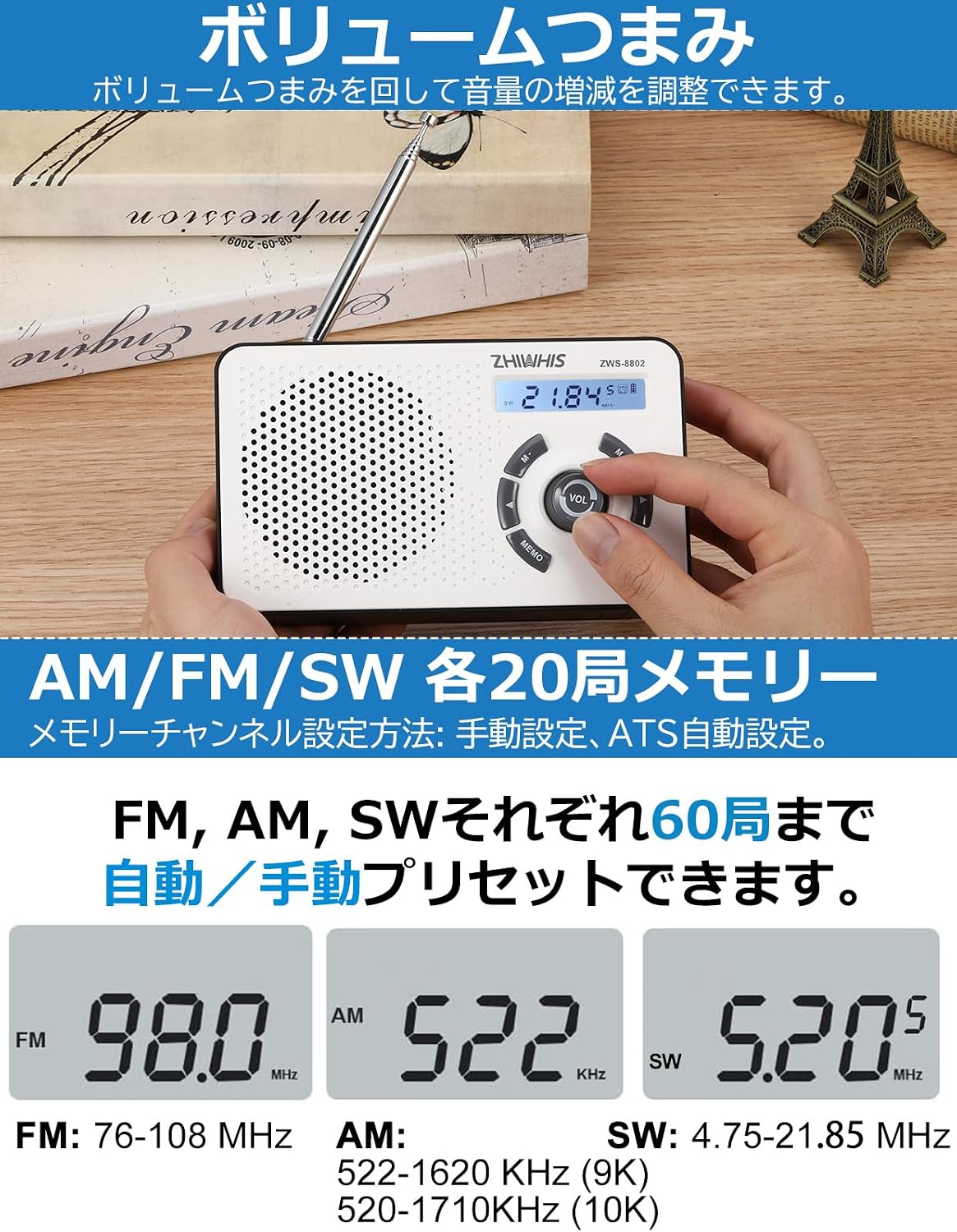
Image: A hand adjusting the volume knob and using the M-/M+ buttons for tuning on the ZHIWHIS ZWS-8802 radio.
5.4. Volume Adjustment
Rotate the VOL knob to increase or decrease the audio volume.
5.5. Preset Stations (Memory Function)
The radio can store up to 20 stations per band (FM, AM, SW) for a total of 60 presets.
- Saving a Preset:
- Tune to the desired station.
- Press and hold the MEMO button until the preset number flashes on the display.
- Use the M- or M+ buttons to select a memory slot.
- Press MEMO again to confirm and save the station.
- Recalling a Preset:
- Short press the MEMO button.
- Use the M- or M+ buttons to cycle through saved presets.
- Automatic Tuning Storage (ATS): In radio mode, press and hold the MEMO button for more than 3 seconds to activate ATS. The radio will automatically scan and save strong stations to memory.

Image: The radio's display showing various frequencies (e.g., 98.0 MHz FM, 522 KHz AM, 5.20 MHz SW) and the memory function.
5.6. Digital Clock and Alarm Function
- Setting Time:
- In clock mode, press and hold the MEMO button until the hour digits flash.
- Use M- or M+ to adjust the hour. Press MEMO to confirm.
- The minute digits will flash. Use M- or M+ to adjust the minutes. Press MEMO to confirm.
- Setting Alarm:
- In clock mode, short press the BAND/U button to enter alarm setting mode (alarm icon will appear).
- Press and hold the MEMO button until the alarm hour digits flash.
- Adjust hour and minutes using M- or M+, confirming each with MEMO.
- After setting the time, the alarm icon will remain on, indicating the alarm is active.
- Alarm Activation: When the set alarm time is reached, the radio will automatically turn on and play the last tuned station, or a "DiDi" sound will play.
- Disabling Alarm: In alarm setting mode, press and hold the MEMO button until the alarm icon disappears.
Image: The radio's digital display showing time (e.g., 5:49 PM) and frequency (e.g., 99.5 MHz) with the backlight activated, demonstrating visibility in dark conditions.
6. Specifications
| Brand | ZHIWHIS |
| Model | ZWS-8802 |
| Frequency Range | FM: 76-108 MHz AM: 522-1620 KHz (9K) SW: 4.75-21.85 MHz |
| Power Input | DC 5V, 1A (USB-C) |
| Internal Battery | 2000mAh Lithium-ion |
| Dry Cell Battery Support | 4 x 1.5V AA batteries (not included) |
| Speaker | φ76mm / 4Ω / 3W |
| Headphone Jack | 3.5mm |
| Dimensions (L x W x H) | 155 x 39 x 90 mm |
| Weight | 330g |
| Display Type | LCD |
7. Troubleshooting
- No Power:
- Ensure the internal battery is charged.
- If using AA batteries, check their polarity and ensure they are not depleted.
- Poor Reception:
- Extend the telescopic antenna fully and adjust its direction for FM/SW/Wide FM.
- For AM, try rotating the radio to find a better signal.
- Move away from electronic devices that may cause interference.
- No Sound:
- Check the volume level.
- If headphones are connected, disconnect them to check speaker output.
- Presets Lost:
- Ensure the battery is not completely depleted for an extended period, which might reset memory.
- Avoid accidentally performing a factory reset (e.g., holding M+ button for 3 seconds in clock mode).
8. Warranty and Support
ZHIWHIS provides a 1-year warranty from the date of purchase for any product defects or malfunctions. If you encounter any issues with your ZWS-8802 radio, please contact our customer support for assistance. We are committed to providing a satisfactory shopping experience.
For support, please refer to the contact information provided on your warranty card or the seller's page.
9. Product Video Demonstration
Watch this short video for a quick overview of the ZHIWHIS ZWS-8802 Digital Radio's features and design.
Video: A brief demonstration showcasing the ZHIWHIS ZWS-8802 Digital Radio, its compact size, controls, and display. This video highlights the product's physical aspects and basic functionality.

