
1. Introduction
The WalkerFit A37 Smartwatch combines modern design with advanced technology, offering comprehensive health and fitness tracking, smart notifications, and communication features. This manual provides essential information for setting up, operating, and maintaining your device to ensure optimal performance and user experience.
2. Package Contents
Please verify that all items are present in your product package:
- WalkerFit A37 Smartwatch (with Milanese strap attached)
- Silicone Strap
- Magnetic Wireless Charging Cable
- User Manual (this document)

Image: The WalkerFit A37 Smartwatch, a Milanese strap, a pink silicone strap, and a magnetic charging cable are displayed in an open gift box, indicating the package contents.
3. Setup
3.1 Charging the Smartwatch
Before initial use, fully charge your WalkerFit A37 Smartwatch. The device features magnetic wireless charging for convenience.
- Connect the magnetic charging cable to a USB power adapter (not included) or a computer's USB port.
- Place the back of your smartwatch onto the magnetic charging pad. Ensure the charging pins align correctly. The watch will vibrate and display a charging icon.
- A full charge typically takes approximately 1.5 hours. The battery provides up to 7 days of typical use and 30 days of standby time.

Image: The WalkerFit A37 Smartwatch is shown on its magnetic wireless charging pad, displaying a charging animation on its screen. Below are icons indicating a 2-hour full charge, 5-7 days of autonomy, and 30 days of standby.
3.2 App Installation and Device Pairing
To unlock all features and synchronize data, download the companion app to your smartphone.
- Scan the QR code provided in the manual or on the watch packaging, or search for the 'WalkerFit' app in your smartphone's app store (compatible with Android and iOS devices).
- Install and open the app. Follow the on-screen instructions to create an account or log in.
- Enable Bluetooth on your smartphone. In the app, navigate to 'Device' or 'Add Device' and select your WalkerFit A37 from the list of available devices.
- Confirm the pairing request on both your smartphone and the smartwatch.
3.3 Strap Installation
Your WalkerFit A37 comes with two interchangeable straps: a Milanese strap and a silicone strap.
- To remove a strap, locate the quick-release pin on the underside of the strap where it connects to the watch body. Slide the pin inwards and gently pull the strap away from the watch.
- To attach a new strap, insert one end of the quick-release pin into the lug hole on the watch. Slide the other end of the pin inwards, align the strap with the watch body, and release the pin into the opposite lug hole. Gently tug the strap to ensure it is securely fastened.
4. Operating Instructions
4.1 Basic Navigation
The WalkerFit A37 features a 1.43-inch AMOLED touchscreen and a side button for navigation.
- Touchscreen: Swipe up, down, left, or right to navigate through menus and notifications. Tap to select an option.
- Side Button: Press to wake the screen, return to the watch face, or access the main menu. Long press for specific functions (e.g., power on/off).

Image: A close-up of the WalkerFit A37 Smartwatch highlights its 1.43-inch curved 2.5D AMOLED display and ultra-thin 10mm body. The watch face shows the time, date, and battery level.
4.2 Calls and Notifications
Once paired with your smartphone, the A37 can receive calls and notifications.
- Incoming Calls: When a call comes in, the watch will display the caller ID. You can answer or reject calls directly from your wrist using the built-in microphone and speaker.
- Notifications: Receive alerts for SMS messages, WhatsApp, and other app notifications. Swipe down from the watch face to view your notification history.
4.3 Health Monitoring
The A37 provides comprehensive health tracking features.
- Heart Rate: Continuous 24-hour heart rate monitoring. View real-time data on the watch or detailed trends in the app.
- Blood Oxygen (SpO₂): Measure your blood oxygen saturation levels.
- Sleep Tracking: Monitors sleep stages (deep, light, REM) and provides a sleep quality score.
- Menstrual Cycle Tracking: Track your menstrual cycle, predict ovulation, and receive reminders.
- Stress Monitoring & Breathing Exercises: Monitor stress levels and use guided breathing exercises to relax.

Image: The WalkerFit A37 Smartwatch shows various health tracking features, including a menstrual cycle prediction screen, and detailed graphs for heart rate, blood oxygen, and sleep duration.
4.4 Sports Modes
The smartwatch supports over 120 sports modes to track your physical activity.
- Access the sports mode menu on your watch. Select your desired activity (e.g., running, cycling, yoga, swimming).
- The watch will record data such as duration, distance, calories burned, and heart rate during your workout.
- For outdoor activities, the watch uses your smartphone's GPS for accurate route tracking.
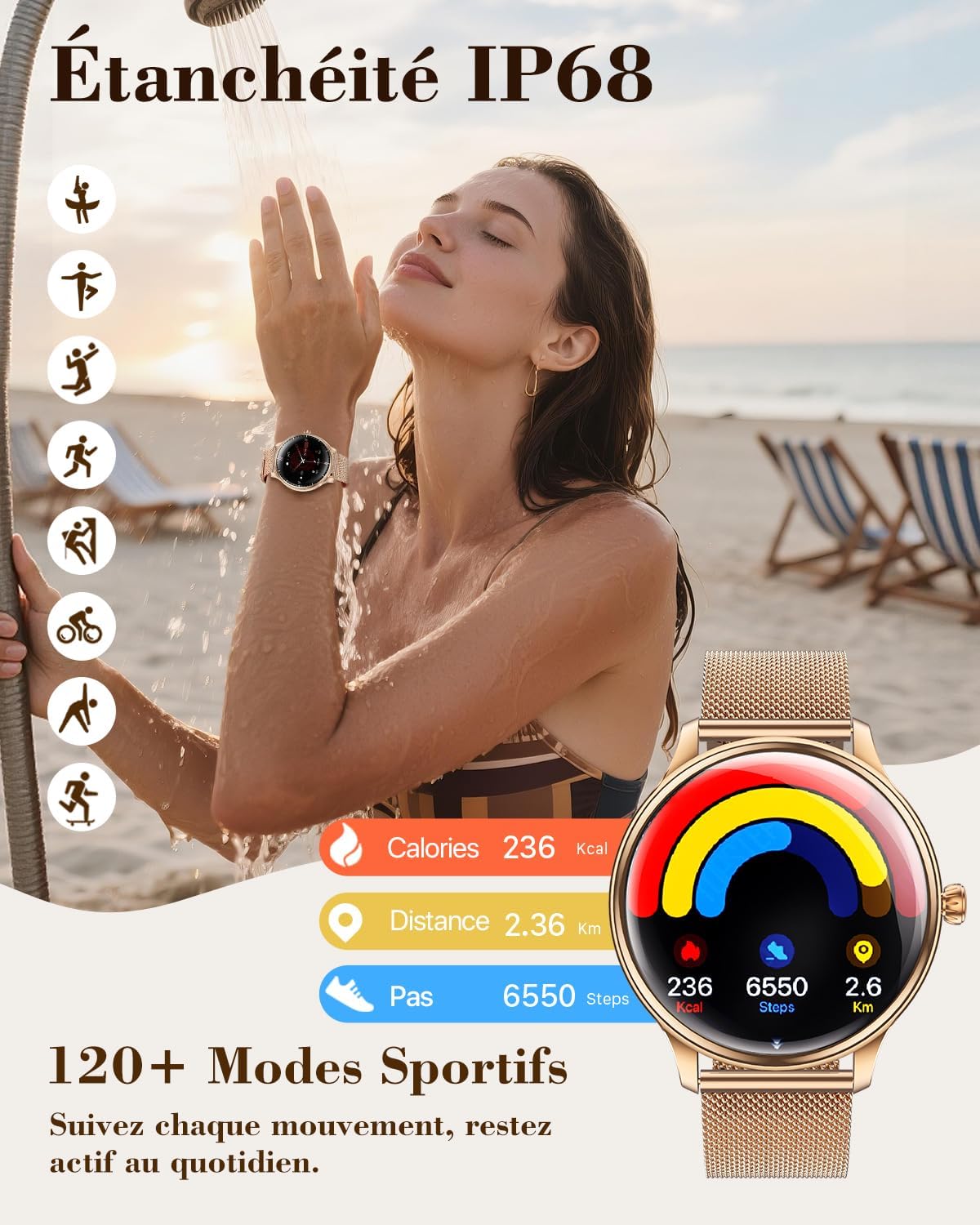
Image: A woman showers while wearing the WalkerFit A37 Smartwatch, demonstrating its IP68 water resistance. The watch face displays activity metrics like calories, distance, and steps, along with icons for various sports modes.
4.5 AI Voice Assistant
Utilize the integrated AI voice assistant for hands-free control.
- Activate the voice assistant feature on your watch (refer to the app for specific activation gestures or button presses).
- Speak commands or questions, such as "Play my workout playlist" or "What's the weather like?"
- The voice assistant can also help with setting reminders or making calls.

Image: The WalkerFit A37 Smartwatch displays a voice assistant interface. Speech bubbles show example commands like "Play my workout playlist" and "What's the weather like?". Below, icons represent call answering, clear calls, and social media notifications.
5. Maintenance
5.1 Water Resistance (IP68)
The WalkerFit A37 Smartwatch is IP68 rated, meaning it is resistant to dust and can withstand immersion in water up to 1.5 meters for 30 minutes. It is suitable for daily use, showering, and swimming in shallow water. However, it is not recommended for diving, high-pressure water activities, or prolonged submersion.
- Avoid exposing the watch to hot water, steam, or detergents, as this may compromise its water resistance.
- If the watch gets wet, wipe it dry with a soft cloth before charging or using the buttons.
5.2 Cleaning and Care
To maintain your smartwatch's appearance and functionality:
- Regularly clean the watch body and straps with a soft, dry, or slightly damp cloth.
- Avoid using abrasive cleaners, solvents, or harsh chemicals.
- Ensure the charging contacts on the back of the watch are clean and dry to prevent charging issues.
6. Troubleshooting
- Watch not turning on: Ensure the watch is fully charged. Connect it to the charger for at least 10 minutes.
- Cannot pair with smartphone:
- Ensure Bluetooth is enabled on your smartphone and the watch is within range.
- Restart both your smartphone and the smartwatch.
- Check if the app has necessary permissions (location, Bluetooth) enabled.
- If previously paired, try unpairing and re-pairing the device through the app.
- Inaccurate health data: Ensure the watch is worn snugly on your wrist, about one finger's width above the wrist bone. Avoid excessive movement during measurements.
- Notifications not received:
- Verify that the watch is connected to your smartphone via Bluetooth.
- Check app notification settings on your smartphone and within the WalkerFit app.
- Ensure your smartphone's Do Not Disturb mode is off.
- Short battery life:
- Reduce screen brightness and screen-on time.
- Limit continuous heart rate monitoring or turn off features you don't use frequently.
- Ensure the watch is fully charged each time.
7. Specifications
| Feature | Detail |
|---|---|
| Model Number | A37 |
| Display | 1.43-inch AMOLED, 466 x 466 resolution, 1000 NIT max brightness |
| Battery Capacity | 280 mAh Lithium-polymer |
| Battery Life | Up to 7 days (typical use), 30 days (standby) |
| Charging Time | Approx. 1.5 hours (magnetic wireless charging) |
| Connectivity | Bluetooth |
| Water Resistance | IP68 (up to 30 meters / 3 ATM) |
| Memory | 128 MB Storage, 256 KB RAM |
| Compatibility | Android devices, iOS devices |
| Sensors | Heart rate, Blood oxygen, Accelerometer |
| Strap Width | 20 mm |
| Strap Length | 197 mm |
| Input | Touchscreen, Buttons, Microphone |
8. Warranty and Support
Your WalkerFit A37 Smartwatch is covered by a standard manufacturer's warranty. Please refer to the warranty card included in your package for specific terms and conditions. For technical support, troubleshooting assistance, or warranty claims, please contact WalkerFit customer service through the contact information provided on our official website or within the companion app.