
Introduction
Thank you for choosing the Fhumsh A10 Pro Wireless Earbuds. This manual provides detailed instructions for setting up, operating, and maintaining your earbuds to ensure optimal performance and longevity. Please read this manual carefully before use and retain it for future reference.
Package Contents
- Fhumsh A10 Pro Wireless Earbuds (Left and Right)
- Charging Case
- USB Type-C Charging Cable
- Silicone Ear Tips (S/M/L sizes)
- User Manual
Product Overview
The Fhumsh A10 Pro Wireless Earbuds feature an ergonomic design for comfortable wear and are equipped with Bluetooth 5.3 for stable connectivity. The charging case includes an LED power display to monitor battery levels.
Components
- Earbuds: Left and Right, each with touch control area and charging contacts.
- Charging Case: Houses and charges the earbuds, features an LED display for battery status, and a Type-C charging port.
Setup
1. Charging the Earbuds and Case
Before first use, fully charge the charging case and earbuds.
- Place the earbuds into the charging case. Ensure they are correctly seated to make contact with the charging pins.
- Connect the USB Type-C charging cable to the charging port on the case and the other end to a USB power adapter (not included).
- The LED display on the charging case will show the battery percentage during charging. A full charge for the case takes approximately 1.5 hours.
- The earbuds will charge automatically when placed in the case. The case provides up to 50 hours of additional playtime, with earbuds offering 5-7 hours per single charge.

Image: The charging case with earbuds, illustrating the magnetic charging contacts and displaying battery life information, including 5-8 hours single play, 3 times case charge, 8 hours talk time, and 300 mAh case capacity.
2. Pairing with Your Device
The A10 Pro earbuds feature automatic pairing for quick and easy connection.
- Open the charging case. The earbuds will automatically power on and enter pairing mode.
- On your device (smartphone, tablet, etc.), go to the Bluetooth settings.
- Search for available devices and select "A10 Pro" from the list.
- Once selected, the earbuds will connect automatically. A voice prompt will confirm the connection.
- After the initial pairing, the earbuds will automatically connect to the last-paired device when taken out of the case.
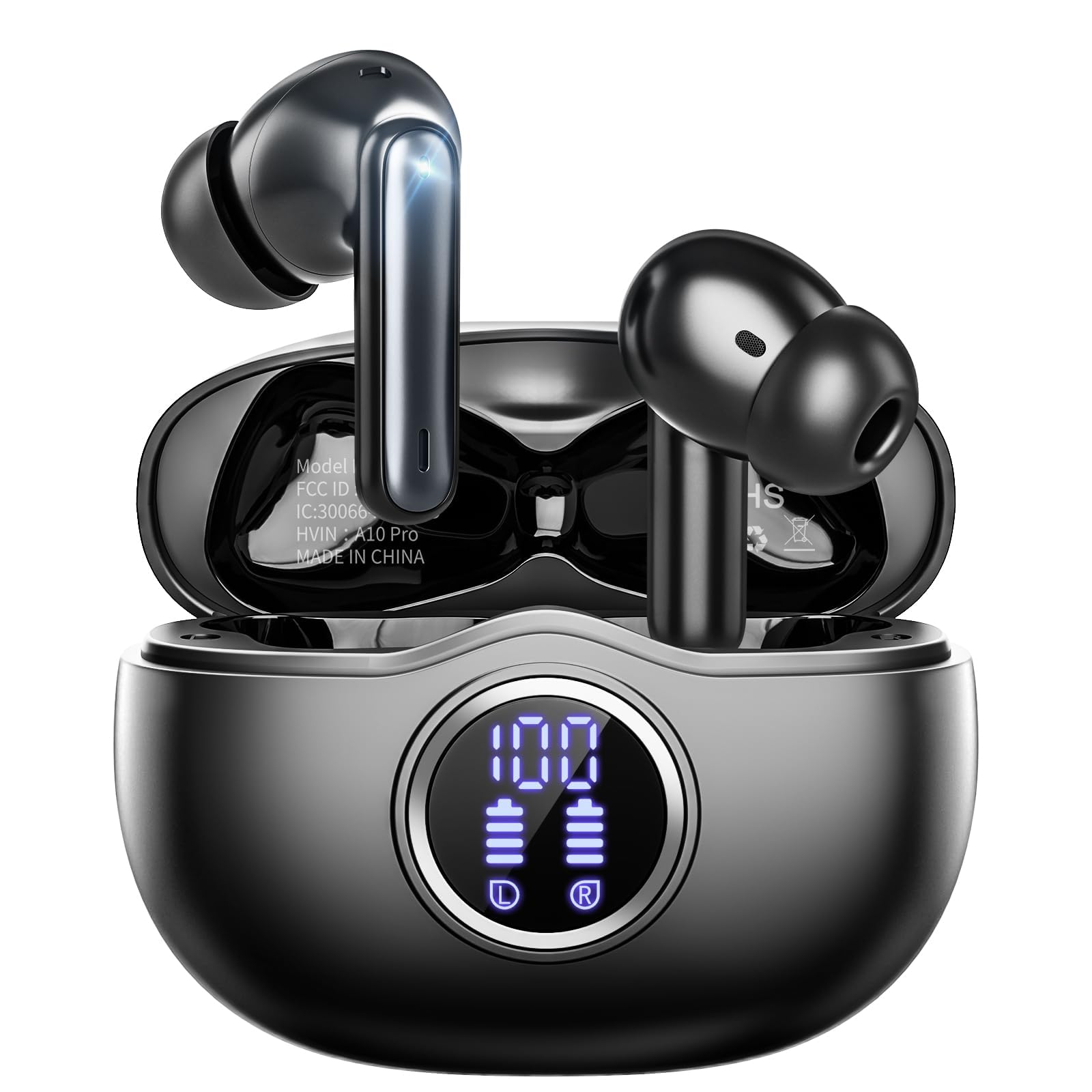
Image: A visual representation of the quick pairing process, showing the earbuds in their open charging case next to a smartphone displaying the Bluetooth settings with "A10 Pro" available for connection.

Image: A diagram illustrating the one-step pairing process: opening the case powers on and connects the earbuds, while closing the case powers them off and initiates charging.
Operating Instructions
1. Wearing the Earbuds
The A10 Pro earbuds are designed for ergonomic comfort. Choose the ear tips that best fit your ear canal for optimal sound quality and secure fit.
- Select the appropriate size (S/M/L) silicone ear tips.
- Gently insert the earbuds into your ears and rotate them slightly until they feel secure and comfortable.

Image: A person wearing an A10 Pro earbud, emphasizing the ergonomic design for comfortable and immersive audio experience.
2. Touch Controls
The earbuds feature sensitive touch controls for managing audio playback and calls.
| Function | Action |
|---|---|
| Play/Pause Music | Single tap on either earbud |
| Answer Call | Single tap on either earbud |
| Hang Up Call | Single tap on either earbud |
| Next Track | Double tap on the right earbud |
| Previous Track | Double tap on the left earbud |
| Volume Up | Triple tap on the right earbud |
| Volume Down | Triple tap on the left earbud |
| Activate Voice Assistant | Long press (2 seconds) on either earbud |

Image: A visual guide to the touch control functions of the A10 Pro earbuds, including play/pause, voice assistant, previous/next song, answer/hang up call, and volume adjustment.
Maintenance
Cleaning
- Regularly clean the earbuds and charging case with a soft, dry, lint-free cloth.
- Do not use abrasive cleaners, alcohol, or chemical solvents.
- Ensure the charging contacts on both the earbuds and the case are clean and dry to prevent charging issues.
- Remove ear tips and clean them with water if necessary, ensuring they are completely dry before reattaching.
Storage
- When not in use, store the earbuds in their charging case to protect them and keep them charged.
- Store in a cool, dry place away from extreme temperatures and direct sunlight.
Troubleshooting
If you encounter any issues with your Fhumsh A10 Pro Wireless Earbuds, please refer to the following common solutions:
- Earbuds not pairing: Ensure both earbuds are charged. Place them back in the case, close it, then open it again to re-initiate pairing mode. Delete "A10 Pro" from your device's Bluetooth list and try pairing again.
- Only one earbud working: Place both earbuds back into the charging case, close the lid, wait a few seconds, then open it again. This often re-syncs them.
- No sound: Check the volume level on both your device and the earbuds. Ensure the earbuds are properly connected to your device.
- Charging issues: Verify that the charging cable is securely connected and the power source is working. Clean the charging contacts on both the earbuds and the case.
- Poor sound quality: Ensure the ear tips provide a good seal in your ear canal. Try different sized ear tips. Move closer to your connected device to avoid interference.
Specifications
| Feature | Specification |
|---|---|
| Model | A10 Pro |
| Brand | Fhumsh |
| Bluetooth Version | 5.3 |
| Wireless Range | Up to 15 meters (49 feet) |
| Earbud Playtime | 5-7 hours per charge |
| Total Playtime (with case) | Up to 50 hours |
| Case Charging Time | Approx. 1.5 hours (Type-C) |
| Waterproof Rating | IPX7 (sweat and splash resistant) |
| Ear Placement | In Ear |
| Form Factor | In Ear |
| Earbud Weight | Approx. 3.6g (0.008 lbs) per earbud |
| Case Weight | Approx. 40.8g (0.09 lbs) |
| Color | Black |

Image: The A10 Pro earbuds and charging case displayed with key dimensions and highlighting the advanced V5.3 Bluetooth chip for faster, more stable connection and a 15-meter range.
Safety Information
- Do not disassemble, repair, or modify the product.
- Keep the earbuds and charging case away from water, moisture, and extreme temperatures.
- Avoid prolonged exposure to high volume levels to prevent hearing damage.
- Use only the provided charging cable or a certified Type-C cable for charging.
- Keep out of reach of children and pets.
Warranty and Support
For warranty information and customer support, please refer to the product packaging or contact the manufacturer directly through their official website. Please have your product model (A10 Pro) and purchase details available when seeking support.


