1. Product Overview
The JUNWOOD M18 8.0Ah Lithium-Ion Battery and Charger system provides reliable power for your 18V cordless power tools. This system includes high-capacity 8.0Ah lithium-ion batteries designed for extended runtime and a compatible charger. The batteries feature an integrated LED indicator for monitoring charge status and are built with multiple protection mechanisms to ensure safe and efficient operation.
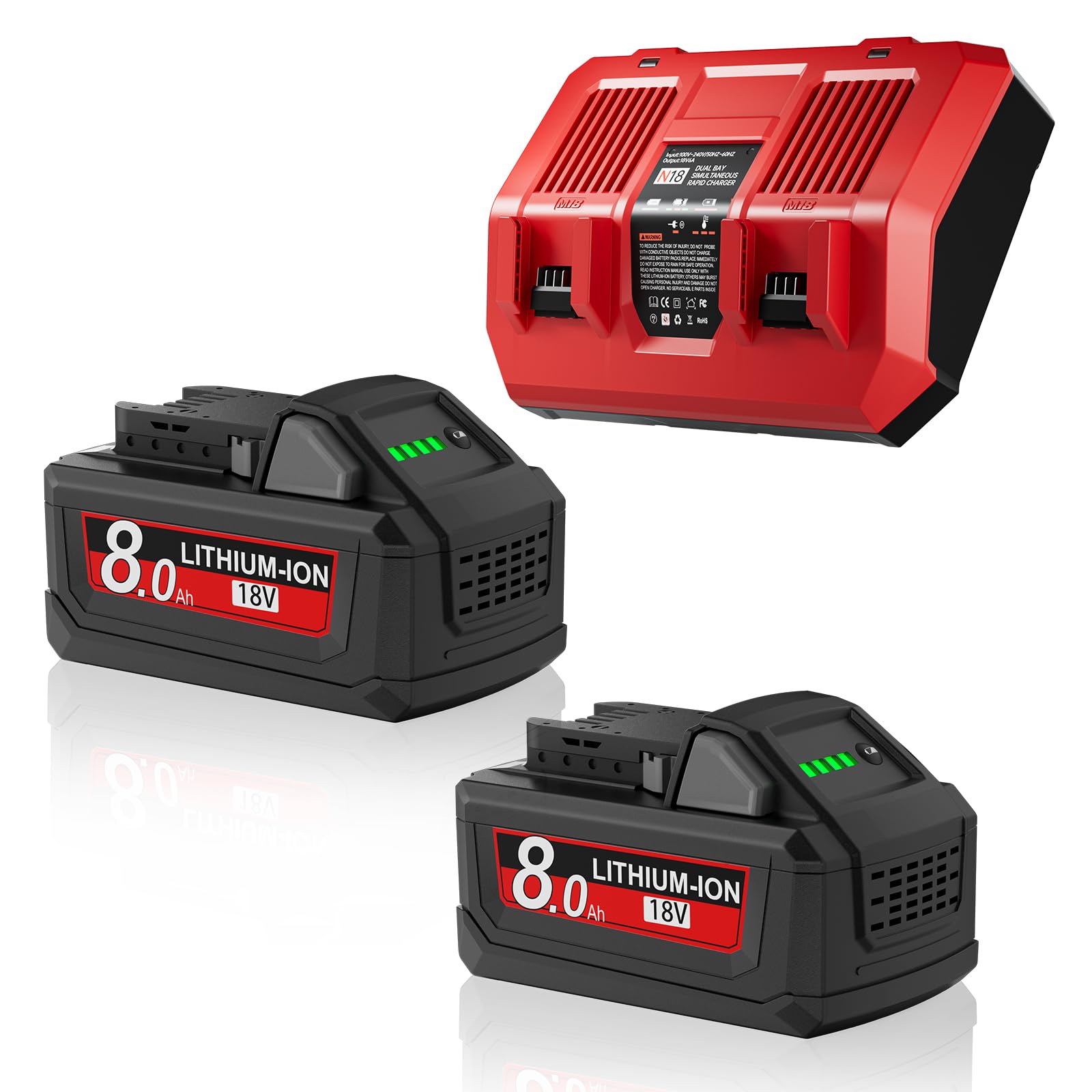
Image 1.1: JUNWOOD M18 8.0Ah Lithium-Ion Battery and Charger.
2. Key Features
- High Capacity: 8.0Ah (8000mAh) Lithium-Ion batteries provide extended runtime and increased power output for demanding tasks.
- Voltage: 18V nominal voltage, compatible with a wide range of 18V cordless power tools.
- Integrated LED Indicator: Allows users to quickly check the battery's charge status.
- Advanced Protection: Built-in safeguards protect against overcharge, over-discharge, over-current, over-voltage, and short circuits, enhancing battery longevity and user safety.
- Wide Compatibility: Designed as a replacement for Milwaukee M18 batteries and chargers, compatible with various Milwaukee 18V tool models including 48-11-1810, 48-11-1815, 48-11-1820, 48-11-1850, 48-11-1828, 48-11-1860, and others.
- Efficient Charging: The included charger is designed for efficient charging of JUNWOOD M18 batteries.

Image 2.1: Visual representation of multi-battery protection features including overcharge, over-discharge, overcurrent, overvoltage, short-circuit, and temperature protection.
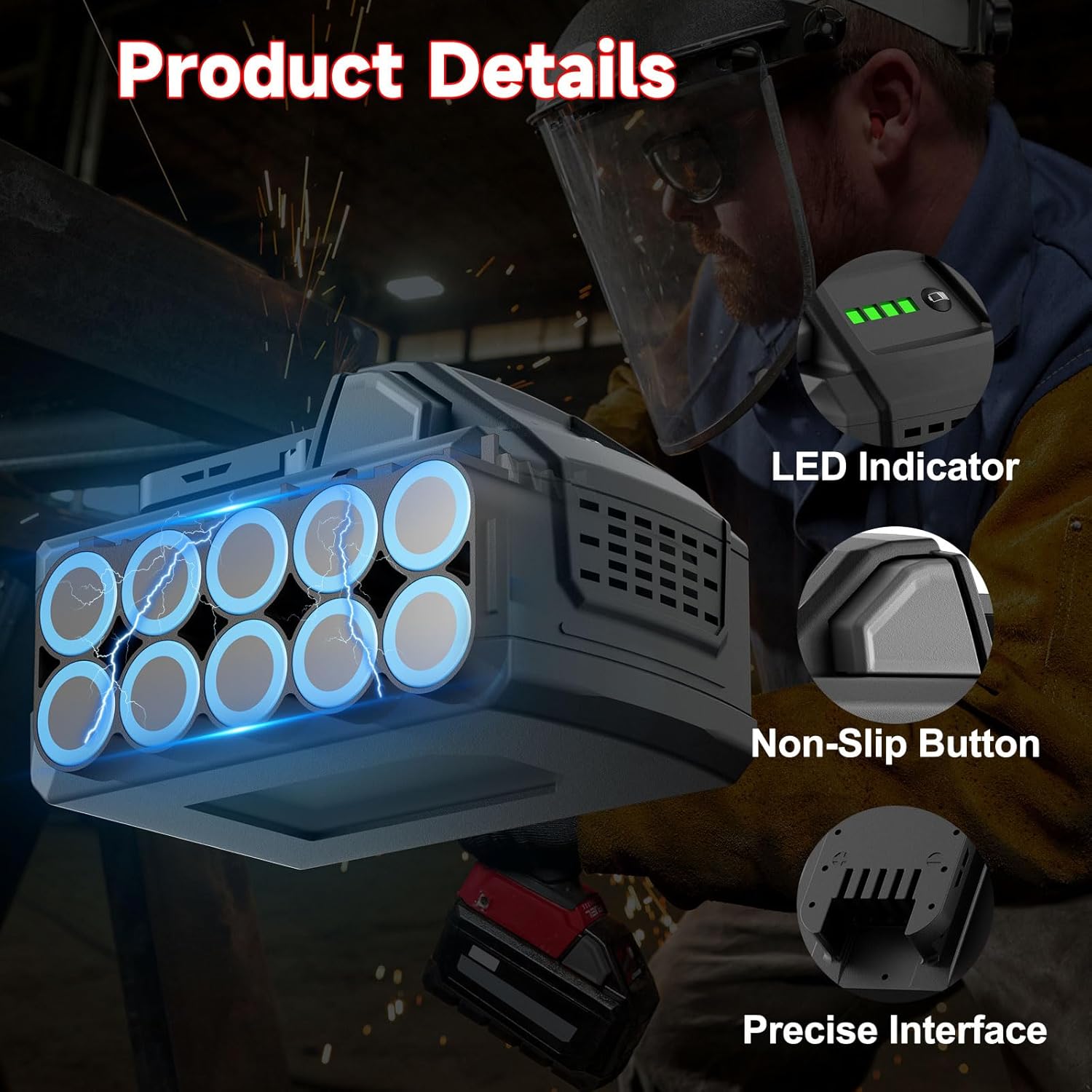
Image 2.2: Close-up view of battery features including the LED indicator, non-slip button, and precise interface for tool connection.
3. Setup and Charging
3.1 Initial Battery Charge
- Unpack the battery and charger from the packaging.
- Connect the charger to a standard electrical outlet.
- Align the battery with the charging slot on the charger. Slide the battery onto the charger until it clicks into place.
- The charger's indicator light will illuminate to show the charging status. A red light typically indicates charging, while a green light indicates a full charge.
- Allow the battery to fully charge before its first use to optimize performance and lifespan.
3.2 Important Charging Notes
- The charger is designed to charge one battery at a time. It cannot charge both M12 and M18 batteries simultaneously if it has dual slots.
- Always ensure the battery is securely seated in the charger.
- Do not attempt to charge damaged batteries.
- Charge batteries in a well-ventilated area, away from flammable materials.
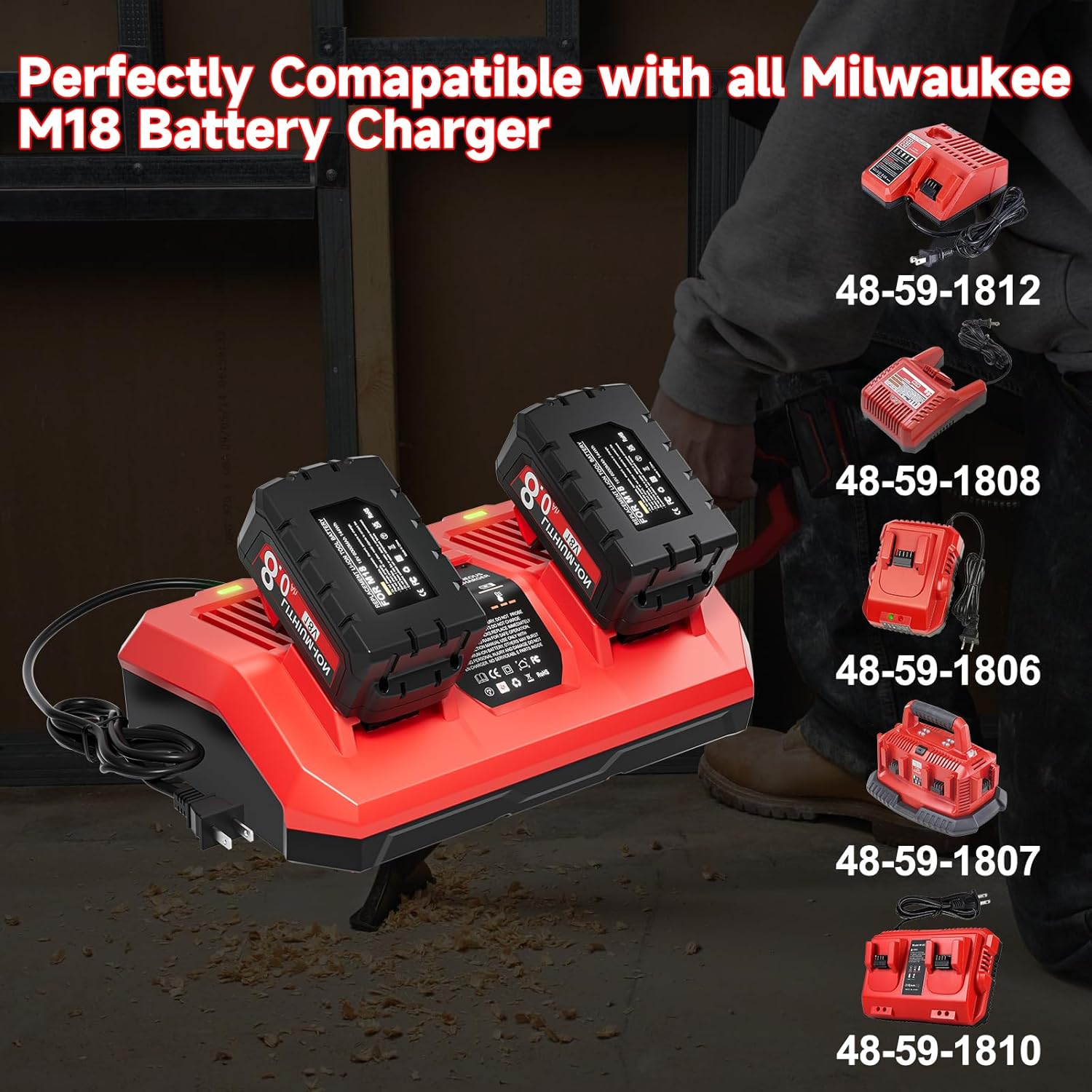
Image 3.1: The JUNWOOD charger with two M18 batteries, illustrating how batteries are inserted for charging.
4. Operating Instructions
4.1 Installing the Battery into a Tool
- Ensure the power tool is turned off before installing or removing the battery.
- Align the battery with the battery slot on your 18V cordless power tool.
- Slide the battery into the tool until it locks securely into place. A click sound indicates proper installation.
- To remove the battery, press the release buttons on the sides of the battery and slide it out of the tool.
4.2 Checking Battery Charge Status
Press the battery indicator button on the battery pack. The LED lights will illuminate to show the remaining charge:
- 4 Green Lights: Full charge
- 3 Green Lights: Approximately 75% charge
- 2 Green Lights: Approximately 50% charge
- 1 Green Light: Low charge, consider recharging soon
- Flashing Green Light: Battery is very low or needs attention

Image 4.1: The JUNWOOD M18 battery shown powering various Milwaukee 18V cordless tools, demonstrating broad compatibility.
5. Maintenance and Storage
5.1 Battery Care
- Keep batteries clean and dry. Wipe contacts with a clean cloth if necessary.
- Avoid exposing batteries to extreme temperatures, direct sunlight, or moisture.
- Do not short-circuit battery terminals.
- Do not disassemble or modify the battery pack.
5.2 Charger Care
- Keep the charger clean and free from debris.
- Store the charger in a dry indoor location.
- Inspect the charger cord for damage regularly. Do not use if damaged.
5.3 Storage
- For long-term storage, store batteries at approximately 50% charge in a cool, dry place.
- Avoid storing batteries in direct sunlight or areas with high humidity.
- Recharge batteries every 3-6 months during long-term storage to prevent deep discharge.
6. Troubleshooting
6.1 Battery Not Charging
- Check Power Connection: Ensure the charger is securely plugged into a working electrical outlet.
- Verify Battery Seating: Make sure the battery is fully and correctly inserted into the charger slot. Remove and re-insert the battery.
- Charger Indicator: Observe the charger's indicator lights. If no light appears or an error light (e.g., flashing red) is present, consult the charger's specific manual or contact support.
- Battery Condition: If the battery is extremely hot or cold, it may not charge immediately. Allow it to reach room temperature before attempting to charge.
- Charger Malfunction: If the charger fails to charge any battery, the charger itself might be faulty.
6.2 Reduced Runtime
- Full Charge: Ensure the battery is fully charged before use.
- Battery Age: Over time, all rechargeable batteries experience a decrease in capacity. If the battery is old, it may need replacement.
- Operating Conditions: Extreme temperatures or heavy-duty applications can reduce effective runtime.
6.3 Battery Not Fitting Tool
- Compatibility Check: Confirm that your tool is an 18V Milwaukee-compatible model. While these batteries are designed for wide compatibility, always double-check.
- Obstruction: Inspect the battery and tool's battery slot for any debris or damage that might prevent proper insertion.
7. Specifications
| Feature | Specification |
|---|---|
| Brand | JUNWOOD |
| Battery Voltage | 18V |
| Battery Capacity | 8.0Ah (8000 Milliamp Hours) |
| Battery Cell Composition | Lithium Ion |
| Wattage | 144Wh |
| Product Dimensions | 1 x 1 x 1 inches |
| Item Weight | 4.64 pounds |
| Recommended Uses | Indoor/Outdoor Cordless Power Tools |
8. Warranty and Support
JUNWOOD provides a 12-month replacement period and a one-year warranty for this product. If you encounter any concerns or issues with your JUNWOOD M18 8.0Ah Lithium-Ion Battery and Charger, please contact customer support. Our team is committed to responding to your inquiries within 24 hours to provide assistance and resolution.
For support, please refer to the contact information provided with your purchase or visit the official JUNWOOD store on Amazon: JUNWOOD Store.