
Introduction
The ANRUOLA 3D Bluetooth Sleep Mask with Integrated Headphones is designed to provide a comfortable and immersive audio experience while ensuring complete light blockage for improved sleep or relaxation. This device combines a soft, contoured eye mask with built-in wireless stereo speakers, making it suitable for various uses such as napping, travel, meditation, and for side sleepers.
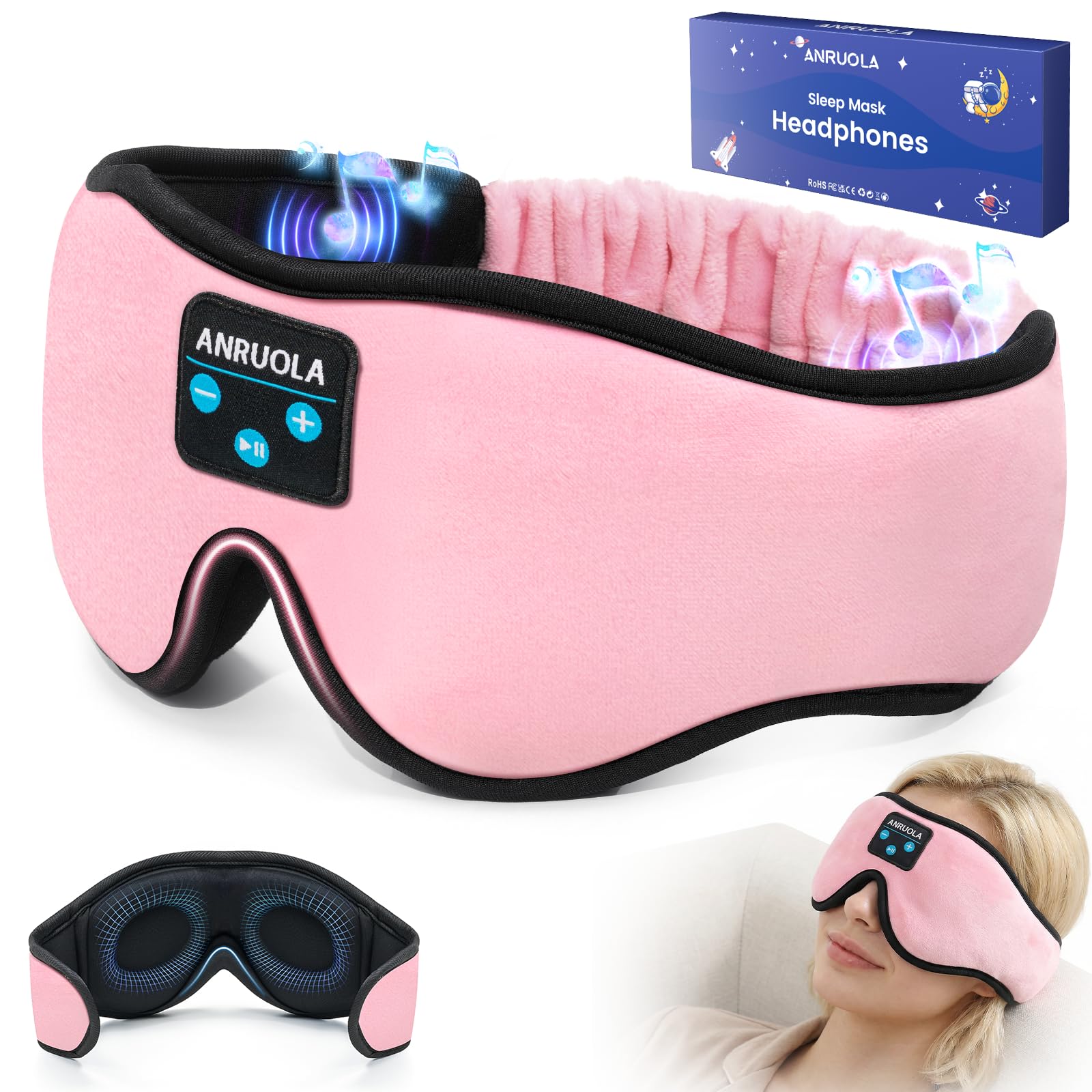
Image: The ANRUOLA 3D Bluetooth Sleep Mask in Peach Pink, showcasing its design and comfort.
Setup Instructions
1. Charging the Device
Before initial use, fully charge the sleep mask. Connect the provided charging cable to the mask's charging port and a USB power source. The charging indicator light will typically show charging status and turn off or change color when fully charged. A full charge takes approximately 1-2 hours and provides 12-14 hours of playing time.
2. Bluetooth Pairing
- Ensure the sleep mask is charged and powered off.
- Press and hold the power button on the mask's control panel until the indicator light flashes, indicating it is in pairing mode.
- On your mobile device (smartphone, tablet, etc.), navigate to the Bluetooth settings.
- Search for available devices and select "ANRUOLA" from the list.
- Once connected, the indicator light on the mask will typically stop flashing or show a solid light.

Image: A smartphone screen displaying the Bluetooth settings, showing the ANRUOLA device ready for connection.
3. Adjusting the Fit
The sleep mask features an adjustable elastic band to ensure a comfortable and secure fit for various head sizes. Position the mask over your eyes, ensuring the 3D contoured eye sockets provide zero pressure on your eyes. Adjust the strap at the back of your head until the mask feels snug but not too tight, and effectively blocks out light.
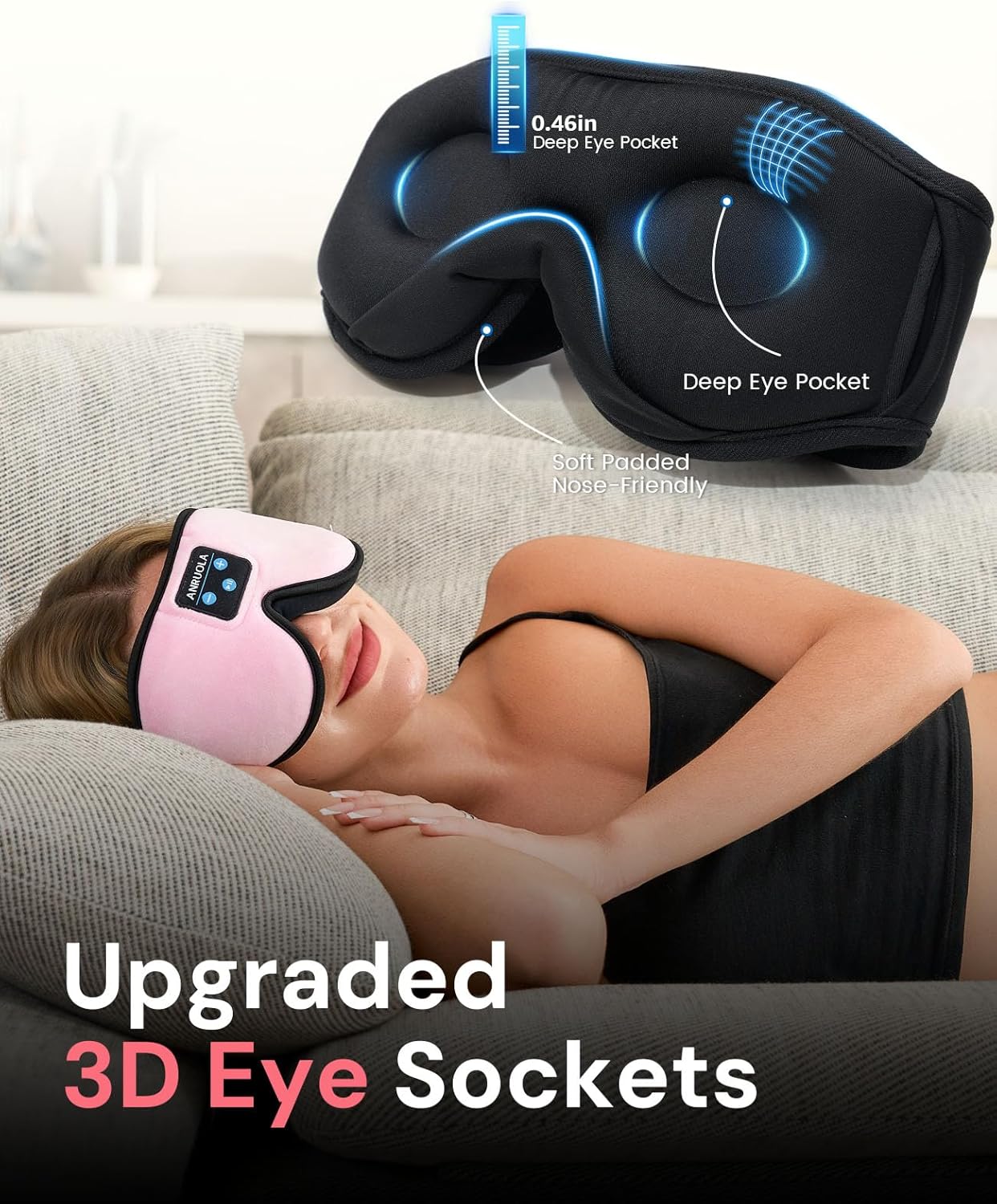
Image: A detailed view of the sleep mask's control panel and the deep eye pocket design for comfort.
Operating Instructions
1. Power On/Off
- To power on: Press and hold the power button (usually the middle button) until you hear an audible prompt or see the indicator light illuminate.
- To power off: Press and hold the power button again until you hear an audible prompt or the indicator light turns off.
2. Audio Playback
- Once connected via Bluetooth, open your preferred audio application on your paired device.
- Use the volume buttons (+/-) on the mask's control panel to adjust the audio level.
- The power button may also function as a play/pause button with a single press.

Image: A user wearing the sleep mask, highlighting the ultra-thin speakers and HD stereo sound capabilities.
3. Answering Calls
If your device is paired and a call comes in, you can typically answer or end the call by pressing the power/multi-function button once. Consult your device's specific Bluetooth call handling for more details.
4. Adjusting Speaker Position
The internal speakers can be gently moved within the mask to align with your ears for optimal sound quality and comfort, especially for side sleepers.
Maintenance
1. Cleaning Instructions
The ANRUOLA 3D Bluetooth Sleep Mask requires hand washing only. Before washing, carefully remove the internal electronic components (speakers and control module) from their pockets within the mask. Once the electronic components are removed, hand wash the fabric mask with mild soap and cold water. Allow it to air dry completely before reinserting the electronic components.
2. Storage
When not in use, store the sleep mask in a clean, dry place away from direct sunlight and extreme temperatures. Avoid placing heavy objects on the mask to prevent damage to the internal components.

Image: A close-up of the sleep mask's elastic band, designed to be non-stick to hair for comfort and ease of use.
Troubleshooting
| Problem | Possible Cause | Solution |
|---|---|---|
| Device does not power on. | Low battery. | Charge the device fully (1-2 hours). |
| Cannot pair via Bluetooth. | Mask not in pairing mode; Bluetooth off on device; too far from device. | Ensure mask is in pairing mode (flashing light). Turn Bluetooth on your device. Keep devices within 45 feet. Forget previous pairings and try again. |
| No sound or poor sound quality. | Speakers misaligned; low volume; device not connected. | Adjust speaker position over ears. Increase volume on mask and paired device. Re-establish Bluetooth connection. |
| Short battery life. | Incomplete charging; high volume usage. | Ensure full charge cycle. Reduce volume during use. |
Specifications
- Model Name: ARLS01
- Product Dimensions: 10.6 x 4.3 x 0.6 inches
- Item Weight: 6.74 ounces
- Batteries: 1 Lithium Ion battery (included)
- Bluetooth Version: 5.4
- Wireless Range: Up to 45 feet
- Charging Time: Approximately 1-2 hours
- Playing Time: Approximately 12-14 hours
- Material Type: Foam, Hypoallergenic, Breathable Fabric
- Care Instructions: Hand Wash Only (after removing electronics)
- Special Features: 3D Contoured Eye Sockets, Built-in HD Stereo Speakers, Noise Canceling
Warranty Information
ANRUOLA products typically come with a standard manufacturer's warranty covering defects in materials and workmanship. For specific warranty details, including duration and terms, please refer to the product packaging or contact ANRUOLA customer support directly. Keep your proof of purchase for warranty claims.
Customer Support
For further assistance, technical support, or inquiries regarding your ANRUOLA 3D Bluetooth Sleep Mask, please visit the official ANRUOLA store on Amazon or their official website. You can also refer to the contact information provided with your product packaging.
ANRUOLA Store Link: Visit ANRUOLA Store