
Introduction
Welcome to your new FEZIBO Electric Standing Desk. This manual provides essential information for the assembly, operation, and maintenance of your 55x32 inch L-Shaped Corner Desk. Please read this manual thoroughly before use to ensure safe and efficient operation.

Image: The FEZIBO L-shaped standing desk, designed for corner spaces, providing ample workspace.
Safety Information
To prevent injury or damage, observe the following safety precautions:
- Read all instructions carefully before assembly and operation.
- Keep children and pets away from the desk during height adjustments.
- Ensure there are no obstructions (walls, furniture, cables) in the desk's path during movement.
- Do not sit or stand on the desk.
- Do not overload the desk beyond its specified weight capacity (176 lbs).
- Only use the provided power adapter and cables.
- If the desk emits unusual noises, smells, or smoke, immediately unplug it and contact customer support.
Package Contents
Before beginning assembly, please verify that all the following components are present in your package:
- Desktop Panels (L-shaped, typically two sections)
- Leg Frames (2 units)
- Motor and Control Box
- Control Panel with LED Display
- Power Adapter and Cable
- Connecting Rod
- Hardware Kit (screws, bolts, washers, Allen wrenches)
- Cable Management Clips/Tray
- Instruction Manual
Setup Instructions
Follow these steps carefully for proper assembly of your FEZIBO Electric Standing Desk. It is recommended to have two people for assembly.

Image: Assembly diagram illustrating the sequence of connecting desk components.
- Unpack and Organize: Carefully unpack all components and lay them out on a clean, soft surface to prevent scratches. Identify all parts against the package contents list.
- Assemble Leg Frames: Attach the foot pads to the bottom of each leg column. Connect the crossbars to the leg columns using the provided screws and Allen wrench.
- Install Motor and Control Box: Secure the motor and control box to the designated positions on the leg frames using the appropriate hardware. Ensure all connections are firm.
- Attach Desktop Panels: Place the desktop panels upside down on your soft surface. Align the leg frames with the pre-drilled holes on the desktop panels and secure them with screws. Ensure the L-shape is correctly oriented.
- Connect Control Panel: Mount the control panel to the underside of the desktop in an accessible location. Connect its cable to the control box.
- Cable Management: Use the provided cable management clips or tray to organize and secure all power and control cables, preventing them from dangling or getting caught during movement.
- Power Connection: Connect the power adapter to the control box, then plug the adapter into a wall outlet.
- Initial Calibration: After connecting power, the desk may require initial calibration. Press and hold the 'Down' arrow button until the desk reaches its lowest point, then release. Press and hold the 'Down' arrow again for 5 seconds until the display shows 'RST' or '000' and the desk moves slightly, indicating a successful reset.
Video: General assembly guide for FEZIBO standing desks. This video demonstrates the typical steps involved in setting up your new desk.
Operating Instructions
Your FEZIBO Electric Standing Desk features an intuitive control panel for easy height adjustment and memory settings.

Image: Multi-Function Control Pad, showing the LED display and various control buttons.
Control Panel Functions
- Up/Down Arrows: Press and hold to move the desk up or down. Release to stop at the desired height. The LED display shows the current height.
- Memory Presets (1, 2, 3, 4): These buttons allow you to save and recall up to four preferred desk heights.
- Child Lock: A safety feature to prevent accidental adjustments.
Height Adjustment
Press and hold the Up or Down arrow button to adjust the desk height. Release the button when the desk reaches your desired position. The desk can adjust from 28.3 inches to 46.5 inches.

Image: Visual representation of the desk's adjustable height range, from 28.3 inches to 46.5 inches.
Saving and Recalling Memory Settings
- Adjust the desk to your desired height using the Up/Down arrows.
- Press the 'M' button (if present, or the 'Set' button). The display may flash.
- Immediately press one of the number buttons (1, 2, 3, or 4) to save the current height to that preset. The display will show 'S-1', 'S-2', etc., to confirm.
- To recall a saved height, simply press the corresponding number button (1, 2, 3, or 4). The desk will automatically move to that height.
Child Lock Feature
The child lock prevents unintended desk movement.

Image: Instructions for activating and deactivating the child lock on the control panel.
- To Activate: Press and hold the '1' and '2' buttons simultaneously for 3 seconds. The display will show 'LOC' or a lock icon.
- To Deactivate: Press and hold the '1' and '2' buttons simultaneously for 3 seconds again. The display will return to showing the height.
Anti-Collision Technology
Your desk is equipped with an anti-collision system. If the desk encounters an obstruction during height adjustment, it will automatically stop and retract slightly (within 0.2 seconds) to prevent damage or injury.

Image: Anti-collision feature demonstrating the desk's automatic retraction upon impact.
Stable and Quiet Lift System
The desk's lift system operates smoothly and quietly, with noise levels typically below 55dB, comparable to a quiet conversation.
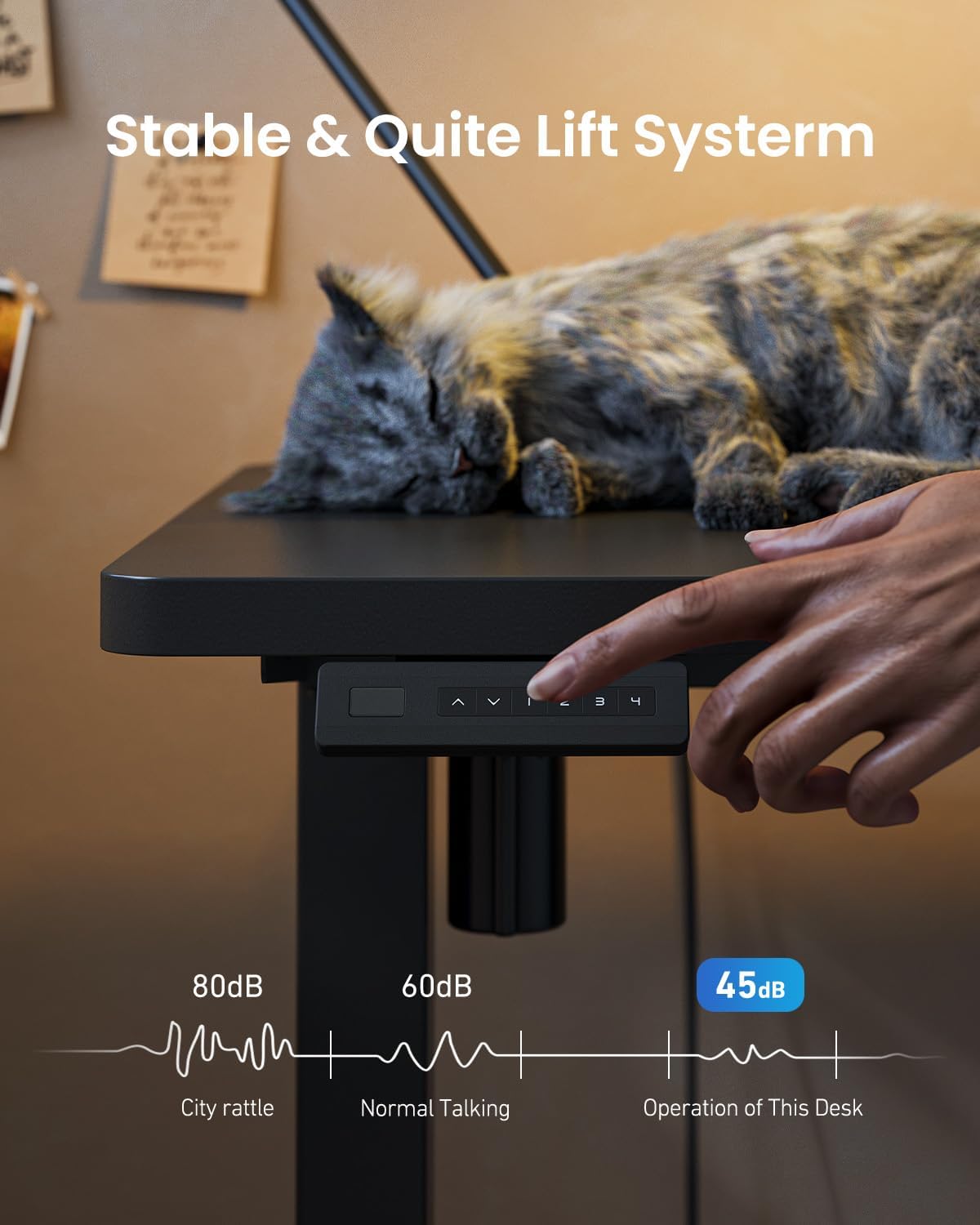
Image: Depiction of the desk's quiet operation, with a cat sleeping on it and a noise level comparison chart.
Maintenance
Regular maintenance ensures the longevity and optimal performance of your desk.
- Cleaning: Wipe the desk surfaces with a soft, damp cloth. Avoid abrasive cleaners or harsh chemicals.
- Inspection: Periodically check all screws and connections to ensure they are tight. Retighten if necessary.
- Cable Management: Ensure cables remain neatly organized and are not pinched or tangled, which could impede desk movement.
- Liquid Spills: In case of liquid spills, immediately unplug the desk and wipe thoroughly. Do not plug back in until completely dry.
Troubleshooting
If you encounter issues with your desk, refer to the following table for common problems and solutions.
| Problem | Possible Cause | Solution |
|---|---|---|
| Desk does not move | Power cable disconnected; Child Lock active; Overload; Motor error. | Check power connections; Deactivate Child Lock (hold 1 & 2 for 3s); Reduce weight on desk; Perform reset (see Setup Instructions). |
| Desk moves unevenly or makes unusual noise | Unbalanced load; Loose connections; Obstruction. | Distribute weight evenly; Check and tighten all screws; Remove any obstructions. |
| Error Code (e.g., E01, E02, E03) | Overload, motor malfunction, sensor issue. | Perform a reset (see Setup Instructions); Reduce load; If error persists, contact customer support. |
| Anti-collision feature is too sensitive/not sensitive enough | Sensitivity setting needs adjustment. | Refer to the full user manual or contact customer support for instructions on adjusting anti-collision sensitivity. |
If the problem persists after attempting these solutions, please contact FEZIBO Customer Support.
Specifications
Key technical specifications for your FEZIBO Electric Standing Desk.

Image: Detailed dimensions of the FEZIBO L-shaped standing desk.
| Feature | Detail |
|---|---|
| Brand | FEZIBO |
| Model | 55x32 inch L-Shaped Corner Desk |
| Product Dimensions (D x W x H) | 32"D x 55"W x 28"H (at lowest setting) |
| Height Adjustment Range | 28.3" to 46.5" (72cm to 118cm) |
| Weight Capacity | Up to 176 lbs (80 kg) |
| Top Material Type | Wood (Laminated Finish) |
| Base Material | Alloy Steel |
| Color | Black |
| Motor Speed | Max 20mm/s |
| Noise Level | ≤55dB (no-load) |
| Special Features | 4 Memory Height Settings, Anti-Collision Technology, Child Lock |
Warranty Information
Your FEZIBO Electric Standing Desk is covered by a 2-Year Warranty from the date of purchase. This warranty covers manufacturing defects in materials and workmanship under normal use. It does not cover damage caused by misuse, accidents, unauthorized modifications, or normal wear and tear.
For warranty claims or detailed terms and conditions, please refer to the warranty card included with your product or contact FEZIBO Customer Support.
Customer Support
For any questions, assistance with assembly, operation, troubleshooting, or warranty inquiries, please contact FEZIBO Customer Service:
- Phone: +1 702-620-5156
- Operating Hours: Monday - Friday
Please have your product model number (55x32 inch L-Shaped Corner Desk) and purchase information ready when contacting support.


