
Introduction
Thank you for choosing the LITTOAK 6.5-inch Powered Subwoofer. This manual provides essential information for the safe and efficient operation of your new audio device. Please read it thoroughly before installation and use, and retain it for future reference.
Important Safety Information:
- Do not expose this appliance to rain or moisture.
- Do not block any ventilation openings.
- Ensure proper grounding for the power cord.
- Refer all servicing to qualified service personnel.
Package Contents
Verify that all items listed below are included in your package:
- 1 x LITTOAK 9.96''x12.92'' Powered Subwoofer (Model BS02)
- 1 x Stereo RCA to 3.5mm Audio Cable
- 1 x AC Power Cord
- 1 x Quick Start Guide

Image: The LITTOAK Powered Subwoofer shown with its included accessories: a Stereo RCA to 3.5mm Audio Cable, an AC Power Cord, and a Quick Start Guide.
Product Overview
The LITTOAK Powered Subwoofer is designed to enhance your audio experience with deep, resonant bass. Key features include:
DSP & Class-D Amplifier with 6.5-inch Woofer
Equipped with advanced Digital Signal Processing (DSP) and a Class-D amplifier, this subwoofer drives a 6.5-inch woofer to deliver 60W RMS / 100W peak power. This combination ensures rich, deep bass for movies, music, and gaming.

Image: A close-up view of the LITTOAK Powered Subwoofer, emphasizing its built-in 6.5-inch woofer and Class-D amplifier for powerful bass output.
40Hz Response & Low Pass Dial
With a frequency response down to 40Hz and an adjustable low pass dial, the subwoofer precisely focuses on low frequencies. This allows for seamless integration with your main speakers, preventing sound overlap and ensuring balanced audio.

Image: The LITTOAK Powered Subwoofer with text indicating its 40Hz deep bass capability, achieved through DSP technology for immersive audio.
Energy-Saving Auto-Standby Function
The subwoofer features an auto-standby function that powers down the unit after 15 minutes of inactivity. It automatically wakes when audio is detected, reducing energy consumption.

Image: The LITTOAK Powered Subwoofer in a living room setting, illustrating its automatic standby feature for energy savings, with icons for sleep and active modes.
Durable Low-Distortion MDF Cabinet
Constructed with a low-distortion MDF cabinet and a robust build, this subwoofer is designed for long-lasting reliability and consistent performance in your home audio setup.
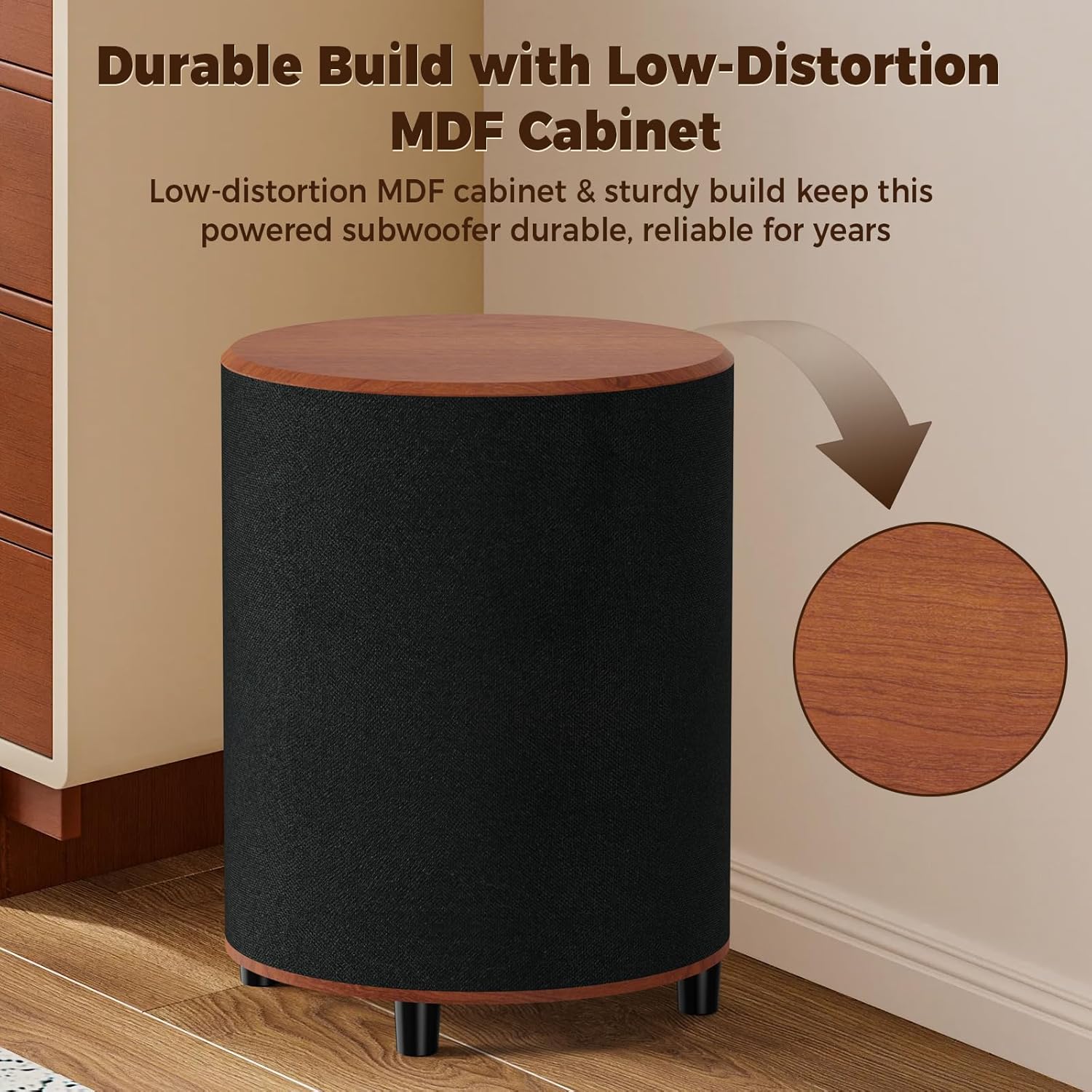
Image: The LITTOAK Powered Subwoofer, showcasing its durable low-distortion MDF cabinet, designed for long-term reliability.
Versatile Line In & LFE In Connections
The subwoofer includes both Line In and LFE In ports, allowing for flexible connection to various audio devices such as soundbars, bookshelf speakers, receivers, DVD/Blu-ray players, and turntables (devices must have Audio Out/Sub Out ports).

Image: A detailed view of the rear panel of the LITTOAK Powered Subwoofer, highlighting the Line In and LFE In ports for versatile connectivity.
Setup
Placement
For optimal performance, place the subwoofer on the floor in a corner of the room or along a wall. Experiment with different positions to find the best bass response for your listening environment. The down-firing design helps distribute bass evenly.
Connections
- Power Connection: Connect the AC power cord to the subwoofer's power input and then to a wall outlet.
- Audio Connection (LFE Input): If your receiver or soundbar has a dedicated Subwoofer Output (LFE Out), connect a single RCA cable from the LFE Out of your source device to the LFE In port on the subwoofer.
- Audio Connection (Line In): If your source device has stereo RCA outputs (left and right) but no dedicated LFE out, use an RCA stereo cable to connect the left and right outputs of your source device to the Line In (L/R) ports on the subwoofer. Alternatively, use the provided Stereo RCA to 3.5mm Audio Cable if your source has a 3.5mm audio output.
Operation
Power On/Off
After connecting the power cord, the subwoofer will enter standby mode. It will automatically power on when an audio signal is detected and return to standby after 15 minutes of inactivity.
Adjusting Settings
- Volume Control: Use the volume dial on the subwoofer's control panel to adjust the overall bass level. Start with a low setting and gradually increase it to blend with your main speakers.
- Low Pass Filter (Crossover): The Low Pass dial allows you to set the upper frequency limit for the subwoofer. Frequencies above this setting will be filtered out. Adjust this to match the low-frequency capabilities of your main speakers. A common starting point is 80Hz.
- Phase Switch: The phase switch (0°/180°) helps ensure that the subwoofer's sound waves are in sync with your main speakers. Experiment with both settings to find the one that produces the most impactful and coherent bass. If the bass sounds weak or hollow, try flipping the phase switch.
Maintenance
To ensure the longevity and optimal performance of your subwoofer, follow these simple maintenance guidelines:
- Cleaning: Use a soft, dry cloth to wipe the exterior surfaces of the subwoofer. Avoid using abrasive cleaners, waxes, or solvents, as they may damage the finish.
- Ventilation: Ensure that the subwoofer's ventilation openings are not blocked to prevent overheating.
- Placement: Avoid placing the subwoofer in direct sunlight, near heat sources, or in areas with high humidity.
Troubleshooting
If you encounter any issues with your subwoofer, refer to the table below for common problems and solutions:
| Problem | Possible Cause | Solution |
|---|---|---|
| No sound from subwoofer | Power cord not connected; Subwoofer not powered on; Audio cable loose or incorrect connection; Volume too low; Source device not sending signal. | Check power connection; Ensure subwoofer is receiving power (LED indicator); Verify audio cable connections; Increase subwoofer volume; Check source device output. |
| Weak or distorted bass | Volume too low; Low Pass filter set too low; Incorrect phase setting; Subwoofer placement. | Increase volume; Adjust Low Pass filter higher; Toggle Phase switch (0°/180°); Experiment with subwoofer placement. |
| Subwoofer does not turn off automatically | Constant low-level audio signal; Auto-standby feature not functioning. | Ensure source device is completely off or muted when not in use; Contact support if issue persists. |
| Humming or buzzing noise | Ground loop issue; Loose cable connection; Interference from other electronics. | Ensure all components are on the same electrical circuit; Check all cable connections; Move subwoofer away from other electronic devices. |
Specifications
Technical specifications for the LITTOAK Powered Subwoofer Model BS02:
| Feature | Specification |
|---|---|
| Model Name | BS02 |
| Speaker Type | Subwoofer |
| Special Features | Auto on/off, LED Light |
| Colour | Brown |
| Product Dimensions (D x W x H) | 25.3 x 25.3 x 32.8 cm |
| Weight | 5.13 kg |
| Speaker Size | 6.5 Inches |
| Manufacturer | LITTOAK |
| Speaker Maximum Output Power | 100 Watts |
| Connectivity Technology | RCA |
| Mounting Type | On the floor |
| Material | Wood (MDF Cabinet) |
| Frequency Response | 40-250Hz |
Warranty and Support
LITTOAK products are designed and manufactured to the highest quality standards. This product is covered by a limited warranty from the date of purchase. Please refer to the warranty card included in your package or visit our official website for detailed warranty terms and conditions.
For technical support, troubleshooting assistance, or service inquiries, please contact LITTOAK customer service through the contact information provided in your Quick Start Guide or on our official website. Our support team is available to help you with any questions or concerns you may have.