
Introduction
The Tapo Smart Wi-Fi Deadbolt Door Lock DL105 offers advanced security and convenience for your home. This smart lock features fingerprint recognition, custom keypad passcodes, and remote control via the Tapo App. It is designed for easy installation and integrates with popular smart home assistants like Amazon Alexa, Google Home, and Samsung SmartThings. This manual provides detailed instructions for setting up, operating, maintaining, and troubleshooting your Tapo DL105.
Setup and Installation
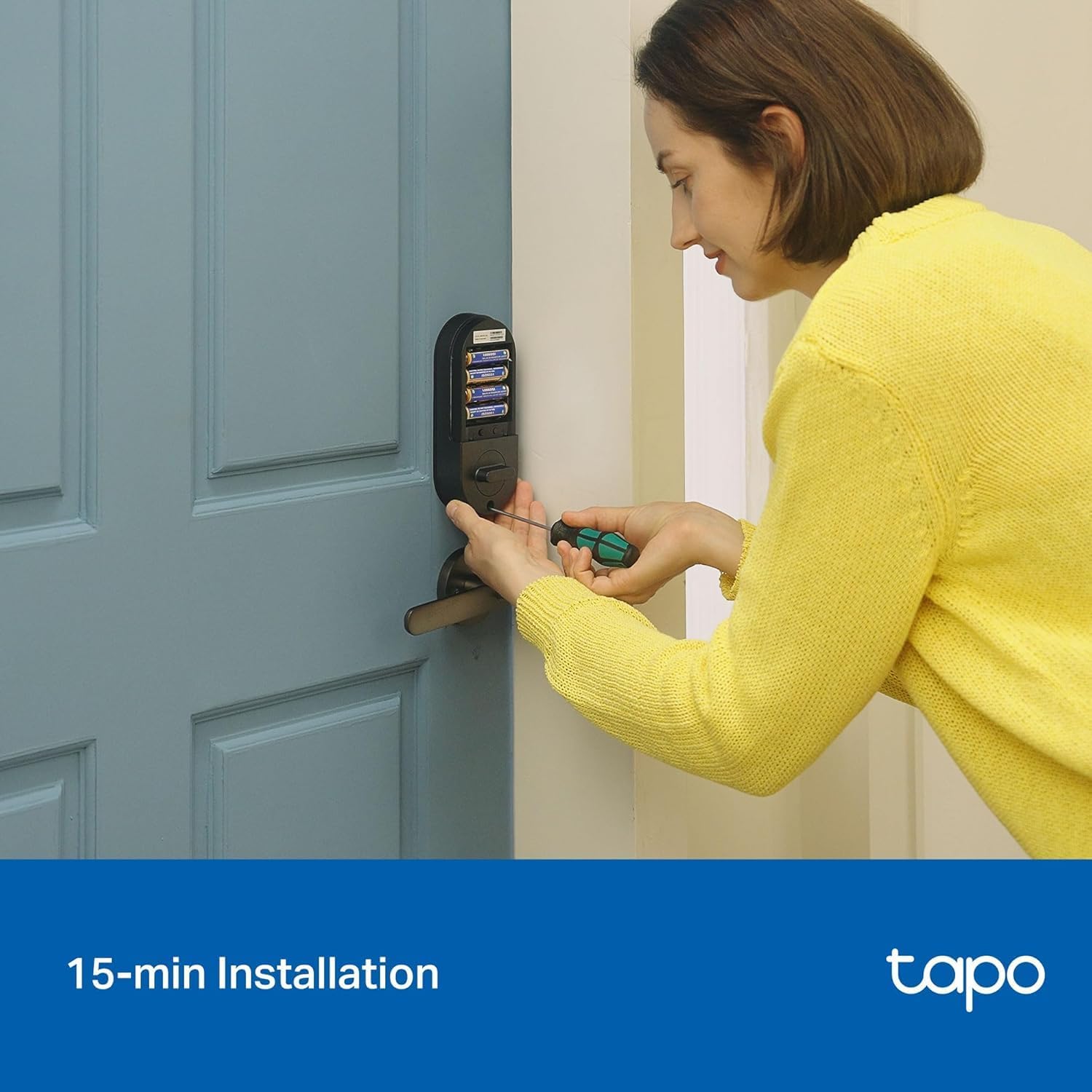
The Tapo DL105 is designed for straightforward installation, typically completed in under 15 minutes without requiring additional drilling for standard door sizes. Ensure your door meets the compatibility requirements before beginning.
Door Compatibility
The lock is compatible with standard lock hole sizes of 2-1/8'' (54mm) and 1-1/2'' (38mm). It supports door thicknesses from 1-3/8'' to 2-11/64'' (35-55 mm) and backsets of 2-3/8'' (60mm) or 2-3/4'' (70mm). It is suitable for both right-handed and left-handed doors, but not for integrated or mortise lock types.


Included Components
Before installation, verify all components are present:
- Exterior Assembly × 1
- Interior Assembly × 1
- Bolt × 1
- Strike Plate × 1
- Dust Box × 1
- Keys × 2
- Silicone Cover × 1
- USB Adapter Cable × 1
- Installation Reference Line Sticker × 2
- Mounting Plate × 1
- Battery Pack × 1
- Measuring Template × 1
- Quick Start Guide × 1
- Screws ((M4*32)×2、(ST4*25)×4、(M4*7.5)×3、(ST4*20)×1)

Installation Steps
Follow the detailed instructions in the included Quick Start Guide for step-by-step installation. The process typically involves:
- Preparing the door and frame.
- Installing the deadbolt.
- Installing the exterior assembly.
- Installing the interior mounting plate.
- Connecting the cables and installing the interior assembly.
- Installing the battery pack.
- Calibrating the lock.
Operating Your Tapo DL105 Smart Lock
The Tapo DL105 offers multiple convenient ways to lock and unlock your door.
Unlocking Methods
- Fingerprint Recognition: Rapidly recognizes and unlocks in 0.5 seconds. Stores up to 100 fingerprints.
- Custom Keypad Passcodes: Enter your personalized code on the tactile keypad.
- Tapo App: Control the lock remotely via the Tapo App on your smartphone.
- Close-range Bluetooth: Unlock using Bluetooth when near the lock.
- Smart Home Assistant: Use voice commands with Amazon Alexa, Google Home, or Samsung SmartThings.
- Backup Keys: Two physical keys are included for manual unlocking in emergencies.


Tapo App Features
The Tapo App provides comprehensive control and monitoring capabilities:
- Remote Unlock & Lock: Control your door from anywhere.
- Detailed Activity Log: Monitor all lock and unlock events with timestamps.
- Real-Time Alerts: Receive immediate notifications on your Tapo App for any suspicious activity, such as incorrect entry attempts.
- User Management: Create and manage resident profiles with permanent codes, or issue one-time or scheduled access for guests.

Auto-Lock Feature
The lock can be configured to automatically lock after a custom time delay. This feature ensures your home is always secure, even if you forget to manually lock the door. It can also be automated to work with other Tapo or Kasa devices.

Smart Home Integration
The Tapo DL105 seamlessly integrates with popular smart home ecosystems:
- Amazon Alexa: Use voice commands to lock/unlock (PIN code required for unlocking).
- Google Home: Control your lock with Google Assistant voice commands.
- Samsung SmartThings: Integrate into your SmartThings routines and automations.

Maintenance
Battery Life and Recharging
The Tapo DL105 is powered by a removable, rechargeable lithium-ion battery pack, offering up to one year of battery life under typical usage (based on 20 unlocks per day in Wi-Fi mode). For recharging, use the built-in USB-C port and the provided USB adapter cable. This eco-friendly design eliminates the need for disposable AA batteries.


Weather Resistance
The exterior assembly of the Tapo DL105 has an IP54 weather resistance rating, providing protection against dust and splashing water. This ensures reliable operation in various weather conditions, with an operating temperature range from -22℉ to 158℉ (-30℃ to 70℃).

Troubleshooting
Preventing Unauthorized Access
The Tapo DL105 includes features to enhance security and prevent unauthorized entry:
- Auto Lockout: The lock automatically enters a lockout period after multiple failed attempts to enter a passcode or fingerprint.
- Real-Time Alerts: Receive immediate notifications on your Tapo App for any suspicious activity, such as incorrect entry attempts.

Notifications Not Coming Through
If you experience issues with notifications not being sent through the Tapo app, while the lock otherwise functions normally, a simple solution is to remove and reinsert the batteries. This often resolves the notification delivery issue.
Door Not Latching Properly
If the door does not latch perfectly, the lock's strength is designed to be robust enough to auto-lock without jamming in most cases. Ensure the door frame and strike plate are correctly aligned during installation to minimize such issues.
Specifications
| Feature | Detail |
|---|---|
| Brand | Tapo |
| Model Name | Tapo DL105 |
| Lock Type | Deadbolt |
| Special Features | Auto-Lock, Fingerprint, One-Touch Lock, Passcode Unlock, Rechargeable |
| Material | Metal |
| Color | Black |
| Item Dimensions (L x W x H) | 5.88 x 2.65 x 0.91 inches |
| Item Weight | 3.41 pounds (1.55 Kilograms) |
| Connectivity Protocol | Wi-Fi |
| Control Method | App, Touch, Voice |
| Controller Type | Amazon Alexa, Android, Hand Control, IFTTT, iOS |
| Power Source | Rechargeable Lithium Ion Battery Pack |
| Battery Life | Up to 1 year (Wi-Fi mode), up to 2 years (Bluetooth mode) |
| Operating Temperature | -22℉ to 158℉ (-30℃ to 70℃) |
| Weather Resistance | IP54 Waterproof |
| Certifications | BHMA Certified |
| Door Compatibility | Standard lock hole sizes 2-1/8'' and 1-1/2''; Door thickness 1-3/8'' to 2-11/64''; Backset 2-3/8'' or 2-3/4'' |
| Fingerprint Capacity | Up to 100 fingerprints |
| UPC | 840460601054 |
Warranty and Support
For warranty information and detailed support, please refer to the official Tapo website or contact Tapo customer service. The product is manufactured by TP-Link.
Cybersecurity Commitment
TP-Link, the manufacturer of Tapo products, is a signatory of the U.S. Cybersecurity and Infrastructure Security Agency’s (CISA) Secure-by-Design pledge. This commitment ensures that the device is designed, built, and maintained with advanced security as a core requirement, safeguarding your personal information and data.


