
Introduction
Thank you for choosing the Sudio C8 Noise Cancelling Earbuds. This manual provides essential information on how to set up, operate, maintain, and troubleshoot your earbuds to ensure optimal performance and longevity. Please read this manual carefully before using your device.
What's in the Box
Verify that all items are present in the package:
- Sudio C8 Earbuds and Charging Case
- USB-C Charging Cable
- Eartip Card with 4 Silicone Eartip Sizes
- User Manual

Image: Contents of the Sudio C8 retail packaging.
Product Overview
The Sudio C8 earbuds feature an ergonomic in-ear design for comfortable wear and are equipped with Active Noise Cancellation for an immersive audio experience. The compact charging case provides extended battery life and convenient storage.
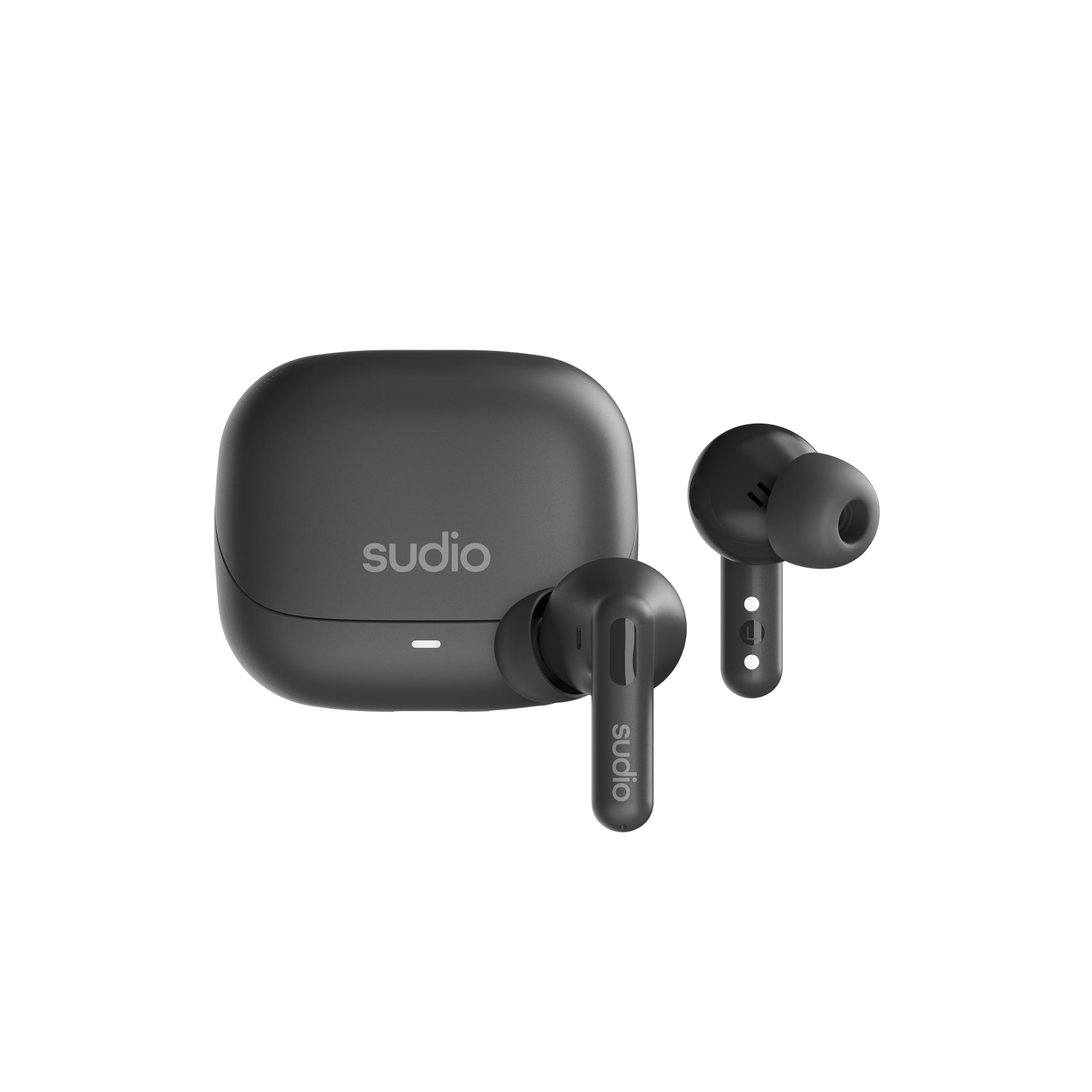
Image: Front and back view of the Sudio C8 earbuds.

Image: Sudio C8 earbuds and charging case.
Setup
1. Charging the Earbuds and Case
Before first use, fully charge the Sudio C8 earbuds and their charging case. Use the provided USB-C cable to connect the charging case to a power source.
- Insert the earbuds into the charging case. Ensure they are properly seated.
- Connect the USB-C cable to the charging port on the case and to a USB power adapter (not included) or a computer's USB port.
- The indicator light on the charging case will show the charging status. A full charge typically takes approximately 6 hours for the case.
- The earbuds provide up to 6 hours of playtime on a single charge, with an additional 30 hours provided by the charging case.

Image: Sudio C8 earbuds and case, illustrating USB-C charging.
2. Pairing with Your Device
To connect your Sudio C8 earbuds to a Bluetooth-enabled device:
- Ensure the earbuds are charged and placed inside the charging case.
- Open the charging case lid. The earbuds will automatically enter pairing mode, indicated by a flashing light on the case or earbuds.
- On your device (smartphone, tablet, computer), go to the Bluetooth settings.
- Search for available devices and select "Sudio C8" from the list.
- Once connected, the indicator light will stop flashing, and you will hear a confirmation tone.
- The earbuds will automatically reconnect to the last paired device when removed from the case, if Bluetooth is enabled on the device.
Operating Instructions
Power On/Off
- Power On: Open the charging case lid, or remove the earbuds from the case. They will power on automatically.
- Power Off: Place the earbuds back into the charging case and close the lid. They will power off automatically.
Touch Controls
The Sudio C8 earbuds feature intuitive touch controls on each earbud. The specific functions may vary slightly depending on your device and application.
- Play/Pause: Single tap on either earbud.
- Next Track: Double tap on the right earbud.
- Previous Track: Double tap on the left earbud.
- Answer/End Call: Single tap on either earbud during an incoming call or active call.
- Reject Call: Press and hold either earbud for 2 seconds during an incoming call.
- Activate/Deactivate Active Noise Cancellation (ANC): Press and hold either earbud for 2 seconds during music playback or standby. This cycles through ANC On, Ambient Mode, and ANC Off.
- Voice Assistant: Triple tap on either earbud (functionality depends on your device).
Active Noise Cancellation (ANC)
The Sudio C8 earbuds are equipped with Active Noise Cancellation technology to reduce ambient noise. To cycle through ANC modes (ANC On, Ambient Mode, ANC Off), press and hold either earbud for 2 seconds.
- ANC On: Reduces external noise for an immersive listening experience.
- Ambient Mode: Allows you to hear your surroundings while still enjoying your audio, useful for awareness in busy environments.
- ANC Off: Standard listening mode without noise cancellation.
Making Calls
The Sudio C8 earbuds feature dual microphones for clear call quality.
- Ensure the earbuds are connected to your phone.
- Use the touch controls to answer or end calls as described above.
Maintenance
Cleaning
Regular cleaning helps maintain sound quality and hygiene.
- Gently wipe the earbuds and charging case with a soft, dry, lint-free cloth.
- Remove eartips and clean them with mild soap and water, then dry thoroughly before reattaching.
- Use a dry cotton swab to carefully clean the speaker mesh and charging contacts.
- Do not use abrasive cleaners, alcohol, or chemical solvents.
Storage
When not in use, store the earbuds in their charging case to protect them from dust and damage.
Water Resistance
The Sudio C8 earbuds are sweat and splash resistant. This means they can withstand light rain and sweat during workouts. They are not designed for submersion in water. Do not use them while swimming or showering.

Image: Sudio C8 earbuds highlighting sweat and splashproof design.
Troubleshooting
If you encounter issues with your Sudio C8 earbuds, try the following solutions:
| Problem | Solution |
|---|---|
| Earbuds not pairing |
|
| No sound from earbuds |
|
| Charging issues |
|
| ANC not working effectively |
|
Specifications
| Feature | Detail |
|---|---|
| Model Name | SUDIO C8 |
| Connectivity Technology | Wireless (Bluetooth 5.4) |
| Noise Control Features | Active Noise Cancellation |
| Battery Life (Earbuds) | Up to 6 Hours |
| Total Playtime (with Case) | Up to 30 Hours |
| Charging Time (Case) | Approx. 6 Hours |
| Charging Interface | USB Type-C |
| Control Method | Touch |
| Water Resistance Level | Sweat & Splash Resistant |
| Item Weight | 12.3 ounces (total package) |
| Material | Plastic, Silicone, Fabric |
| Included Components | Cable, Eartip, User Manual, Wireless Charging Case |
Warranty and Support
Sudio products are designed for quality and reliability. For detailed warranty information and customer support, please refer to the official Sudio website or the warranty card included in your product packaging.
You can typically find support resources, FAQs, and contact information at the official Sudio support page: www.sudio.com/support

