
1. Product Overview
The CHOYONG WT2 is a versatile communication device combining walkie-talkie functionality with advanced radio features. It supports both analog and public network intercom, global internet radio streaming, and traditional FM/MW/SW radio reception. Integrated GPT AI enhances user interaction for content requests.

Image 1: Front view of the CHOYONG WT2 Multi-Functional Walkie Talkie.
Key Features:
- Public Network Intercom: Supports 5km analog and 50,000km public network intercom for global communication.
- Analog Intercom: Operates within 406.1MHz-470MHz, featuring Direct Connect Mode, Repeater Mode, Analog/Digital Sub-Audio Encryption, Compression and Expansion, Frequency Jamming, and Sweep Frequency Rescue.
- Internet Radios: Access over 40,000 internet radio stations and 10 million podcast episodes via 2.4GHz Wi-Fi or eSIM.
- GPT Integration: Voice-on-demand for radio stations and podcasts, with support for adding custom streaming stations via URL.
- Multi-Band Portable Radio: FM, MW, and SW reception with adjustable bandwidth, signal strength, and SNR display. External antenna connectivity is supported.
- Battery: 2500mAh high-capacity battery with fast charging.
2. Setup
2.1 Initial Preparation
- Charge the Device: Ensure the WT2 is fully charged before initial use or any software upgrade.
- Attach Antenna: Securely attach the provided antenna to the device.
- Insert TF Card: Open the compartment on the device to reveal the TF card slot. Insert a TF card with a capacity of 32GB or less. This step is crucial for certain functions and upgrades.
Video 1: Demonstrates the initial setup steps, including charging and TF card insertion, as part of the upgrade process.
3. Operating Instructions
3.1 Intercom Functions
The WT2 supports both public network and analog intercom modes. Press the PTT button to enter the intercom function interface.
- The upper section of the display is for public network intercom.
- The lower section of the display is for analog intercom.
Press the "5" button to switch between public network and analog intercom modes.
Press the "0" button to toggle the intercom function on or off.
Video 2: Guide to using the intercom functions, including switching modes and activating/deactivating intercom.
3.1.1 Public Network Intercom Setup
To manage public network intercom settings, press "0" from the intercom interface to enter the settings menu. Then press "OK" to confirm.
- Create Group: Select "Create Group" and input a group number and password. Other users can join using these credentials.
- Join Group: Select "Join Group" and input the group's frequency and password to connect.
- Show Password: If you forget a group's password, select "Show Password" to retrieve it.
- Rename Device: Scan a QR code with your phone to change the group's remark name for better organization.
Video 3: Detailed instructions on setting up and managing public network intercom groups.
3.2 Internet Radio and Podcasts
The WT2 allows access to a vast library of internet radio stations and podcasts.
- Connect to a 2.4GHz Wi-Fi network or use the integrated eSIM.
- Browse stations by continent, country, province, city, station type, and popularity.
- Utilize the integrated GPT AI for voice-on-demand content requests.
- Add custom streaming stations by entering a valid URL (supports MP3, AAC, M3U8, etc.).
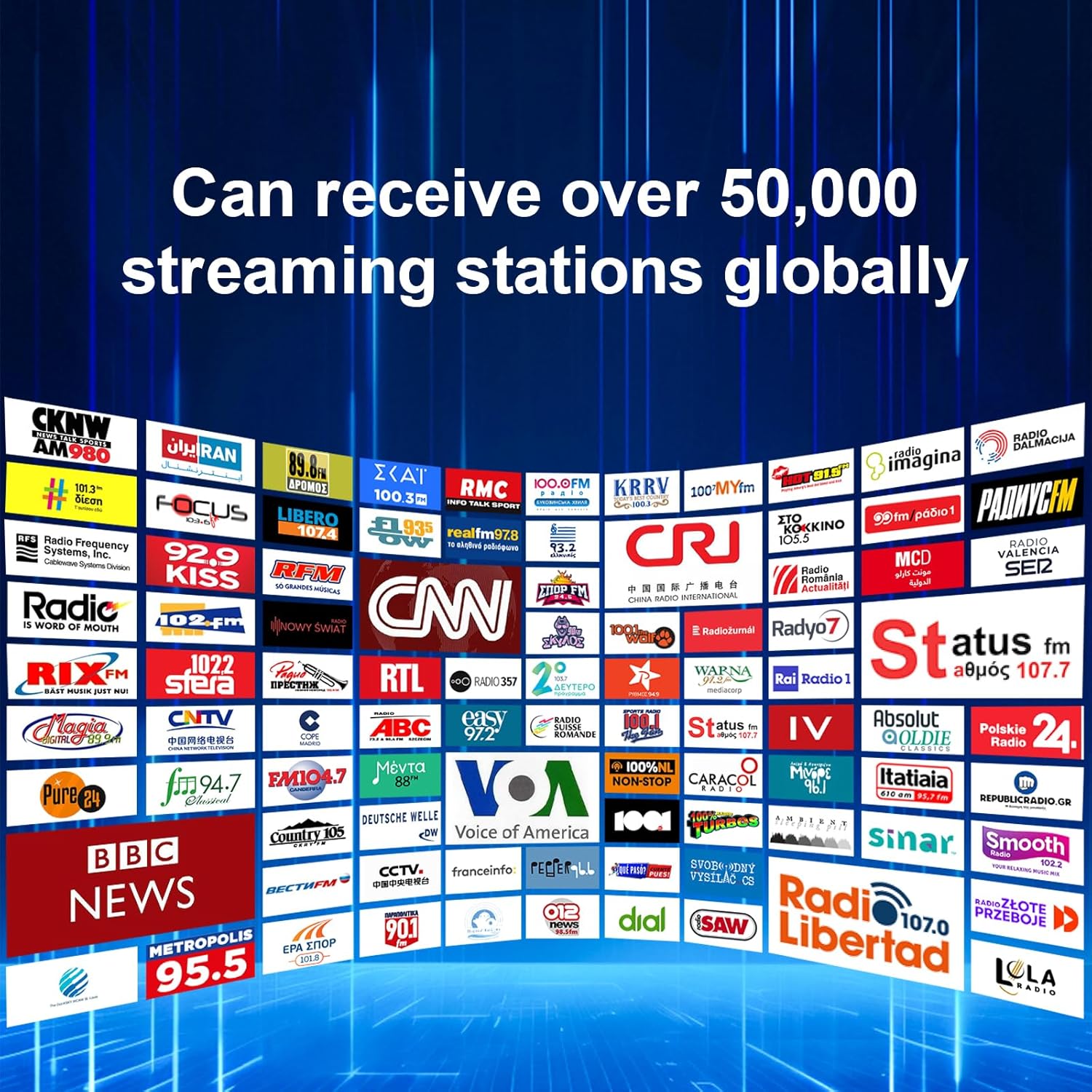
Image 2: The WT2 can receive over 50,000 streaming stations globally.

Image 3: GPT voice search functionality for radio stations and podcasts.
3.3 Traditional Radio (FM/MW/SW)
The WT2 includes a multi-band portable radio for traditional broadcasts.
- Adjust reception bandwidth.
- Display signal strength (SNR).
- Connect to an external antenna for improved reception.
Image 4: The WT2 features ultra-sensitive FM and SW reception powered by a car-grade TEF6686 chip.
3.4 Bluetooth Connectivity
For ultimate flexibility, enjoy wireless audio streaming via Bluetooth or play your personal music library directly from a TF card.
4. Maintenance
4.1 Software Upgrade
To ensure optimal performance, it is recommended to keep your WT2 software updated. Follow these steps for a successful upgrade:
- Preparation: Fully charge the WT2 and remove its antenna.
- TF Card: Open the compartment and insert a TF card with a capacity of 32GB or less. This is a critical step.
- Connect to Wi-Fi: Press "0" to enter the settings menu and connect to a stable Wi-Fi network.
- Initiate Upgrade: Navigate to "Version Info" in the settings menu and press "OK" to start the upgrade.
- Do Not Interrupt: Do not press any buttons during the upgrade process. Interrupting the upgrade may damage the device. Wait patiently for the process to complete.
- Verification: Once the upgrade is successful, the WT2 will return to the time interface. Re-enter "Version Info" to confirm that the device displays "You are using the latest version."
Video 4: Step-by-step guide on how to upgrade the WT2 software.
5. Troubleshooting
5.1 Upgrade Failure
If the screen remains black for more than 5 minutes during the upgrade process, it may indicate a failure. This is often caused by an incompatible TF card.
- Solution 1 (TF Card): Remove the current TF card, restart the WT2, and attempt the upgrade again with a new TF card (32GB or less capacity).
- Solution 2 (Computer Upgrade): If manual upgrades continue to fail, you can perform a computer-based upgrade. Download the WT2 computer upgrade package and tutorial from the official CHOYONG website: https://www.choyongradio.com.
5.2 General Intercom Issues
To avoid disturbances, especially during rest periods, it is recommended to turn off the global intercom group and analog intercom function when not in use.
6. Specifications
| Feature | Detail |
|---|---|
| Item Weight | 6.5 ounces (184.27 grams) |
| Product Dimensions | 0.98 x 2.17 x 4.92 inches (2.49 x 5.51 x 12.5 cm) |
| Model Number | WT2 |
| Batteries | 1 Nonstandard Battery (included) |
| Manufacturer | Shenzhen Chaoyuan Technology Co., Ltd. |
| Color | BLACK |
| Number of Channels | 1 |
| Special Feature | Global network radio station |
| Frequency Range | UHF 406.1MHz-470Mz |
| Talking Range Maximum | 50,000 Kilometer (Public Network) |
| Voltage | 3.7 Volts |
| Water Resistance Level | Not Water Resistant |
7. Warranty and Support
7.1 Warranty Information
The CHOYONG WT2 comes with a 1-year manufacturer's warranty.
7.2 Product Support
For further assistance, including software updates and detailed tutorials, please visit the official CHOYONG website: https://www.choyongradio.com.


