
Introduction
This manual provides essential information for setting up, operating, maintaining, and troubleshooting your OPPO A6 Pro 5G smartphone. Please read this guide carefully to ensure proper use and to maximize the device's capabilities.
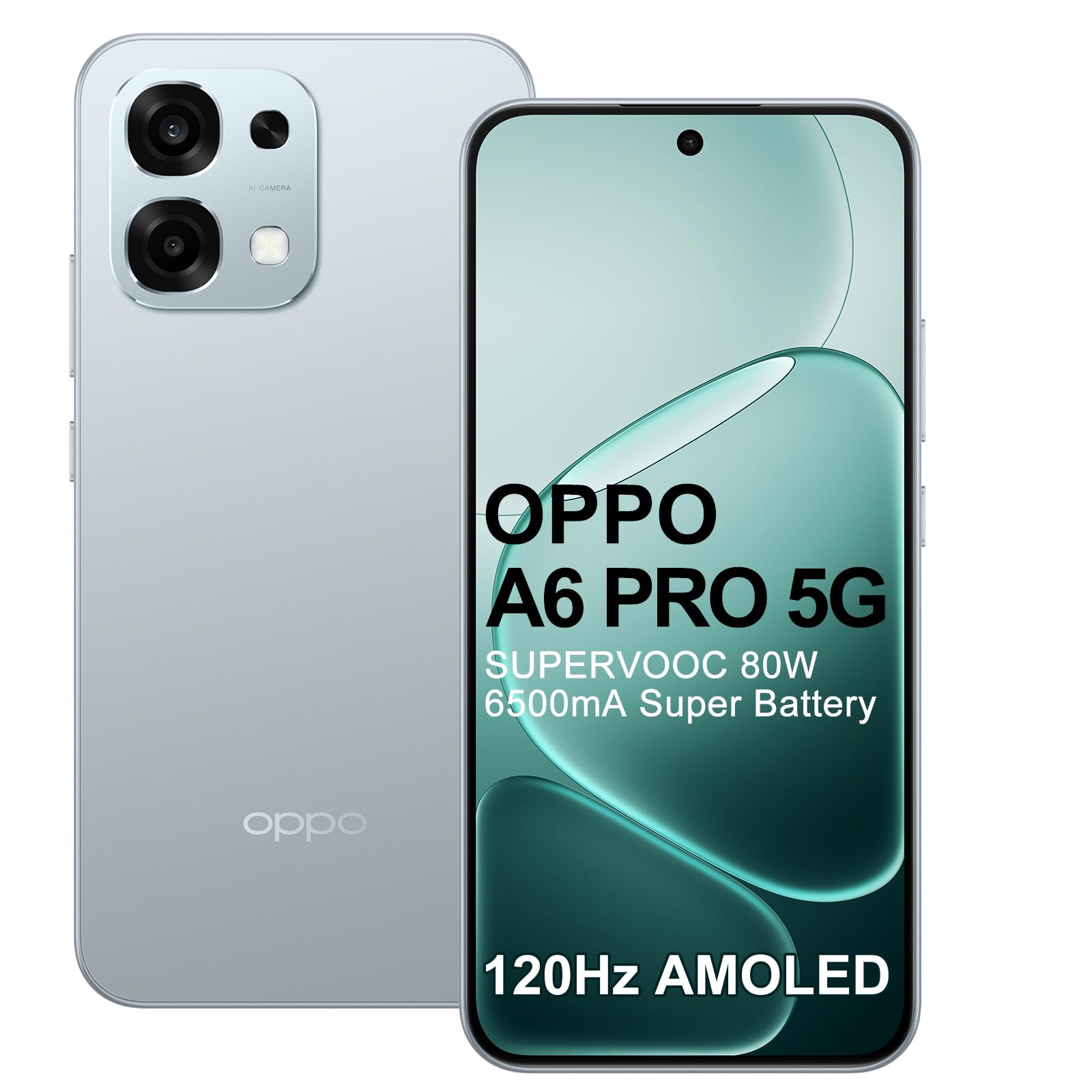
The OPPO A6 Pro 5G smartphone, featuring a large display and sleek design.
Setup
1. Inserting SIM Cards
The OPPO A6 Pro 5G supports Dual SIM functionality. Locate the SIM card tray on the side of the device. Use the provided SIM ejector tool to open the tray. Carefully place your Nano-SIM cards into the designated slots, ensuring the gold contacts face downwards. Reinsert the tray firmly into the phone.
2. Initial Power On
Press and hold the Power button (usually on the right side) until the OPPO logo appears on the screen. Follow the on-screen instructions to complete the initial setup, including language selection, Wi-Fi connection, and Google account setup.
3. Charging the Device
Connect the provided 80W SUPERVOOC charger to the USB-C port at the bottom of your phone. Plug the charger into a power outlet. The device will indicate charging status on the screen. For optimal charging speed, use the original charger and cable.

The 80W SUPERVOOC Flash Charging system allows for rapid battery replenishment.
Operating Your Device
Display Features
Your OPPO A6 Pro 5G features a 6.57-inch 120Hz AMOLED display. This display offers vibrant colors and smooth scrolling, enhancing your viewing experience for games, videos, and general navigation.

The 120Hz Ultra Bright AMOLED Display provides exceptional visual clarity and smoothness.
Camera Usage
The device is equipped with a 50MP Ultra-Sharp AI camera. To take photos or videos, open the Camera application. You can switch between various modes, including:
- Standard Photo: For everyday captures.
- Underwater Photography: This mode is designed for capturing clear and vivid shots beneath the water surface. Ensure the phone's IP69 water resistance is maintained by keeping all ports sealed.
- Night Mode: Enhances brightness and detail in low-light conditions.
- Portrait Mode: Creates professional-quality photos with balanced lighting and background blur.
Performance and Gaming
Powered by the MediaTek Dimensity 6300 5G Mobile Platform, the phone ensures quick application launches and smooth operation. AI GameBoost 2.0 optimizes your gaming experience with smoother graphics and faster responses.

The MediaTek Dimensity 6300 Mobile Platform ensures responsive and efficient performance.
Connectivity
The OPPO A6 Pro 5G supports 5G cellular technology, Bluetooth, and NFC. AI LinkBoost 3.0 intelligently adapts to your environment to provide stronger signal performance, ensuring uninterrupted video calls, gaming, and downloads even in weak network conditions.
Battery Management
The device features a large 6500mAh battery. In addition to fast charging, it supports reverse charging, allowing you to share power with other devices using a wired connection.

Utilize the Reverse Charging feature to share your phone's power with other compatible devices.
Maintenance
Water and Dust Resistance (IP69)
Your OPPO A6 Pro 5G is rated IP69 for water and dust resistance. This means it is protected against high-pressure water jets and fine dust. However, it is not permanently waterproof. Avoid exposing the device to extreme conditions, saltwater, or chemicals. Ensure all ports are dry before charging.

The IP69 rating provides robust protection against water and dust.
SuperCool VC System
The integrated SuperCool VC system efficiently dissipates heat, ensuring stable performance even during demanding tasks. To maintain optimal cooling, avoid blocking the phone's vents or using it in excessively hot environments.

The SuperCool VC System is designed to keep the device cool during intensive use.
Troubleshooting
If you encounter issues with your device, consider the following general troubleshooting steps:
- Restart the device: A simple restart can often resolve minor software glitches.
- Check for software updates: Ensure your device's operating system is up to date.
- Clear app cache: If an app is misbehaving, try clearing its cache in the settings.
- Factory reset: As a last resort, you may perform a factory reset. Warning: This will erase all data on your device. Back up important information before proceeding.
For more detailed troubleshooting or persistent issues, please refer to the official OPPO support resources.
Specifications
| Feature | Specification |
|---|---|
| Brand | OPPO |
| Operating System | Android |
| RAM Size | 8 GB |
| CPU Model | Mediatek Dimensity 6300 |
| Storage Capacity | 256 GB |
| Screen Size | 6.57 Inches |
| Resolution | 1080 x 2400 |
| Model Name | OPPO A6 Pro 5G |
| Cellular Technology | 5G |
| Connectivity Technology | Bluetooth |
| Color | Silver |
| SIM Card Slots | Dual SIM |
| Form Factor | Slate |
| Biometric Identification | Facial Recognition |
| SIM Card Format | Nano |
| Max Supported Flash Memory | 256 GB |
| Rear Camera Sensor Resolution | 50 MP |
| Number of Rear Cameras | 2 |
| Max Battery Power | 6500 mAh |
| Average Battery Life (Talk Time) | 23 Hours |
| Average Battery Life (In Use) | 23 Hours |
| GPS and Georeferencing | False |
| Specific Product Uses | Outdoor adventures, photography, videography, gaming, professional work |
| Item Dimensions | 15.8 x 7.5 x 0.8 cm |
| Effective Video Resolution | 50 MP |
| Video Capture Resolution | 4K |
| Frame Rate | 60 fps |
Warranty and Support
Your OPPO A6 Pro 5G smartphone comes with a minimum warranty period of 24 months provided by the supplier. The EU spare parts availability is guaranteed for 5 years, and the average battery life is also rated for 5 years.
Support Resources:
- For general support and FAQs, visit the official OPPO support page: OPPO Support
- For product information in the EPREL database, refer to: EPREL Database (QR: 2424043)
- For customer service inquiries, you may contact OPPO service.


