
OPPO CPH2781
OPPO A6 Pro 5G Smartphone User Manual
Model: CPH2781
Introduction
Welcome to the OPPO A6 Pro 5G user manual. This guide provides essential information to help you set up, operate, and maintain your new smartphone. Please read this manual thoroughly to ensure proper use and to maximize your device's potential.
Getting Started
What's in the Box
- Phone x 1
- SIM Tool x 1
- User Guide x 1
- Safety Guide x 1
Device Overview
Familiarize yourself with the key components of your OPPO A6 Pro 5G smartphone.

Image: Front and back view of the OPPO A6 Pro 5G, showcasing its sleek design and camera module.
SIM Card Installation
To install your SIM card(s):
- Locate the SIM card tray on the side of the phone.
- Insert the provided SIM tool into the small hole next to the tray and press gently until the tray ejects.
- Place your Nano-SIM card(s) into the tray with the gold contacts facing down. Ensure proper orientation.
- Carefully reinsert the tray into the phone.
The OPPO A6 Pro 5G supports Dual SIM functionality.
Power and Charging
Your OPPO A6 Pro 5G is equipped with a large 6500mAh battery and supports 80W SUPERVOOC Flash Charge for rapid power delivery.
Charging Your Device
Connect the USB-C cable to the phone's charging port and the other end to the 80W SUPERVOOC power adapter. The device will charge quickly, providing hours of usage in minutes.

Image: The phone screen displaying "100%" charge with "SUPERVOOC 80W" indicator, highlighting the fast charging capability. It shows 22 minutes for 1% to 50% and 60 minutes for full charge.

Image: An internal view of the smartphone highlighting the large 6500mAh battery, indicating its long-lasting power.
Reverse Charging
The OPPO A6 Pro 5G supports reverse charging, allowing you to use your phone as a power bank to charge other devices via a cable. Connect the devices using a compatible USB-C to USB-C cable or an adapter.
Video: This video demonstrates the reverse charging feature of the OPPO A6 Pro 5G, showing how it can power other devices. The video also highlights the phone's battery endurance in a simulated race scenario.
Display
Experience vibrant visuals on the 6.57-inch AMOLED display with a 120Hz refresh rate.

Image: A detailed view of the OPPO A6 Pro 5G's 120Hz Ultra Bright AMOLED Display, emphasizing its clarity and smooth motion capabilities.
Performance
The OPPO A6 Pro 5G is powered by the MediaTek Dimensity 6300 5G processor, ensuring smooth performance for daily tasks and demanding applications. The integrated SuperCool VC System helps maintain optimal device temperature during intensive use.

Image: An illustration of the MediaTek Dimensity 6300 Mobile Platform, highlighting its integration with 8GB RAM and 256GB ROM for efficient processing.

Image: A cutaway diagram illustrating the SuperCool VC System, designed for rapid and efficient heat dissipation to ensure stable performance.
Camera
Capture clear and vibrant photos with the 50MP AI Camera. The device also features a dedicated Underwater Photography mode.
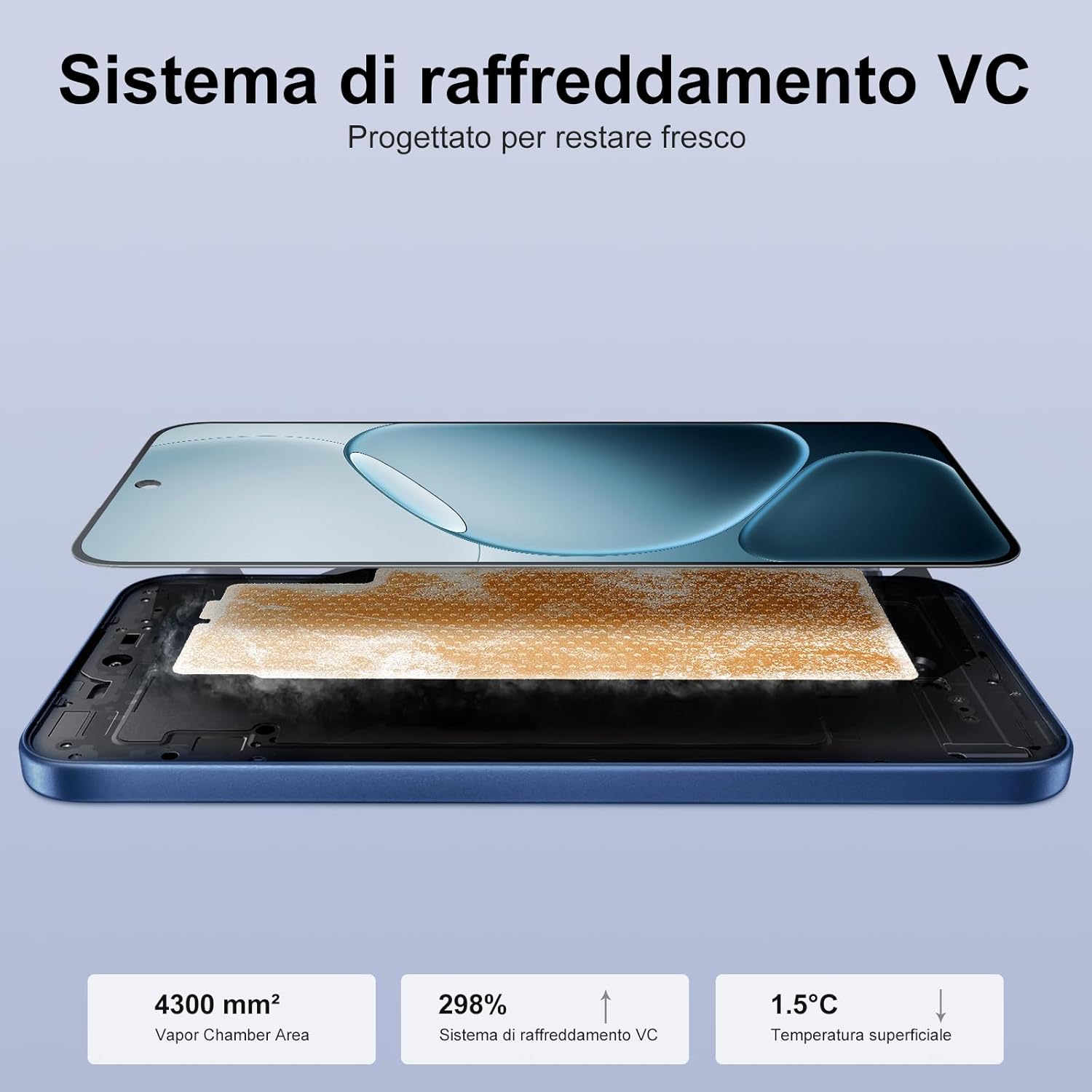
Image: Two individuals using the OPPO A6 Pro 5G to take photos underwater, demonstrating the phone's underwater photography capabilities.
Durability
The OPPO A6 Pro 5G boasts an IP69 rating, providing robust resistance against water and dust ingress.

Image: The OPPO A6 Pro 5G being subjected to water splashes, visually confirming its IP69 water and dust resistance rating.
Video: This video highlights the durability of the OPPO A6 Pro 5G, specifically demonstrating its IP69 water resistance by showing the phone submerged in water.
Software and Connectivity
The OPPO A6 Pro 5G runs on Android 15 and includes advanced features for an optimized user experience.
Key Software Features
- AI GameBoost 2.0: Optimizes gaming performance for smoother graphics and faster responses.
- AI LinkBoost 3.0: Enhances network connectivity for uninterrupted video calls, gaming, and downloads, even in weak signal conditions.
- NFC: For contactless payments and quick pairing with compatible devices.
Connectivity
The device supports 5G cellular technology, Bluetooth, and Wi-Fi for comprehensive connectivity options.
Maintenance
To ensure the longevity and optimal performance of your OPPO A6 Pro 5G, follow these maintenance guidelines:
- Cleaning: Use a soft, lint-free cloth to clean the screen and body. Avoid abrasive materials or harsh chemicals.
- Water Exposure: While the device is IP69 rated for water and dust resistance, avoid intentional submersion in deep water or exposure to high-pressure water jets for extended periods. Ensure all ports are dry before charging.
- Temperature: Operate the phone within recommended temperature ranges. Avoid extreme heat or cold.
- Software Updates: Regularly update your device's software to benefit from the latest security patches and feature enhancements.
Troubleshooting Common Issues
If you encounter issues with your OPPO A6 Pro 5G, consider these basic troubleshooting steps:
- Device Unresponsive: Press and hold the Power button for about 10-15 seconds to force a restart.
- Battery Drain: Check background app usage, reduce screen brightness, and disable unnecessary features like GPS or Bluetooth when not in use.
- Network Issues: Toggle Airplane Mode on and off, restart the device, or check with your service provider.
- App Malfunctions: Clear the app's cache and data (Settings > Apps > [App Name] > Storage), or uninstall and reinstall the app.
- Factory Reset: As a last resort, you can perform a factory reset (Settings > System > Reset options > Erase all data). Warning: This will delete all data on your phone. Back up important information first.
Technical Specifications
| Feature | Specification |
|---|---|
| Brand | OPPO |
| Model Name | OPPO A6 Pro 5G |
| Model Number | CPH2781 |
| Product Dimensions | 15.81 x 7.5 x 0.78 cm; 390 grams |
| RAM Size | 8 GB |
| Storage Capacity | 256 GB |
| Operating System | Android 15 |
| Processor Type | Others (MediaTek Dimensity 6300) |
| Screen Size | 6.57 Inches |
| Display Type | AMOLED |
| Resolution | 2372 x 1080 Pixels |
| Refresh Rate | 120 Hz |
| Battery Capacity | 6500 mAh (Lithium Ion) |
| Cellular Technology | 5G |
| Connectivity | Bluetooth, Wi-Fi |
| Additional Features | Octa-core Processor, 4K Video Recording, Water Resistant, Fingerprint Sensor, Touchscreen |
| Water & Dust Resistance | IP69 |
For detailed energy efficiency information, please refer to the EU EPREL database: https://eprel.ec.europa.eu/qr/2424043
Warranty and Support
Your OPPO A6 Pro 5G comes with a standard manufacturer's warranty. Please refer to the warranty card included in your product packaging for specific terms and conditions.
For further assistance, technical support, or to find service centers, please visit the official OPPO support website:
You can also contact OPPO service via email: support@oppo.com.
Related documentsCPH2781


Ask a question about this manual
Ask about setup, troubleshooting, compatibility, parts, safety, or missing instructions. Manuals+ will review the question and use this page’s manual context to help answer it.